How to Track Keyword Rankings for Your Shopify Store
You've updated product titles, cleaned up collection pages, maybe published a few blog posts, and waited for organic traffic to kick in. Then you open Google, search one of your target terms, and the results don't match what you expected. One page looks higher on your phone than on your laptop. Another query shows a local pack or an AI Overview. A product you edited last week seems to have vanished.
That's where most Shopify store owners get stuck. They're doing SEO work, but they're not measuring it in a way that tells them what to keep, what to fix, and what to ignore. Knowing how to track keyword rankings matters because rankings are only useful when they help you make better store decisions. If the data doesn't lead to better collection pages, stronger product copy, cleaner internal linking, or more sales, it's just a dashboard.
Table of Contents
- Why You Need a Keyword Ranking Report Card
- Before You Track Building Your Keyword List
- Setting Up Your Rank Tracker in wRanks
- How to Read and Interpret Rank Tracking Reports
- Applying Ranking Insights to Your Shopify Store
- Troubleshooting Common Rank Tracking Problems
Why You Need a Keyword Ranking Report Card
You update a collection page, rewrite a few product titles, publish a blog post, and two weeks later sales are flat. The hard part is figuring out whether SEO is helping, stalling, or slipping unnoticed. A keyword ranking report card gives you a way to check that before traffic and revenue take the hit.
For a Shopify store owner, rankings matter because they show whether the pages that support sales are becoming easier to find. That includes collection pages, product pages, and the content that introduces shoppers to your products earlier in the buying journey. It also matters more now that AI Overviews can absorb clicks from informational searches. If a keyword rises but your commercial page still gets ignored, the report should push you to review intent, page type, and how visible your brand is within the results, not just celebrate a better position.
The useful part is not the spreadsheet. It is the decision that follows.
A good report card helps you spot patterns you can act on:
- Collection pages that are gaining visibility for buyer-intent searches
- Product pages that dropped after title, template, or copy changes
- Blog posts that are starting to assist commercial keywords
- Terms sitting just below page one, where focused updates can produce revenue faster than chasing new topics
- Queries affected by AI Overviews, where rankings alone no longer explain traffic changes
This is also where small stores save time. Without a clear report, it is easy to spend a month polishing low-value blog content while a category page with real sales potential sits at position 11. Tracking makes trade-offs visible. You can choose whether the next hour should go into internal links, collection copy, schema fixes, or content refreshes.
If your keyword set is messy, your conclusions will be messy too. Start with a deliberate list tied to revenue, then expand later. If you need help choosing those terms, this guide to keyword research for Shopify stores will give you a better starting point than pulling a giant list from a tool and hoping something useful appears.
Practical rule: Use rank tracking as a store management tool. If a ranking change does not connect to a page, a fix, or a sales opportunity, it does not belong at the center of your reporting.
Bad tracking creates false confidence. It mixes mobile and desktop, ignores location, watches keywords no customer would use, and treats averages as insight. A solid report keeps the focus on rankings that can lead to sessions, product views, and orders.
Before You Track Building Your Keyword List
A Shopify store can rank for hundreds of terms and still struggle to grow sales. I see this a lot with smaller stores. They track broad keywords that look impressive in a report, while the phrases tied to collection pages, product discovery, and high-intent searches get buried in the list.
Start narrower. A short, well-mapped keyword set is easier to review, easier to act on, and far more useful when time is limited.
Start with pages that can produce money
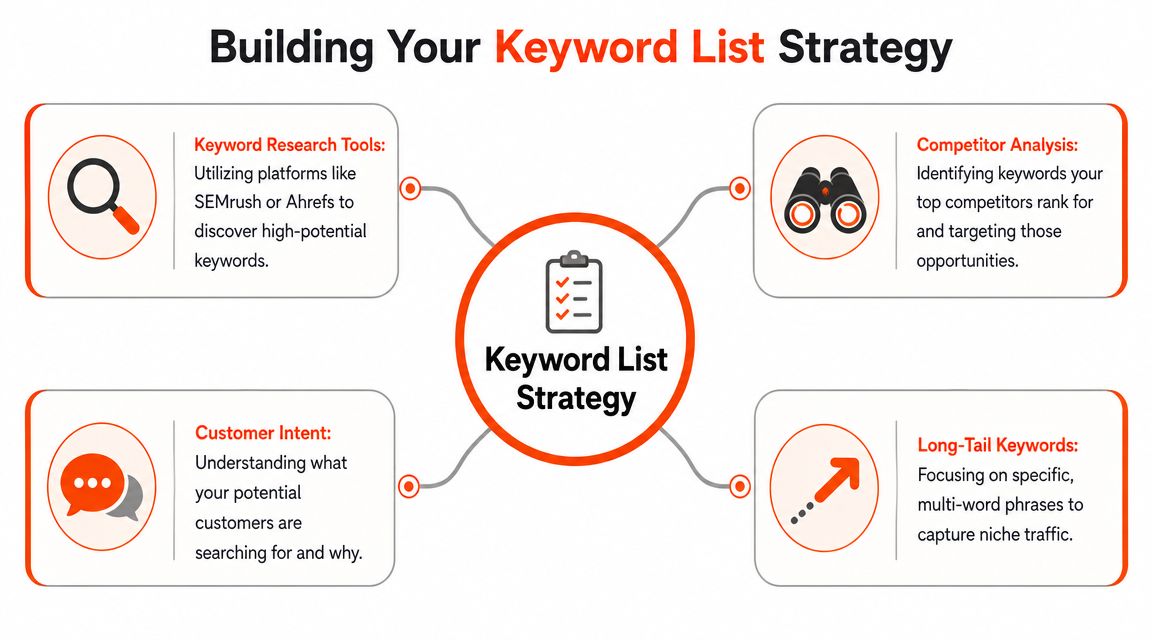
Build the list from your store structure, not from a giant export in an SEO tool. Open your key collection pages, top products, and any blog posts that already bring qualified traffic. Then ask a simple question. Which searches would help a shopper find, compare, or buy?
For most Shopify stores, the first batch usually includes:
- Collection terms that match category-level shopping intent
- Product-type terms used by buyers who know what they want
- Problem-aware terms where the product is a clear next step
- Brand terms to protect demand you already created
A store selling supplements should care more about "magnesium glycinate capsules" than a broad phrase like "supplements." A furniture store often gets more value from tracking "oak bedside tables" than a blog keyword that draws casual readers with no purchase intent.
Group keywords by job
One long list creates noisy reporting. Split your keywords into groups based on what each term is supposed to do for the business.
| Keyword group | What it covers | Typical Shopify destination |
|---|---|---|
| Brand | Store name, brand-product combinations | Home page, brand pages, product pages |
| Money | High-intent terms tied to buying | Product pages, collection pages |
| Topical | Informational searches that support discovery | Blog posts, guides, FAQs |
That structure makes decisions faster. A drop in branded visibility points to a different problem than a drop on category terms. A rise on a blog post is only useful if you can connect that visibility to product discovery, internal links, email signups, or assisted sales.
This also matters more now that AI Overviews can reduce clicks even when rankings look stable. If you track only position, you miss the business question. Did the keyword still send traffic? Did the page assist a sale? Did the page need stronger product links, fresher copy, or a better answer format?
Keep the list practical
A clean keyword list usually follows a few rules:
- Assign one primary keyword to each important page. Avoid making multiple pages compete for the same phrase unless you have a clear reason.
- Track terms with clear intent. Longer, more specific searches often reveal better revenue opportunities than broad vanity phrases.
- Match keyword type to page type. Buying terms belong on collection and product pages. Educational terms belong on blogs, guides, and FAQs.
- Add keywords in rounds. Start with the terms you can act on now, then expand after you prove the tracking setup is useful.
If you are still building that first list, this guide to keyword research for Shopify stores will help you choose terms that fit your catalog and customer intent.
Stores with larger catalogs sometimes ask whether they should track every product keyword from day one. Usually, no. Track the pages that matter most first. Then expand into subcategories, seasonal terms, and supporting content once the reporting is tied to real actions.
If you manage multiple storefronts or a large SKU set, it can also help to compare enterprise SEO solutions before you scale tracking across every market and page type.
A useful keyword list does one job well. It tells you which pages deserve attention first, and which ranking changes are likely to affect traffic, product views, and orders.
Setting Up Your Rank Tracker in wRanks
Once the keyword list is solid, setup determines whether the data is trustworthy. Many merchants unknowingly create false signals via their setup choices. They track one national view, mix desktop and mobile together, and then wonder why the reports don't line up with what customers see.
Configure location first
Geo settings come before everything else. If you sell primarily in Germany, your rankings should reflect Germany. If your store serves one country but your tool checks another market, the report can look precise while being strategically useless.
That matters for Shopify stores with:
- Markets enabled across countries
- Localized collections or translated content
- Shipping restrictions that change buyer intent
- Seasonal products that behave differently by region
A store selling winter apparel in Canada shouldn't read the same SERP as a store serving only the UK. Even when the keyword looks identical, the results can shift based on geography.
Separate device and search surface
Mobile and desktop are not interchangeable. Product discovery often starts on mobile, while comparison and checkout may happen later on desktop. If you blend both into one ranking number, you hide real problems.
A stronger setup tracks:
- Desktop results
- Mobile results
- Local views where relevant
- Traditional rankings and AI-driven visibility where available
That broader view matches current guidance. Modern keyword tracking should include desktop and mobile, local versus national SERPs, SERP features such as AI Overviews, and the connection between rankings and conversions or revenue rather than rankings alone.
For larger teams or agencies comparing platform options, it's worth stepping back and compare enterprise SEO solutions to see how tracking depth, reporting, and segmentation differ at a higher level.
A simple setup sequence works well for most stores:
- Import the focused keyword list you already grouped by page type and intent.
- Choose the target market based on where customers buy.
- Split tracking by device so mobile losses don't hide inside averages.
- Label keywords by page type such as product, collection, or blog.
- Watch features beyond blue links when your target terms trigger AI summaries or other SERP elements.
How to Read and Interpret Rank Tracking Reports
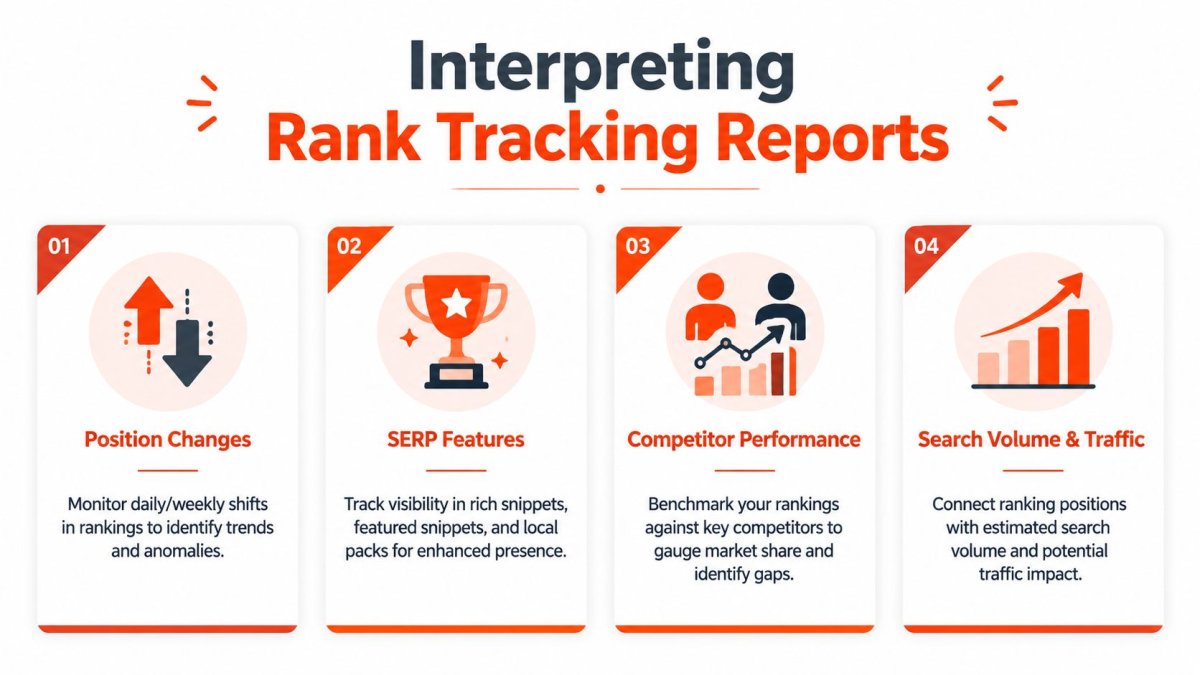
A rank report matters when it helps you decide what to fix in Shopify this week. If it only shows that a keyword moved from position 8 to 6, it is a vanity report. If it shows that your summer dresses collection gained mobile visibility, held clicks, and lifted assisted revenue after a copy update, that is useful.
Read trends by page type and business value
Start with the URLs closest to purchase. For most Shopify stores, that means collection pages first, then high-margin product pages, then blog content that supports discovery. A small gain on a collection page can matter more than a bigger gain on an informational post if the collection drives revenue.
Look for movement patterns over time, not single-day swings. Rankings fluctuate for routine reasons, especially on terms with mixed intent. What deserves your attention is repeated movement tied to one page type, one device segment, or one cluster of related terms.
A useful report answers questions like these:
- Did one collection page rise across several closely related keywords?
- Did mobile positions drop while desktop stayed steady?
- Did blog content gain visibility without helping product or collection pages?
- Did AI-heavy results reduce clicks even when rankings stayed similar?
That last point matters more now. Queries with AI summaries change what “good visibility” looks like, especially for stores competing on informational and comparison terms. If you want a better process for tying rank data to traffic gains, use this guide to improve organic search traffic with actions tied to page performance.
A ranking increase only matters if the page attracts the right visitor and helps a sale happen.
What a drop usually means
A drop is a clue, not a diagnosis.
For a collection page, check whether you changed the title, heading structure, introductory copy, filters, or internal links. Collection pages often lose ground after merchants trim copy too aggressively, rename categories for branding reasons, or bury them deeper in the site structure.
For a product page, review stock status, variant handling, canonicals, duplicate product descriptions, and recent merchandising edits. I see stores create ranking problems by changing product names, consolidating variants poorly, or letting out-of-stock states weaken the page over time.
For a blog post, a rise can be as important as a drop. If a guide starts ranking for a commercial-adjacent term, add internal links to the collections or products that should benefit. Otherwise, the traffic stays informational and does little for revenue.
A practical way to reduce noise is to set review thresholds. Minor movement is common. Repeated drops across several related terms, or a sharper fall on one revenue-driving page, deserve a closer look right away.
Read rankings in the context of clicks and sales
Position data on its own is incomplete. A move from position 4 to 3 may do less for your store than a move from 11 to 8 on a high-intent collection query. The second change can bring a page into contention for clicks. The first may barely affect traffic if the SERP is crowded with ads, shopping results, and AI features.
Newer Shopify stores often lose time by tracking too many keywords equally, then spend hours reacting to changes that have no commercial impact. Prioritize terms tied to category discovery, bestsellers, and seasonal revenue. De-prioritize vanity phrases unless they clearly support a buying journey.
For stores trying to make sense of AI-era visibility, it helps to review how AI search for online stores changes product discovery. A page can lose clicks even while holding a similar organic position because the search result is now surrounded by AI summaries, shopping units, and comparison modules.
How to interpret AI Overview visibility
Older rank tracking habits miss this. A keyword can show stable organic rankings while real visibility drops because AI Overviews push classic listings lower or answer the query before the click.
For Shopify merchants, that changes the reading of the report:
- Check whether your page still earns impressions when AI results appear
- Watch which pages get cited or mentioned for research-heavy queries
- Separate informational visibility from transactional visibility
- Review affected keywords more often if they influence product discovery
If your blog content appears around AI-led searches but your collection pages do not, that is not a full win. It usually means your informational content is relevant, but your commercial pages need stronger internal links, clearer entity signals, better copy depth, or tighter intent matching.
That is how tracking starts to matter. The report stops being a scoreboard and becomes a list of priorities tied to revenue, content updates, and technical fixes inside your store.
Applying Ranking Insights to Your Shopify Store
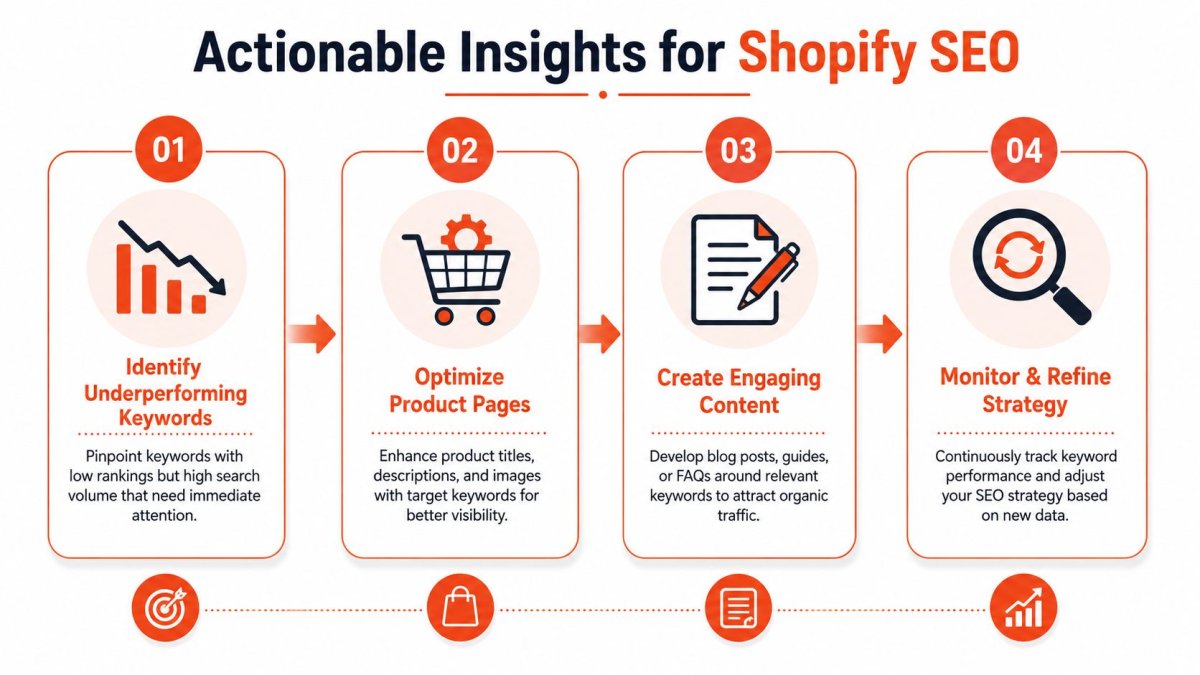
Tracking becomes valuable the moment it changes what you do in the admin. If reports don't lead to edits, they're passive. The best Shopify SEO workflows connect ranking shifts to actual page changes, technical fixes, and merchandising decisions.
Tie each ranking change to a store action
The question most merchants ask is the right one: Did the ranking change because of my optimization, or because the SERP shifted? Useful guidance should help attribute changes to store edits like title updates, collection changes, or product launches.
That's the core discipline. Keep a simple change log. When you update a collection title, launch a new product line, merge pages, or add internal links, note the date. Then compare rank movement after the change.
Use that logic in everyday scenarios:
- A product page drops after a title rewrite. Recheck whether the new title still matches the target query and whether the on-page copy stayed aligned.
- A collection page rises after adding subcategory text. Review whether clicks and assisted sales also improved. If they did, expand the pattern to similar collections.
- A blog post starts ranking for a useful informational term. Add product links, collection links, and FAQ content so it helps commercial pages.
- A new launch creates overlap with an older page. Decide which page should own the keyword, then reduce internal competition.
If you're trying to connect classic rankings with the newer search environment, this resource on AI search for online stores is worth reviewing because it frames visibility in a way that's closer to how ecommerce discovery now works.
Why automation and competitor tracking matter
Manual checks are fine for spot checks. They're not enough when your catalog keeps changing. Shopify stores edit titles, swap featured products, launch seasonal pages, and redirect old URLs all the time. Without automation, you won't notice meaningful shifts early enough to act.
Competitor tracking matters for the same reason. A ranking drop doesn't always mean you made a mistake. Sometimes another store improved its category page, expanded its content, or earned more SERP visibility around the same term. If you only watch your own ranks, you miss the context.
That's why serious tracking should support a repeatable cycle:
- Monitor important keywords consistently
- Review shifts by page type and intent
- Compare with competitor movement
- Apply a specific store fix
- Measure what changed after the fix
When you need concrete ideas for turning organic visibility into better store performance, this guide on how to improve organic search traffic is a practical next read.
Troubleshooting Common Rank Tracking Problems
Even a clean tracking setup will throw up a few messy situations. Rankings drop after a theme update. A keyword looks fine in the tool but lower in your browser. Google keeps swapping between a collection page and a product page. For Shopify stores, these issues usually come from page changes, search intent shifts, or the way results are displayed, not from rank tracking itself.
The job is simple. Find the cause before you start rewriting pages that were doing their job.
My ranking disappeared overnight
Start with the page, not the keyword.
Check whether the URL changed, whether a redirect was added, whether the product went out of stock, or whether the page lost internal links after a menu or collection update. On Shopify, rankings often slip after routine store edits. A merchandiser changes a title, a product gets archived, or a collection URL changes for a campaign. SEO takes the hit later.
Then verify the query manually in an incognito browser and compare it with Search Console data. A strong workflow should combine manual verification in an incognito browser to reduce personalization bias with tool-based tracking and Google Search Console data to validate what Google is actually seeing.
If the page still exists and visibility is still off, check for technical problems that affect crawling or indexing. This guide to technical SEO for ecommerce covers the issues that commonly disrupt ranking stability on store pages.
The tool shows one rank and I see another in Google
That usually comes down to context.
Your browser may be showing a different location, device type, account state, or search history from the one used by the tracker. Google may also be inserting SERP features that change what the page looks like in practice, even if the underlying organic rank has not moved much.
Use this quick check:
- Open an incognito window and search again.
- Match the same market and device your tracker is using.
- Check Google Search Console for impressions, clicks, and average position on that query.
- Look at SERP features such as Shopping results, local packs, and AI Overviews.
AI Overviews matter here because they can reduce clicks even when rankings hold steady. If a keyword still ranks but traffic drops, review whether Google is answering more of the query before users reach your page. That changes what "good performance" means for the term.
Two of my pages rank for the same keyword
That usually points to cannibalization. On Shopify, the common pattern is a collection page competing with a product page, or an older blog post competing with a commercial page that should convert better.
Pick the page that should own the keyword based on intent and revenue potential. Then make that choice obvious.
- Keep the stronger page as the main target
- Rewrite overlapping titles and headings
- Adjust internal links to support the preferred URL
- Retarget weaker pages to a different variation or intent
If Google keeps rotating pages, the fix is usually cleaner targeting, not more content. One page should serve the main query. The others should support it or target different searches.
If you want a faster way to monitor rankings, tie visibility changes to actual Shopify page edits, and track both traditional search results and AI discovery, wRanks gives Shopify merchants a focused way to do that without stitching together a pile of separate tools.

About David Chen
Technical SEO engineer focused on structured data, indexing optimization, and Core Web Vitals. David turns complex technical requirements into actionable Shopify solutions.