
Technical SEO for eCommerce: A Shopify Playbook for 2026

You launched the store. The theme looks polished, the product photography is strong, and the brand feels real. Then you open Search Console or Shopify analytics and see what a lot of owners see in the first year. Traffic is flat, a few pages are indexed, and Google seems to ignore products you know should be discoverable.
That usually isn't a product problem. It's a technical foundation problem.
For Shopify stores, technical SEO for ecommerce isn't about turning you into a developer. It's about making sure search engines can crawl your store efficiently, understand which URLs matter, and load the important content without getting stuck in duplicate paths, app scripts, or thin parameter pages. If you fix the right things in the right order, SEO starts to feel less random.
Table of Contents
- Why Your Beautiful Shopify Store Isn't Getting Traffic
- Your First Technical SEO Audit Checklist
- Phase One Fixing Crawl and Indexing Issues
- Phase Two Refining On-Page Technical Signals
- Phase Three Boosting Performance and User Experience
- The Ongoing Playbook for Long-Term Growth
Why Your Beautiful Shopify Store Isn't Getting Traffic
Most new Shopify owners assume SEO problems come from weak copy or not enough backlinks. Sometimes that's true. But a lot of stores never get far enough for those things to matter because Google is dealing with basic technical friction first.
The scale of the problem is more extensive than commonly understood. A 2025 analysis of over 25,000 ecommerce sites found that 70.5% had “needs improvement” performance scores, 53% were missing essential canonical tags on some pages, and 62.4% had at least one broken link. That matters because these aren't edge-case issues. They're the baseline reasons ecommerce stores stay under-indexed or underperform.
On Shopify, those problems often hide behind a store that looks perfectly fine to a human visitor. Your homepage loads. Collections work. Products are live. But under the surface, Google may be seeing duplicate product URLs through collections, crawlable filter combinations, broken internal links from old menu structures, or JavaScript-heavy pages slowed down by apps.
Practical rule: If Google can't discover, consolidate, and render your important pages cleanly, better content won't save the store.
A technical audit sounds intimidating, but for a Shopify merchant it's mostly a checklist of practical questions:
- Can search engines reach key pages? Products, collections, and content pages need clear internal paths.
- Are the right pages indexed? Not every URL Shopify creates deserves a place in Google.
- Are duplicate versions under control? Collection paths, tags, variants, and faceted URLs can split signals.
- Does the store load efficiently on mobile? Speed problems usually come from media and script weight.
- Can search engines understand product details? Structured data and consistent page signals help.
If you're also working on conversion rate improvements, it helps to pair SEO cleanup with UX improvements that enhance your Shopify store performance. The two usually affect the same parts of the storefront, especially templates, navigation, and page speed.
What works is a priority system. Fix crawl and indexation first. Then clean duplication. Then improve on-page signals. Then deal with performance debt. Most stores do that in the opposite order and waste months.
Your First Technical SEO Audit Checklist
Your first audit shouldn't start in a giant spreadsheet. Start with a short diagnostic pass that tells you whether Google can crawl, index, and understand the store without confusion.
Industry guidance keeps technical SEO for ecommerce centered on four pillars: site architecture, speed, mobile usability, and structured data as noted in Victorious' ecommerce technical SEO guidance. That's a useful frame because it prevents random busywork.
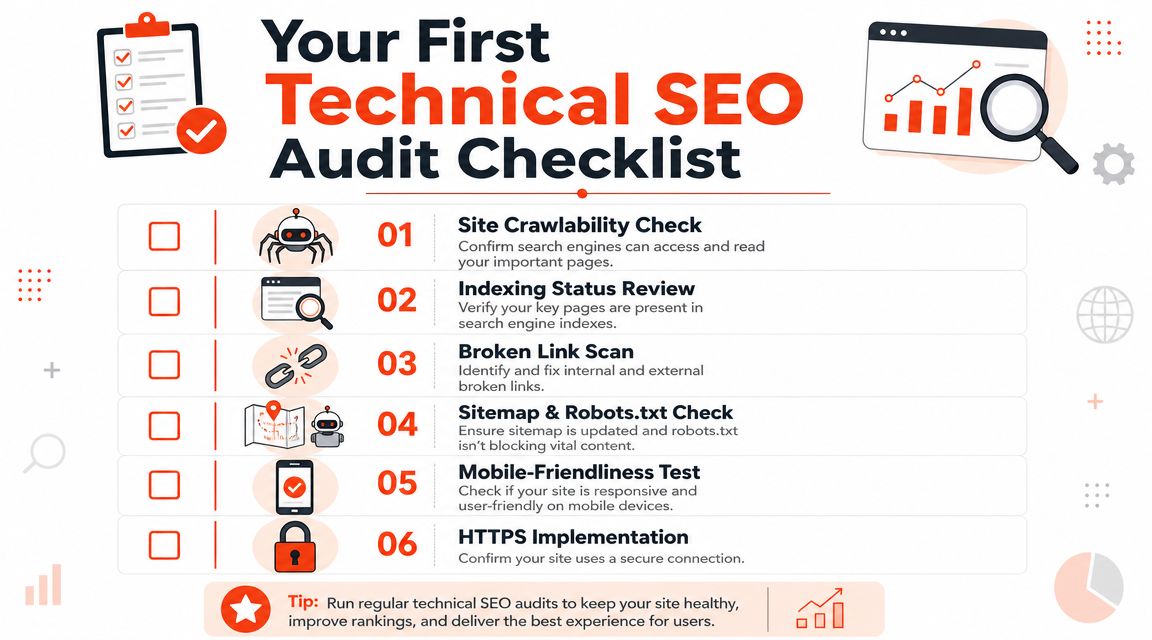
Check Search Console before touching the theme
Open Google Search Console first. For a Shopify store, within it you'll spot the patterns that matter fastest.
Look at page indexing, submitted sitemap status, and any signs that important URLs are excluded. Don't obsess over every warning. Focus on whether product pages, collection pages, and core content pages are being discovered and indexed in a way that matches your merchandising priorities.
Then compare what Google knows with what you think exists on the site.
- Review indexed page types: Are products getting indexed, or are odd collection/tag URLs showing up instead?
- Check sitemap coverage: Shopify generates sitemap files automatically, but you still need to confirm Google reads them and that important URLs are included.
- Watch for sudden drops: A theme edit, app install, or template change can create indexation problems unnoticed.
Search Console is less useful as a scorecard than as a pattern detector. You're looking for mismatches between store structure and search visibility.
Crawl the site like a bot would
Run a crawl with a desktop crawler you're comfortable with. The goal isn't to produce a perfect enterprise audit. It's to identify obvious structural waste.
A basic crawl should help you find:
- Broken internal links: Old menu links, deleted blog paths, discontinued product references.
- Thin or duplicate titles: Common on collection pages and older product imports.
- Missing canonicals or conflicting canonicals: Especially important on Shopify where multiple paths can resolve to similar content.
- Redirect chains: These waste crawl time and create a messy internal architecture.
One thing many teams miss is analytics quality. If tracking is broken, it becomes harder to separate SEO issues from reporting issues. Before you make major changes, it's smart to prevent tracking errors in analytics so you can trust what happens after the fixes go live.
Verify the files that control access
Shopify handles some technical basics well, but don't assume the defaults are ideal for your store.
Here's the short version of what to verify:
| Area | What to check | Why it matters |
|---|---|---|
| Sitemap | Confirm the XML sitemap is accessible and submitted | Helps search engines find products, collections, and pages |
| Robots.txt | Review whether low-value URLs are being guided correctly | Prevents wasted crawling on pages that don't deserve attention |
| Internal links | Make sure menus, breadcrumbs, and collection links point cleanly | Google follows links before it trusts your intent |
| Mobile templates | Test product and collection pages on mobile | Most searches happen on mobile devices, so weak mobile UX causes SEO drag |
Audit mobile and product markup manually
Don't rely only on tools. Open a few important product pages on your phone. Then open them again with fresh eyes.
Check whether the primary content appears quickly, whether variant selection changes the page in a way that makes sense, and whether key product information is visible without waiting on scripts. Also verify that your product data is consistent: title, price, availability, brand, and imagery should line up cleanly on the page.
That's enough for an initial audit. If you finish this pass, you'll know where the store is blocked, where it's diluted, and where the technical debt is likely costing you visibility.
Phase One Fixing Crawl and Indexing Issues
This is the part that usually creates the first real lift. Before speed work, before content expansion, before any redesign, fix how search engines discover and interpret your Shopify URLs.

Google's own guidance puts discovery, crawlability, internal links, sitemaps, and duplicate-content management ahead of performance work in the practical order of operations, as outlined in the Google SEO Starter Guide. That order is right for Shopify too.
Start with what Google can discover
Shopify already generates a sitemap, so the main job is making sure your important pages are reachable and worth crawling.
If a product only exists in one buried collection and isn't linked from any meaningful internal path, Google may still find it eventually. But “eventually” isn't a strategy. New stores need clear crawl paths through navigation, collection structure, related products, and breadcrumb trails.
Use this sequence:
Submit the sitemap in Search Console Confirm it's live and being processed.
Review main navigation Your top categories should map to real collection pages with clear internal links.
Use breadcrumbs They help users, and they reinforce category relationships for crawlers.
Link to products from collections that matter Don't make Google rely on internal search or filtering to discover inventory.
Clean up Shopify duplication before anything else
Shopify's biggest SEO headache is usually duplication, not because the platform is broken, but because stores create too many alternate paths to the same content.
A common example is product URLs that appear both as the main product path and within collection paths. Another is collection pages expanded through tags, filters, sorting, or parameters that don't create unique search value.
What works is restraint.
- Keep one preferred version of a product URL and make sure canonical tags point there consistently.
- Avoid indexing low-value filtered combinations unless a filtered page is intentionally built as a landing page.
- Review tag-generated or parameter-heavy URLs that create near-duplicate lists.
- Don't let sorted pages compete with core collections when the content intent is basically the same.
If a URL exists only because a filter or sorting option created it, assume it should not rank until you prove otherwise.
That mindset saves a lot of stores. Owners often treat every accessible URL as a candidate for organic traffic. In practice, most of those URLs only split authority and waste crawl attention.
A short explainer on crawl logic can help if you want a visual walkthrough before making these edits:
Add product signals search engines can read
Once crawl paths are clean and duplicate paths are under control, add clarity to the pages you want indexed.
For Shopify product pages, the strongest technical signals are usually straightforward:
- Descriptive titles and consistent product naming
- Clear internal placement inside collections
- Product structured data
- Valid canonical tags
- No blocked resources that hide visible content
Structured data matters most when it reflects the actual page. Product name, description, brand, price, availability, and related attributes should be present in a machine-readable format and should match what the customer sees.
The mistake I see most often is trying to “optimize” collection or product templates before sorting out URL conflicts. That almost always leads to the wrong pages ranking, or no page ranking well at all.
Phase Two Refining On-Page Technical Signals
A lot of Shopify merchants think on-page technical work means editing title tags and alt text. That's part of it, but the deeper job is signal control. You're telling search engines which version of a page matters, what the product is, and how page elements relate to each other.
The common assumption I'd push back on is this: slow, messy technical signals are just part of using Shopify. They aren't. Most of the time, the mess comes from store decisions, not the platform itself.
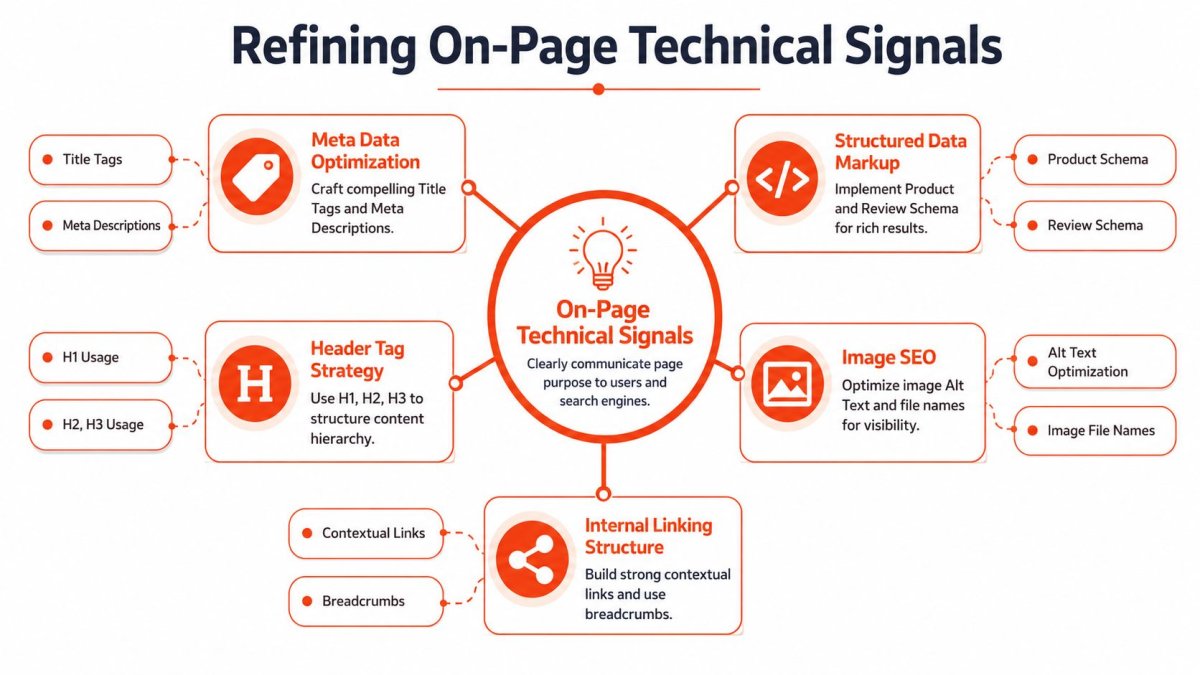
Canonical tags are your control layer
Canonical tags matter more on Shopify than many store owners realize. Product variants, collection paths, tagged collections, and faceted URLs can all create versions of a page that look unique to a browser but shouldn't compete in search.
Your canonical strategy should answer one question clearly. Which URL should collect authority?
For most stores:
- Product pages should canonicalize to the main product URL.
- Collection pages should self-canonicalize when they're primary landing pages.
- Filtered or sorted URLs should usually point back to the clean collection version unless you've intentionally built that filtered page for search demand.
Here's the practical test:
| URL type | Usually indexable | Usually canonical target |
|---|---|---|
| Main product URL | Yes | Self |
| Product inside collection path | No | Main product URL |
| Core collection page | Yes | Self |
| Sort or filter URL | Usually no | Core collection page |
If your canonicals conflict with internal linking, internal links usually expose the problem fast. A store that links heavily to duplicate paths while canonicalizing elsewhere sends mixed signals.
Structured data and image signals need to match reality
Shopify product markup should describe the actual product page, not an idealized version of it. If the page shows a product as unavailable, the structured data shouldn't suggest otherwise. If the visible title is short but the schema uses a bloated keyword string, that mismatch creates trust issues.
Focus on clean Product JSON-LD for core attributes such as product name, description, brand, color, size, price, availability, model number, and aggregate rating when applicable. Keep it aligned with the rendered page.
Then look at images. Image SEO at scale on Shopify usually breaks in two ways:
- stores upload giant assets and never compress them
- stores leave alt text blank or auto-generated in a useless way
Good alt text doesn't need to read like a keyword list. It needs to describe the product image naturally and consistently. If you sell “linen duvet cover in sage,” that's enough when it matches the actual image.
The best technical signals are boring. They're consistent, predictable, and easy for a crawler to trust.
Fix the internal links that leak value
Broken internal links aren't just a UX problem. They interrupt crawling and waste authority on dead paths.
Go back to the crawl data and fix these first:
- Old menu destinations: Common after collection restructuring.
- Discontinued product references: Often hidden in blog posts, homepage sections, or related product blocks.
- Redirecting internal links: If your own links point to URLs that immediately redirect, update the destination.
- Breadcrumb mismatches: These often reveal architecture confusion.
This part is less glamorous than rewriting product copy, but it has more impact. Internal links tell Google what you consider important. If those links are sloppy, everything else becomes harder.
Phase Three Boosting Performance and User Experience
Many Shopify stores frequently start with this, but that's usually backward. But once crawl and signal issues are stable, performance work becomes worth the effort because the right pages are already eligible to benefit.
The biggest misconception in Shopify performance is that the platform itself is the main problem. It usually isn't. The heavier problem is the stack merchants build on top of it.
The Shopify-specific issue worth taking seriously is that many themes and apps rely heavily on client-side JavaScript, which can delay or obscure content from search engines, as discussed in Wix's technical SEO guidance for ecommerce.
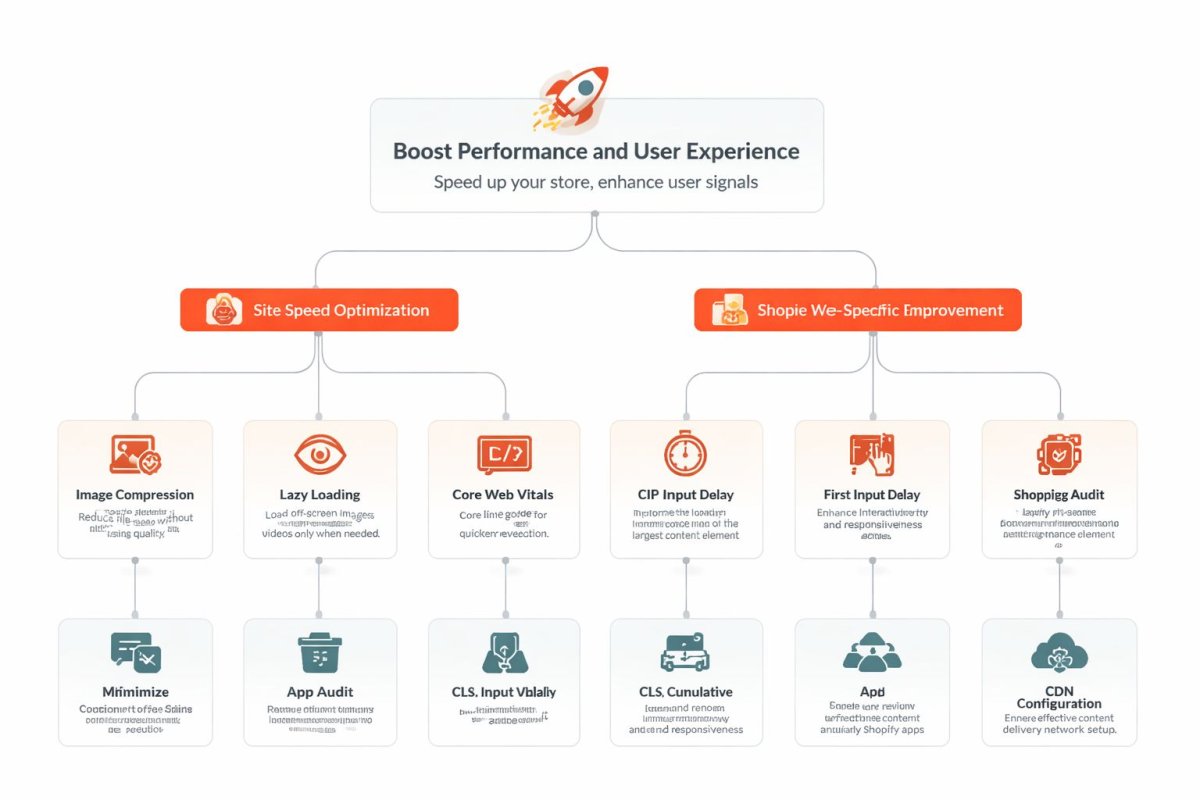
The real Shopify speed problem is usually app weight
If a store is slow, start by listing every app that injects scripts into the storefront. Reviews, upsells, bundles, popups, quizzes, chat, wishlists, heatmaps, subscription layers, and personalization tools all add weight.
Not every app is bad. But every app should justify its cost in both revenue and performance.
I use a simple review framework:
- Mission critical: Checkout-adjacent tools, core merchandising functions, essential reviews.
- Helpful but replaceable: Nice UX improvements that don't need to run everywhere.
- Low value: Apps added for one campaign, one experiment, or one feature nobody uses now.
Then check where scripts load. The biggest wins often come from removing scripts from templates that don't need them. A widget useful on product pages doesn't need to load on every blog article or policy page.
Media also matters. Product images should be compressed and properly sized. Video can become a hidden performance drag if it's uploaded in a heavy format or auto-loaded too aggressively. If your store uses a lot of product demos, 43frames' video format guide is a practical reference for choosing web-friendly formats before you upload assets.
Faceted navigation needs rules
Filters are useful for shoppers and dangerous for SEO when left unchecked.
The problem isn't that faceted navigation exists. The problem is when every color, size, style, and sort combination becomes another crawlable URL. Shopify stores can generate a large amount of low-value duplication this way, especially with layered collection filtering or app-based faceted navigation.
The fix is a policy, not a patch.
Use this decision model:
| Facet type | SEO treatment |
|---|---|
| Core category pages | Keep indexable |
| High-intent filtered landing pages you deliberately target | Allow and optimize individually |
| Routine filter combinations | Keep out of the index or canonicalize back |
| Sort orders and utility parameters | Prevent from becoming search targets |
That keeps filters useful for users without turning them into an indexation mess.
A good filtered experience for shoppers is not the same thing as a good URL inventory for Google.
Performance becomes a maintenance system
Once you've cleaned up app weight and filter logic, performance work becomes ongoing operational discipline.
Use a recurring review process:
- After each app install, test key templates
- After major theme edits, recheck product and collection rendering
- Review discontinued product redirects regularly
- Watch mobile performance first, desktop second
A practical redirect policy helps here too. When products are removed or URLs change, redirect to the closest relevant substitute or parent collection. Don't leave old campaign URLs or deleted products dangling if they still have internal links or external visibility.
Performance isn't a one-time project on a Shopify store. It's a byproduct of how disciplined you are about scripts, media, templates, and URL hygiene.
The Ongoing Playbook for Long-Term Growth
The stores that keep organic growth don't treat technical SEO as a cleanup sprint. They treat it like catalog management. Products change, collections evolve, apps get added, campaigns create new URLs, and international expansion introduces a second layer of complexity.
That's why technical SEO for ecommerce works best as a repeatable operating rhythm.
Build a recurring technical review rhythm
You don't need an enterprise process. You need a consistent one.
A good quarterly rhythm for a Shopify store includes:
- Search Console review: Look for newly excluded pages, sitemap issues, and unexpected indexation patterns.
- Mini site crawl: Check broken links, redirects, title duplication, and canonical consistency.
- Template spot checks: Open key product, collection, and article pages on mobile and verify they still render cleanly.
- App review: Remove storefront tools that no longer justify their load cost.
This is what keeps small technical issues from turning into structural ones. Stores rarely lose traffic because of one dramatic failure. More often, they accumulate avoidable friction month after month.
Handle international growth carefully
Shopify Markets makes expansion easier operationally, but international SEO still needs discipline. If you serve different countries or languages, you need clear market targeting and clean alternate relationships between versions.
The biggest risk is accidental duplication across markets. If country or language versions are too similar and not clearly mapped, search engines can struggle to understand which page should appear where.
For international setups, keep these rules simple:
- Each market version should have a clear purpose
- Alternate language or country versions should reference each other correctly
- Local currency, language, and content should align with the intended market
- Don't create market versions you won't maintain
If you can't keep a market version sufficiently useful, it's better to simplify than to launch a half-maintained international setup.
Technical SEO scales best when each new market adds clarity, not another layer of duplicate URLs.
Treat technical SEO like merchandising infrastructure
This is the mindset shift most Shopify brands need.
Technical SEO isn't separate from growth. It's the infrastructure that lets product pages get discovered, lets category pages consolidate authority, and lets site improvements compound instead of getting buried under crawl waste and script bloat.
What works over the long term is boring and dependable:
- clean architecture
- disciplined indexation
- strong internal linking
- controlled duplication
- lightweight templates
- regular review
What doesn't work is chasing isolated tricks while the store keeps generating conflicting URLs and slow templates underneath.
If your traffic feels stuck, don't assume Google has judged the brand already. In many cases, the store just hasn't made itself easy enough to crawl, interpret, and trust. Fix that layer, and your products finally get a fair shot.
If you want a faster way to apply this playbook inside Shopify, wRanks is built specifically for merchants who need technical fixes, content optimization, schema support, and ongoing SEO monitoring in one place. It helps you audit store-wide issues, prioritize what matters, and make changes without turning every SEO task into a developer project.

About Amira Hassan
Digital growth consultant specializing in AI-powered commerce strategies. Amira bridges the gap between cutting-edge AI tools and practical Shopify store growth.