Best Shopify Apps for SEO: A Title Tag Masterclass
Most advice on best shopify apps starts in the wrong place. It starts with reviews, upsells, popups, quizzes, loyalty widgets, and whatever app is trending this quarter. That's backwards for most stores.
If your product and collection pages still have weak title tags, duplicated metadata, and no real search visibility strategy, another conversion app won't fix the underlying problem. It just decorates a store that's still hard to discover. The best app isn't the one with the longest feature list. It's the one that fixes a foundational constraint.
For Shopify SEO, that usually comes down to one brutally important element: the title tag. It's still the first line of communication between your page and search demand. Get it wrong, and great products stay buried. Get it right, and your store starts earning qualified clicks without renting every visit through ads.
Table of Contents
- Why Most 'Best Shopify App' Lists Are Incomplete
- The Anatomy of a Perfect Shopify Title Tag
- Title Tag Blueprints for Every Page Type
- The Shopify Workflow From Manual Edits to AI Automation
- Advanced Tactics for Title Tag Optimization
- Common Title Tag Pitfalls and How to Avoid Them
Why Most 'Best Shopify App' Lists Are Incomplete
Most "best Shopify apps" lists are built for clicks, not for store performance.
They reward apps with flashy demos, broad name recognition, and obvious revenue stories. Reviews, upsells, quizzes, popups, bundles, search overlays. Fine categories, often useful. Still, they usually sit in the middle of the funnel. They help after a shopper has already found you.
That is the blind spot.
A lot of merchants do not need another conversion layer. They need their category pages, product pages, and blog content to earn visibility in search before they worry about squeezing another 0.3 percent out of on-site conversion. If pages are not being discovered, crawled properly, indexed cleanly, and clicked from search results, the stack is out of order.
Most lists optimize the middle of the funnel
The gap in most best shopify apps coverage is simple. It overweights conversion widgets and underweights discoverability infrastructure.
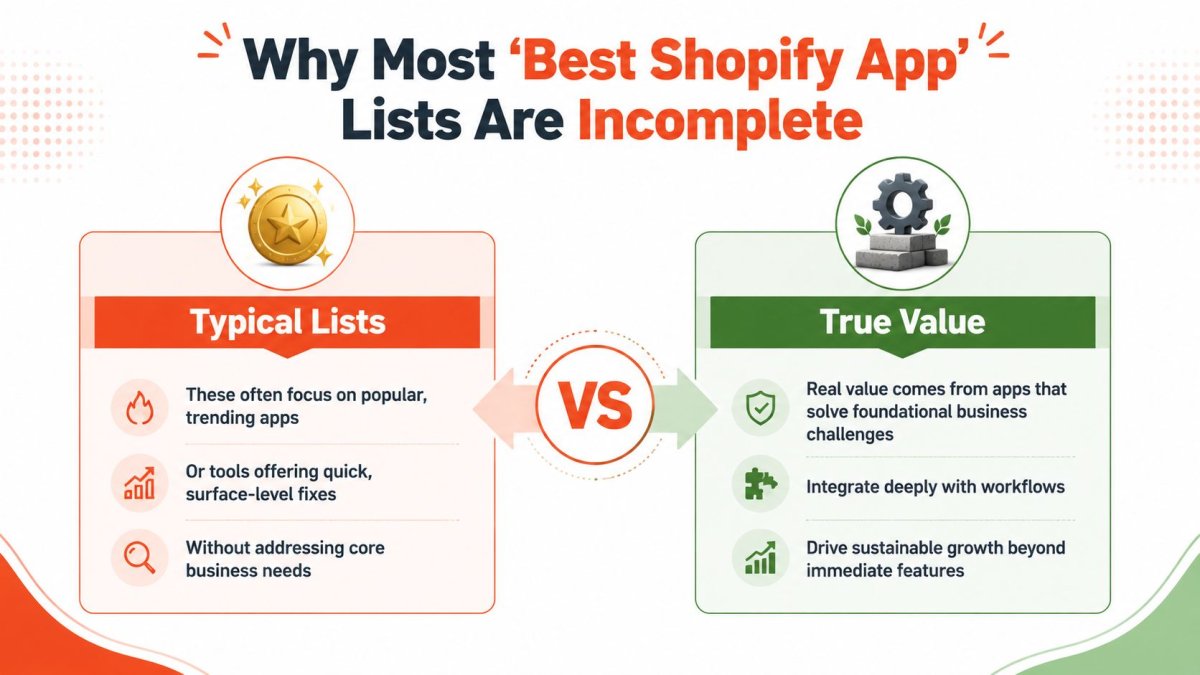
Recent roundups heavily feature tools like Yotpo, Rebuy, Boost AI Search & Filter, and Videowise, but they rarely address the less glamorous work that drives qualified organic traffic: SEO governance, indexing control, schema quality, redirect management, multilingual discovery, and AI-answer visibility. Yotpo's roundup of Shopify conversion apps is a good example of the category bias. Conversion gets attention. Search infrastructure is often an afterthought.
I do not evaluate apps by how polished the demo store looks. I evaluate them by the constraint they remove. If a store cannot get the right pages found and clicked, adding another badge, slider, or popup is usually a distraction.
A store with weak discoverability has an acquisition problem first.
Merchants search for "best apps" when the actual decision is often operational. What needs a dedicated Shopify app, what should be handled in theme logic, and what belongs in a broader workflow outside the storefront? If your team is sorting out AI-assisted production and content operations more broadly, this unified AI creative workspace overview is a useful framing reference. This distinction is important because not every useful tool should live as another storefront app.
The better question to ask
The right question is not "What are the most popular Shopify apps?" It is "What is the next bottleneck in this store?"
For many stores, the sequence is straightforward:
- Fix discoverability first: tighten title tags, metadata, internal relevance signals, indexing hygiene, and page intent.
- Then remove conversion friction: add reviews, guided discovery, or merchandising tools where they solve a clear problem.
- Then consolidate: cut overlap, reduce script load, and keep the stack maintainable.
A short decision table makes the trade-off clearer:
| Store condition | Wrong app priority | Better priority |
|---|---|---|
| Pages aren't ranking | Popups and upsells | SEO infrastructure |
| Traffic is qualified but hesitant | More analytics dashboards | Reviews, trust, persuasion |
| Too many overlapping tools | Adding another widget | Consolidation and speed |
The stores that waste the most money are rarely under-tooled. They are mis-prioritized. They buy features before they fix the page elements that determine whether searchers ever see them.
That is why title tags deserve more attention than most app roundups give them. They are not exciting, but they influence visibility, relevance, and click-through at the exact moment demand is formed. If an app helps you manage that workflow at scale, it belongs higher on the list than another conversion gimmick.
The Anatomy of a Perfect Shopify Title Tag
A title tag is not a decoration. It is the page's headline in search, and on many Shopify stores it does more revenue work than half the apps in the stack.
If the title misses intent, ranking gets harder and clicks get weaker even when the page is otherwise solid. That is why app roundups that treat SEO apps like optional extras miss the point. The best app is the one that helps fix a core bottleneck, and title tags sit near the top of that list.
What a title tag must do
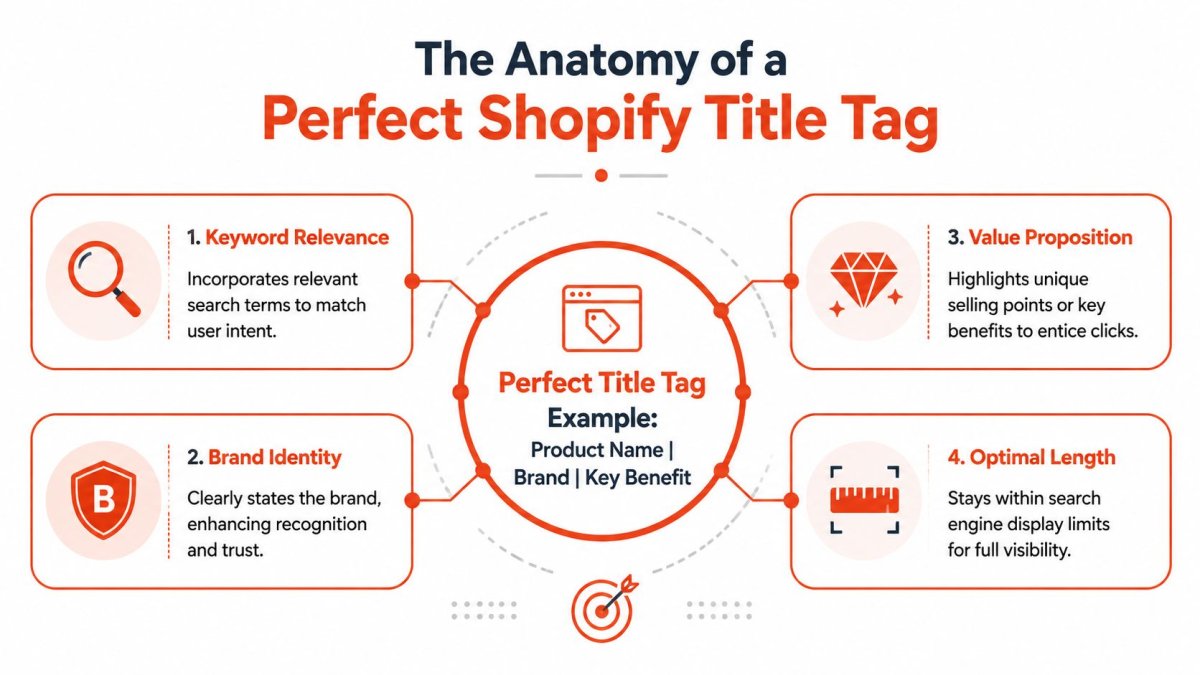
A strong Shopify title tag usually handles four jobs at once:
- Primary keyword relevance: Put the main search phrase near the front when it makes sense.
- Page specificity: Show whether the page is a product, collection, or article.
- Click value: Add a useful modifier, benefit, use case, or product detail if it helps the searcher choose.
- Brand logic: Include the brand only when it adds recognition, trust, or disambiguation.
Practical rule: Write for the search result first, not for your internal naming system.
That distinction matters more than merchants think. A catalog name like “Aurora” may work inside Shopify, but it is thin in search if the buyer is looking for “linen duvet cover queen.” The title tag has to translate internal naming into external demand.
As noted earlier, merchants often run crowded app stacks. In practice, mastering fundamentals like title tags usually delivers a better return than adding another feature app to an already crowded stack.
Brand placement is a strategic choice
Brand-first titles are common because they are easy, not because they are always the best option. If your store is not already pulling branded demand, leading with the brand often wastes the strongest part of the tag.
Use brand first when:
- You have meaningful branded search demand.
- The product name itself is well known.
- The page is mainly navigational, such as the homepage or a flagship collection.
Use brand last when:
- You need to win generic category searches.
- The product type or keyword carries the intent.
- The brand helps credibility but is not the main reason someone searched.
The difference is usually obvious:
| Weaker option | Better option |
|---|---|
| Brand Name | Product Name | Product Name | Key Attribute | Brand Name |
| Brand Name | Running Shoes | Men's Running Shoes | Lightweight Daily Trainers | Brand Name |
A simple title tag formula
You do not need ten formulas. You need one reliable structure you can apply across templates and refine by page type.
A solid baseline is:
Primary keyword | distinguishing detail | brand
The middle element does the heavy lifting. It can be a material, audience, compatibility note, use case, finish, or outcome. Good title tags answer the searcher's next question before the click.
For merchants trying to align SEO language with persuasive copy, this Market With Boost piece is useful because it connects search optimization with copywriting discipline. That is the right frame. A title tag is metadata, but it is also compressed positioning.
A few checks keep the tag sharp:
- Lead with the main concept. Do not hide the keyword behind branding or internal jargon.
- Earn every word. Cut anything that does not improve relevance or click appeal.
- Drop empty adjectives. Words like “amazing,” “premium,” and “best” usually waste space.
- Match the page intent. Product pages should signal transaction. Blog pages should signal information. Collection pages should signal category coverage.
If the title could fit on twenty competing stores without changing a word, it is too generic.
The perfect Shopify title tag is not clever. It is specific, useful, and built around the query you want to win. Merchants who understand that stop treating SEO as a side feature and start using apps to systemize the work that matters.
Title Tag Blueprints for Every Page Type
The easiest way to write bad title tags is to use one pattern for every page. Product pages need purchase intent. Collection pages need category coverage. Blog posts need topic clarity. Treat them the same, and all three underperform for different reasons.
Product page blueprints
A product page title should target a buyer who's already close to action. That means specifics win.
Good product titles often combine the product type with the detail that narrows intent. Material, size, compatibility, audience, and model identifiers all help when they reflect how people search.
Try these blueprints:
[Product type] | [material or feature] | [brand]
Example: Leather Wallet | Slim Bifold RFID | Brand NameBuy [product type] | [key use case] | [brand]
Example: Buy Standing Desk | Home Office Setup | Brand Name[Product name] [model] | [category keyword] | [brand]
Example: Aurora X2 | Electric Kettle | Brand Name
What usually fails is the opposite approach. Merchants keep the internal product name, then tack on the brand, and call it SEO. If the title doesn't describe what the item is, it won't compete well for non-branded demand.
Collection page blueprints
Collection pages should cast a wider net than product pages, but they still need focus. The job here is category intent, not clever merchandising language.
These structures work because they tell search engines and users exactly what the collection covers:
[Primary category] | [audience or style] | [brand]
Example: Women's Linen Dresses | Summer Styles | Brand Name[Category keyword] | Shop [benefit or theme] | [brand]
Example: Office Chairs | Shop Ergonomic Seating | Brand Name[Category] for [use case] | [brand]
Example: Protein Powder for Recovery | Brand Name
The common mistake is stuffing collection pages with every variant in the catalog. That creates a muddy title. Pick the dominant category phrase first, then add one modifier that improves clarity.
Blog post blueprints
Blog titles need a different rhythm. They should align with informational intent and make the payoff obvious. A searcher looking for education won't click a title that reads like a product page.
Use patterns like these:
- How to [solve a problem] with [product or topic]
- Best [product category] for [specific audience or need]
- [Topic] guide for [audience]
Examples:
- How to Choose a Mattress for Side Sleepers
- Best Coffee Grinders for Home Espresso
- Skincare Routine Guide for Sensitive Skin
A useful way to think about it is this:
| Page type | Core search intent | Best title behavior |
|---|---|---|
| Product | Buy now | Specific and transactional |
| Collection | Compare and browse | Broad but focused |
| Blog | Learn first | Clear and benefit-led |
When merchants build titles by page type instead of by habit, the whole store gets cleaner. Product pages stop sounding vague. Collections stop sounding bloated. Blog posts stop sounding like category pages with a date added to them.
That's the difference between “adding SEO” and writing titles with intent.
The Shopify Workflow From Manual Edits to AI Automation
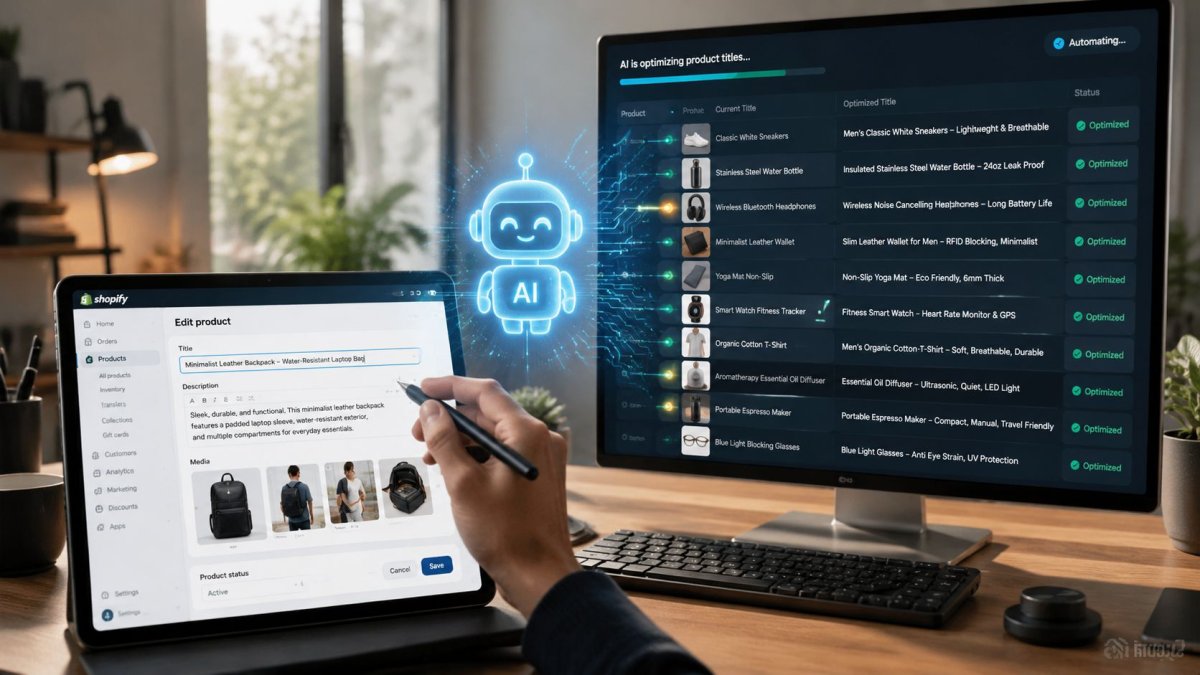
Most Shopify merchants start title tag work the same way. They open a product, scroll to the search engine listing preview, click edit, type something better, save, and move to the next page. That works on a small catalog. It breaks the moment scale shows up.
Manual edits work until they don't
Manual title editing inside Shopify is straightforward, but the workflow is weak for serious SEO operations.
The usual problems show up fast:
- No prioritization: Teams edit whatever page they happen to find first.
- No pattern control: Different people write titles in different styles.
- No issue detection: Underperforming titles stay buried unless someone audits them.
- No operational loop: Insights from analytics don't reliably turn into fixes.
That last point matters most. According to Attribution's guide to Shopify analytics tools, the most effective apps are chosen by the decision they improve, not by feature count. Better workflows ingest store data, surface useful insights, and give teams a direct path to action. That principle applies to SEO as much as attribution.
If a tool only tells you “something might be wrong” but doesn't make the fix easier, it's not solving enough of the job.
What an effective SEO workflow looks like
A useful title tag workflow has four parts:
Find the pages that matter first
Focus on products, collections, and articles with meaningful search potential or obvious metadata weakness.Diagnose the problem clearly
Is the title duplicated, generic, off-intent, over-branded, or missing category language?Generate a stronger replacement
Use consistent rules by page type. Don't improvise every title from scratch.Push the fix live quickly
The closer the recommendation is to the editor, the more likely the team will implement it.
The best workflow doesn't just produce recommendations. It reduces the distance between diagnosis and action.
That's where many “best shopify apps” fail in practice. They add another dashboard. Merchants don't need more dashboards. They need fewer dead ends.
A quick visual walkthrough helps here:
Where automation actually helps
Automation is useful when it handles repeatable decisions, not when it tries to replace judgment. For title tags, that means generating sensible drafts from page context, flagging weak pages, and helping teams move through fixes without opening ten different tools.
The best implementation pattern looks like this:
| Workflow stage | Manual approach | Better automated approach |
|---|---|---|
| Identify weak titles | Spreadsheet audit | Surface issues inside one SEO workflow |
| Draft improvements | Write one by one | Generate based on page type and intent |
| Implement changes | Open pages manually | Jump directly into the relevant editor |
| Maintain consistency | Hope everyone follows rules | Apply repeatable logic across the catalog |
Good automation doesn't excuse bad SEO thinking. It enforces good SEO thinking at scale.
That's the definitive answer to the app question. The best app is the one that supports a high-value decision repeatedly, with less friction and fewer errors. In SEO, title tags are one of the clearest examples because the manual version is easy to start and painful to maintain.
Advanced Tactics for Title Tag Optimization
Once the basics are right, the next gains come from refinement. Not hacks. Not keyword stuffing. Refinement.
That usually means testing better hypotheses and adapting titles for different markets instead of cloning the same English-first metadata everywhere.
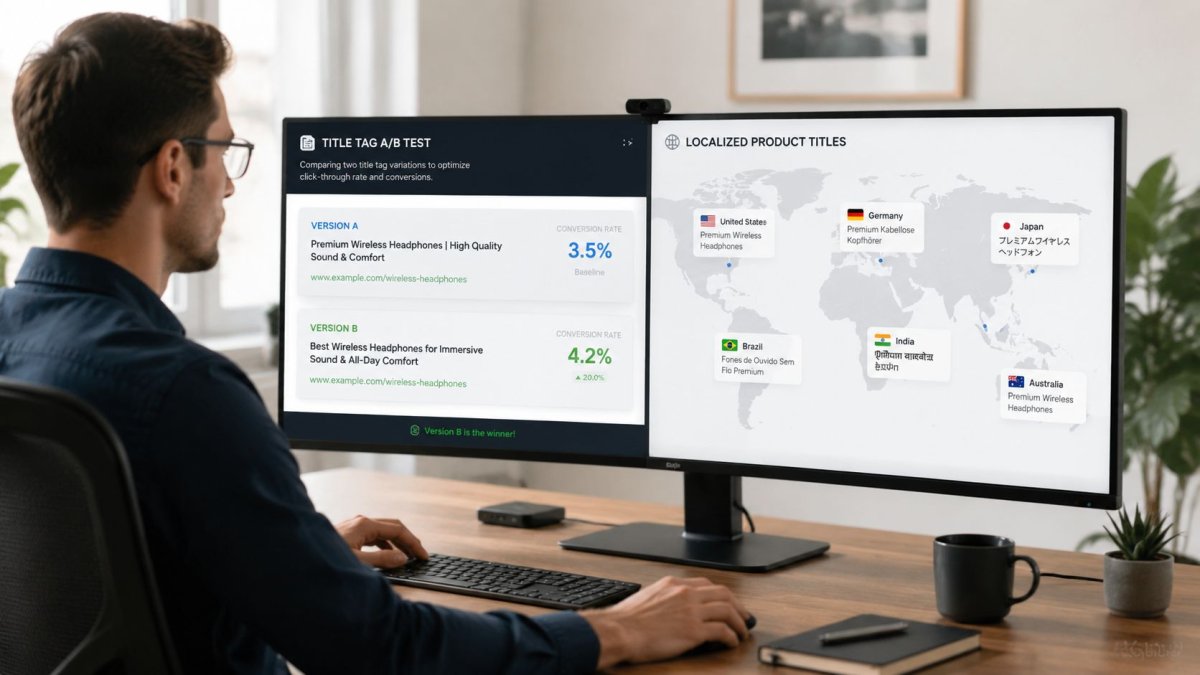
A practical way to test title tag improvements
You can't treat title tags like paid ad headlines and rotate them endlessly. Search takes longer, and multiple variables move at once. But you can still test intelligently.
Use a controlled process:
- Choose comparable pages: Pick pages in the same category or intent bucket.
- Change one angle at a time: Brand placement, use case modifier, or specificity. Not all three.
- Wait for enough signal: Don't rewrite titles every few days because of noise.
- Document the hypothesis: “Adding audience intent should improve clicks” is better than random edits.
A simple example:
| Test version | Hypothesis |
|---|---|
| Men's Running Shoes | Brand Name | Baseline generic category title |
| Men's Running Shoes | Lightweight Daily Trainers | Brand Name | Added use-case specificity may improve relevance |
What matters is disciplined iteration. If a title loses clarity, revert it. If a title improves relevance but weakens click appeal, rewrite it. Testing isn't about proving your first instinct was right. It's about removing lazy assumptions.
Localization for Shopify Markets
Localization is where many Shopify stores get exposed. They translate titles word for word and assume they've done international SEO. They haven't.
Local search behavior differs by phrasing, product terminology, and purchase intent. A translated title can be technically correct and still be the wrong title for the market. That's especially true for category names, material terms, and shopping modifiers.
Localized title tags should reflect how buyers in that market search, not how your source language phrases the product.
For teams trying to understand how classic search optimization overlaps with answer-engine visibility, this strategic guide to AEO and SEO is a useful companion read. It's relevant because title logic now affects both traditional result pages and AI-mediated discovery surfaces.
A few localization rules hold up well:
- Keep native search phrasing first: Don't force a direct translation if locals use another term.
- Rewrite modifiers where needed: “Affordable,” “luxury,” “organic,” or “plus size” may map differently by market.
- Respect local brand strength: In some regions, the brand helps. In others, generic category demand should lead.
- Review collections separately from products: Collection language often needs broader regional adaptation.
Mature SEO systems earn their keep. Multi-language title work gets messy fast if teams manage it in disconnected spreadsheets, translators, and manual page edits. The stores that handle this well don't just translate. They localize with intent.
Common Title Tag Pitfalls and How to Avoid Them
Merchants usually don't fail title tags because they ignore them completely. They fail because they make titles look “SEO'd” without making them better.
When titles look optimized but aren't
The first problem is keyword stuffing. It usually sounds like this: “Protein Powder, Best Protein Powder, Whey Protein, Buy Protein Powder.” That title tells search engines you're trying too hard and tells shoppers nothing useful.
The fix is simple. Choose one primary target, add one clarifying detail, and stop.
The second problem is duplication. This happens when similar products, paginated collections, or blog posts reuse the same structure with barely any distinguishing information. Search engines don't need five pages that all read like clones.
Use this symptom-diagnosis-cure table:
| Symptom | Diagnosis | Cure |
|---|---|---|
| Every title repeats the same phrase | Over-optimization | Differentiate by feature, audience, or use case |
| Titles look identical across pages | Duplication | Add page-specific context |
| Titles are long but weak | Filler words | Cut generic adjectives and internal labels |
| Brand appears first everywhere | Misplaced branding | Lead with category or product keyword when targeting non-branded demand |
Shorter isn't automatically better. Clearer is better.
Another frequent issue is misaligned intent. Merchants write a category title like a blog post, or a product title like a homepage slogan. Searchers don't respond well to ambiguity. The page type should be obvious from the title alone.
The maintenance problem merchants underestimate
The SEO problem is often operational, not theoretical. Teams fix a batch of title tags once, then let the catalog drift back into inconsistency as new products launch and collections expand.
That's where app choices can subtly make things worse. Many roundups push merchants toward overlapping tools, and the stack gets heavier over time. A key pitfall is app bloat. Shopify merchants are often encouraged to install many overlapping apps, which can add scripts, slow pages, and create technical debt, as discussed in the Shopify Community conversation on underrated apps and features.
The practical lesson is bigger than title tags:
- Don't stack overlapping apps: One tool for one clear job is better than three partial solutions.
- Don't separate insight from execution: If your team can find issues but struggles to ship fixes, the workflow is broken.
- Don't ignore fundamentals for gimmicks: Search visibility compounds. Surface-level widgets don't replace it.
A strong minimum-app stack beats a bloated “best of” stack almost every time. That's especially true when the store still has unresolved SEO basics.
If you want a Shopify SEO setup that handles title tags, metadata, technical cleanup, indexing support, GEO visibility, redirects, schema, and multi-language optimization without piling on storefront bloat, wRanks is worth a close look. It's built for merchants who need one operational SEO system instead of another flashy app that looks good in a listicle and does very little for discoverability.

About Amira Hassan
Digital growth consultant specializing in AI-powered commerce strategies. Amira bridges the gap between cutting-edge AI tools and practical Shopify store growth.