
How Long Should Meta Description Be? the 2026 Guide
Meta descriptions usually work best at about 120 to 158 characters, with around 155 characters as a practical upper target for many results. But that popular rule is an outdated simplification, because the actual limit is usually pixel width, and that changes between desktop and mobile.
That's why one “perfect” character count keeps failing in practice. A description that looks fine in Shopify can still get cut off in Google because letters don't take up equal space, screens don't show the same width, and Google may rewrite the snippet anyway. If you run a Shopify store, the useful question isn't just how long should meta description be. It's how long should it be for the device, the page type, and the click you're trying to win.
Table of Contents
- The Simple Question with a Surprisingly Complicated Answer
- The 160-Character Rule and Why It Is Obsolete
- Decoding Truncation Pixels Desktop and Mobile
- How to Write Meta Descriptions That Drive Clicks and Sales
- How to Add and Optimize Meta Descriptions in Shopify
- Your Meta Description Checklist for Perfect Snippets
The Simple Question with a Surprisingly Complicated Answer
If you've searched how long should meta description be, you've probably seen a pile of conflicting advice. One article says 155 characters. Another says 160. Another says length doesn't matter. All of them contain part of the truth, which is why the topic stays confusing.
For a Shopify merchant, this matters because the meta description isn't some academic SEO field. It's sales copy that shows up before a shopper ever lands on your store. If your product page, collection page, or blog article gets the click, the description helped. If it gets truncated or rewritten into something bland, you lose control of that first impression.
What store owners usually get wrong
The meta description is often approached as a box with a fixed character limit. That's the old model. The better model likens it to shelf space. Some words are compact and fit neatly. Others are bulky and take up more room, even if the character count looks similar.
That's also why copying one formula across every page usually backfires. Product pages need specificity. Collection pages need range and intent. Blog posts need curiosity and clarity. One number can't solve all three.
Practical rule: Don't chase a magic count. Write a description that earns the click, then check whether it still displays cleanly on smaller screens.
There's another layer too. Search behavior is getting broader than classic blue links. If you're already thinking about how your store appears across search, AI answers, and discovery surfaces, Busylike's guide to generative engine optimization is a useful companion read because it pushes the same core idea. Visibility now depends on how clearly you summarize your page, not just how neatly you hit an old SEO checkbox.
The real framework that saves time
Here's the working approach I'd use for a Shopify store:
- Start with the page goal: Product, collection, homepage, and blog pages need different copy.
- Write for humans first: The description has to sound like a reason to click, not a keyword dump.
- Check display reality second: If it gets cut off too early, tighten the wording rather than padding or trimming blindly.
- Accept that Google may rewrite it: Your job is to give Google a strong option, not assume full control.
That framework is more useful than memorizing one number. It also matches how snippets behave in search.
The 160-Character Rule and Why It Is Obsolete
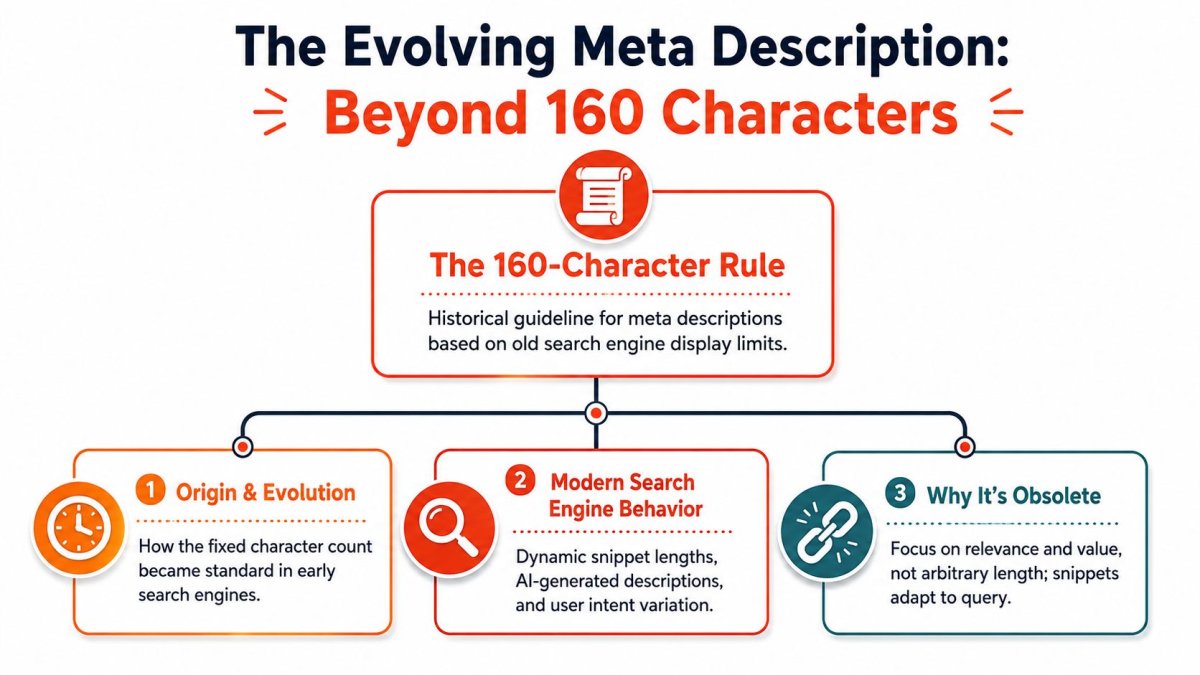
The 150 to 160 character guideline didn't come from nowhere. It has a real historical basis. Semrush notes that SEO specialists had long recommended staying around that range, then points to a December 2017 Google update that temporarily changed how long snippets appeared before the practical range settled back near 150 to 160 characters in common use. You can see that context in Semrush's breakdown of meta description mistakes.
That history matters because it explains why the advice became so sticky. It used to be a decent shorthand. The problem is that shorthand became a rule, and rules get repeated long after they stop being precise enough.
Why character counting is too crude
Counting characters is like measuring a parking space by footsteps. You'll get a rough estimate, but not one you should trust when precision matters.
A narrow letter like “i” takes less room than a wide letter like “W.” Spaces, punctuation, and bolded query terms also affect how the snippet renders. So two descriptions with the same character count can display very differently in search.
That's why a lot of store owners get frustrated. They trim a meta description to a “safe” count, publish it, and still see truncation. The issue often isn't the count itself. It's the rendered width.
What still makes the old rule useful
The old rule isn't useless. It's just incomplete.
If you stay around the mid-150s, you're often in a workable range for many desktop results. That's why the advice survived. But “often workable” is not the same as “always safe,” especially if your audience skews mobile or your descriptions use long product names and wider words.
For ecommerce stores, this shows up constantly. Brand names, material details, product attributes, and variant language can eat width fast. A phrase like “waterproof trail running shoes” takes a different amount of visual space than “light gym shoes,” even if the count difference looks modest.
The right way to think about meta length is technical first, then editorial. Space on the results page is visual, not abstract.
If you're cleaning up broader ecommerce indexing and crawl issues alongside snippets, technical SEO for ecommerce is where this topic connects to the bigger picture. Meta descriptions don't exist in isolation. They're one part of how your pages present and qualify for search visibility.
Decoding Truncation Pixels Desktop and Mobile
If you want the practical answer, stop asking only about characters and start asking how much rendered space Google gives you. Independent guidance converges on a pixel-based ceiling. Conductor recommends keeping meta descriptions between 430 and 920 pixels. That's roughly 70 to 155 characters. MRS Digital reports Google's desktop display at about 920 pixels, or roughly 158 characters, and mobile at about 680 pixels, or roughly 120 characters. Conductor's guidance is summarized in its meta description academy resource.
That's the number shift Shopify merchants need to internalize. Desktop gives you more room. Mobile gives you less. If your description has to look clean everywhere, mobile is the tighter constraint.
The side by side guide
| Device | Pixel Width Limit | Practical Character Range |
|---|---|---|
| Desktop | 920 pixels | about 155 to 158 characters |
| Mobile | 680 pixels | about 120 characters |
This table is why “just write 160 characters” is shaky advice. It assumes one display environment. Search results don't work that way.
What this means in real store copy
A product page description that reads beautifully at desktop length may get clipped on mobile right after the core selling point. That's a problem if the missing part contains the differentiator, such as shipping, material, fit, or use case.
On the other hand, forcing every page into a very short mobile-safe version can make desktop snippets feel thin. You lose room for nuance, especially on collection and editorial pages where context helps the click.
So the trade-off is simple:
- If consistency matters most: Write tighter, with mobile in mind.
- If fuller desktop messaging matters more: Use a slightly longer version and accept that mobile may trim it.
- If the page is high value: Manually test the wording until the opening phrase carries the message, even when cut.
The safest writing pattern
The first part of the description should do the heavy lifting. Lead with the product category, benefit, or offer. Don't hide the useful part at the end.
For example, this structure is safer:
- Front-loaded value: “Shop lightweight linen shirts for warm weather, easy layering, and everyday comfort.”
- Back-loaded risk: “Browse our collection and discover styles designed for comfort, fit, and warm-weather wear in lightweight linen.”
The second version may still be readable, but it makes the shopper work harder before the value appears.
On mobile, your opening words matter more than your final words, because those are the words most likely to survive truncation.
That's the practical answer to how long should meta description be for most Shopify pages. Use the known display ranges as guardrails, but write the opening like it may be the only part a shopper sees.
How to Write Meta Descriptions That Drive Clicks and Sales
Length matters. Persuasion matters more.
Google states that meta description length is not a ranking factor, there's no fixed limit on the tag itself, and Google often generates snippets from page content instead. That guidance appears in Google's documentation on controlling snippets in search results. So the job of a meta description isn't to “rank better” by hitting a magic count. The job is to give Google a strong snippet candidate and give searchers a clear reason to click.

Write the snippet like ad copy
A weak meta description sounds like a database field. A strong one sounds like a concise sales pitch.
Here's the pattern that works well for Shopify pages:
- Lead with the page topic: Name the product, collection, or problem clearly.
- Add the main reason to care: Benefit, feature, use case, or shopping angle.
- Finish with action or reassurance: Shop, compare, explore, discover, or a practical promise.
If you want broader context on effective SEO for online stores, that piece is useful because it treats snippets as part of the full merchandising job, not as isolated metadata.
Before and after examples for Shopify pages
Product page
Before:
“Buy our stainless steel water bottle online. Great quality and affordable price.”
After:
“Shop stainless steel water bottles designed for daily carry, leak-resistant use, and easy cleaning.”
The second version is sharper because it describes why the product is worth clicking.
Collection page
Before:
“Browse our summer dresses collection with many styles and colors available now.”
After:
“Explore summer dresses in easy, wearable styles for weekends, vacations, and warm-weather events.”
The better version gives the shopper a use case, which helps qualify the click.
Blog post
Before:
“Learn about skincare ingredients and what they do in this helpful blog post.”
After:
“Learn what common skincare ingredients do, how to choose them, and what to avoid for your routine.”
That version promises a clearer outcome.
What usually hurts click-through
I see the same mistakes on ecommerce stores all the time:
- Generic filler: “Best quality,” “great selection,” and “amazing products” say almost nothing.
- Keyword stuffing: Repeating the product phrase makes the snippet sound robotic.
- Mismatch with page content: If the page doesn't deliver what the snippet promises, Google may ignore your text or shoppers may bounce.
- Duplicate descriptions: Reusing one template across dozens of pages makes snippets blend together.
If you're also trying to win richer search visibility above the standard listing, featured snippet optimization tactics can sharpen how you structure supporting page content. Different feature, same principle. Clarity wins.
How to Add and Optimize Meta Descriptions in Shopify
Most Shopify merchants don't struggle with writing one meta description. They struggle with writing them consistently across products, collections, pages, blog posts, and the homepage without wasting half a day in the admin.
The manual process is straightforward once you know where Shopify hides it.
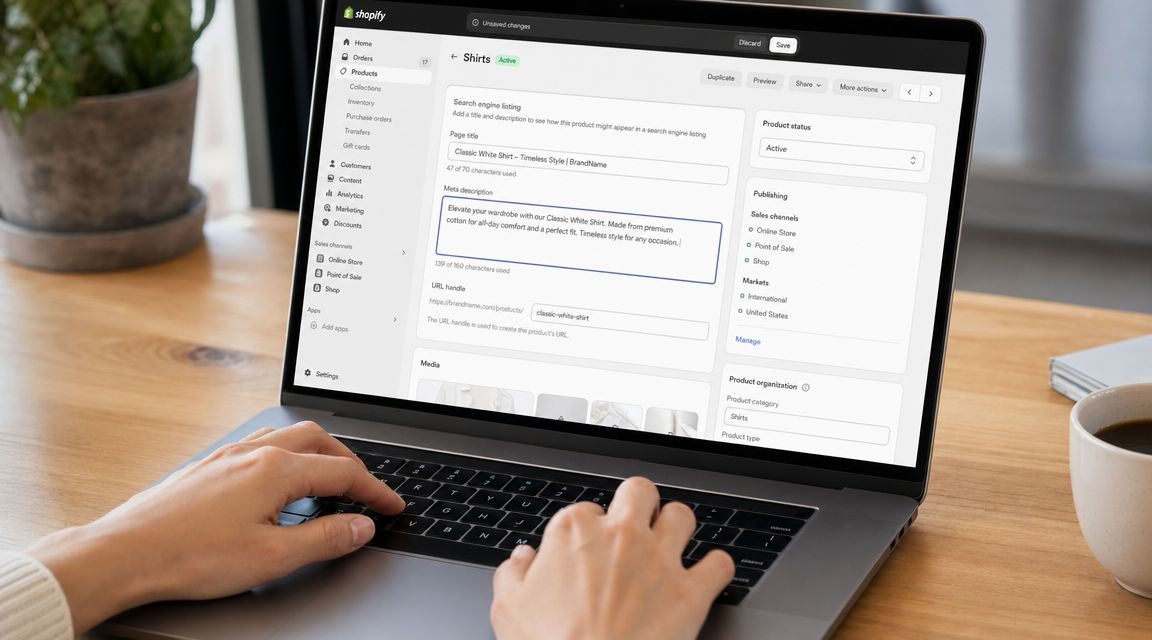
Where to edit them in Shopify
For a product, collection, page, or blog article:
- Open the item in your Shopify admin.
- Scroll to Search engine listing.
- Click Edit website SEO.
- Add or revise the meta description field.
- Save and move to the next page.
For the homepage, go into your store preferences and update the homepage SEO fields there.
That's easy enough for a few key pages. It becomes slow when you need to improve a large catalog, especially if product descriptions aren't consistent and each page needs its own angle.
What to optimize while you're in there
When you write or revise the field, check these points:
- Lead with relevance: Put the main topic or product type near the beginning.
- Keep it specific: Mention the feature, use case, or buyer benefit that separates the page.
- Avoid copy-paste patterns: Similar products still need distinct snippets.
- Match the page exactly: If the page is a collection, don't write it like a single product page.
A quick video walkthrough helps if you want to see the flow in context:
When a tool makes sense
At some point, manual editing stops being efficient. If you're managing lots of URLs, it helps to use a Shopify SEO app that can generate, review, and preview metadata in bulk. One option is wRanks, which includes AI assistance for titles and meta descriptions plus SERP preview features that help check whether copy is likely to be cut off before you publish. If you're comparing broader tools for store growth, this list of Shopify apps worth evaluating is a sensible starting point.
That kind of workflow is useful because it reduces two common problems at once. You write faster, and you catch weak or overly long descriptions before they go live.
Your Meta Description Checklist for Perfect Snippets
The best meta descriptions don't come from obsessing over one rigid number. They come from balancing technical fit with persuasive copy. For a Shopify store, that means respecting how search results render, while still writing like someone is deciding whether your page is worth a click.
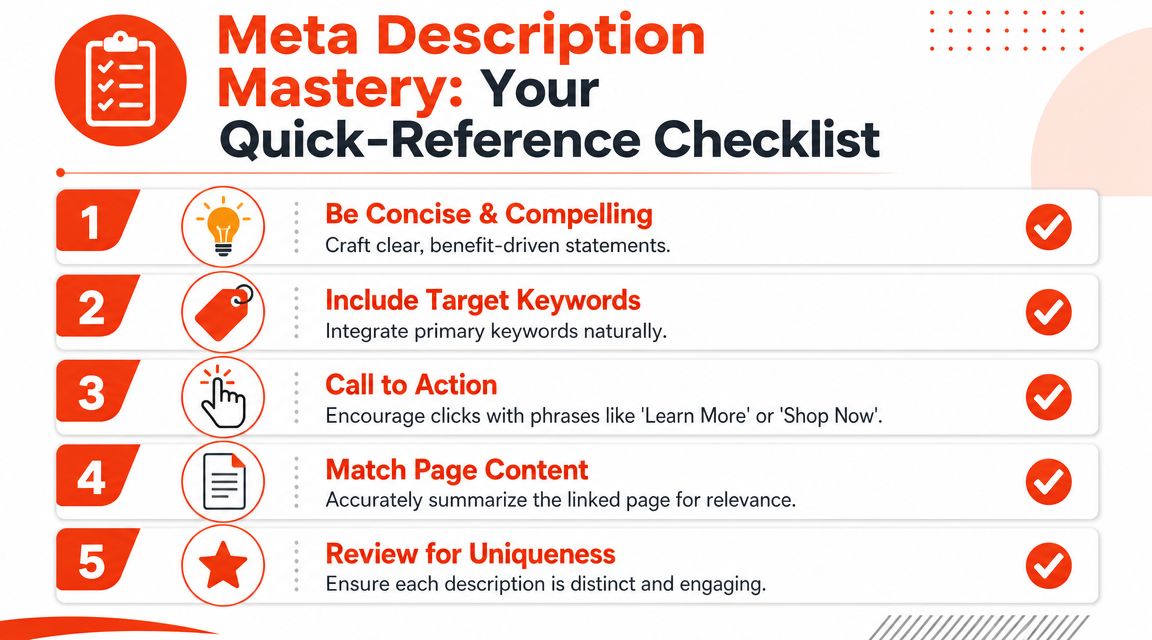
Use this checklist before you publish or revise any key page.
The checklist that catches most problems
- Is the description within a practical display range? Aim for copy that can usually fit common search results, especially if mobile visibility matters.
- Does the opening phrase carry the message? If truncation happens, the first words should still make sense.
- Does it match the page type? Product, collection, and blog pages need different messaging.
- Is the target keyword included naturally? It should sound like normal language, not a search query stuffed into a sentence.
- Does it give a reason to click? Benefit, use case, specificity, or a clear next step.
- Is it unique to this page? Duplicate snippets weaken differentiation across your catalog.
- Would a real shopper understand it fast? If the copy feels vague, corporate, or padded, rewrite it.
A simple standard to use every time
If you need a working rule, use this one. Write for clarity first, keep the wording concise enough to fit typical search displays, and make sure the first phrase can stand on its own. That standard is more durable than any single character target.
A meta description is successful when it helps the right shopper choose your result, even if Google shortens it or rewrites part of it.
That's the answer to how long should meta description be. Long enough to communicate value. Short enough to fit the space you're likely to get. Sharp enough to earn the click.
If you want a faster way to write, preview, and optimize meta descriptions across your Shopify store, wRanks gives you AI-assisted metadata generation, SERP preview support, and Shopify-focused SEO workflows in one place.

About James Rodriguez
AI & GEO specialist helping brands maximize visibility across AI platforms like ChatGPT, Gemini, and Claude. James pioneers generative engine optimization techniques for e-commerce.