
Checkout Extensions
Quick Definition
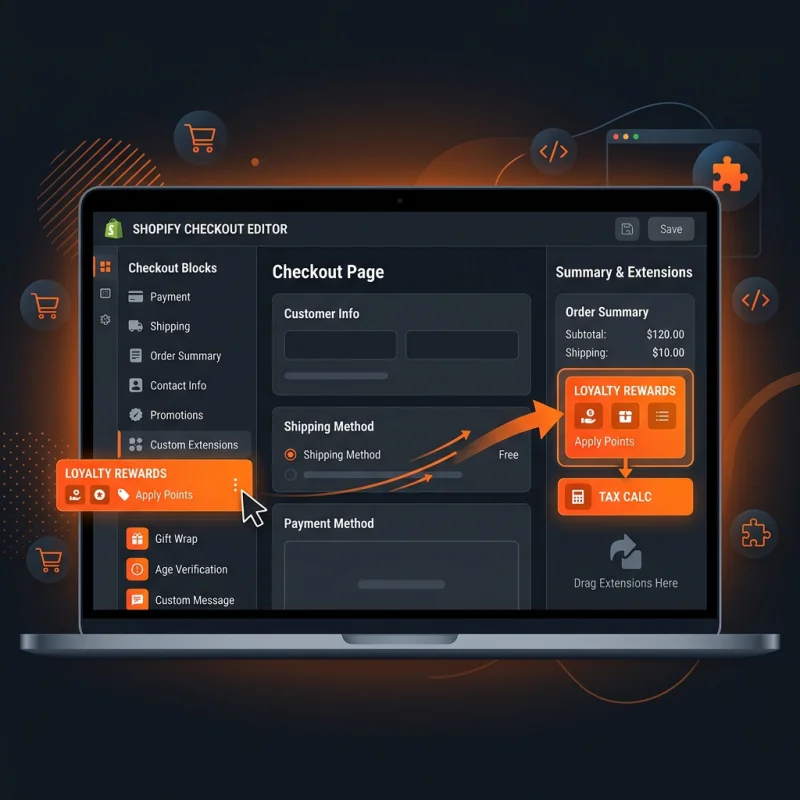
Checkout Extensions are a collection of app-driven custom components and functions built with Shopify's UI extensions, allowing Shopify Plus merchants to safely customize the checkout page.
Table of Contents
- Understanding Checkout Extensions in Shopify
- Implementing Checkout Extensions in Shopify
- Accessing and Configuring Checkout Extensions
- Embedding and Testing Checkout Extensions
- Strategic Business Value of Checkout Extensions
- Real-World Examples and Use Cases
- Best Practices for Developing and Using Checkout Extensions
- Conclusion
- Frequently Asked Questions
- How do I set up a checkout extension in Shopify?
- Can I customize the checkout process without Shopify Plus?
- What security considerations should I keep in mind with checkout extensions?
Understanding Checkout Extensions in Shopify
Checkout Extensions are a powerful feature within the Shopify ecosystem, primarily designed to enable Shopify Plus merchants to customize and enhance their checkout experience through app-driven components. Built using Shopify's UI extensions framework, these extensions allow developers and merchants to add, modify, or replace elements on the checkout page without compromising the core Shopify infrastructure. Unlike traditional theme modifications, Checkout Extensions operate within a secure, isolated environment, ensuring compliance with Shopify's security standards and PCI DSS regulations, which are critical for handling sensitive payment information.
At their core, Checkout Extensions facilitate a seamless integration of third-party functionalities - such as custom upsell offers, loyalty prompts, or unique payment options - directly within the checkout flow. This flexibility empowers merchants to tailor the checkout experience to their specific business needs, improve conversion rates, and deliver a more personalized shopping journey. As e-commerce continues to evolve, the ability to customize checkout experiences while maintaining security and compliance has become a key differentiator for online retailers seeking competitive advantage.
Implementing Checkout Extensions in Shopify
Accessing and Configuring Checkout Extensions
To begin leveraging Checkout Extensions, Shopify Plus merchants must navigate through the Shopify admin panel. The process involves several key steps:
- Navigate to the Shopify Admin Dashboard: Log in to your Shopify store and go to Apps.
- Access the Shopify App Store or Partner Dashboard: Install or develop a custom app that supports checkout extensions. Shopify's official documentation provides detailed guidance on creating and managing these extensions.
- Create a New Checkout Extension: Use Shopify CLI tools or the online dashboard to define your extension. This involves specifying the components, their placement, and behavior within the checkout flow.
- Configure Extension Settings: Adjust parameters such as triggers, display conditions, and styling to align with your branding and user experience goals.
Embedding and Testing Checkout Extensions
Once configured, checkout extensions are embedded directly into the checkout pages. Merchants can preview these changes in a staging environment or during the checkout process itself. Shopify provides a dedicated preview mode, allowing thorough testing of functionalities, responsiveness, and security compliance before going live.
Testing involves verifying that the extension behaves correctly across devices, does not interfere with payment processing, and maintains PCI compliance. Shopify's testing documentation offers comprehensive steps to ensure your checkout extensions are robust and ready for production.
Strategic Business Value of Checkout Extensions
Implementing checkout extensions offers significant strategic advantages for e-commerce businesses. These include:
- Enhanced Personalization: Tailor the checkout experience based on customer behavior, location, or purchase history, increasing engagement and conversion rates.
- Increased Revenue Opportunities: Integrate upsell and cross-sell components directly within the checkout, boosting average order value (AOV). According to Shopify data, merchants utilizing checkout upsell strategies see an average increase of 10-15% in AOV.
- Improved Customer Experience: Streamline checkout flows, reduce friction, and add value through custom messaging or loyalty prompts, leading to higher customer satisfaction and repeat business.
- Operational Flexibility: Quickly deploy new features or promotional campaigns without waiting for core platform updates, maintaining agility in competitive markets.
Real-World Examples and Use Cases
- Upsell and Cross-Sell Modules: A fashion retailer uses checkout extensions to suggest complementary accessories based on the items in the cart, increasing overall sales.
- Custom Payment Options: A tech store integrates alternative financing solutions or buy-now-pay-later options directly into the checkout process.
- Loyalty and Rewards: A beauty brand displays loyalty points or exclusive offers during checkout, encouraging repeat purchases.
Best Practices for Developing and Using Checkout Extensions
To maximize the benefits of checkout extensions, consider these best practices:
- Prioritize Security: Ensure all extensions comply with PCI DSS standards and Shopify's security guidelines. Regularly update extensions to patch vulnerabilities.
- Maintain Performance: Optimize code to prevent slow load times or checkout delays, which can negatively impact conversion rates.
- Test Extensively: Use Shopify's testing tools to simulate various scenarios, devices, and user behaviors before deployment.
- Align with Branding: Customize the appearance and messaging of extensions to match your store's branding for a cohesive customer experience.
- Monitor and Analyze: Use analytics to track the performance of checkout extensions, adjusting strategies based on data insights.
Conclusion
Checkout Extensions represent a significant evolution in Shopify's capabilities, empowering merchants to craft highly personalized, secure, and conversion-optimized checkout experiences. By leveraging these tools, businesses can differentiate themselves in a crowded marketplace, increase revenue, and foster customer loyalty. As Shopify continues to enhance its extension framework, staying informed and adopting best practices will be essential for maximizing the strategic value of checkout customizations.
Frequently Asked Questions
How do I set up a checkout extension in Shopify?
Setting up a checkout extension involves creating an app or using Shopify CLI tools to define the extension's components and placement within the checkout flow. You start by accessing the Shopify admin, navigating to Apps, and then creating a new checkout extension through the Partner Dashboard or Shopify CLI. After defining the extension's functionality, you configure its settings, preview it in a staging environment, and test thoroughly to ensure security and performance. Once validated, publish the extension to make it live for your customers. Shopify's official documentation provides detailed step-by-step instructions for each phase of setup.
Can I customize the checkout process without Shopify Plus?
No, Shopify's native checkout customization options are limited to Shopify Plus merchants. Checkout Extensions are exclusive to Shopify Plus, allowing deep customization while maintaining security and PCI compliance. Non-Plus plans do not support checkout scripting or extensions, so merchants on Basic or Shopify plans must rely on theme modifications and third-party apps for customization. Upgrading to Shopify Plus unlocks the full potential of checkout extensions, enabling tailored checkout experiences that can significantly improve conversion rates and customer satisfaction.
What security considerations should I keep in mind with checkout extensions?
Security is paramount when customizing checkout processes. Checkout extensions must comply with PCI DSS standards to protect sensitive payment data. Shopify enforces strict security protocols, and extensions should be developed following best practices, including secure coding, regular updates, and thorough testing. Avoid handling payment data directly within extensions; instead, leverage Shopify's secure APIs and frameworks. Additionally, monitor extensions for vulnerabilities and ensure they do not introduce performance bottlenecks or security loopholes. Shopify's official security guidelines and developer resources are valuable references for maintaining a secure checkout environment.

About David Chen
Technical SEO engineer focused on structured data, indexing optimization, and Core Web Vitals. David turns complex technical requirements into actionable Shopify solutions.