
Checkout
Quick Definition
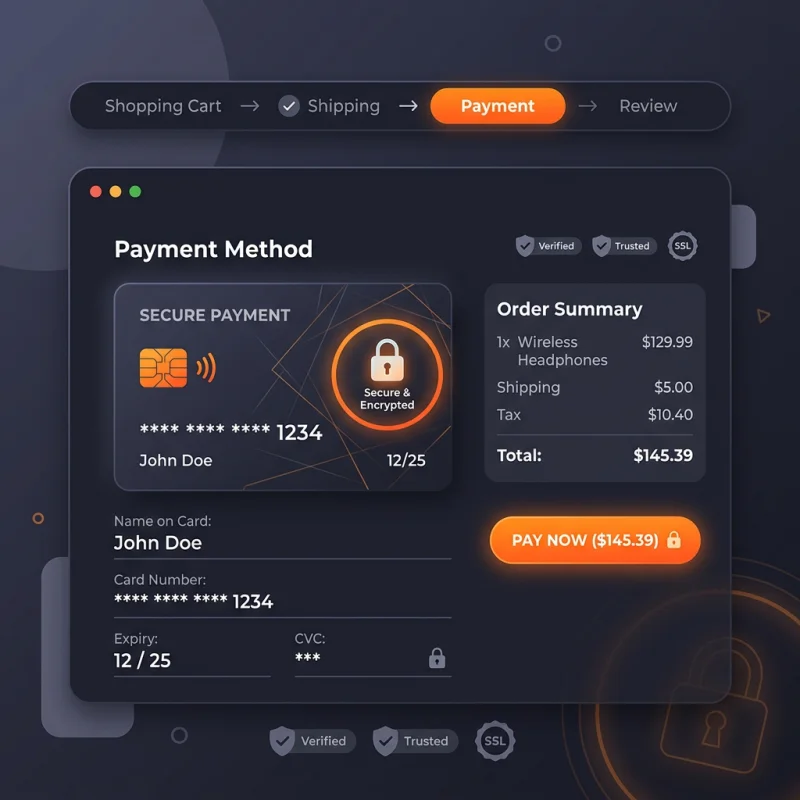
Shopify Checkout is the secure checkout flow and page where customers enter their shipping details, billing address, and payment credentials to complete a transaction.
Table of Contents
- Understanding Shopify Checkout: A Deep Dive
- Configuring and Implementing Shopify Checkout
- Accessing Checkout Settings
- Customizing the Checkout Experience
- Shipping and Payment Configuration
- Optimizing Checkout for Conversions
- The Strategic Business Value of Shopify Checkout
- Real-World Examples and References
- Frequently Asked Questions
- How do I set up Shopify Checkout?
- Can I customize the checkout process on Shopify?
- What are common checkout optimization strategies?
Understanding Shopify Checkout: A Deep Dive
Shopify Checkout is the pivotal stage in the e-commerce journey where customers finalize their purchases. It is a secure, streamlined process designed to facilitate seamless transactions, ensuring customer trust and satisfaction. The checkout process encompasses several critical components: entering shipping details, selecting payment methods, applying discounts or gift cards, and confirming the order. As the final touchpoint before payment, it directly influences conversion rates, average order value, and overall customer experience.
From a technical perspective, Shopify Checkout is built to be both flexible and secure. It leverages SSL encryption to protect sensitive data and complies with PCI DSS standards, ensuring that payment information remains confidential. Shopify offers a hosted checkout solution, which means merchants do not need to manage the backend infrastructure, reducing security risks and technical overhead. Additionally, Shopify Plus merchants can customize checkout extensively, tailoring the experience to their brand and customer needs.
Understanding the checkout process is essential for e-commerce success. A well-optimized checkout reduces cart abandonment, increases repeat purchases, and enhances brand loyalty. It is not merely a transactional endpoint but a strategic touchpoint that, when optimized, can significantly impact revenue and customer satisfaction.
Configuring and Implementing Shopify Checkout
Accessing Checkout Settings
To begin customizing your Shopify checkout, navigate to Settings > Checkout in your Shopify admin dashboard. Here, you can configure various aspects such as customer accounts, checkout style, and order processing options. Shopify provides a user-friendly interface that allows you to tailor the checkout flow without extensive coding.
Customizing the Checkout Experience
Within the checkout settings, you can enable or disable customer accounts, choose whether customers can check out as guests, and customize the branding elements like logo, colors, and fonts to match your store's aesthetic. For Shopify Plus merchants, additional customization options include editing checkout scripts and adding custom fields, which can be accessed via Shopify Scripts.
Shipping and Payment Configuration
Proper setup of shipping zones, rates, and methods is crucial. Navigate to Settings > Shipping and delivery to define your shipping profiles, zones, and rates. Shopify allows you to set flat rates, carrier-calculated rates, or free shipping thresholds. For payments, go to Settings > Payments to activate gateways like Shopify Payments, PayPal, or third-party providers. Ensuring multiple payment options enhances conversion by accommodating customer preferences.
Optimizing Checkout for Conversions
Implementing features such as one-click checkout, express checkout options (Apple Pay, Google Pay), and auto-filling customer information can significantly reduce friction. Shopify's checkout customization options include adding custom fields for collecting additional data and integrating third-party apps for upselling or cross-selling during checkout. Regularly testing the checkout process on various devices ensures a smooth experience for all users.
The Strategic Business Value of Shopify Checkout
The checkout process is more than a transactional endpoint; it is a strategic lever for increasing revenue and customer loyalty. A frictionless checkout reduces cart abandonment, which, according to Baymard Institute, averages around 69.8%. Simplifying the checkout flow, offering multiple payment options, and providing transparent shipping costs are proven tactics to improve conversions.
Furthermore, optimizing checkout can enhance customer lifetime value. Features like loyalty points, discount codes, and personalized recommendations during checkout encourage repeat business. Data-driven insights from Shopify analytics can identify bottlenecks or drop-off points, guiding iterative improvements.
Implementing structured A/B testing for checkout layouts and features can reveal what resonates best with your audience. For example, testing the placement of trust badges or the wording of CTA buttons can lead to measurable improvements in conversion rates. Additionally, integrating checkout with marketing automation tools enables personalized follow-up, abandoned cart recovery, and targeted promotions.
Real-World Examples and References
- Example 1: A fashion retailer increased conversions by 15% after enabling Apple Pay and simplifying the checkout flow on mobile devices.
- Example 2: An electronics store reduced cart abandonment by 20% by adding a progress indicator and transparent shipping costs during checkout.
For further insights, visit Shopify's official checkout guide and explore best practices for e-commerce checkout optimization.
Frequently Asked Questions
How do I set up Shopify Checkout?
Setting up Shopify Checkout involves navigating to Settings > Checkout in your Shopify admin. Here, you can customize checkout options, enable customer accounts, and configure branding elements. For advanced customization, especially on Shopify Plus, you can access checkout scripts and add custom fields. Ensuring your shipping and payment settings are correctly configured is essential for a smooth checkout experience. Shopify provides step-by-step guides and tutorials to assist you through each configuration stage, making setup accessible even for beginners.
Can I customize the checkout process on Shopify?
Yes, customization options depend on your Shopify plan. Shopify Plus merchants have extensive control, including editing checkout scripts, adding custom fields, and modifying the checkout flow. Standard Shopify plans allow limited customization, primarily through theme editing and checkout branding. To enhance the checkout experience, consider integrating third-party apps for upselling, loyalty programs, or additional payment options. Always test customizations thoroughly to ensure they do not introduce friction or security issues.
What are common checkout optimization strategies?
Effective strategies include simplifying the checkout flow, offering multiple payment options like Apple Pay and Google Pay, and providing transparent shipping costs. Using trust badges, clear CTA buttons, and progress indicators can reduce cart abandonment. Additionally, implementing auto-fill, guest checkout options, and mobile optimization enhances usability. Regularly analyzing checkout analytics helps identify drop-off points, enabling targeted improvements. A/B testing different layouts and features can also reveal the most effective configurations for your audience.
}
About Sarah Mitchell
Senior SEO strategist with 8+ years in e-commerce search optimization. Sarah helps Shopify merchants turn organic traffic into revenue through data-driven content strategies.