
Customer Account
Quick Definition
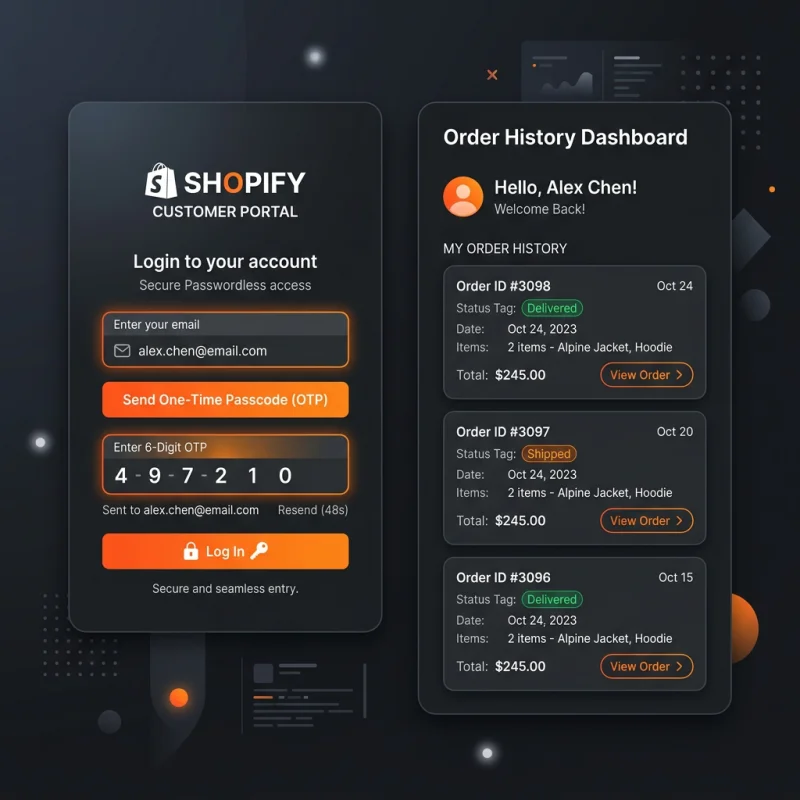
Shopify Customer Accounts are dedicated portals where shoppers can log in to view their order history, manage addresses, track shipments, and view profile settings.
Table of Contents
What are Shopify Customer Accounts?
Shopify Customer Accounts are secure portal pages built into your Shopify store where customers can register, log in, and manage their relationship with your brand. Accounts store essential transaction history, letting users view past orders, track live package deliveries, manage billing or shipping addresses, and edit customer profiles.
Customer accounts are critical for boosting retention and customer lifetime value (LTV). By storing customer information, return purchasers can skip shipping entry forms during subsequent checkouts, creating a faster purchasing experience.

Classic vs. New Customer Accounts
Shopify currently supports two distinct customer account systems. Here is a comparison of their features and layouts:
| Feature | Classic Customer Accounts | New Customer Accounts |
|---|---|---|
| Authentication Method | Standard email and password login. | Passwordless. Users enter an email and receive a secure 6-digit one-time code (OTP). |
| Self-Service Returns | Requires third-party returns apps. | Native. Customers can request returns directly from their order list. |
| Hosting & Styling | Rendered by the theme (uses Liquid templates). | Hosted on Shopify's secure system; configured via admin settings. |
| Security | Vulnerable to credential stuffing attacks. | Highly secure. Eliminates password management completely. |
Benefits of Enabling Customer Accounts
Accounts offer multiple business advantages beyond simple login options:
- Seamless Returns: With New Customer Accounts, shoppers can initiate returns directly from their account portal, reducing support ticket volume.
- B2B Features: For Plus merchants running B2B operations, customer accounts allow wholesale buyers to view custom company pricing, bulk catalogs, and submit purchase orders.
- Accelerated Checkouts: Logged-in customers skip address forms, boosting checkout speed and reducing checkout abandonment.
How to Configure and Optimize the Account Experience
Merchants configure account settings in the Shopify Admin under Settings > Customer accounts. You can choose to make accounts Required (highly recommended for membership sites or wholesale stores), Optional (best for general retail to avoid cart abandonment), or Disabled. You can also customize the login page logo and colors to ensure design continuity with your main brand theme. For custom layouts, read our Custom Storefront guide, or how checkout processes orders in the Shopify Checkout guide.

About David Chen
Technical SEO engineer focused on structured data, indexing optimization, and Core Web Vitals. David turns complex technical requirements into actionable Shopify solutions.