
Blog (Shopify)
Quick Definition
The built-in Shopify Blog engine is a content management feature that allows store owners to publish articles, drive organic search traffic, and build brand authority.
Table of Contents
- Understanding the Shopify Blog (Shopify)
- Practical Shopify Configuration and Implementation
- Accessing and Managing Shopify Blogs
- Customizing Blog Appearance and SEO
- Integrating Blogs with Your Store
- Strategic Business Value and Optimization Tips
- Real-World Examples and References
- Frequently Asked Questions
- How do I create a new blog post on Shopify?
- Can I customize the appearance of my Shopify blog?
- How does blogging improve my store's SEO?
Understanding the Shopify Blog (Shopify)
The Shopify Blog feature is an integral part of the platform's content management system, designed to help e-commerce store owners publish articles, share updates, and establish authority within their niche. Unlike traditional blogging platforms, Shopify's built-in blog engine seamlessly integrates with product pages, collections, and other store elements, enabling a cohesive content strategy that drives organic traffic and enhances customer engagement.
At its core, the Shopify blog serves as a dynamic content hub where merchants can publish articles, news updates, tutorials, and promotional content. This not only improves SEO by creating fresh, relevant content but also fosters trust and loyalty among customers. According to recent studies, businesses that maintain active blogs generate 55% more website visitors and see a 67% higher lead conversion rate, underscoring the importance of content marketing in e-commerce.
Practical Shopify Configuration and Implementation
Accessing and Managing Shopify Blogs
To start utilizing the Shopify blog feature, navigate to your Shopify admin dashboard. From there, follow these steps:
- Go to Online Store in the sidebar menu.
- Select Blog Posts. Here, you can view existing posts or create new ones.
- Click on Add blog post to create a new article.
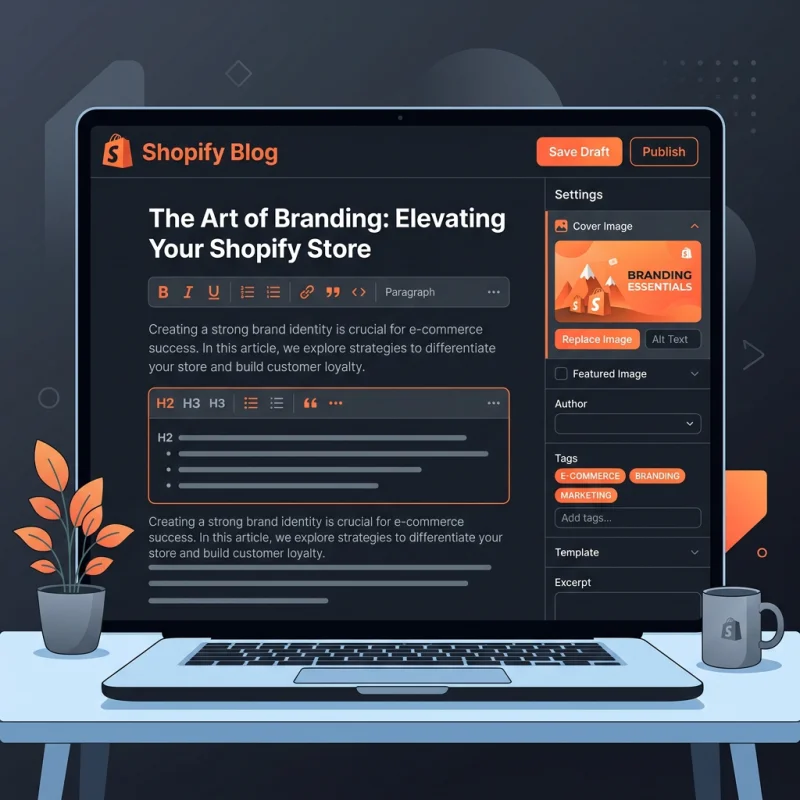
Within the blog post editor, you can add a compelling title, rich content, images, videos, and SEO metadata. Shopify allows you to assign posts to specific blogs (e.g., News, Tips, Promotions), which helps organize your content effectively.
Customizing Blog Appearance and SEO
To customize how your blog appears on your storefront, navigate to Online Store > Themes. Click on Customize for your active theme, then locate the Blog pages section. Here, you can modify layout, typography, and other visual elements.
For SEO optimization, ensure each blog post has a unique meta title and description. Use relevant keywords naturally, incorporate internal links to related products or pages, and optimize images with descriptive alt text. Shopify's SEO features also allow you to set canonical URLs to prevent duplicate content issues.
Integrating Blogs with Your Store
Embedding your blog into your store's navigation enhances discoverability. Add the blog to your main menu via Online Store > Navigation. You can also feature recent or popular posts on your homepage using sections in the theme editor.
Furthermore, consider creating a dedicated blog landing page by linking directly to your blog URL. This page can serve as a content hub, encouraging visitors to explore multiple articles and stay engaged longer.
Strategic Business Value and Optimization Tips
Implementing a well-structured blog on Shopify offers numerous strategic benefits:
- Enhanced SEO: Fresh content improves search engine rankings, increases visibility, and attracts organic traffic. Incorporate keywords, optimize images, and use schema markup for articles to boost SEO performance.
- Brand Authority: Regularly publishing expert content positions your store as an industry leader, building trust with your audience.
- Customer Engagement: Blogs foster community through comments, shares, and discussions, increasing customer loyalty.
- Content Marketing Synergy: Blogs complement email marketing, social media, and paid campaigns, creating a cohesive marketing ecosystem.
For maximum impact, develop an editorial calendar, focus on topics relevant to your audience, and incorporate multimedia elements like videos and infographics. Use analytics tools to monitor engagement metrics such as page views, time on page, and conversion rates, refining your content strategy accordingly.
Real-World Examples and References
Many successful Shopify stores leverage blogs effectively. For instance, Kylie Cosmetics uses its blog to announce product launches and share beauty tips, driving both traffic and sales. Similarly, Shopify's own blog offers valuable insights into e-commerce trends, marketing strategies, and platform updates, exemplifying the power of content marketing.
For further technical guidance, refer to Shopify's official documentation on setting up and managing blogs and schema.org's guidelines on structured data for articles (schema.org).
Frequently Asked Questions
How do I create a new blog post on Shopify?
To create a new blog post, go to your Shopify admin, navigate to Online Store > Blog Posts, and click Add blog post. Fill in the title, content, images, and SEO details. Assign the post to a specific blog if you have multiple. Once published, the post appears on your storefront and can be shared across channels.
Can I customize the appearance of my Shopify blog?
Yes, you can customize your blog's appearance through your theme settings. Access the theme editor via Online Store > Themes > Customize. Locate the Blog pages section to modify layout, typography, and other visual elements. For advanced customization, edit the theme code or hire a Shopify developer.
How does blogging improve my store's SEO?
Regularly publishing relevant, keyword-rich content helps improve your store's search engine rankings. Blogs increase site freshness, generate internal links, and provide opportunities for backlinks. Structured data markup for articles can also enhance search result appearance, increasing click-through rates.

About Priya Sharma
Content marketing expert and Shopify ecosystem authority. Priya has helped 200+ stores grow organic traffic through strategic blog content and keyword targeting.