Shopify Meta Description Example: Templates That Convert
Shopify meta description examples show how to craft 160-character summaries that boost clicks by clearly stating page benefits and shopper reasons.
If you're looking for a Shopify meta description example, start with the page promise. You’ve filled in Shopify’s search listing fields, but the preview still reads like a product label. Then you spot the same promise repeated across product pages, collections, and blog posts, giving shoppers no clear reason to choose your result.
Most Shopify stores don’t have a character-count problem. They have a page-promise problem. A strong description tells the right shopper what they’ll find and why that page fits their search.
Merchants searching for an example usually need more than another generic sentence. They need a practical way to choose the page type, find the shopper promise, use the right template, publish it in Shopify or wRanks, and review the result.
The examples below cover products, collections, pages, blogs, and the homepage. They also show how to scale metadata without flattening page relevance or your brand voice.
Why a 160-character description can influence a click
You can write a technically valid Shopify meta description and still give searchers no reason to visit your store. A label such as “Blue cotton hoodie, size small to XXL” identifies the product, but it does not explain why that product fits the search.
A useful description gives the next click a clear reason. It also accepts a limit: you suggest the summary, while Google decides which text best matches the search.
What a meta description is in Shopify SEO
A meta description is a short page summary and an HTML meta element that suggests what search engines should show for your page. Shopify describes it as content that can appear on search engine results pages, giving you a concise way to frame a product, collection, or page.
For example, a weak product description might say: “Women’s running shoes in black, sizes 6-11.” A stronger version gives the shopper a reason to continue: Run farther in cushioned black shoes with a breathable fit, free shipping, and easy returns.
What the title, description, and page content each do
Your title names the page, your meta description earns consideration, and your visible page content proves the promise. Shopify states that meta descriptions are not a direct ranking factor, but they can influence clicks when Google uses them as the search snippet.
“Meta descriptions aren’t a direct ranking factor for SEO, but they can affect whether a searcher clicks when Google uses them as a snippet,” according to Shopify.
That distinction keeps your expectations realistic. A polished description won't guarantee higher rankings, but a relevant promise can improve the choice between your result and a competitor's.
The 160-character limit and rewrite risk
Shopify says search results typically display about 150 to 160 characters, so its 160-character recommendation works as a practical limit, not a ranking formula. Google primarily builds snippets from your page content and may use your meta description when it offers a better summary.
Google may rewrite “Organic cotton towels in soft neutral colors” if your collection page explains a more useful benefit, such as quick-drying fabric for small bathrooms. Write for the likely search and the next click, not for a compressed inventory label.
Practical rule: Use 160 characters as a working constraint, then make every word explain why your page deserves the next click.
Choose a Shopify meta description template by page type
Each search decision calls for a different description. A product page helps you buy, a collection helps you browse, and a service page helps you trust the store.
Shopify recommends keeping a meta description to 160 characters, using plain language, and writing a unique description for every page, according to Shopify’s SEO documentation. Your meta title is the clickable result label. The description adds context and motivation after you see that title.
What makes a useful meta description example
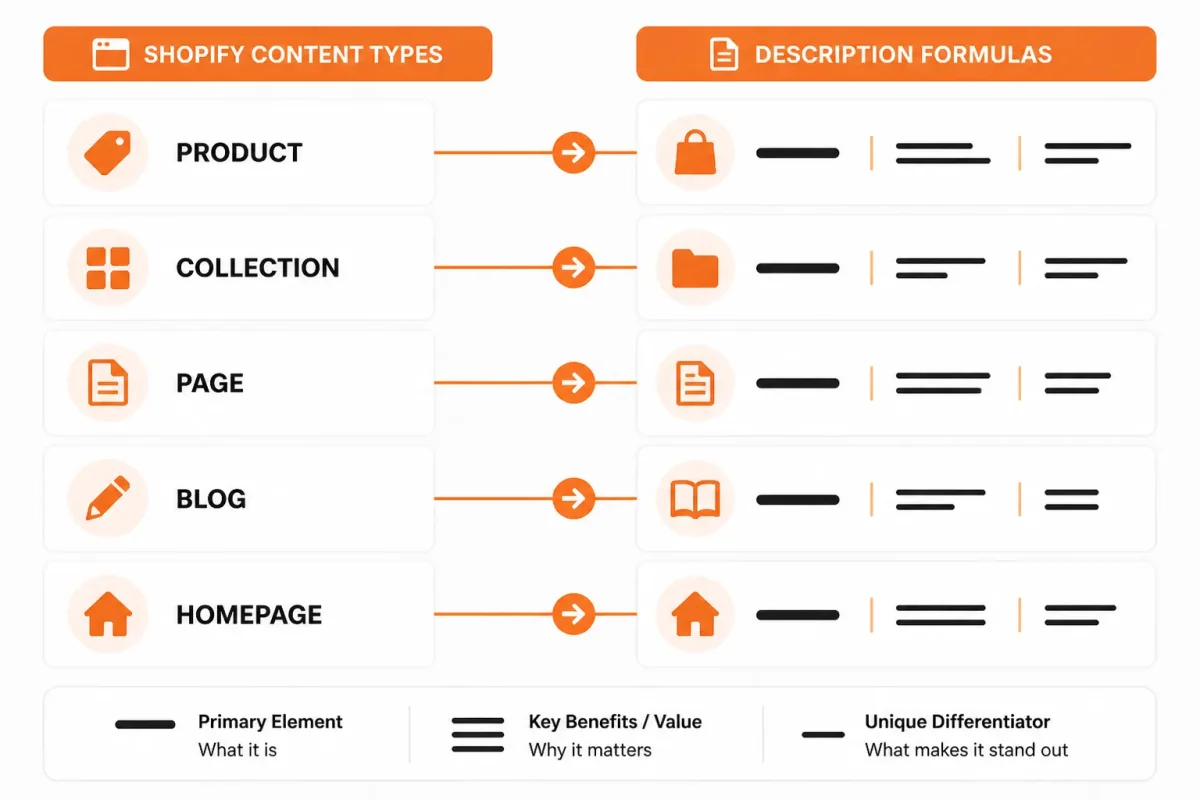
A strong example gives you the page’s subject, its clearest benefit, and a reason to continue. Use the template that matches your visitor’s intent rather than forcing every page into one formula.
| situation | better move |
|---|---|
| Product page where the shopper is comparing individual items | Name the product, state its strongest concrete benefit, add truthful proof or differentiator, and invite the shopper to view or buy it. |
| Collection page where the shopper wants options | Describe the range, use case, or selection criteria and invite the shopper to browse the collection. |
| Brand, shipping, returns, or service page | Lead with the trust question the page answers and include only policies or support claims shown on the page. |
| Blog post where the shopper wants information | State the question or outcome the article addresses and invite the reader to learn the method or guidance. |
| Homepage where the shopper is discovering the store | Combine the store category, audience, primary value proposition, and a natural invitation to start shopping. |
Product descriptions that identify the item and buying reason
Your product template should name the item, its strongest benefit, and a truthful differentiator. Weak: “Blue cotton towel available online.” Strong: “Quick-drying organic cotton bath towel in soft navy, made for compact bathrooms.”
Collection descriptions that frame the range
Your collection template should explain what shoppers can compare and why the range fits their need. Weak: “Shop our towel collection.” Strong: “Browse organic cotton towels in neutral colors, with quick-drying options for everyday bathrooms.”
Descriptions for pages, blogs, and the homepage
Your page template should answer a trust question: “See shipping times, returns, and support details for U.S. orders.” Your blog template should promise useful guidance: “Learn how to choose quick-drying towels for a small bathroom.” Your homepage template should introduce the store: “Shop organic cotton bath towels designed for comfortable, practical everyday use.”
If you need the distinction between these fields while editing Shopify, this guide to Shopify meta titles and examples fits the same workflow. wRanks can help you apply these page-specific rules across products, collections, pages, and blogs, but you still need to verify that each claim matches the page.
Prepare source details before opening Shopify or wRanks
A blank Shopify meta description box invites generic copy. Without the page URL, search phrase, customer outcome, and proof, you may write a polished sentence that says nothing specific about your store.
Gather the page facts first. Your source details control whether one description feels relevant or a store-wide batch repeats the same vague promise.
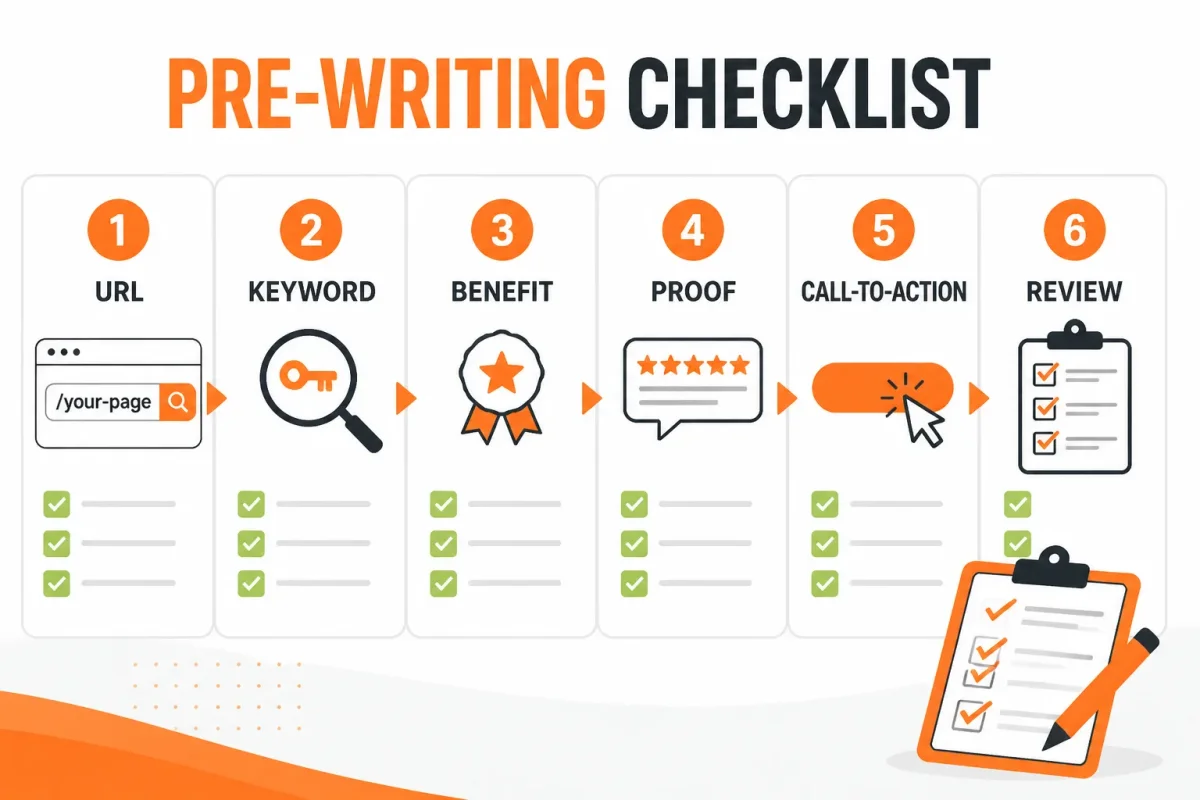
The six inputs each description needs
- Page identity: Record the exact canonical URL and page type, such as product, collection, homepage, or blog.
- Search focus: Choose the primary search phrase that matches what your customer wants to find.
- Differentiator: State what makes your offer distinct, such as organic cotton, refillable packaging, or made-to-order sizing.
- Customer outcome: Describe what the visitor will be able to buy, compare, solve, or learn.
- Verified proof: Use only claims visible on the page or supported by your store records. Do not invent shipping times, stock status, discounts, certifications, or guarantees.
- Next action: Decide whether the description should encourage shopping, browsing, comparing, or learning.
How to write a meta description
Write from the page promise, not from an empty character box. Combine the search focus, differentiator, outcome, and truthful proof into one clear reason to visit.
Weak example: “Shop premium towels at our online store. Great quality and fast shipping.”
Strong example: “Shop organic cotton bath towels designed for soft, absorbent comfort in everyday U.S. homes.”
How to write a meta description for a Shopify website
Match the wording to the page a searcher will open. Inspect that page first, then confirm the description does not promise more than the content delivers. This guide to Shopify titles and meta descriptions fits the same editing workflow.
When to make a single edit or a batch
Choose a single edit when one high-value URL needs attention. Check its page content, search intent, and current snippet before drafting. Choose a batch when several products, collections, or blogs share a repeatable structure.
For a batch, create fields and rules by page type, populate the source details, and generate drafts with wRanks. Reserve human review for claims, duplicate wording, and brand voice. wRanks can speed production, but it cannot verify every store-specific promise.
The pre-publish truth and duplication check
Before saving, compare each draft with the live page and nearby descriptions. Remove unsupported claims, repeated openings, and wording that suits a different page type. You’re ready when every description identifies its page, gives a truthful reason to visit, and points toward the right next action.
Write page-specific descriptions from one repeatable formula
You have the page URL, target phrase, offer, and proof. Now turn those details into a description that matches the landing page and gives the searcher a reason to continue.
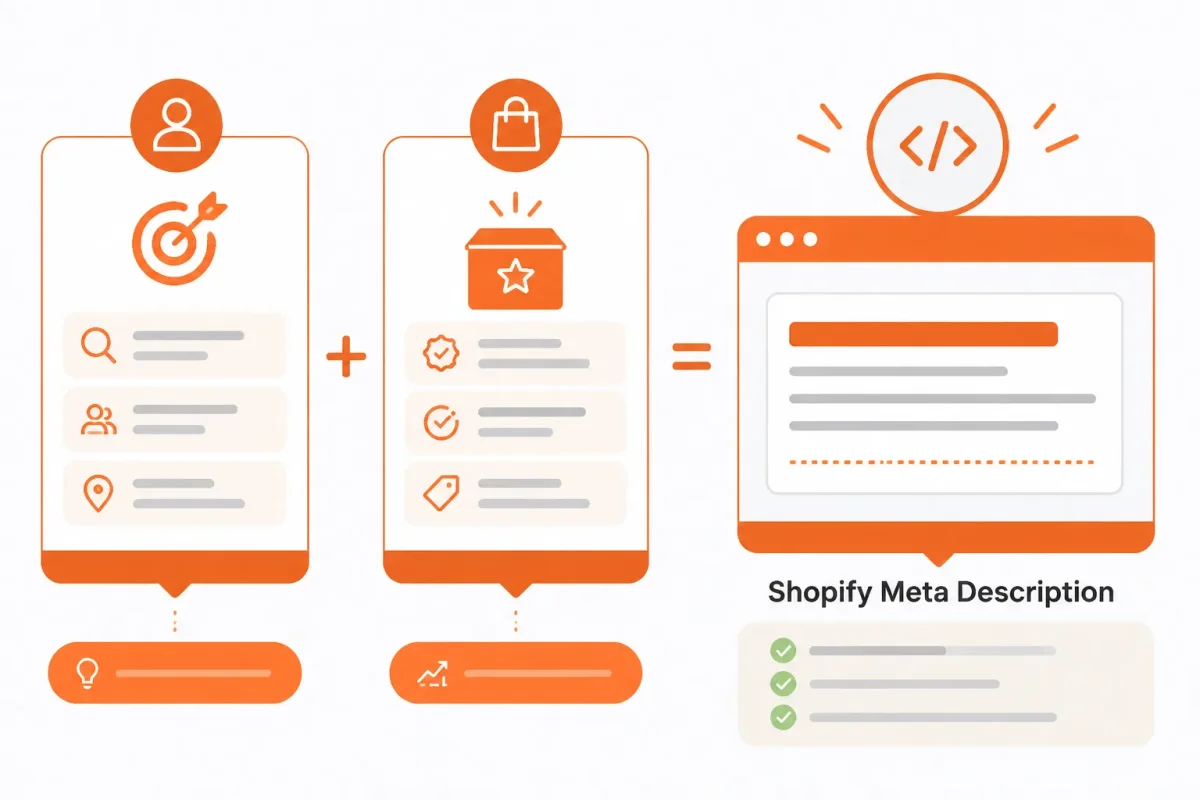
Use the same order every time: identify the query, state the offer, add one verified differentiator, and finish with a relevant action. The formula stays consistent while the wording changes by page type.
Step 1: Name the page and search intent
Start with the phrase your customer uses, then make the page’s purpose clear. Shopify recommends using relevant keywords in your descriptions, while its guidance also says those keywords belong in natural, readable phrases rather than lists.
Before: “Blue shirt, blue cotton shirt, men’s blue shirt, buy blue shirt online.”
Organic Cotton Crew Neck T-Shirt gives you a breathable blue cotton shirt for everyday wear. Choose your size and color.
Step 2: Add the strongest shopper-facing differentiator
State what the page offers, then add one concrete reason to choose it. Your proof might be a fabric, fit, warranty, delivery detail, or useful content outcome. Avoid claims such as “best quality” unless your page proves them.
Before: “Shop our men’s t-shirts. Best quality and amazing value for everyone.”
Soft 180-gsm organic cotton gives this men’s T-shirt a lighter feel for warm-weather layering. See the full fit guide.
Step 3: Close with a truthful action
Finish with an action that suits the page. A product can invite a size choice, a collection can invite browsing, and a content page can invite learning. “Buy now” is a poor ending for a sizing guide.
Before: “Explore running shoes and learn how to choose the best pair. Buy now.”
Compare cushioned running shoes by terrain, drop, and fit, then find a pair suited to your next run.
What a meta tag example looks like
A meta description is one example of an HTML meta tag, but your shopper-facing copy should remain readable. Your Shopify description is a concise page summary, not a hidden keyword list or a string of search terms.
Step 4: Remove filler and check the character limit
Read each draft against the live page. Remove repeated variants, vague praise, copied openings, and actions unrelated to the page. Your final review should confirm the query, offer, differentiator, and action.
| priority | what to check | why |
|---|---|---|
| Query | The primary phrase appears in a natural sentence when relevant. | It helps align the description with the searcher’s intent without turning the copy into a keyword list. |
| Offer | The description accurately states what the page contains. | A clear match reduces misleading clicks and supports the page promise. |
| Differentiator | One concrete, verified reason to choose this page is included. | Specific value gives the shopper a decision cue beyond the product or page label. |
| Action | The final phrase suggests a relevant next step. | A natural invitation turns the summary into a reason to visit the page. |
Enter the homepage description, then scale the same logic across the store
Your Shopify homepage needs one clear search promise before you optimize hundreds of records. Edit that promise manually in Shopify, then apply the same decision rules across products, collections, pages, and blog posts.
Shopify defines a meta description as the short text shown beneath a result title in search, and you can edit it for several store content types, according to Shopify's SEO documentation. The practical split is simple: you make the homepage change yourself, while ClickRank AI helps automate SEO work across a larger catalog.
Step 1: Edit the homepage search listing
To add a meta title and description to your Shopify home page, open your Shopify admin, select Online Store, open Preferences, and find Homepage search engine listing. Edit the page title and meta description, then save your changes.
Keep the homepage copy focused on your store-wide offer, not one product. A weak version sounds like a label. A stronger version gives the searcher a reason to choose your store.
Before: Shop Luna Home
After: Shop Handcrafted Ceramic Mugs | Luna Home Find small-batch mugs made in the USA, with gift-ready designs and fast US shipping.
Step 2: Edit a product, collection, page, or blog entry
Shopify also lets you edit search listings for webpages, products, collections, and blog posts, so you can carry the same page-promise logic across your store, according to Shopify's SEO guidance. Open the relevant record, locate its search engine listing, and edit the title and description there.
Your product copy should support buying intent. Your collection copy should help shoppers browse. Your blog copy should promise a useful answer. wRanks can help optimize these fields, while you review claims, duplicates, seasonal wording, canonical page alignment, and brand voice.
Step 3: Generate and review batches in wRanks
For a few pages, manual Shopify editing is enough. For a catalog, wRanks can generate or optimize meta tags in batches, alongside structured data, image alt text, keyword tracking, and Google Search Console insights.
Automation improves coverage and speed, but it doesn't replace judgment. Check every generated batch for unsupported claims, repeated phrasing, outdated offers, and descriptions that point searchers toward the wrong page. You can also review the broader SEO automation workflow for Shopify stores when your catalog needs controlled scale.
Step 4: Save, request recrawling, and record the change
Save each approved edit, check the saved search listing, and view the live page. You can request recrawling through Google Search Console, but Google may rewrite the displayed snippet instead of using your exact saved description.
- Homepage: Confirm the title and description match your current store-wide offer.
- Page type: Check that each product, collection, webpage, and blog description matches its landing page.
- Batch review: Remove duplicate claims, stale promotions, and unsupported benefits before publishing.
- Verification: Check the saved listing and the live page after you publish the change.
Common mistakes that weaken a Shopify meta description
You can fill Shopify’s meta description field correctly and still give shoppers no useful reason to visit. A duplicated claim, vague keyword string, or outdated offer makes the saved text technically present but commercially weak.
Match what you see with the likely cause. Make the smallest useful fix, then review the live page and relevant Google Search Console data.
Common meta tag mistakes
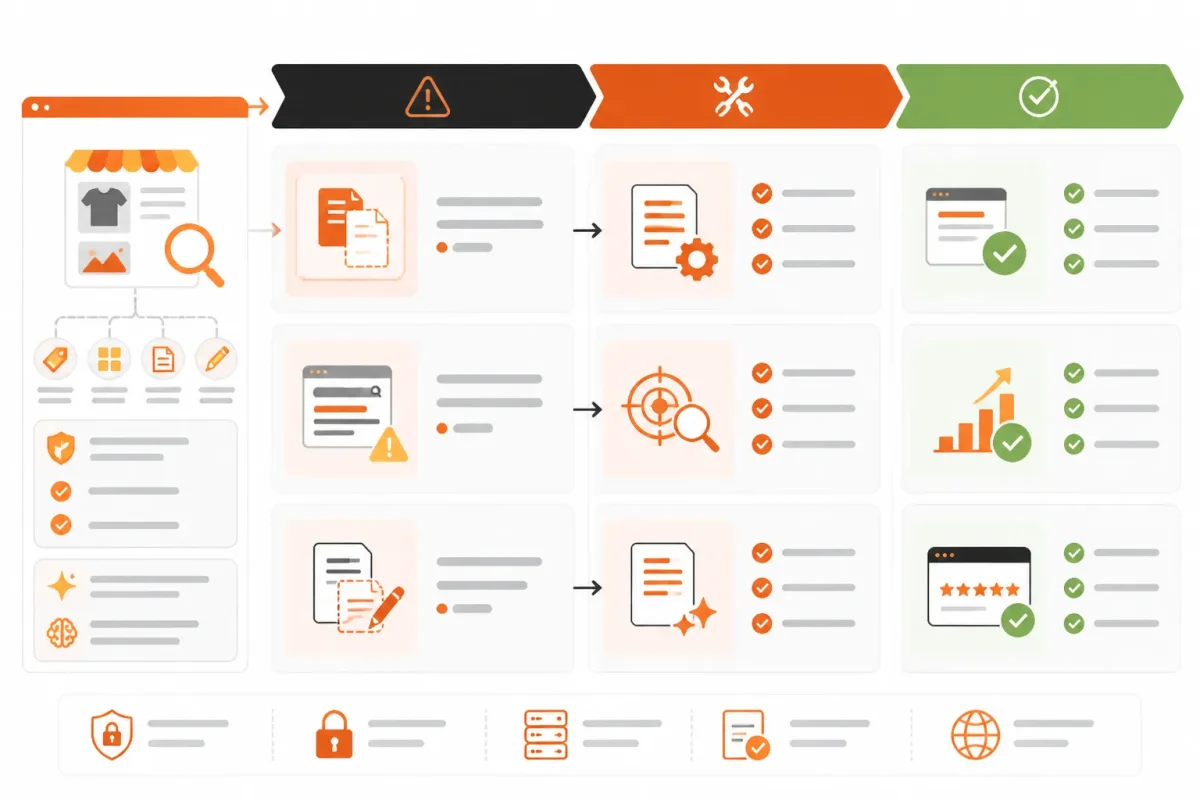
Common mistakes include duplicate descriptions, keyword stuffing, unsupported claims, and confusing meta descriptions with meta keywords. Your meta description is readable summary metadata. You don’t need to search for an obsolete Shopify meta-keyword field as a primary SEO tactic. Improve the description and the visible page content instead.
| symptom | likely cause | first fix |
|---|---|---|
| Many product URLs show the same description | A store-wide template was copied without page-specific details | Add the product name, relevant use case, differentiator, and page-specific action. |
| The description reads like a keyword list | Search terms were inserted without a readable sentence | Rewrite it as one plain-English promise using the primary phrase naturally. |
| The copy promises free shipping, availability, or a discount that is not confirmed | The draft contains unsupported or time-sensitive claims | Remove the claim or verify that the page and current store policy support it. |
| The snippet and landing page answer different questions | The description was written from a generic template or stale product data | Align the summary with the page’s current offer, content, and shopper intent. |
| Google shows different text than the saved description | Google selected a passage from page content for the query | Improve the description and the relevant visible page content; do not assume the saved field controls every snippet. |
Duplicate descriptions across similar products
You’ll often see this after copying one template across variants. A weak example says, “Shop premium running shoes at Runnerly.” A stronger version says, “Runnerly TrailFlex shoes: lightweight grip for rocky weekend trails, with wide sizes available.” The second version gives your shopper a product-specific reason to continue.
Keyword stuffing and unreadable phrasing
You should be able to read the description aloud without stumbling. A weak version says, “running shoes, trail shoes, hiking shoes, outdoor footwear, buy shoes.” A stronger version says, “Trail running shoes: find grippy, cushioned footwear for rocky routes and long weekend runs.”
Promises the page cannot prove
You risk distrust when your description says “free two-day shipping” but the product page shows a different delivery policy. Remove claims about discounts, stock, shipping, or returns unless your current page and store policy support them.
Why Google may display different text
You cannot assume Google will display the exact text saved in Shopify. Google may select visible page content that better matches a search query, so improve both the meta description and the relevant product, collection, or page copy before reviewing the result.
- Check the symptom: Compare duplicate URLs, the saved field, and the live landing page.
- Review after editing: Use Search Console data to see whether the displayed result or search behavior changes.
Plain-English answers about the word meta
You may see “meta” in SEO tools, social media discussions, and gaming forums, but it doesn't always mean the same thing. For your Shopify store, the useful meaning is simple: information that describes a page, product, image, or other piece of content.
That distinction keeps terminology from distracting you from the real task. Your descriptions should accurately explain each page, help searchers understand the result, and support an informed click.
An example of something that is meta
A page summary describing a webpage is a straightforward example of something meta. The webpage contains your running shoes, while its meta description tells searchers what they will find there. You might write, “Shop lightweight trail running shoes with durable grip and free U.S. shipping.” The description refers to the page rather than replacing its content.
The benefits and drawbacks of meta information
The main benefit of useful metadata is clarity: it helps you explain a page’s purpose, organize content, and shape how a search result is understood. The downside appears when your metadata is inaccurate, duplicated, or overloaded with keywords. That copy can mislead shoppers and waste your time without improving the page itself.
What “someone’s meta” means
“Someone’s meta” is informal language, and its meaning depends on the setting. You might hear it used for a person’s self-description, the way they frame a social-media profile, or the strongest strategy in a game. It isn't a standard Shopify SEO field. In your store, focus on page descriptions and other information that explains your content.
How to handle meta keywords in Shopify
You shouldn't build your Shopify SEO process around a meta-keyword list. Instead, write a clear page title and unique description, use relevant language in the visible content, and add accurate image alt text. Those elements help describe what your page offers. Your priority remains a truthful description that earns an informed visit, not a hidden keyword string.
FAQ
How do I write a meta description for my Shopify website
Start with the page's main search phrase and its clearest shopper benefit. Write one or two natural sentences that explain what the product, collection, or page offers. Add a specific reason to click, such as a product feature, use case, or service detail, and make sure every claim appears on the page.
What is an example of a meta description
An example for a running shoe collection might be: “Shop lightweight running shoes for daily training, long-distance runs, and race day. Compare cushioned styles in men's and women's sizes.” It identifies the products, names useful choices, and gives searchers a clear reason to visit the collection.
How do you write a meta description
Write for the person scanning the search results, not for a keyword counter. State what the page provides, include the primary query where it fits naturally, and use a concrete benefit or detail. Keep the wording distinct from other pages, then compare the description with the live content before publishing.
Can you give me an example of a meta tag
A meta description tag can look like this: <meta name="description" content="Find cotton linen shirts in relaxed fits and neutral colours. Shop breathable styles for workdays, weekends, and warm-weather travel."> In Shopify, you usually enter the description through the page's search engine listing settings rather than editing HTML directly.
Start with one high-value page and turn the result into a store rule
Open one high-value product or collection URL in Shopify today. Before generating anything in bulk, write the page’s unique shopper promise in plain language. You need one real example that proves what earns attention on your store.
Your first description becomes useful when you treat it as a decision, not a field to fill. Use the finished example as a pattern, while keeping each page type’s purpose intact.
-
1. Select one priority URL
Choose: Pick one product or collection page with clear search potential and a meaningful commercial difference. Capture its primary query, page URL, customer outcome, and strongest differentiator before you write.
-
2. Draft and validate its promise
Match: Select the product, collection, page, blog, or homepage template that fits your URL. Then draft one description around the query and differentiator. Use a readable phrase, not a keyword string.
Check your source: Confirm that the promise reflects what shoppers will find on the live page.
- Query: The target search phrase appears naturally.
- Benefit: The shopper understands what the page helps them do.
- Proof: Any claim has support on the page.
- Difference: The description gives this page a reason to earn the visit.
-
3. Publish and check the listing
Enter: Add the description manually in Shopify, or use wRanks to help scale meta tag work across your store. wRanks can reduce repetitive work, but you still decide whether each claim fits the page.
Compare: Check the saved search listing against the live page. Look for unsupported claims, duplicate language, awkward keyword use, and a mismatch between the snippet and the page experience.
-
4. Scale the approved pattern
Record: Save the approved example as a store rule, then adapt it for the next page type. Preserve separate fields for products, collections, pages, blogs, and the homepage, because each one answers a different search intent.
If you want a faster way to do this, wRanks helps Shopify store owners manage meta tags, structured data, image alt text, and keyword tracking across products, collections, pages, and blogs. Its AI-powered SEO tools support Google Search Console and AI platforms while you retain judgment. Explore Shopify SEO guidance from wRanks.

Digital growth consultant specializing in AI-powered commerce strategies. Amira bridges the gap between cutting-edge AI tools and practical Shopify store growth.


