Shopify AI Store Builder: 3 Ways to Build and Rank
Shopify AI store builder options help you quickly create storefronts and improve search rankings with SEO automation and custom development.
A Shopify AI store builder can turn a short business description into a polished storefront before your coffee gets cold. Then search traffic stays quiet. Product pages lack useful meta tags, collections target no clear search intent, and image alt text says little about what you sell. The homepage looks ready, but shoppers still struggle to find the store through Google or AI platforms.
Most Shopify store owners don't have a store-building problem. They have a discoverability problem. Shopify says its AI Store Builder can create custom storefront designs in seconds from a short business description, with each option including a homepage layout, sample products, text, and a colour scheme. That speed helps you present your brand, but it doesn't automatically create the metadata, structured data, keyword evidence, or Search Console signals your store needs.
When someone says “Shopify AI store builder,” they may mean visual generation or a launch-ready search system. This guide separates Shopify's native builder, Shopify plus wRanks SEO automation, and custom development with ongoing SEO support, so you can choose the path that fits your new store, in-house marketing team, or growing retail operation.
How the three Shopify AI store-building paths were selected
A generated Shopify storefront isn't the same as a finished search system. A builder may create the layout and starter copy, while your product pages, collections, metadata, and structured data still need deliberate work.
The useful question isn't which AI tool sounds most advanced. It's which part of your store-building workload each path removes, what remains for you, and whether the result supports the way you plan to attract customers.
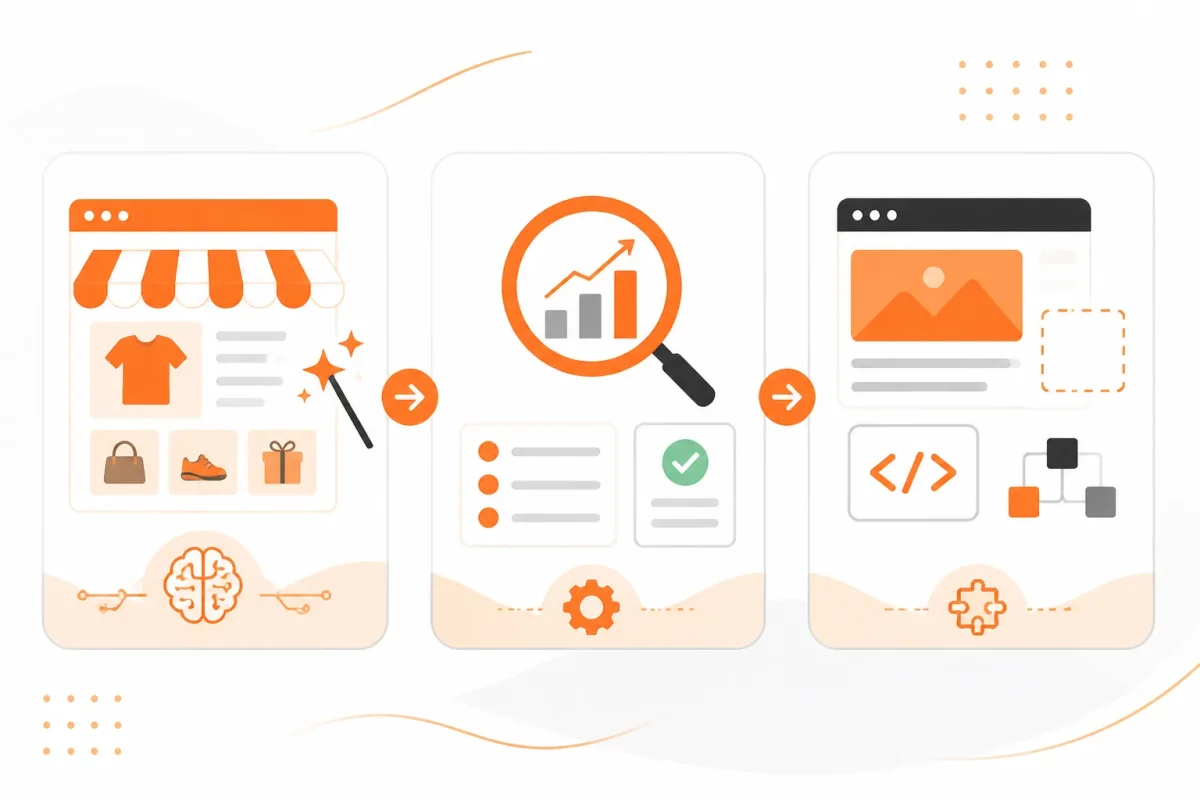
The framework behind the three paths
Each option is assessed across three practical layers. First, does AI generate your Shopify storefront? Second, does it make your products, collections, pages, and blog content search-ready? Third, can professional development extend the implementation when your store needs custom behaviour? This separates a visual starting point from a complete launch process.
- AI work: You can see exactly what the tool automates, such as layout generation, meta tags, structured data, image alt text, or content creation.
- Remaining setup: You can judge how much product information, keyword research, editing, testing, and technical configuration still sits with you.
- SEO coverage: You can check whether both individual products and collection pages receive attention, rather than assuming homepage copy is enough.
- Trade-off: You can weigh speed against control and implementation effort before choosing a path.
wRanks sits in the middle layer as an AI-powered SEO option for Shopify stores. It can improve search-ready content and connect with Google Search Console, but it doesn't replace Shopify's storefront system or custom development when your requirements exceed standard features.
Practical rule: Choose the path that automates your biggest constraint, not the tool that promises to build everything.
The comparison starts with Shopify's native tool, moves to the wRanks optimisation layer, and ends with custom Shopify development and AI-assisted SEO. That progression shows when a store builder is enough and when it is only the first step.
Shopify's native AI Store Builder
A short description can give you a Shopify storefront instead of a blank theme. Shopify's native AI Store Builder turns your business or niche description into a starting storefront, so you can see a usable visual direction within seconds.
Shopify says the builder creates three personalised storefront options, each with a homepage layout, sample products, text, and a colour scheme. After you choose one, you can adjust announcement bars, headers, featured collections, and footers through Shopify's side-panel theme editor. That gives you a foundation, not a completed launch.
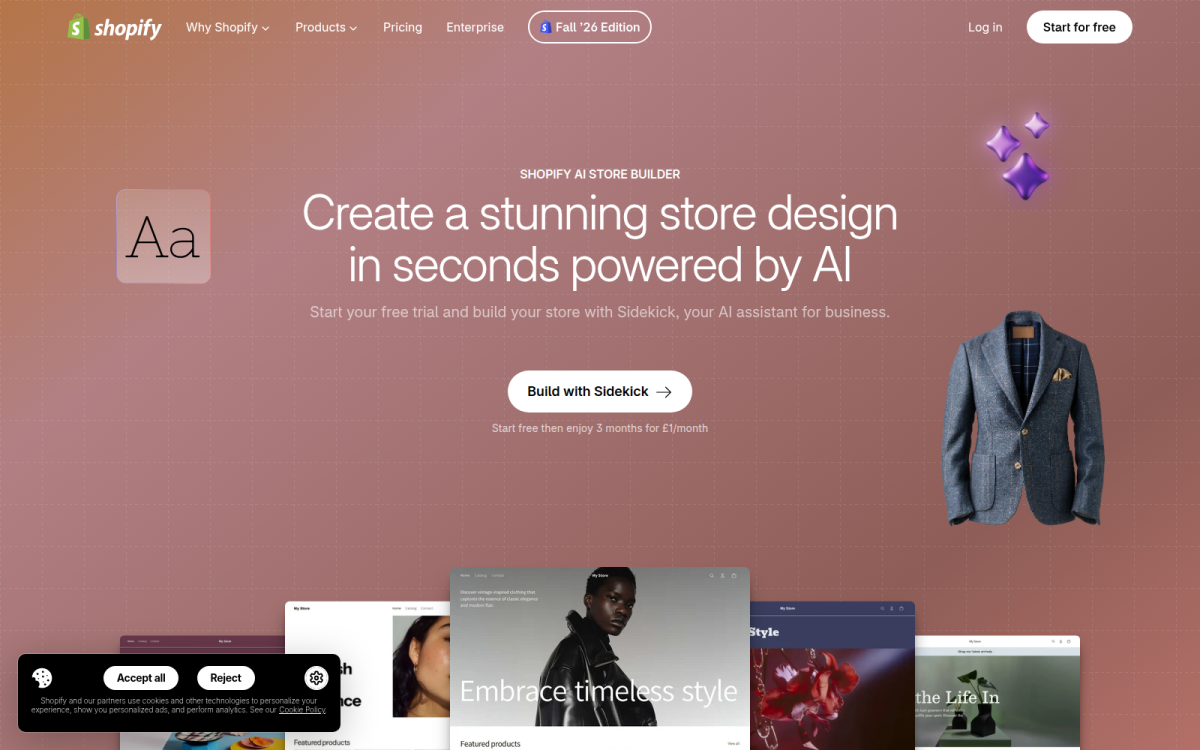
What Shopify's AI Store Builder sets up
It can set up the initial design, but you still need to add accurate products, organise collections, configure payments and shipping, and check every page before publishing. You also remain responsible for meta tags, structured data, image alt text, keyword targeting, Google Search Console insights, and visibility across AI platforms.
Best use case: turning a business description into a storefront starting point
This path works when you need to test a visual concept quickly. You might enter “premium wool blankets for cold-weather cabins” and receive a themed homepage with sample content. Strong version: Replace that sample announcement with “Free shipping on wool blankets over $75.”
What works
- Speed: You get three design directions without building a theme from scratch.
- Low friction: You can start from a niche description rather than technical configuration.
- Visual clarity: You can judge your homepage structure before adding every product.
What fails
- Product accuracy: You must replace sample products, claims, prices, and images.
- Search readiness: You still need to create useful metadata, structured data, and alt text.
- Store configuration: You must confirm shipping, payments, collections, policies, and navigation.
Trade-off: generation speed versus control and search readiness
You gain a fast visual foundation, but the builder doesn't automatically create your complete content or SEO strategy. Use it if you need a quick Shopify starting point and can handle the product, configuration, and search work that follows.
Shopify AI Store Builder plus wRanks SEO Automation
A Shopify AI store builder creates the storefront. wRanks adds the SEO work that helps your products, collections, pages, and blogs appear in search engines and AI platforms.
You get a faster visual launch without treating organic visibility as a later project. Shopify says its AI store-builder tool is free to use, while your Shopify subscription, theme, apps, and other platform costs remain separate.
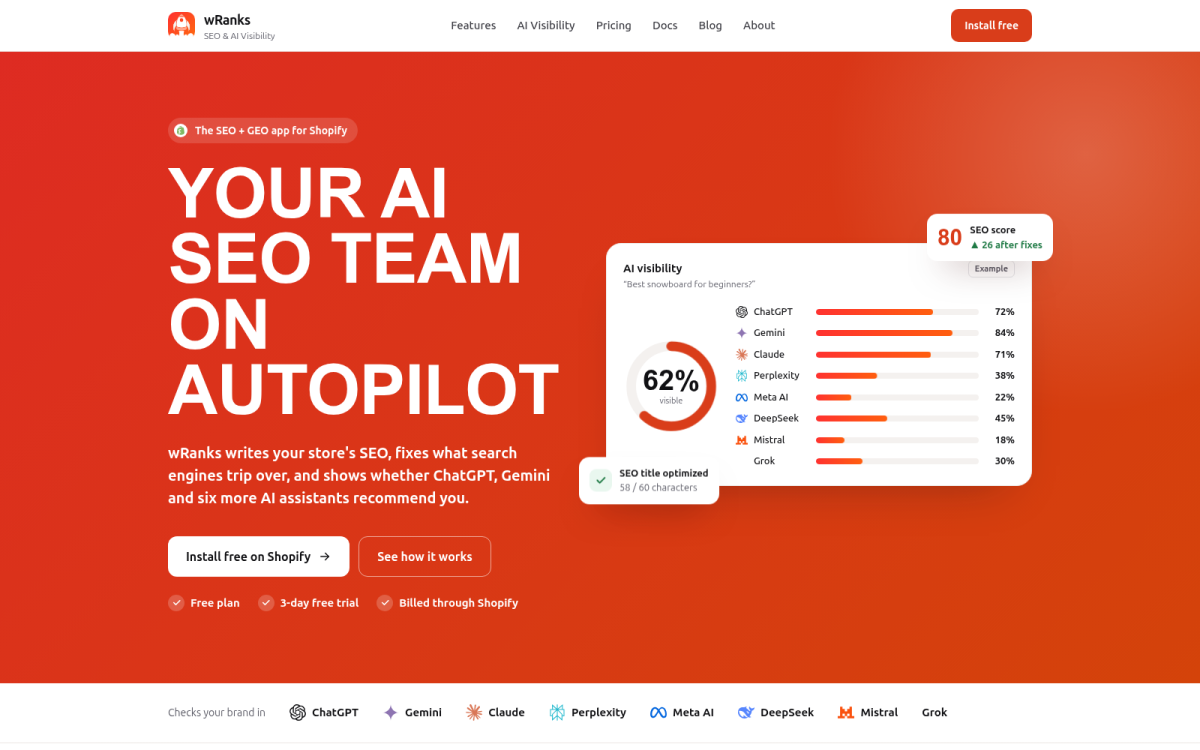
What Shopify Builder is
Shopify Builder is Shopify's native tool for generating a starting storefront from your business description. wRanks works alongside it, adding meta tag optimisation, structured data, image alt text, keyword tracking, Google Search Console integration, and AI-generated content with human review.
Best use case: launching quickly without leaving SEO for later
This path suits you when design speed matters, but discovery matters too. Weak: “Blue Hoodie | Great Quality.” Strong: “Organic Cotton Zip Hoodie | Navy Blue | Harbor Thread.” You can also use Shopify blog ideas based on real store data to build content around proven customer searches.
Best for merchants targeting products, collections, and blogs
- Content coverage: You can check that priority products, collections, pages, and blogs have useful search content.
- Technical signals: You can refine meta tags, structured data, and image alt text instead of leaving them to defaults.
- Performance evidence: You can track keyword movement and connect Google Search Console to review impressions, clicks, and indexing signals.
Trade-off: automated optimisation versus human review and brand judgement
wRanks reduces repetitive SEO work, but you still review claims, tone, search intent, and AI-generated content. Use this route if your checklist is complete, then measure content coverage, keyword movement, and Search Console signals each month.
Custom Shopify development with AI-assisted SEO
Your Shopify store may need more than a generated theme when customers follow a specialised buying journey, connect through unusual integrations, or see merchandising rules that standard settings can't express. You may need subscriptions, account-based pricing, product bundles, or operational workflows that require custom implementation. The same distinction applies to a broader web project such as mywebsite.com, where requirements should be defined before development begins.
AI assistance can speed parts of the work, but it doesn't remove discovery, testing, security review, accessibility checks, or maintenance. Custom development is a requirements decision, not an automatic upgrade.
What a Shopify developer costs
A Shopify developer's cost depends on your requirements, not the label “AI store builder.” Your estimate changes with design complexity, integrations, data migration, testing, accessibility, maintenance, and post-launch changes. Ask for a scope that names each dependency before comparing proposals.
Best use case: requirements that exceed a generated theme
A developer can shape your Shopify implementation around a tailored customer journey, advanced subscriptions, unusual merchandising rules, or complex operational workflows. You can then use wRanks to support ongoing SEO across products, collections, pages, and blogs, although it won't replace development testing or your review of search intent and brand accuracy.
Best for retailers with complex workflows or integrations
- Specialised journeys: You need guided purchasing, account-specific experiences, or product configuration that a standard theme can't express.
- Connected operations: You rely on custom links between Shopify, inventory systems, fulfilment tools, subscriptions, or customer platforms.
- Controlled merchandising: You need rules for bundles, eligibility, pricing, or catalogue presentation that require custom logic.
What works
- Flexibility: You receive an experience shaped around your customers and internal processes.
- Control: You can test implementation choices instead of accepting a builder's defaults.
- AI assistance: You may speed research, content drafts, and development tasks while retaining human ownership.
What fails
- Unclear scope: You risk expanding costs when integrations and edge cases appear late.
- Skipped quality checks: You can ship broken journeys if AI-generated work avoids security, accessibility, or user testing.
- Maintenance gaps: You remain responsible for updates, technical dependencies, and post-launch fixes.
Trade-off: greater control and scope versus developer expense and maintenance
Custom work gives you control, but your store carries more technical responsibility. A developer can build and test the implementation, while you maintain the requirements and approve changes. Use this route if a demonstrated constraint prevents your Shopify store from serving customers or merchandising products effectively, not simply because a custom build sounds more advanced.
Six questions to settle before you pay for a Shopify build
Shopify's cost for a live store
No, Shopify isn't completely free for a live store. You can use the AI Store Builder to generate a starting storefront, but Shopify says a standard paid subscription is required to launch and run it. You should also budget for payment processing, apps, development, marketing, and fulfilment.
Whether Shopify is still worth it in 2026
Shopify can still be worthwhile in 2026, but your sales model decides that. Compare the subscription, payment, app, development, marketing, and fulfilment costs with your expected margin. You shouldn't treat a free AI builder as proof that your complete store operation will be inexpensive.
When Shopify asks for your SSN
You may need to provide your SSN or other identity details, depending on your business, payment setup, transaction activity, and applicable US requirements. Shopify may request verification information before enabling services. You should review current Shopify guidance and ask a tax professional about your specific circumstances.
Shopify's income reporting to the IRS
Shopify or its payment partners may have reporting obligations based on your transactions, payment arrangements, and applicable US tax rules. You remain responsible for accurate records and tax filings. Check current Shopify and IRS guidance, then ask a qualified tax professional how those rules apply to your store.
Risks to consider with Shopify
Yes, you still face operational, payment, privacy, account, and fraud risks on Shopify. Platform access doesn't guarantee sales, security, or recovery after a dispute. You should use strong account protection, keep transaction records, review app permissions, and understand each payment provider's terms before accepting orders.
What happens after a scam loss
You shouldn't assume Shopify will refund a scam loss. Recovery depends on the transaction, payment method, evidence, and applicable policy. Preserve order records, messages, delivery details, and payment evidence, then contact the relevant provider promptly. A Shopify subscription doesn't provide universal buyer or seller protection.
Start with the smallest build that proves your store can be found
A fast storefront is useful only when you can test whether real shoppers can find it. You don't need every feature first. You need one clear offer, one search-led page, and enough evidence to decide what deserves more investment.
Use speed to create a testable Shopify store, not to postpone discoverability. Your first result should show what your products, content, and search signals require next.
Define the store's first search-led offer
- Choose the starting offer: Define the product, audience, and search intent you want to test, including the terms a buyer would use for the product and its collection.
Generate and configure the storefront
- Build the foundation: Use Shopify's native AI store builder to create the storefront structure, then add accurate product details, collection names, navigation, and policies before judging the design.
Optimise one representative page in wRanks
- Connect the SEO workflow: Use wRanks to optimise one representative product, collection, page, and blog with meta tags, structured data, image alt text, keyword tracking, Search Console integration, and carefully reviewed AI-generated content.
Weak version: “Blue Bottle for Coffee Lovers.”
Strong version: “12 oz Blue Ceramic Coffee Bottle for Daily Commuters.”
- Product page: Confirm the title, description, product structured data, and images describe the actual item.
- Collection page: Check that the collection name matches a phrase your intended buyer might search.
- Blog page: Review every AI-generated claim before publication.
Expand or commission custom development only when evidence requires it
- Inspect the signals: Review indexable content, descriptive images, valid structured data, relevant titles and descriptions, and feedback in Google Search Console.
- Prove the constraint: Commission custom development only when your test reveals a genuine limitation, such as a required buying path or integration the generated storefront can't support.
Start with one product page in wRanks. Its output gives you the clearest scope for the rest of your store.
If you want a faster way to optimise Shopify products, collections, pages, and blogs, wRanks provides AI-powered SEO tools for store owners and marketing managers, including meta tags, structured data, alt text, keyword tracking, and Search Console insights in its Shopify SEO resource library.

Digital growth consultant specializing in AI-powered commerce strategies. Amira bridges the gap between cutting-edge AI tools and practical Shopify store growth.