Shopify AI News: What Agentic Commerce Means
Shopify AI news reveals how agentic commerce changes product discovery and shopping with AI agents accessing your catalog directly.
You’ve spent the afternoon refining a product title, meta description, collection copy, and image alt text. The page looks ready, yet shoppers may discover it through a Google result, an AI answer, or a shopping agent that never visits your store in the usual way. That uncertainty sits at the heart of Shopify AI news.
Most Shopify merchants don’t have an AI tools problem. They have a product-discovery problem across systems they don’t control. Shopify’s recent announcements point towards agentic commerce, where AI platforms can interact with shopping functions and catalog data. This shift separates automated content generation from the infrastructure that may shape how products are discovered and purchased. To respond, understand how shop.md, shop.dev, and Shop MCP fit together, then test a representative product page. wRanks can monitor keywords, Google Search Console signals, and content consistency, but accurate source data still comes first.
Shopify opens its commerce layer to AI shopping agents
Your product page may soon be read by software that does more than suggest a title or rewrite a meta description. In late 2026, Shopify unveiled shop.md and shop.dev as tools that connect AI agents with its commerce platform, giving your catalog and shopping functions a more direct route into AI-assisted buying experiences.
The announcement matters because you may lose the first discovery moment before a shopper reaches your storefront or a conventional search result. Agentic commerce doesn't guarantee inclusion in Google or an AI answer, but it creates another possible path from product information to purchase. Your organic visibility still depends on accurate, useful, crawlable content.
What Shopify unveiled in late 2026
Shopify says shop.md and shop.dev integrate AI agents with its commerce platform. For you, that means AI systems may be able to work with product information and shopping functions through a more structured connection to Shopify, rather than relying only on visible storefront pages.
Shopify has unveiled shop.md and shop.dev, two new tools that integrate AI agents with its commerce platform.
That is Shopify's documented announcement, not evidence that every AI platform already uses your catalog. The practical change is its direction: Shopify is moving beyond internal AI automation towards infrastructure that may let external AI tools interpret products and support shopping actions.
Why catalog access changes product discovery
You still need product pages that explain what an item is, who it suits, and how it differs from alternatives. AI access doesn't replace strong meta tags, structured data, image alt text, or useful on-page copy. It makes vague or inconsistent details more costly.
Weak example: “Premium bottle for everyday use.”
Strong example: “The Ridgeway 24 oz Stainless Steel Water Bottle keeps drinks cold for 24 hours, fits standard car cup holders, and includes a leak-resistant cap.”
wRanks can monitor keywords, Google Search Console signals, and content consistency for your Shopify store, although it can't control whether an AI agent selects your product. You can also review why Shopify search impressions are not increasing when your own discovery data shows a wider visibility problem.
Practical rule: Keep every important product fact accurate, specific, and consistent across your Shopify page, structured data, and supporting content.
Which Shopify merchants feel the effect first
This shift may reach you sooner if your store has a large catalog, frequently changing inventory, or products that shoppers compare by precise attributes. Start by understanding shop.md, shop.dev, and Shop MCP separately, then test one representative product page before changing the entire catalog.
How Shopify shop.md, shop.dev, and Shop MCP change the path from query to purchase
You may soon begin with an AI tool rather than your storefront. That tool could discover product information, compare options, or invoke a shopping function before you see a familiar search visit.
You should treat these Shopify developments as related, but they aren't the same product. Separate their roles before changing product copy, feeds, or structured data.
The three Shopify surfaces and their distinct roles
shop.md: Think of shop.md as a personal shopping assistant experience for AI agents using a customer's Shop account. It connects your agent's shopping task with that customer's context.
shop.dev: You can treat this as a developer-facing API for embedding shopping functions in AI tools or other digital experiences. The key shift is function access, not simply another product listing page.
Shop MCP: Your AI tools may use an MCP-based connection to search Shopify commerce data. That creates a possible access path to catalog information, but it doesn't promise indexing, rankings, traffic, or sales.
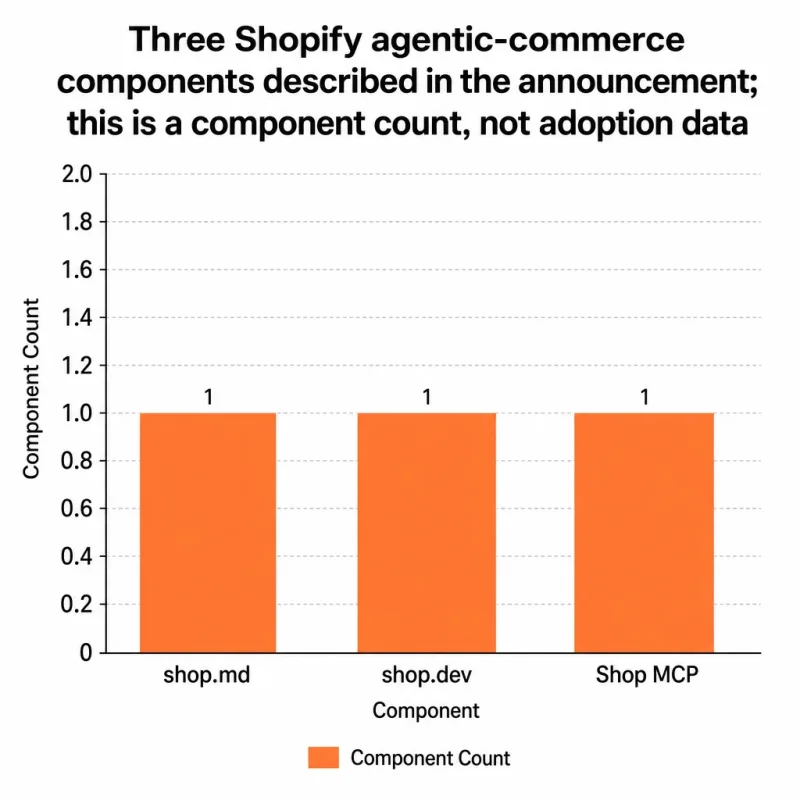
Use the accompanying visual as a component inventory, not an adoption chart. It shows three announced components, with shop.md, shop.dev, and Shop MCP each represented by one component count.
Before and after agentic catalog discovery
Your workflow changes when an agent can move from finding information to using a commerce function. Use the table to separate that movement without treating potential access as guaranteed visibility.
| what changed | before | after | who it affects |
|---|---|---|---|
| shop.md | You primarily browsed products through a storefront, search result, or existing shopping interface. | Your AI agent may use your Shop account through a personal shopping assistant experience. | Shop customers, merchants, and AI-shopping workflows |
| shop.dev | You generally needed a conventional storefront flow or custom integration to use shopping functions. | You can use a commerce-focused API to embed shopping functions in AI or other digital experiences. | Developers, merchants, and commerce applications |
| Shop MCP | Your AI tools had less direct, standardized access to Shopify commerce data. | Your AI tools may be able to search Shopify commerce data through an MCP-based connection. | AI tools, merchants, developers, and shoppers |
What remains unsettled for merchants
You should treat implementation details as changeable while Shopify develops these surfaces. Access doesn't equal inclusion, and inclusion doesn't equal conversion.
Your immediate task is consistency. Check that product titles, availability, prices, variants, images, structured data, and supporting copy agree across your store and connected commerce sources. You can use wRanks to monitor and optimize those SEO elements for Shopify stores, although no platform can control how every AI tool selects or displays a product.
Why product data quality becomes your first AI-search advantage
You may be tempted to rewrite every Shopify page for an AI agent. That's the wrong first move. Your product, collection, and blog information must agree clearly enough for Google, generative-search systems, shoppers, and potential agents to interpret it correctly.
Fast automation can expand coverage, but reliable data earns priority. Your first AI-search advantage isn't more copy. It's fewer contradictions across the content that describes your products.
What agentic commerce changes in your SEO workflow
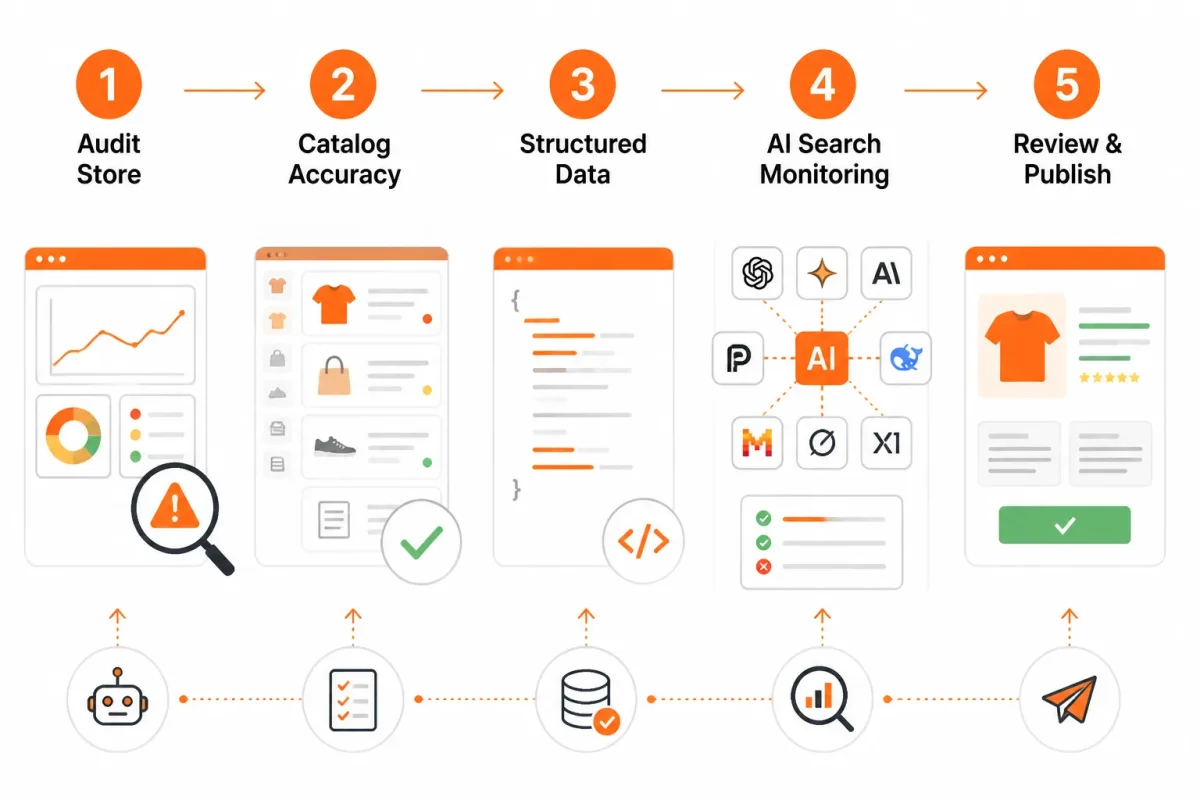
Your workflow now needs to connect product titles, descriptions, prices, availability, variants, collection relationships, structured data, image alt text, and supporting blog claims. If your product page says “waterproof,” its structured data and buying guidance shouldn't quietly describe a splash-resistant item. If a variant is unavailable, your offer context shouldn't imply that every size ships today.
Weak example: “Blue Trail Bottle, 32 oz,” with a generic description, missing alt text, and structured data showing no variant availability.
Blue Trail Bottle, 32 oz: “Insulated stainless-steel bottle that keeps drinks cold for 24 hours. Available in Navy Blue, with 32 oz capacity and free shipping on orders over $50.” The image alt text, offer details, and variant data should support the same facts.
The practical reading of Shopify's agentic-commerce announcement is clear: access for AI agents doesn't guarantee rankings, inclusion in AI answers, citations, or sales.
That takeaway keeps your SEO decisions grounded. You can also use this guide to diagnose why Shopify search impressions are not increasing when visibility signals weaken.
The risk of automating inaccurate catalog language
AI-generated content can produce missing context, duplicate copy, mismatched claims, or stale offer information before anyone reviews it. Your metadata may sound polished while your price, inventory, variant, or shipping language remains wrong.
Use automation for coverage, not automatic approval. A concise, accurate description is more useful than a longer paragraph that invents materials, features, or delivery terms.
The first wRanks audit to run
Start with one important product page, then compare its signals across the related collection, blog content, and Search Console data. wRanks gives your Shopify store a practical system for keyword tracking, Search Console integration, meta tags, structured data, and image alt-text monitoring, although it can't control how each AI platform selects or displays your products.
- Core facts: Confirm that the title, description, price, availability, and variants match.
- Relationships: Check that the product belongs to the right collection and related content.
- Search signals: Review keywords and Google Search Console impressions for weak visibility.
- Technical context: Verify structured data and image alt text describe the same product.
- Priority fix: Correct contradictions that could prevent a system from understanding or presenting the page.
Start with one representative Shopify product page and build outward
Your first response to agentic commerce shouldn't be a catalog-wide AI rewrite. Choose one product page that matters to your store, then test whether its facts, search signals, and related content agree. You'll learn more from one controlled review than from hundreds of unmeasured edits.
Success at this stage means cleaner source data and a measurable baseline. You can't assume how every AI platform will select, compare, or display your products, so focus on confirmed page improvements and ongoing observation.
- Step 1:
Select one high-value product page
Choose one product that earns meaningful sales, represents a core category, or already receives search impressions. Record its current URL, target keyword, title, meta description, collection, and supporting content before making changes. You now have a fixed page for comparison.
- Step 2:
Verify its search and catalog signals
Check the product title, meta description, target keyword, offer details, inventory context, structured data, image alt text, and Google Search Console performance. Separate confirmed issues from assumptions about agent behavior. Your checklist should look like this:
- Title: The product name and main search intent are clear without vague filler.
- Meta description: The description accurately reflects the product and its available offer.
- Structured data: The product, price, availability, and variants match what you see on the page.
- Image alt text: Each important image describes the product shown, not a generic file name.
- Keyword: One primary target matches the product's real use and buyer intent.
- Search Console: You have recorded current impressions, clicks, and queries before editing.
For example, “Cedar & Coast Bottle” gives search systems little context. Strong: Cedar & Coast Insulated Water Bottle identifies the product and its category more clearly. The same discipline applies to descriptions: “Shop our bottle” is weak, while Strong: Keep drinks cold on commutes and day trips with Cedar & Coast's insulated water bottle. shows a product, use case, and brand without inventing a claim.
- Step 3:
Extend the checks to related content
Compare the same product claims with its collection page and supporting blog content. Check names, materials, uses, compatibility, pricing language, and availability. If your blog supports product discovery, apply the same checks to supporting posts.
- Step 4:
Monitor before expanding the workflow
Use wRanks to monitor rankings, impressions, clicks, and visibility changes after the review. Its AI-powered SEO tools can track meta tags, structured data, image alt text, and Search Console signals, although no tool controls how an AI platform presents a product.
Give yourself a baseline before judging the result. Once the page and its related content stay consistent, expand the same checks to another representative product. One controlled learning loop is safer than automated edits across hundreds of Shopify products.
If your blog supports product discovery, this guide to Shopify blog ideas from real store data fits the same workflow.
If you want a faster way to do this, wRanks monitors product SEO signals, tracks rankings and Search Console visibility, and provides Shopify SEO guides for practical workflows for store owners preparing content for Google and AI platforms.

Content marketing expert and Shopify ecosystem authority. Priya has helped 200+ stores grow organic traffic through strategic blog content and keyword targeting.