
POS (Point of Sale)
Quick Definition
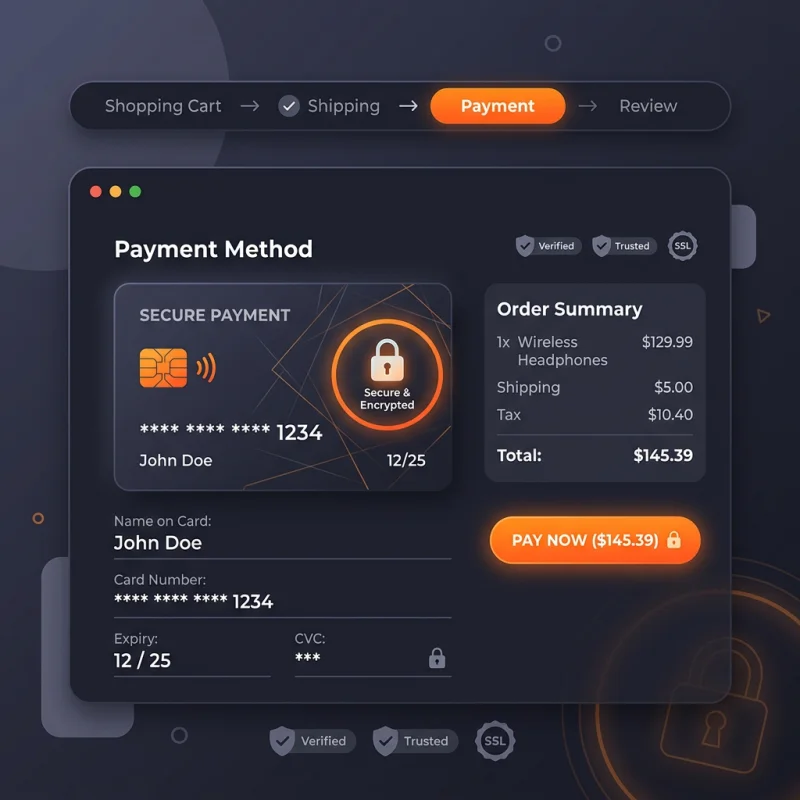
Shopify POS (Point of Sale) is an iPad and mobile application that allows merchants to process sales in physical retail locations, syncing inventory with their online store.
Table of Contents
- Understanding POS (Point of Sale) in E-commerce
- Shopify POS: Configuration and Implementation
- Setting Up Shopify POS
- Connecting Hardware and Devices
- Configuring Payment Methods and Taxes
- Strategic Business Value and Optimization of Shopify POS
- References and Further Resources
- Frequently Asked Questions
- How do I set up Shopify POS for my retail store?
- What hardware is compatible with Shopify POS?
- Can Shopify POS sync inventory with my online store?
Understanding POS (Point of Sale) in E-commerce
Point of Sale (POS) systems have revolutionized retail operations by integrating sales, inventory management, and customer engagement into a unified platform. In the context of e-commerce, especially with platforms like Shopify, POS extends beyond traditional cash registers to encompass mobile and tablet-based solutions that facilitate in-person transactions. Shopify POS (Point of Sale) is an innovative system designed to empower merchants to sell in physical locations while maintaining synchronization with their online store, ensuring real-time inventory updates and seamless customer experiences.
At its core, a POS system captures sales data, processes payments, manages inventory, and generates sales analytics. Modern POS solutions, such as Shopify POS, leverage cloud technology, enabling merchants to operate across multiple channels effortlessly. This integration helps reduce errors, improve efficiency, and provide valuable insights into customer purchasing behaviors. According to industry reports, businesses utilizing integrated POS systems see an average sales increase of 10-15% due to improved inventory accuracy and enhanced customer service.
Shopify POS: Configuration and Implementation
Setting Up Shopify POS
To begin using Shopify POS, merchants must first ensure their Shopify plan supports POS features. Shopify offers various plans, with Shopify POS available on the Shopify, Advanced Shopify, and Shopify Plus tiers. Once the plan is confirmed, follow these steps:
- Navigate to Shopify Admin and go to Settings > Payments. Ensure your payment gateways are configured for in-person transactions, such as Shopify Payments or third-party providers.
- Access Sales Channels in the Shopify admin dashboard and add Shopify POS if not already enabled.
- Set up hardware components: Shopify POS supports various hardware like card readers, barcode scanners, receipt printers, and cash drawers. Purchase compatible hardware from Shopify or certified partners.
- Configure your products: Ensure all inventory items are accurately entered in Shopify, with correct SKUs, descriptions, and stock levels. This data will sync automatically with the POS app.
Connecting Hardware and Devices
Once hardware is acquired, connect devices via Bluetooth or USB, following Shopify's hardware setup guides. For example, pairing a Shopify Tap & Chip card reader involves turning on the device, opening the Shopify POS app, and following on-screen instructions for pairing. For printers and scanners, ensure they are compatible and connected to the same Wi-Fi network.
Configuring Payment Methods and Taxes
Within Shopify POS settings, merchants can specify accepted payment methods, including credit/debit cards, mobile wallets, and cash. Tax settings should be aligned with local regulations; Shopify allows automatic tax calculations based on location, which can be customized under Settings > Taxes.
Strategic Business Value and Optimization of Shopify POS
Implementing Shopify POS offers tangible strategic advantages. It bridges online and offline sales channels, providing a unified customer experience and centralized inventory management. This integration reduces stock discrepancies, minimizes manual data entry, and accelerates checkout processes, leading to higher conversion rates in physical stores.
For optimization, merchants should leverage features like customer profiles to personalize service, discounts and promotions to boost sales, and sales analytics to identify top-performing products and peak shopping times. Real-world examples include boutique retailers that increased sales by 20% after adopting Shopify POS, thanks to faster checkout and targeted marketing based on purchase history.
Additionally, Shopify's ecosystem supports third-party apps that enhance POS functionality, such as loyalty programs, advanced inventory management, and omnichannel marketing tools. Regularly reviewing sales data and customer feedback helps refine operational strategies, ensuring continuous growth and customer satisfaction.
References and Further Resources
Frequently Asked Questions
How do I set up Shopify POS for my retail store?
Setting up Shopify POS involves selecting the appropriate Shopify plan, enabling the POS sales channel, configuring hardware devices, and syncing your product catalog. First, verify your plan supports POS features. Then, add Shopify POS as a sales channel in your admin dashboard. Next, purchase compatible hardware like card readers and barcode scanners, and connect them via Bluetooth or Wi-Fi. Finally, ensure your products are correctly entered with accurate SKUs and inventory levels. Testing the setup with a few transactions helps identify any issues before going live. Shopify provides detailed setup guides to streamline this process, ensuring a smooth transition from traditional to integrated POS systems.
What hardware is compatible with Shopify POS?
Shopify POS supports a wide range of hardware including Shopify's own card readers (Tap & Chip), barcode scanners, receipt printers, cash drawers, and iPad stands. Most hardware connects via Bluetooth or USB, and compatibility depends on the device specifications. Shopify maintains a list of certified hardware partners to ensure seamless integration. For example, popular options include Star Micronics printers and Socket Mobile barcode scanners. It is essential to verify hardware compatibility before purchase to avoid connectivity issues. Using certified hardware ensures reliable performance, faster setup, and better customer experience during in-store transactions.
Can Shopify POS sync inventory with my online store?
Yes, Shopify POS is designed to synchronize inventory in real-time with your online store. When a sale occurs in-store, stock levels are automatically updated across all sales channels, preventing overselling and stockouts. This synchronization is crucial for maintaining accurate inventory data, especially for businesses operating both online and offline. Shopify's backend provides detailed inventory management tools, allowing merchants to track stock movements, set reorder points, and manage multiple locations. Proper synchronization minimizes manual errors and enhances operational efficiency, ultimately leading to improved customer satisfaction and increased sales.

About Priya Sharma
Content marketing expert and Shopify ecosystem authority. Priya has helped 200+ stores grow organic traffic through strategic blog content and keyword targeting.