
Metafield
Quick Definition
A Metafield is a custom data field in Shopify used to store extra structured specifications and details beyond default product attributes.
Table of Contents
- Understanding Metafields in Shopify
- Configuring and Implementing Metafields in Shopify
- Strategic Business Value and Optimization of Metafields
- References and Further Reading
- Frequently Asked Questions
- How do I set up metafields in Shopify?
- Can metafields be used to improve SEO?
- What are best practices for managing metafields?
Understanding Metafields in Shopify
Metafields in Shopify serve as powerful tools that enable merchants and developers to extend the default data structure of products, collections, customers, orders, and other store entities. Unlike standard attributes such as title, description, or price, metafields allow for the storage of custom, structured data that can be tailored to specific business needs. This flexibility is crucial for brands that require detailed specifications, unique product options, or additional information not covered by Shopify's core fields.
From a technical perspective, metafields are key-value pairs where each key (or namespace) groups related data, and each value contains the specific information. For example, a clothing retailer might use metafields to store fabric composition, care instructions, or size charts. These custom data points can then be accessed and displayed across storefronts, product pages, or integrated into apps and third-party tools, significantly enhancing the store's functionality and customer experience.
Shopify's introduction of metafields aligns with the broader trend of e-commerce personalization and customization, empowering merchants to deliver richer, more detailed product information. As the e-commerce landscape becomes increasingly competitive, leveraging metafields effectively can differentiate a store by providing tailored content that meets specific customer needs and improves SEO performance.
Configuring and Implementing Metafields in Shopify
Implementing metafields in Shopify involves several steps, from initial setup to practical application. Shopify provides a user-friendly interface for managing metafields, especially with the advent of Online Store 2.0, which introduced native metafield support. Here's a detailed guide to configuring metafields:
- Access Metafields Settings: Log into your Shopify admin panel and navigate to Settings > Metafields. Here, you will see options for different store objects such as Products, Collections, Customers, and Orders.
- Create a New Metafield Definition: Select the object type you want to extend (e.g., Products). Click on Add definition. Define the namespace and key (e.g., namespace: specifications, key: fabric_type). Choose the content type (string, number, date, boolean, etc.) that best fits your data. Add a description for clarity.
- Assign Values to Metafields: After creating definitions, you can add values directly via the Shopify admin interface or through bulk import tools. For products, this can be done on the product editing page under the new metafield section.
- Display Metafields on Storefront: To showcase metafields on your storefront, you need to modify your theme code. Shopify's Liquid templating language allows you to access metafield data using syntax like
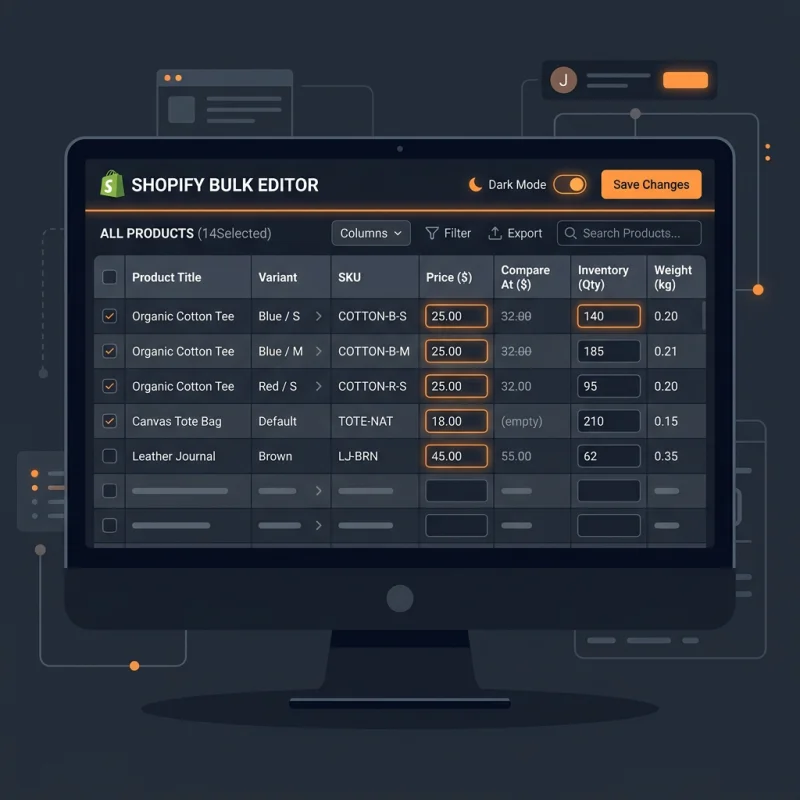
{{ product.metafields.namespace.key }}. For example, to display fabric type, you might add{{ product.metafields.specifications.fabric_type }}in your product template. - Use Apps for Advanced Management: For complex metafield management or bulk editing, consider Shopify apps such as Metafields Guru or Custom Fields. These tools provide enhanced interfaces and automation capabilities, streamlining the process for large catalogs.
Proper implementation of metafields requires a good understanding of Shopify's Liquid language, especially for customizing themes. Additionally, testing changes in a staging environment ensures that data displays correctly without disrupting the live store.
Strategic Business Value and Optimization of Metafields
Metafields are not just technical add-ons; they are strategic assets that can significantly enhance your store's value proposition. Here's how:
- Enhanced Product Differentiation: Use metafields to highlight unique product features, certifications, or specifications that set your offerings apart. For example, eco-friendly materials or exclusive collaborations can be showcased using custom metafields.
- Personalization and Customer Engagement: Store additional data such as personalized engraving options, size guides, or care instructions. This enriches the shopping experience and reduces return rates by providing detailed information.
- SEO Optimization: Structured data stored in metafields can be leveraged to improve search engine visibility. Incorporating relevant keywords and schema markup via metafields can enhance rich snippets in search results, increasing click-through rates.
- Integration with Third-Party Tools: Metafields facilitate seamless integration with inventory management, ERP systems, or marketing platforms, enabling a unified data ecosystem that supports automation and analytics.
Real-world examples include luxury brands that use metafields to display detailed craftsmanship descriptions or technical specifications for electronics. These details not only inform customers but also build trust and authority.
Pro Tip: Regularly audit your metafields to ensure data consistency and relevance. Use descriptive naming conventions and keep definitions updated to maximize their strategic impact.
Optimizing metafields involves thoughtful planning of data structure, consistent data entry, and strategic placement on storefronts. By doing so, merchants can unlock new levels of customization, improve SEO, and deliver a richer shopping experience that drives conversions and customer loyalty.
References and Further Reading
Frequently Asked Questions
How do I set up metafields in Shopify?
Setting up metafields in Shopify involves navigating to Settings > Metafields in your admin panel. From there, you can create new definitions for different store objects such as products or collections. Define the namespace, key, and content type, then assign values either manually or via bulk import. To display metafields on your storefront, modify your theme code using Liquid syntax to access and render the custom data. Shopify's Online Store 2.0 makes this process more intuitive with native support, but for advanced needs, third-party apps can simplify management and bulk editing.
Can metafields be used to improve SEO?
Yes, metafields can significantly enhance SEO by allowing you to add structured, keyword-rich data to your products and pages. Properly configured metafields can be used to implement schema markup, which helps search engines understand your content better and display rich snippets in search results. For example, adding detailed specifications or certifications via metafields can improve your visibility for relevant queries. Additionally, metafields enable you to create unique, descriptive content that can be optimized for long-tail keywords, increasing your store's chances of ranking higher in search engine results.
What are best practices for managing metafields?
Best practices for managing metafields include establishing clear naming conventions, maintaining consistent data formats, and regularly auditing your data for accuracy. Use descriptive namespace and key names to avoid confusion, especially when working with multiple team members or apps. Leverage Shopify's native metafield definitions to ensure data validation and consistency. For large catalogs, utilize apps for bulk editing and automation. Always test changes in a staging environment before deploying to your live store to prevent display issues. Proper management ensures metafields remain a valuable, organized asset that enhances your store's functionality and SEO.

About David Chen
Technical SEO engineer focused on structured data, indexing optimization, and Core Web Vitals. David turns complex technical requirements into actionable Shopify solutions.