What Is Product Structured Data? Shopify Guide
What is product structured data and why it matters for Shopify SEO. Understand how accurate markup improves Google visibility and product data consistency.
You open your Shopify analytics between customer messages and see a product page that looks complete: a clear title, sharp photos, a price, and an “In stock” message. Yet Google may not know which details describe the item for sale, which belong to a recommendation, or which price applies to a specific variant. That is the practical question behind what is product structured data?
Most Shopify product pages don't have a content problem. They have a machine-readable context problem. Product structured data is a standardized description that labels your product, offer, and supporting facts so search systems can interpret your page consistently. You need plain English, not a wall of code terms.
You'll see how product identity, price, availability, reviews, variants, and validation fit together, including where wRanks helps you keep SEO signals aligned across products, collections, pages, and AI-search experiences. Structured data improves machine readability and eligibility, but it can't guarantee placement in Google results.
Why Accurate Product Structured Data Protects Shopify Visibility
Your Shopify product page can show the right title, price, and stock message while Google receives conflicting signals elsewhere. When your markup describes a different variant, currency, or availability state, you risk more than a missing search enhancement. You may see price mismatches, feed overrides, Merchant Center disapprovals, failed automatic updates, or missed sale annotations.
Structured data gives Google a standardized way to classify your page content. Accurate Product markup helps connect the visible product page with shopping-feed information, so search systems can distinguish the primary item from related products and interpret its commercial details correctly.
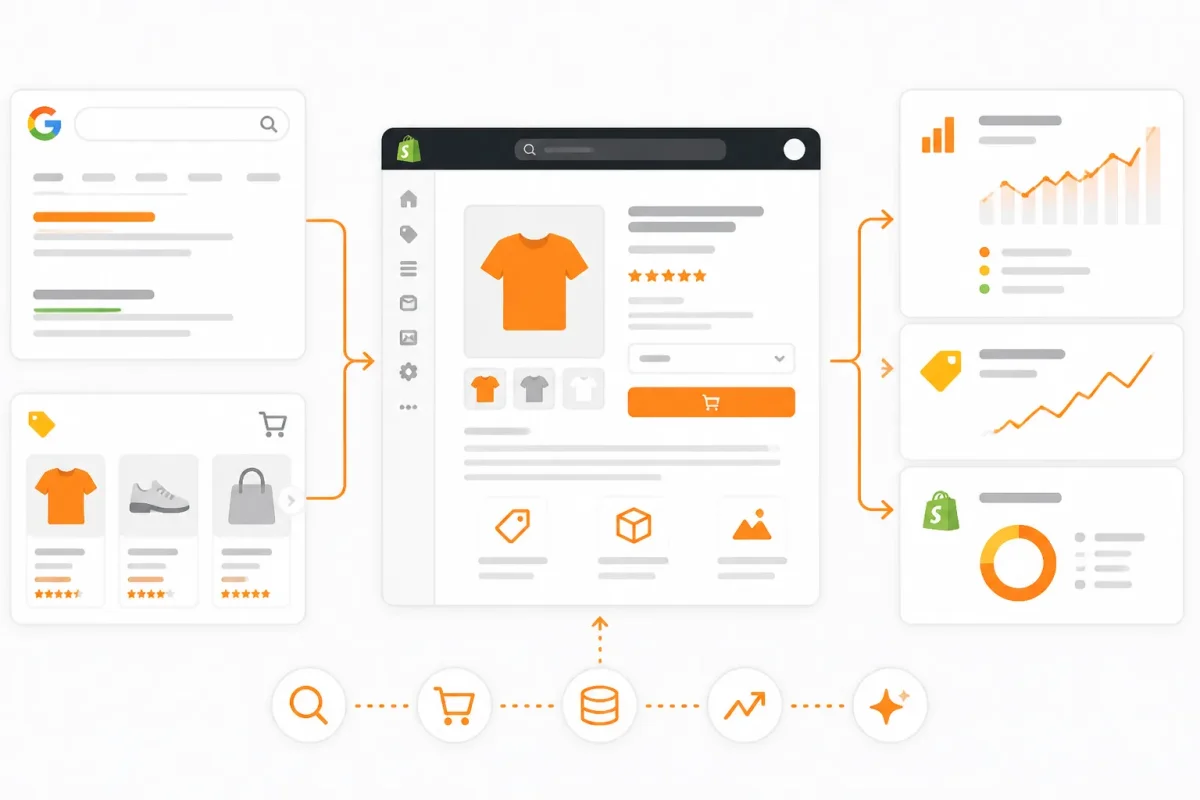
The visibility and trust signals merchants are trying to protect
Google for Developers describes structured data as “a standardized format for providing information about a page and classifying the page content.” That classification helps you communicate which product matters, rather than leaving Google to infer every relationship from page text alone. Schema.org reports that Product is used across 10M+ domains in its August 2026 aggregation of Google's web index. That scale shows broad adoption, not guaranteed rankings or enhanced results.
"Structured data is a standardized format for providing information about a page and classifying the page content." Google for Developers.
The price-and-availability consistency rule
Your markup must describe the same facts shoppers can see. Check the selected variant, price, currency, and availability before you publish or update a product template.
Practical rule: If a shopper can't see the same product fact on your Shopify page, don't state it in the Product markup.
Weak example: A Shopify page shows the 16 oz Blue Bottle Cold Brew at $24.00 and “Out of stock,” while its markup describes a 32 oz bottle at $38.00 with “InStock.”
Strong example: The Blue Bottle Cold Brew page, selected 16 oz variant, $24.00 USD price, and “Out of stock” status match the Product markup and shopping feed.
What accurate markup changes for a Shopify product page
Consistent facts give Google cleaner signals for eligibility and automatic product updates. You also reduce confusion when your page, structured data, and Merchant Center feed change together. wRanks can help you review structured data alongside meta tags and other product SEO details, although you still need to verify that generated information matches what shoppers see. The same principle extends to other product-focused storefronts, including Superas, where clear product context also helps distinguish items and offers.
For your store, consistency matters more than decorative fields. Accurate product facts protect search eligibility and feed accuracy. Conflicting facts can quietly turn visibility work into a pricing and inventory problem.
The Three Data Shapes Behind Product Structured Data for Shopify
Your Shopify admin holds fields, your product descriptions use prose, and your customer reviews may include text and photos. Those materials aren't interchangeable just because they describe the same item.
The useful distinction is simple: data may be predictable, labeled but flexible, or free-form. Product structured data belongs to the predictable category, so you need to understand its shape before choosing the markup.
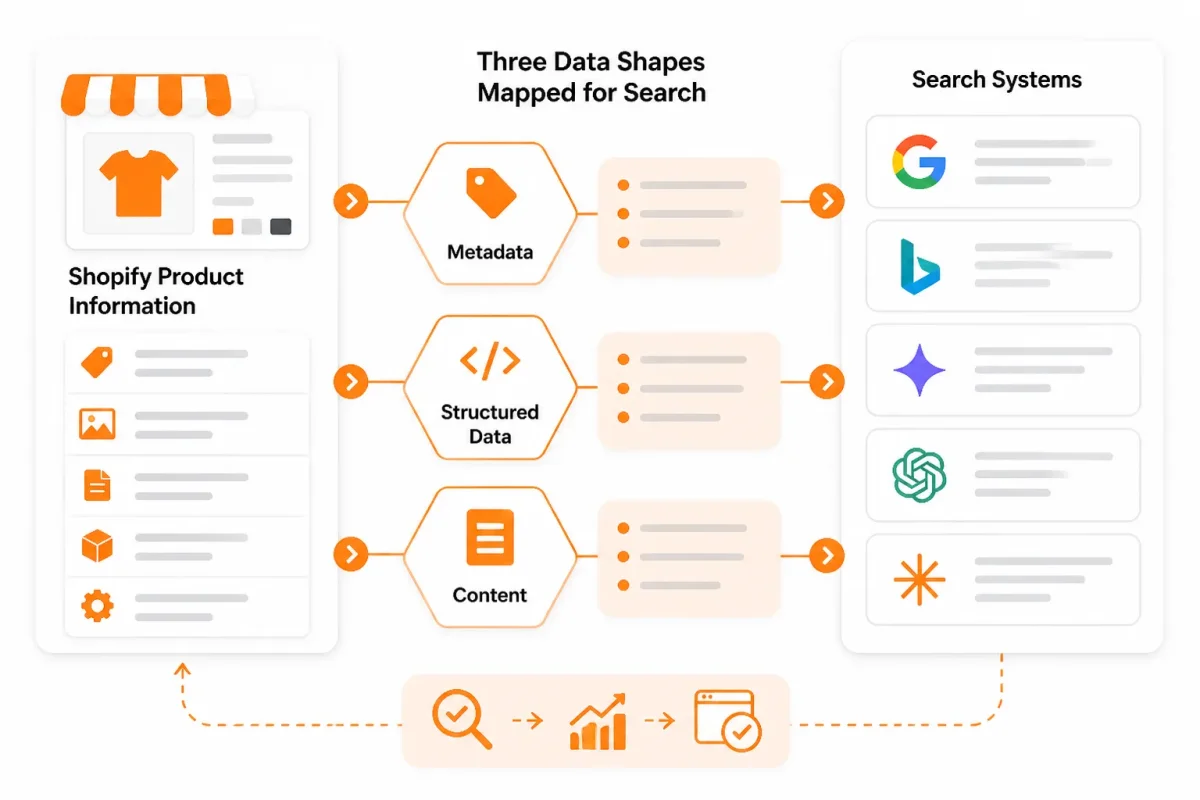
The three types of structured data and where product markup belongs
You can sort the information on your Shopify store into three broad types:
- Structured data: Predictable fields and relationships, such as a product name, SKU, price, currency, and availability.
- Semi-structured data: Flexible labels or nested formats, such as an XML feed, a JSON record, or a catalog with optional fields.
- Unstructured data: Free-form text, images, audio, or video, such as a review, product photo, podcast, or demonstration clip.
Your Product markup is structured data. Schema.org supplies the vocabulary, while JSON-LD provides a machine-readable format commonly placed on your page.
What product structured data means
Product structured data assigns predictable fields to product facts so search engines can interpret them. Product describes the item itself, while Breadcrumb describes page position and Organization describes the business behind your store.
Weak mapping: “Blue mug, $24.99, available.”
Product mapping: “Product name: Harbor Blue Mug; SKU: HBM-12; price: 24.99 USD; availability: InStock.”
When Excel data is structured
Excel data is generally structured when your rows and columns stay consistent. You still must map those fields to Schema.org Product properties before they become product markup.
How PDFs relate to structured and unstructured data
A PDF may contain internal layout structure, but it isn't automatically Product data. You need to extract, verify, and connect its product fields before creating markup.
How AI uses structured and unstructured data
AI systems can use both structured and unstructured inputs. Your product table supplies reliable facts, while descriptions, images, and reviews provide context.
Examples of unstructured data
Common examples include customer review text, product photography, installation videos, voice recordings, and conversational support messages. Your AI tools may interpret them, but interpretation doesn't create Product markup automatically.
| situation | better move | why |
|---|---|---|
| A spreadsheet has consistent product rows, columns, prices, and SKUs | Treat it as structured business data, then map its fields to Product markup if needed | A table has predictable fields, but it isn't automatically Schema.org Product data |
| A PDF contains a product catalog or invoice | Extract and verify product fields before creating markup | PDF content may have layout structure without machine-readable Product relationships |
| A customer review contains free-form text and a photo | Use it as supporting unstructured content and connect only verified rating data | Text and images don't automatically become an AggregateRating or Product entity |
| An AI system receives product tables, descriptions, images, and reviews | Provide consistent structured fields alongside useful unstructured context | AI systems can use both predictable records and free-form content |
| A Shopify page needs ecommerce markup | Use Product for the item and add relevant entities such as Breadcrumb or Organization separately | Different schema types describe different page concepts |
If your store also uses FAQ markup, the guide to FAQ Schema Markup for Shopify fits the same workflow by showing how another page concept receives its own structured fields.
The Pre-Markup Checks That Reveal Your Product Data Case
Before you change product structured data, identify what your Shopify page actually presents. You may have one fixed product, several variants, a sale price, multiple currencies, or values that appear only after JavaScript runs.
You need the same facts from three places: what shoppers see, what the initial HTML contains, and what your Merchant Center feed declares. That comparison reveals the real issue before you add generic Product markup.
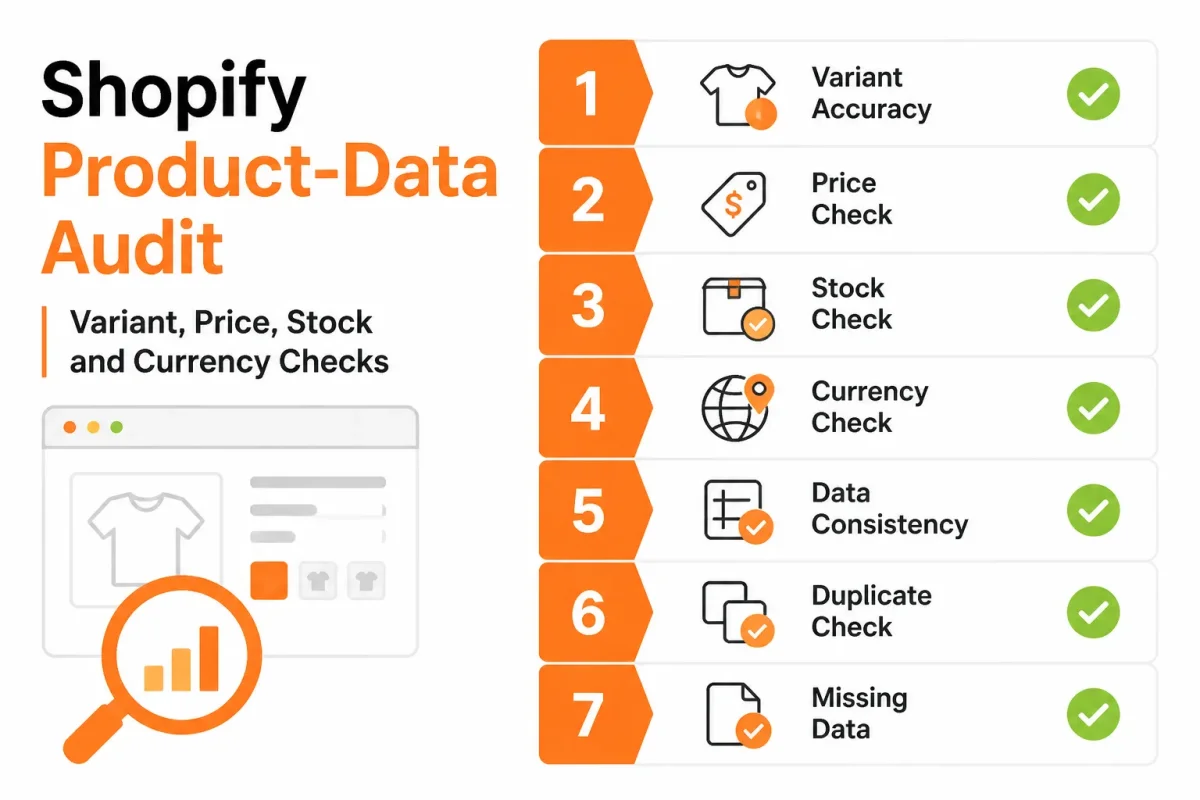
Check the product facts visible on the first page load
Open the product page in a fresh session and record the state available without selecting options or waiting for interaction. You're checking the first response, not only the finished browser view.
- Initial HTML: The product name, offer details, and availability appear in the page source delivered on the first load.
- Selected variant: You can identify which option Shopify selects by default when the page opens.
- SKU: The selected variant has a specific SKU that matches your product records.
- Visible price: The price shown to shoppers matches the selected variant, including any sale price.
- Currency: The page displays the currency used for the same market as your structured data.
- Availability: The stock message reflects whether the selected variant can currently be purchased.
- Merchant Center feed: Your feed declares the same product identity, price, currency, and availability.
Match the selected variant to its SKU and price
A price range can mislead you when one variant is already selected. You might see a $24 to $38 range in markup while shoppers see the $38 blue hoodie, creating a mismatch between the offer and the selected SKU.
Weak example: “Blue Hoodie, $24 to $38, SKU HOODIE.”
Strong example: “Blue Hoodie, $38.00, SKU HOODIE-BLUE-L.” That record describes the selected option rather than a generic product range.
Identify currency, sale, stock, and feed dependencies
Use the symptom map below to decide your first fix. If a value appears only after interaction, check the initial HTML because that fact may be absent from the first crawlable response.
| symptom | likely cause | first fix |
|---|---|---|
| Markup shows a price range while one variant is preselected | The Product offer does not match the selected variant | Compare the selected SKU, visible price, and initial HTML, then represent the selected offer accurately |
| Google or the feed shows a different currency from the page | Multi-currency signals are not synchronized | Match the page currency, structured data currency, and feed currency for the same market |
| Price or availability appears only after interaction | Important values are rendered client-side after the initial response | Check the initial HTML and make the required product facts available there |
| Several options have different SKUs and prices | Variants are being treated as one generic offer | Map each relevant variant to its correct identifier and offer data |
| A sale is visible but markup retains the regular price | Stale offer data or missing sale validity dates | Reconcile visible sale pricing, availability, and any sale end date with the markup |
Diagnose synchronization before adding more properties. Once your source data agrees, this guide to adding product schema in Shopify fits the same workflow. wRanks can monitor these signals later, but it can't replace accurate source data.
The Product Properties That Tell Google What Is Being Sold
Your Shopify product page may show every detail a shopper needs, but search systems still need those details connected to one identifiable product. That connection starts with identity, then ties the item to its offer, availability, and genuine customer feedback.
Think of product structured data as a compact description of one sellable item. Schema.org defines a Product broadly, including services and digital offerings, although your Shopify store will usually describe a physical product. The priority is agreement between what shoppers see and what your markup states.
Product identity anchors every other property
Your product entity should identify the item with its name, canonical product URL, brand, image, description, SKU, and a valid trade identifier when one exists. These fields help systems distinguish your “Alpine Stainless Bottle” from a similarly named size or color variant.
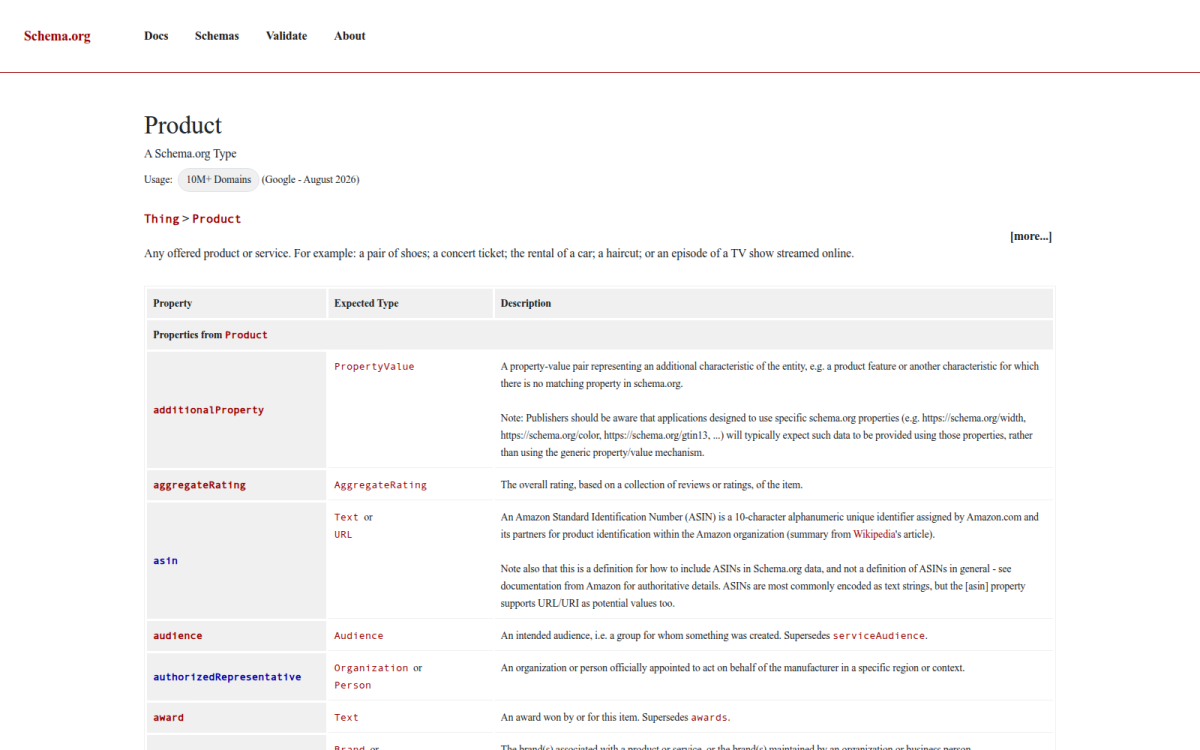
Schema.org includes properties such as brand, category, color, aggregate rating, and GTIN for Product entities, according to Schema.org's Product documentation. A GTIN identifies a trade item, and a valid value contains only digits in an 8, 12, 13, or 14 digit format, according to the same documentation.
A Product can describe an offered product or service, according to Schema.org's Product documentation.
An example of structured product data
For your Shopify product, structured data could describe the name “Alpine Stainless Bottle,” its brand “North Ridge,” its product URL, image, description, SKU “NR-BTL-24-BLK,” and GTIN if the manufacturer supplied one.
Weak example: Your markup names the bottle but assigns the parent product one generic price while the page displays a selected $32 black, 24-ounce variant.
Strong example: Your markup identifies “Alpine Stainless Bottle,” connects it to the canonical product page, and describes the selected variant with its matching SKU, image, price, currency, and availability.
Price and currency describe the offer
Your offer properties state what the shopper can buy and what that choice costs. If the selected North Ridge bottle costs $32.00, the offer should use that price with USD, not an old $28.00 value or a price copied from another variant.
The same connection applies to sale pricing. Your visible sale price, currency, and any relevant offer dates should agree with the product data that search systems receive.
Availability describes whether the item can be bought
Your availability value should reflect the current buying state, such as in stock or out of stock. A page showing an enabled “Add to cart” button shouldn't send stale data suggesting that the bottle can't be purchased.
| priority | what to check | why |
|---|---|---|
| Product identity | Name, brand, product URL, image, description, SKU, and valid GTIN when available | These fields establish which item the markup describes and help distinguish it from related products |
| Price and currency | The offer price and the currency visible for the same selected variant | Commercial values must describe what the shopper can actually buy |
| Availability | The current purchasability state, such as in stock or out of stock | Availability gives search systems a current buying signal |
| Reviews | Product-specific reviews or an aggregate rating supported by visible evidence | A business-wide rating should not be presented as the rating for one product |
| Variant offer | The selected variant's SKU, price, currency, and availability | Variant-level differences can make a generic product offer misleading |
Reviews and ratings must belong to the product
Your review or aggregate rating should represent the Alpine Stainless Bottle, not your entire Shopify store. If the page visibly supports a 4.7 rating from product reviews, the markup may describe that product-specific evidence. A company-wide testimonial doesn't belong in the product rating.
A connected product structured data example
A useful example connects one product identity to one offer: “Alpine Stainless Bottle,” North Ridge, its canonical URL, image, SKU, $32.00 USD price, in-stock status, and supported product rating. Your JSON-LD-shaped description should read as one connected entity, not as unrelated fields.
What Product schema describes
Product schema is structured data that describes an offered product or service for search systems. For your Shopify store, wRanks can help keep recurring product signals such as structured data, meta tags, and related page details consistent, although it can't correct inaccurate source pricing or unsupported reviews.
What Product Structured Data Looks Like in Google Results
You may see a complete Shopify product page while Google sees disconnected text: a name in one place, a price in another, and stock information that isn't clearly tied to the item. Your shoppers see Alpine Stainless Bottle, but search systems need a defined product entity with connected details.
That distinction matters because your visible page, JSON-LD, and Google Search presentation are three related layers, not one identical screen. Consistent product facts give Google clearer context and make your catalog easier for AI platforms to interpret, without promising a particular answer or placement.
From visible Shopify facts to a machine-readable product entity
Your product structured data on Google is a machine-readable description that connects product identity with offer details. For your Alpine Stainless Bottle, the visible page might show the product name, North Ridge as the brand, a $32.00 USD price, an in-stock message, a product image, and a supported rating.
Your JSON-LD should connect those facts to one Product entity and its Offer. A generic page description may identify a web page, but it doesn't necessarily explain which product is sold, what it costs, or whether it's available.
Weak example: Product: Alpine Stainless Bottle with no connected offer, price, or availability.
Strong example: Your JSON-LD connects Alpine Stainless Bottle to North Ridge, its canonical product URL, image, SKU, a $32.00 USD Offer, InStock availability, and supported rating data.
What Google may show from price, stock, and ratings
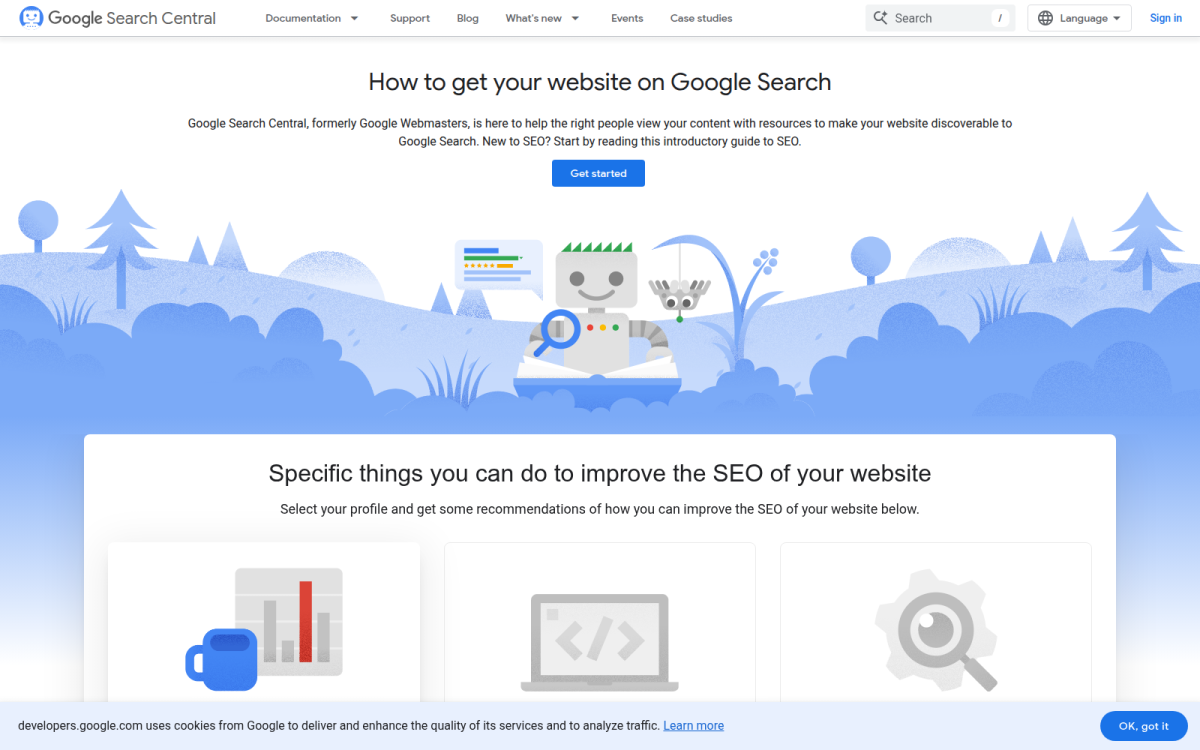
Google for Developers explains that structured data can help your product information appear in richer ways in Google Search results. Product rich snippets may show details such as pricing, star ratings, and stock status when your page qualifies and the data is valid.
| priority | what to check | why |
|---|---|---|
| Visible product page | Product name, image, selected option, price, currency, stock state, and supported rating | Structured data should describe the facts shoppers can see |
| Product JSON-LD | Product identity connected to the correct Offer, price, availability, and review data | The entity relationship gives Google clearer context than isolated text |
| Google eligibility | Whether required and supported product information is valid and consistent | Valid markup can make the page eligible for enhanced product presentation |
| Search result outcome | Actual appearance after crawling, rather than assuming markup guarantees it | Rich results and ranking improvements aren't guaranteed |
Why eligibility isn't the same as a ranking guarantee
Google eligibility means your page may qualify for an enhanced search appearance. It doesn't guarantee a rich result, higher rankings, or a particular position. Your markup must also agree with the visible product content, including the selected variant's price and stock state.
Google for Developers states that product structured data can help pages qualify for enhanced listings, but the search result remains Google's decision. wRanks can help you monitor structured data and related Shopify SEO signals, although it can't force a rich result or correct inaccurate source data.
Validate the JSON-LD, compare it with the live page, and review Google Search Console after changes. Judge success through valid data and sustained visibility, not one screenshot in search results.
Where Shopify's Simple Product Markup Model Stops Working
A single Shopify product with one SKU is usually straightforward. You face a different problem when each variant changes the SKU, price, stock state, or currency. The markup must describe what your shopper sees, not an easier product model that exists only in your template.
At that point, adding Schema.org properties isn't the main challenge. You need the product page, initial HTML, structured data, and product feed to stay synchronized as your catalog changes.
Variant identity changes the meaning of price and availability
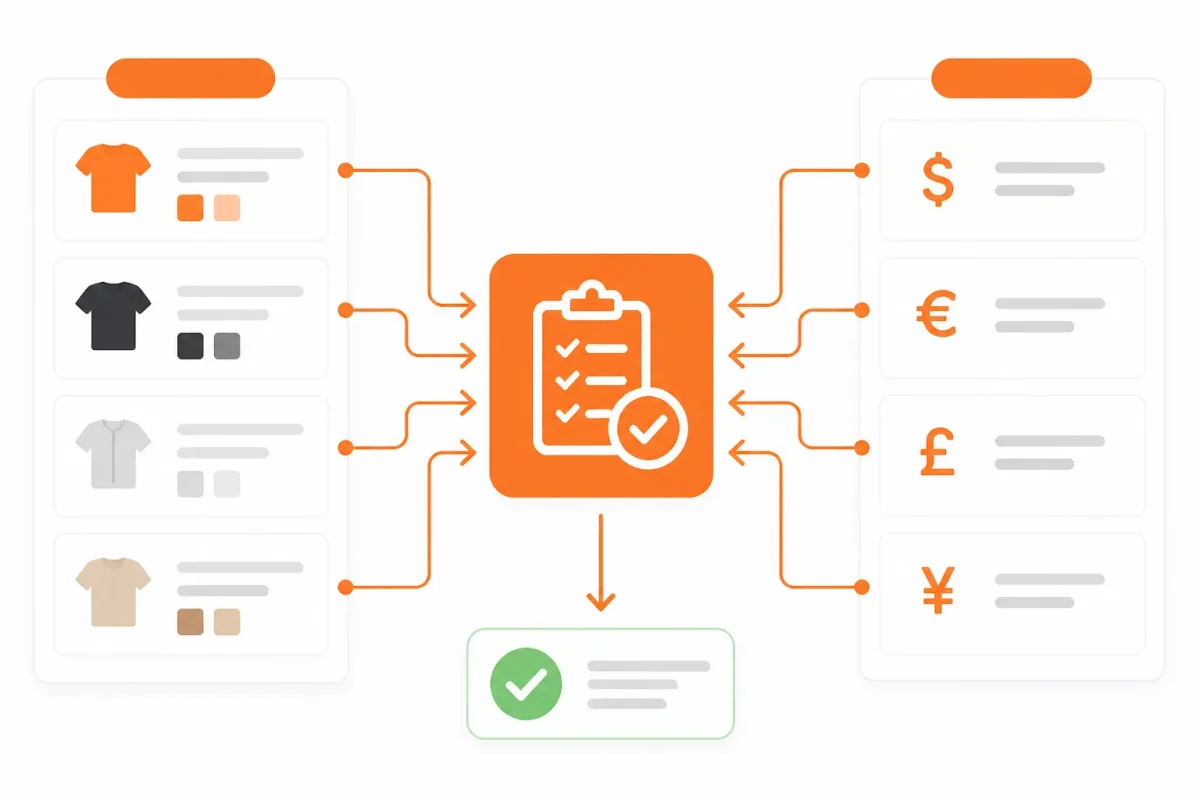
If you preselect “Blue, Large” but show a price range for every option, you risk describing the wrong item. Your structured data should identify the selected variant when the page presents that variant as the purchasable product, including its SKU, price, and availability.
Weak configuration: Your page preselects the Blue, Large hoodie at $54.00, but the markup names “Classic Hoodie,” uses SKU HOODIE-BASE, and reports a $39.00 to $59.00 range.
Strong configuration: Your page and markup identify “Classic Hoodie, Blue, Large” with SKU HOODIE-BLU-L, price $54.00, and availability InStock.
Multi-currency and sale pricing require synchronized values
Your US shopper should receive US currency, while a Canadian shopper should receive Canadian currency. Temporary sale pricing also needs matching start and end dates wherever those dates are exposed. A stale sale price in markup can contradict the visible price and confuse search systems.
For a store selling the same jacket in multiple markets, you need each localized page, currency value, availability state, and offer URL to describe the same market-specific purchase. wRanks can help surface product data changes alongside meta tags, images, and search insights, although it can't repair inaccurate Shopify source data automatically.
What works
- Clear identity: You connect each meaningful variant to its own SKU, price, and availability.
- Richer eligibility: You provide useful offer, review, and product relationships when those values appear accurately on your page.
- Change monitoring: You review structured data after product, theme, currency, and promotion changes.
What fails
- Stale values: You keep yesterday's sale price or stock state after Shopify has changed it.
- Contradictory sources: You show one price in JavaScript, another in initial HTML, and a third in JSON-LD.
- Field overload: You add properties that your page doesn't support, creating more values for you to maintain.
When less markup is safer than contradictory markup
More properties aren't automatically better. If your JavaScript-rendered price appears only after interaction, or your review data changes faster than your markup, accurate visible content may be safer than incorrect structured data. Wrong markup can create a contradiction that's worse than relying on the page content alone.
FAQ schema can still describe eligible FAQ content where supported, but it doesn't solve Product data problems or guarantee enhanced results. At store scale, synchronization matters more than schema-field volume, which is why Shopify-focused monitoring in wRanks fits the ongoing SEO workflow.
The Product Markup Mistakes That Create Confusing Signals
You can have valid-looking Product structured data and still send Google conflicting instructions. A selected variant, feed value, and visible offer must describe the same item, not three versions of it.
Use the table to match each failure with a specific correction. The goal is reliable product data, not a ranking promise.
| situation | better move | why |
|---|---|---|
| The markup uses a price range while the page preselects one variant | Represent the preselected variant's matching price, SKU, currency, and availability | A range can conflict with the offer shoppers and feeds associate with the selected item |
| A company-wide rating is marked up as the product rating | Use only visible, product-specific review or aggregate-rating evidence | Business reputation doesn't establish the rating of a particular product |
| Price or stock appears only after client-side JavaScript runs | Make essential product facts available in the initial HTML response | Later-rendered values may not be reliably read during the first crawl |
| The page and Merchant Center feed use different currencies | Align the page, structured data, and feed to the same market currency | Conflicting pricing signals can trigger mismatches or disapprovals |
| Old availability or a past sale price remains in markup | Refresh or remove stale offer values and sale validity dates | Outdated data can cause failed updates and missed sale-price annotations |
Variant price doesn't match the selected option
You create confusion when a product page preselects a $42 blue jacket but markup describes a $35 to $58 range. Weak example: “Jacket, $35-$58, SKU JKT-ALL.” Strong example: “Blue, medium, $42, SKU JKT-BLU-M, in stock.” Match the selected SKU first.
Business reviews aren't automatically product reviews
You can't transfer a company-wide 4.8 rating to every product. Product structured data needs visible evidence tied to that product, or the rating may be treated as misleading and lose eligibility.
Markup is present but only after JavaScript runs
You may see price and stock in your browser while the initial HTML contains neither. Put essential offer facts in the first response so crawling systems have a dependable product record.
Currency, availability, and sale dates disagree
You should synchronize the page, structured data, and feed before changing anything else. Refresh expired offers and sale dates, or remove them. Validate after updates, then monitor recurring changes. wRanks can help identify Shopify SEO inconsistencies before they spread, though it doesn't replace Merchant Center checks or manual review.
FAQ
Can you give me an example of structured data
Yes. A product page might show a blue cotton shirt priced at $29.99, available in medium, with a SKU and a 4.6-star rating from 84 reviews. Product structured data expresses those same facts in a machine-readable format, including the product name, image, offer price, currency, availability, and eligible review details.
What is structured data product
Product structured data is code that describes a product and its offer for search systems. It can identify the product, brand, image, SKU, price, currency, stock status, and eligible reviews. When the markup matches the visible page, it helps Google interpret the item and may support richer search results.
Is FAQ schema still relevant
FAQ schema can still describe eligible question-and-answer content, but rich-result visibility is limited and depends on Google's current guidelines. Use it when your page genuinely contains useful FAQs, not as a shortcut for extra search visibility. Keep each answer accurate, visible to visitors, and consistent with the page's main subject.
Is Excel data structured or unstructured
Excel data is usually structured when it follows a consistent table with defined columns and rows, such as SKU, price, currency, and availability. A workbook can also contain unstructured material, including notes, free-form text, images, or mixed layouts. The file format alone doesn't determine the data's structure.
The One-Page Product Data Action Plan
You can spend hours reviewing a Shopify catalog and still miss the one product page sending conflicting signals. Your visible price, selected variant, stock status, and review details must match the product data search systems receive.
You don't need to mark up every possible Schema.org property today. You need one clean comparison that proves your highest-value product facts agree across the page, initial HTML, feed, and Product entity.
Record the seven product facts shoppers can see
Choose one representative Shopify product page and write down exactly what you see. Include the selected variant, not just the parent product, so your comparison reflects the offer a shopper receives.
- Product identity: Record the visible product name, brand, and identifying details.
- Selected variant: Note the chosen size, color, material, or other option.
- SKU: Capture the SKU shown or assigned to that variant.
- Price: Write down the current selling price and any sale price.
- Currency: Record the currency displayed beside the price.
- Availability: Capture whether your selected variant is in stock, out of stock, or unavailable.
- Product-specific reviews: Record the rating and review count only when they genuinely describe that product.
Validate one page before expanding across the catalog
- Compare the initial HTML: Check whether your first server response contains the product identity, offer price, currency, and availability you recorded.
- Compare the feed: Review your Merchant Center feed or other product feed for the same SKU, price, stock state, and currency.
- Validate the Product entity: Confirm that your structured data connects the product, variant, offer, and eligible review facts without contradictions.
- Correct the first conflict: Fix the source creating the mismatch before adding more properties or editing every product page.
- Monitor meaningful changes: Check Google Search Console and wRanks after catalog, pricing, inventory, theme, or app updates.
Your monitoring record should show the page tested, the mismatch found, the correction made, and the date you checked again. That gives you a repeatable process instead of a one-time schema edit.
Start with the most important or most complex product page
Begin with the Shopify page receiving the most organic attention or carrying the greatest price-and-availability complexity. One difficult, important product page gives you a sharper test than a random item.
Once that page passes, use the same worksheet for similar products. Your first task is narrow: one page, one clean comparison, and one monitoring process that keeps the highest-value signals accurate.
If you want a faster way to optimize your Shopify SEO checks, wRanks helps Shopify stores manage meta tags, structured data, image alt text, keyword tracking, and Google Search Console insights for product, collection, page, and blog visibility.

Digital growth consultant specializing in AI-powered commerce strategies. Amira bridges the gap between cutting-edge AI tools and practical Shopify store growth.


