E-commerce SEO Checklist for Shopify Stores
Use this practical e-commerce SEO checklist for Shopify to prioritize measurement, crawlability, collections, products, content, and ongoing improvements.
You edit a Shopify product title before breakfast, add another keyword, and wait. By afternoon, you still don't know whether Google can crawl the store, whether the right collection is indexed, or whether shoppers can reach the page that matches their search. When every task feels urgent, an e-commerce SEO checklist should show you what deserves attention first.
Most Shopify stores don't have a shortage-of-tips problem. They have a prioritization-and-evidence problem. You need to know which pages are blocked, which searches they should serve, and whether your changes improve visibility or sales. The work starts with what to fix first, not with adding more tasks.
This Shopify-specific sequence starts with measurement and crawlability, then moves through collections, products, images, internal links, structured data, authority, and ongoing measurement. wRanks adds an AI-powered workflow to help you identify and improve pages instead of guessing, although your judgment still matters for search intent and merchandising. Each task includes an implementation check and a measurable before-and-after signal, giving you a practical order of operations.
The Shopify SEO Checklist Uses an Impact-First Sequence
You can spend hours editing Shopify titles, alt text, and blog posts without knowing which change deserves attention first. A useful checklist turns that uncertainty into an ordered work queue, so you check the store's foundations before polishing individual pages.
Each task below earns its place only when you can implement it in Shopify, connect it to a search or shopping outcome, and inspect a signal afterward. Use the sequence before and after changes, rather than treating it as a one-time audit.
What an SEO checklist is
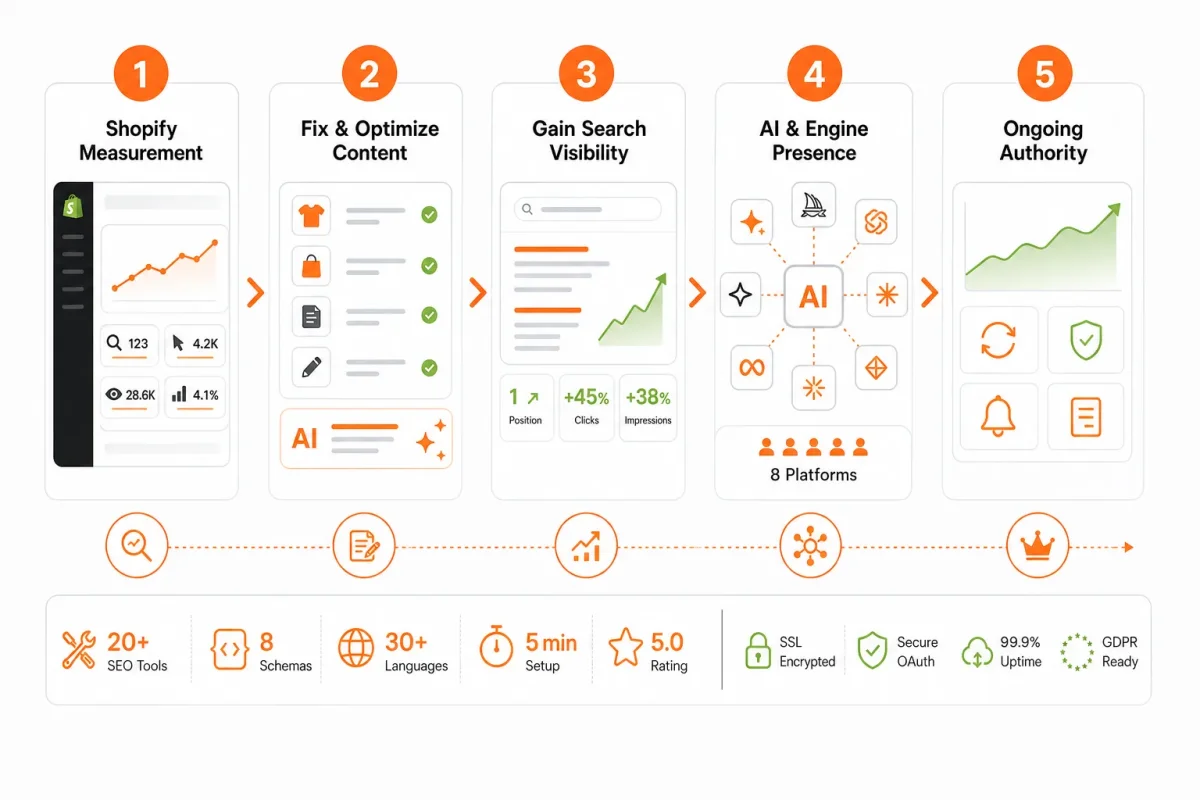
An SEO checklist is a repeatable set of checks that helps you decide what to inspect, fix, and measure across your store. Work through it in order, record what changed, and return to the same checks when your products, collections, or search data change.
The five checks applied to every task
Keep a task only when it passes all five tests. Claims about visibility, user experience, or competitive advantage don't qualify unless they connect to a specific check and measurable result.
- Discoverability: You can show how the change helps search engines or AI platforms find and understand a page.
- Search intent: You can identify the query or shopping need that the page serves.
- Shopping support: You can connect the task to product, collection, image, or AI shopping surfaces.
- Shopify fit: You can complete the work through Shopify settings, templates, content, apps, or code you control.
- Measurable signal: You can check an indexation status, impression, click, ranking, crawl result, or conversion-related signal afterward.
Why the sequence starts with evidence and crawlability
Begin with Google Search Console and crawl paths because page improvements cannot compensate for pages that search engines cannot reach, index, or interpret correctly. Next, check collection architecture and internal links, then product-page quality, images, structured data, helpful content, and authority. That order moves from access and intent to richer search presentation and sustained demand.
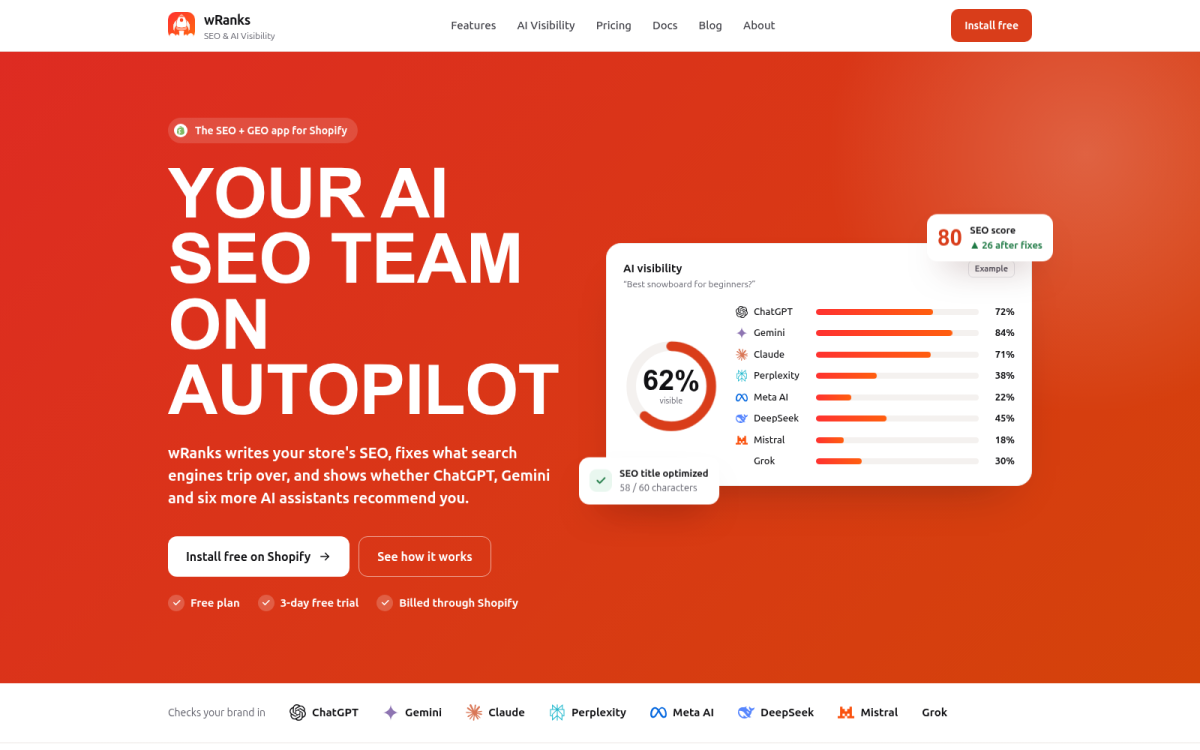
You can use wRanks to organize AI-powered SEO work across products, collections, pages, and blogs, although automated recommendations still require your merchandising judgment. Its workflow fits the same operating model described in this guide to SEO automation for Shopify stores.
What this checklist deliberately leaves out
You won't find vague tasks such as “improve visibility” or “beat competitors” without a check behind them. Complete each item in order, capture the before-and-after signal, and move to the next priority instead of optimizing every Shopify page simultaneously.
Practical rule: Fix the earliest unchecked issue that blocks discovery or measurement before improving page-level copy.
1. Connect Shopify Measurement Before You Change Store Content
You can edit a product title and still have no baseline for judging whether your store improved. Before changing templates, find out which Shopify pages Google indexes, which queries bring clicks, and which organic visits produce conversions.
Start with Google Search Console, then add keyword tracking for your priority collections, products, and blog pages. You can inspect the evidence yourself, while wRanks combines Search Console insights and keyword tracking with recommendations for meta tags, content, and other page elements.
Best use case: Establish a baseline before optimization
Add your Shopify property to Google Search Console, choose the verification method available to you, and review the Performance and indexing reports. Export your current queries, clicks, impressions, average positions, indexed pages, and exclusions before editing content.
- Verify the property: Confirm that your selected domain or URL-prefix property represents the Shopify store you actually manage.
- Record page signals: Capture each priority URL, target intent, clicks, impressions, average position, indexation status, and organic conversions.
- Track target keywords: Add priority collection, product, and blog terms to a tracking project so you can compare page-level movement after each change.
- Check conversions: Use your store analytics setup to identify purchases, sign-ups, or other actions that began through organic search.
Before: “Track Shopify SEO” saved as a note gives you no comparable record. After: “/collections/coffee-grinders | commercial grinder intent | indexed | organic purchases recorded” gives you a page you can inspect and improve.
What basic SEO tools cover
Basic SEO tools are Google Search Console, analytics reporting, and keyword tracking. You can begin with these independently, export a baseline, and inspect page-level opportunities before choosing paid software.
Handling SEO optimization yourself
Yes, you can handle the first measurement pass yourself. wRanks can bring keyword tracking and Search Console insights into one workflow, but you still decide whether a recommendation fits your products, intent, and merchandising priorities.
Best for: Shopify owners starting without an SEO team
- Self-service setup: You can verify the property, export reports, and create a focused list of pages without technical support.
Best for: Marketing managers reporting organic performance
- Clear reporting: You can connect clicks and impressions to rankings, indexed URLs, and organic conversions instead of reporting rankings alone.
Best for: Merchants deciding which page type to fix first
- Priority decisions: You can compare collection, product, and blog opportunities using actual page signals rather than intuition.
The trade-off is that measurement takes a little setup before you see optimization changes. Rankings don't prove revenue impact by themselves, so you need conversion data and page context alongside them.
Use it if your Shopify store has no documented baseline, unclear indexation, or no reliable way to connect organic visits with customer actions.
2. Fix Crawl Paths, Indexation, and Shopify Technical Signals
Check whether Google can reach the Shopify pages you keep optimizing. A store can have strong product copy while faceted URLs, duplicate collections, broken links, or redirect chains waste crawl attention and hide useful pages from search.
You need a decision-led technical check, not a long list of settings. Start with your XML sitemap and Search Console coverage, then connect each failure to a Shopify action and a business consequence.

How to do SEO for ecommerce
Start by checking which pages Google discovers, indexes, and serves correctly before changing content. In Shopify, review your XML sitemap, inspect Search Console indexing reports, and test canonical tags, collection filters, parameter URLs, thin pages, broken links, and redirect chains.
Use this checklist to confirm the technical basics:
- Sitemap: Your XML sitemap contains the important live products, collections, pages, and blogs you want indexed.
- Coverage: Search Console shows whether valuable Shopify URLs are indexed, excluded, redirected, or returning errors.
- Canonicals: Duplicate collection and parameter URLs point to the preferred version, rather than competing with it.
- Links: Your navigation and content do not send shoppers or crawlers through broken links or unnecessary redirect chains.
- Mobile performance: Your key templates meet Google's Core Web Vitals targets of LCP under 2.5 seconds, INP under 200 milliseconds, and CLS under 0.1, according to Elsner Technologies' ecommerce SEO checklist.
Best use case: Remove crawl waste without deleting demand
Control thin faceted URLs and parameter variants when filters create many near-identical pages. Keep useful landing pages indexable, but use canonical or blocking decisions for combinations that add no distinct search value.
| Situation | Action | Business consequence |
|---|---|---|
| A product is temporarily out of stock | Keep the URL live with availability messaging, alternatives, or a back-in-stock option. | You preserve existing demand and customer pathways. |
| A product is permanently discontinued | Use a 301 redirect to the closest relevant replacement or category. | You send shoppers and accumulated signals to a useful destination. |
| A filter creates a thin duplicate URL | Use a canonical or blocking decision after checking whether the URL has search demand. | You reduce duplication without removing a valuable landing page. |
| A URL returns a 404 or temporary 302 | Trace the Shopify link, product status, and redirect rule before replacing it. | You prevent lost visits, wasted crawls, and broken shopping journeys. |
A temporarily unavailable product should generally stay live unless you have permanently discontinued it, according to Searcht's ecommerce SEO guidance. Searcht also recommends a 301 only for permanent discontinuation, while defaulting to a 404 or temporary 302 can reduce long-term SEO value, according to Searcht's guidance on out-of-stock product pages.
Weak setting: A sold-out product redirects every visitor to the homepage with a temporary redirect.
Keep the product URL live: “The navy linen blazer is temporarily unavailable. Choose your size for a restock email or browse similar linen jackets.”
Best for: Stores with filters, variants, or large catalogs
- Check filter URLs: Review collection parameters and canonical tags so you keep useful category paths while reducing duplicate crawl targets.
- Check variant behavior: Confirm Shopify variants do not create thin, competing URLs when one product page should rank.
- Check redirect chains: Replace multi-step paths with one relevant destination whenever a product or collection changes.
Best for: Merchants managing seasonal and out-of-stock inventory
- Temporary availability: Keep the page live and add stock status, related products, or a back-in-stock form.
- Permanent removal: Redirect discontinued products to the closest replacement, not an unrelated homepage.
- Failure case: Investigate unexpected 404s and 302s in Search Console before removing URLs from your store.
Best for: Shopify teams diagnosing pages that never appear in search
- Search Console: Inspect the exact URL and compare its indexing status with the XML sitemap.
- Site crawl: Use a crawl tool to find broken links, duplicate canonicals, thin pages, and redirect chains.
- Validation: Recheck Search Console and crawl reports after each change, then confirm the page remains accessible on mobile.
What works
- Decision first: You choose between keeping, canonicalizing, blocking, redirecting, or repairing a URL.
- Demand preserved: You keep temporarily unavailable products live instead of deleting pages with useful search history.
- Evidence checked: You combine Search Console coverage, sitemap data, crawl findings, and page performance.
What fails
- Blanket redirects: You send every unavailable product to the homepage, weakening relevance and shopper intent.
- Filter overload: You allow every parameter combination to compete as a separate page.
- Unverified fixes: You change canonicals or redirects without checking whether valuable URLs disappeared from search.
The trade-off is that technical cleanup takes inspection before implementation, and a blocking rule can remove a page you should have kept. Use it if your Shopify store has duplicate collection paths, unexplained Search Console exclusions, broken product links, redirect chains, or important pages that never appear in search.
3. Prioritize Collection Pages and Internal Links by Search Intent
Sending every valuable search query to a product page leaves Shopify collections thin, buried, or absent when shoppers want to compare a category.
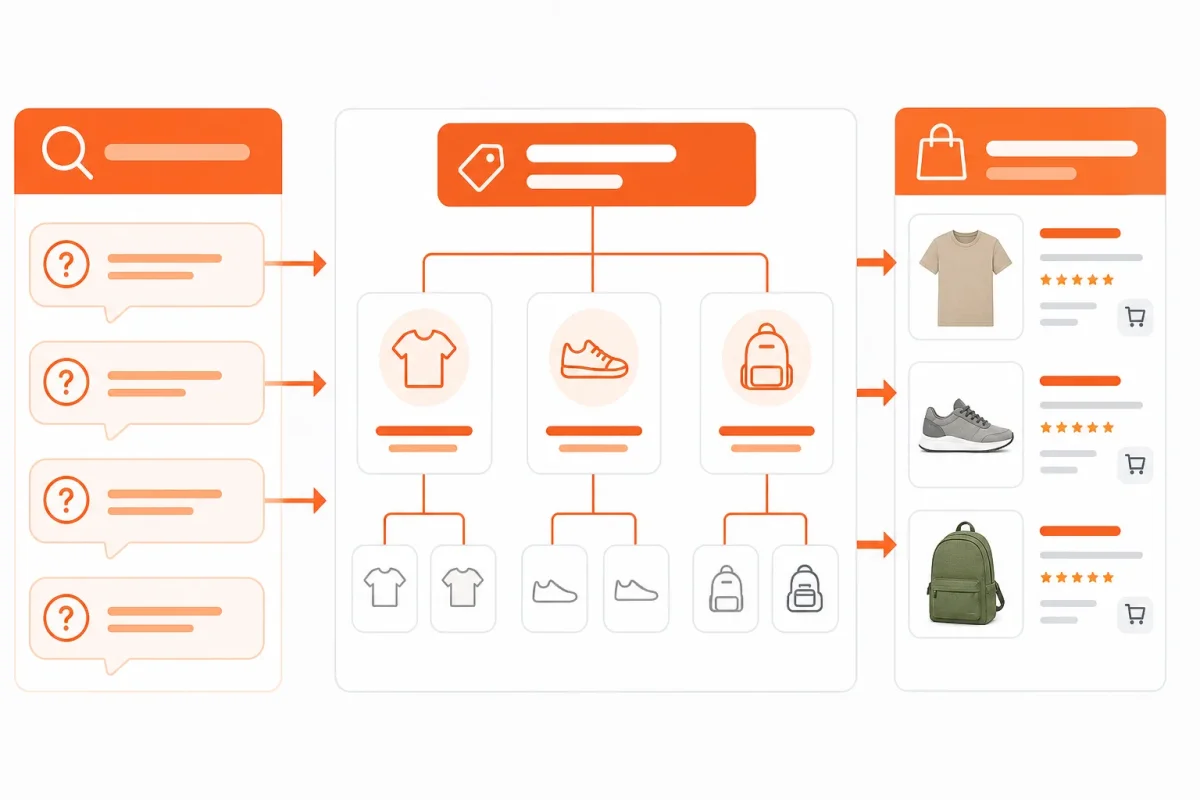
Map informational searches to helpful guides, comparison searches to collection pages, and purchase searches to specific products. Your collection architecture then matches the way people shop, instead of forcing one URL to answer every intent.
Use internal site-search queries to find missing groupings, such as “linen shirts,” “gifts for runners,” or “waterproof hiking bags.” Link your homepage, high-authority blog pages, collections, subcategories, and products into a path shoppers can follow. Every page should sit within three clicks of your homepage as an accessibility target, according to NitroPack’s e-commerce SEO checklist.
What the 80/20 rule means in SEO
The 80/20 rule means you first improve the small group of collections and links most likely to produce demand, revenue, or impressions. Find those pages in Google Search Console and Shopify site-search reports before expanding changes across your catalog.
Best use case: Turn search behavior into collection opportunities
Start with collection titles, descriptions, metadata, sorting, and links to relevant subcategories. A weak title such as “Shop All” hides intent. Strong version: “Women’s Waterproof Hiking Jackets | Lightweight Shells” tells you and search systems what the collection offers.
- Intent mapping: Send “how to choose” searches to guides, “best” searches to comparison collections, and “buy” searches to products.
- Link hierarchy: Connect high-authority blog pages to collections, collections to products, and breadcrumbs back through the catalog.
- Priority selection: Begin with collections showing existing impressions, strong margins, or repeated internal searches.
Best for: Catalogs with overlapping categories
Separate audience, material, product type, and use-case collections without creating random duplicate paths. Review every new page for a distinct search purpose.
Best for: Merchants with strong internal site-search data
Your site-search queries reveal demand your navigation may miss. Add collection pages when repeated searches show a useful grouping that shoppers cannot currently browse.
Best for: Stores whose products rank individually but collections do not
The trade-off is maintenance: you must review introductions, links, sorting, and orphaned products regularly. Use it if your important collections lack impressions, sit deep in navigation, or have products with no clear parent category.
4. Make Product Pages Eligible for Search and AI Shopping Surfaces
A Shopify product page should answer a buyer’s questions without forcing them to guess. A keyword in the title isn't enough. The page must present accurate product details, useful variants, current availability, clear images, and valid structured data.
Product discovery increasingly happens on Google Merchant Center surfaces and AI shopping interfaces, not only on your store. Jes Scholz of Searcht describes discovery across Google, ChatGPT, Amazon’s Rufus, and other AI-enhanced shopping interfaces, according to Searcht’s ecommerce SEO research. That creates an eligibility task, not a promise of placement.
Best use case: Improve high-intent product templates at scale
Apply this checklist to a Shopify product template, then review individual products where accuracy or differentiation matters. Complete product pages and associated feeds need buyer-relevant attributes, including details competing offers may omit, according to Searcht’s research on product discovery and buyer attributes.
- Title and description: Match the search intent and explain the product’s distinct benefit. Weak: “Blue Hoodie.” Strong: Organic Cotton Zip Hoodie, Navy, Women’s Sizes XS-XL.
- Buyer attributes: Add material, dimensions, fit, compatibility, care instructions, ingredients, and useful variant details.
- Meta tags: Write a specific title tag and description that reflect the product rather than repeating the template default.
- Images: Use descriptive alt text that identifies the product and view. Avoid stuffing keywords into accessibility text.
- Structured data: Validate Product data for name, image, price, currency, availability, brand, and SKU.
- Shopify URLs: Confirm the canonical URL points to the preferred product page and reflects the page you want indexed.
- Feed consistency: Keep product, price, inventory, shipping, and availability information aligned with your Google Merchant Center feed.
Best for: Stores with hundreds of similar products
You can use wRanks to automate meta tags, structured data, alt text, keyword-focused improvements, and AI-generated content. Review every generated claim, attribute, and product distinction before publication.
Best for: Marketing teams standardizing metadata and alt text
Use this Shopify implementation sequence as a handoff:
- Products: Open the product template and map title, description, variants, images, and availability fields.
- SEO settings: Set intent-matched meta tags, canonical URLs, and descriptive alt text.
- Data validation: Test Product structured data, then compare its price and availability with your feed.
- Prepublication review: Render the page, inspect images, test markup, and check unsupported claims.
Best for: Merchants expanding from Google rankings to AI discovery
Free product listings require accurate, complete product data, with inventory and shipping information kept current, according to Searcht’s guidance on Google Merchant Center product listings. What works is complete, consistent information. What fails is automated copy that invents features, hides key attributes, or conflicts with feed data.
What works
- Human review: You verify every generated detail against the actual product.
- Distinct information: You explain fit, use, compatibility, and restrictions clearly.
What fails
- Template repetition: You publish near-identical descriptions across similar products.
- Unsupported claims: You allow AI-generated copy to promise results your product cannot prove.
The trade-off is review time. Automation speeds production, but your judgment protects accuracy, differentiation, accessibility, and policy compliance. Use it if your product pages lack consistent metadata, structured data, or buyer-relevant detail across the catalog.
5. Build Authority Through Helpful Content and Off-Page Signals
Helpful content answers research-stage questions, while relevant mentions give your brand context beyond its own website. You need both when your product pages compete with established retailers.
Your blog should support commercial pages, not become a separate publishing project. Link buying guides to collections, comparisons to products, and care content to the items customers already own. That bridge helps authority reach the pages that can earn revenue.
Best use case: Build preference before shoppers compare products
Start with questions your customers ask before they know which product to buy. A weak topic such as “Our New Hiking Bottle” gives your store little research value.
Better example: “How to Choose an Insulated Water Bottle for Long Hikes” answers selection concerns and links to your insulated bottle collection.
- Research content: Publish buying guides, comparisons, sizing advice, and care instructions tied to real product decisions.
- Relevant mentions: Earn references through expert contributions, partnerships, editorial coverage, and legitimate product reviews rather than link schemes.
- Trust signals: Monitor review quality and eligible seller-rating opportunities without promising that any review program guarantees better rankings.
Best for: Stores competing in commodity categories
- Category differentiation: Explain material choices, use cases, and selection criteria that make your products easier to remember.
Best for: Brands with useful expertise but weak organic reach
- Expert visibility: Contribute practical insights where your audience already researches, then connect that expertise to relevant Shopify pages.
Best for: Shopify teams publishing blogs alongside product content
- Commercial support: Review internal links so every useful article gives context to a priority collection or product.
The trade-off is editorial effort. You must review claims, maintain older articles, and judge whether each mention is genuinely relevant. A monthly review of new mentions, referring domains, content-assisted conversions, review quality, and links to priority pages keeps off-page work tied to store outcomes. A companion guide to SEO content workflows fits this same process when you plan blog topics alongside product optimization.
Use it if your store needs brand familiarity, relevant authority, and helpful content that supports commercial visibility in Google and AI shopping environments.
Shopify SEO Checklist Compared by Outcome, Effort, and Risk
Treating every SEO task as urgent spreads your time across titles, redirects, collection copy, and blog posts. You need to see which work removes a barrier, which creates commercial visibility, and which takes sustained effort before results compound.
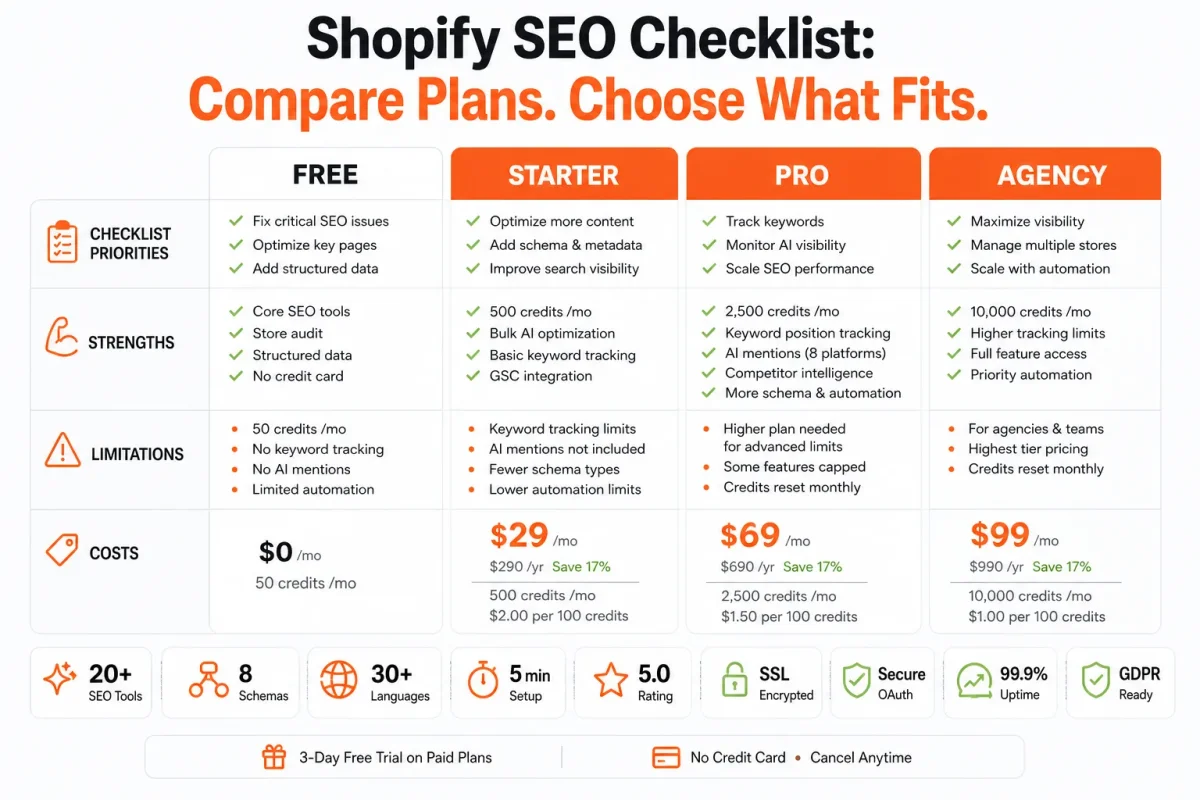
This comparison brings technical, on-page, off-page, and measurement tasks into one view. Use it to decide what deserves attention first rather than treating every row as equally valuable for your Shopify store.
What the table reveals about sequencing
| option | best for | strength | limitation | cost |
|---|---|---|---|---|
| Measurement and tracking | Every Shopify store establishing a baseline | Shows queries, clicks, impressions, rankings, indexation, and organic conversions | Does not improve pages without follow-up work | Low setup effort; ongoing review time |
| Crawl paths and technical signals | Stores with indexing, duplicate, redirect, or performance issues | Removes barriers that prevent search systems from understanding useful pages | May require theme or developer changes | Moderate technical effort; variable implementation cost |
| Collection pages and internal links | Stores with broad catalogs and unclear search intent | Connects demand to scalable commercial landing pages | Requires disciplined taxonomy and link maintenance | Moderate planning and content effort |
| Product-page optimization | Merchants targeting product searches and shopping surfaces | Improves titles, attributes, images, metadata, and structured product information | Accuracy and feed consistency require continual review | Moderate per-page effort; lower with appropriate automation |
| Helpful content and authority | Brands building trust before the purchase moment | Supports brand salience, relevant mentions, and links to commercial pages | Results usually compound more slowly than technical fixes | Ongoing editorial and relationship-building investment |
Start with measurement because you need a baseline. Crawlability follows because content scale is wasteful when important pages cannot be discovered or indexed. Collection and product work then offer the clearest route to commercial visibility, while authority deserves patient investment rather than rushed expectations.
Where automation reduces repetitive work but not judgment
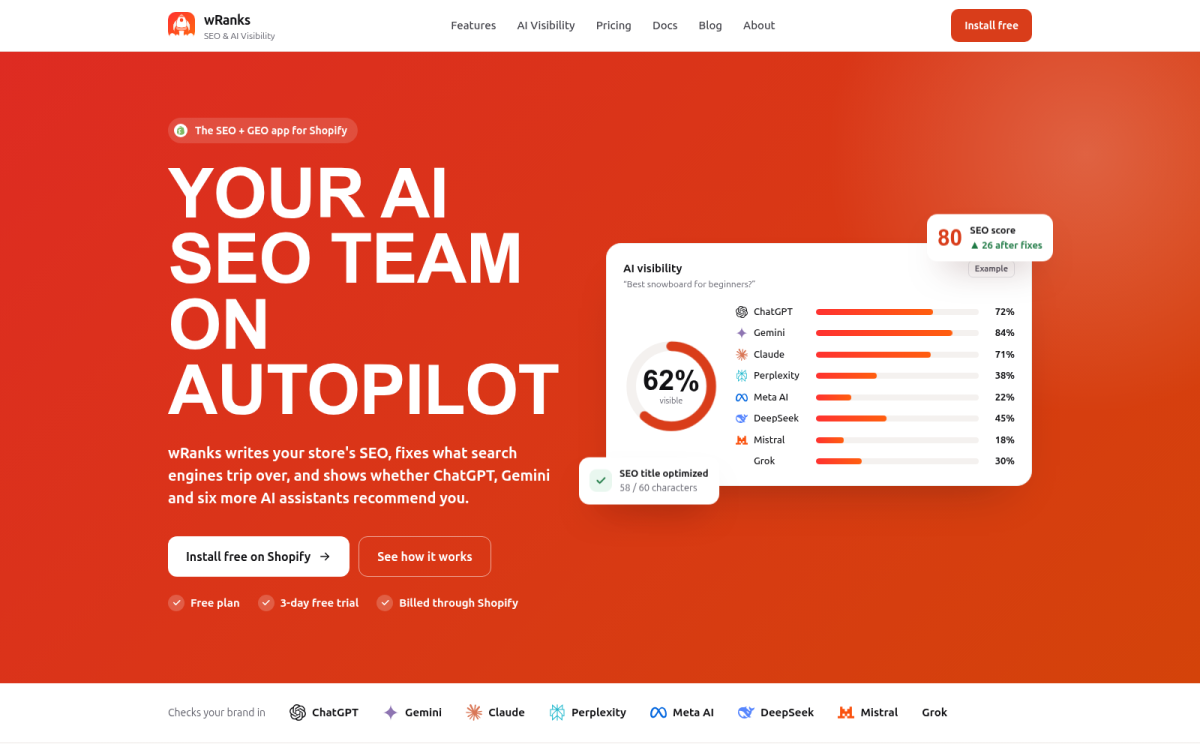
You can use wRanks to reduce repetitive optimization across products, collections, pages, and blogs, including meta tags, structured data, and image alt text. You still need to review product claims, collection intent, feed consistency, and brand tone. Automation lowers recurring effort. It doesn't decide which page deserves priority or whether a change is accurate.
Rank work by impact, effort, and risk. If your store has indexing problems, fix those before expanding content. If technical signals are sound, focus on the collections and products closest to commercial demand, then build authority through consistent publishing and relevant relationships.
Four Questions to Set Your Shopify SEO Starting Point
You may understand individual SEO tasks yet still feel unsure where to begin. Search now happens across Google results, shopping surfaces, product feeds, and AI platforms, so your Shopify store needs clear information that serves shoppers and machines. The right starting point is a focused decision about your customer, content, commerce, credibility, and conversion.
What the 5 C's of e-commerce cover
The five C's give you a practical lens for SEO decisions: customer, content, commerce, credibility, and conversion. First, understand what your buyer needs. Then publish useful answers, make collections and products easy to shop, earn trust through accurate information, and measure whether organic visitors take valuable actions. This keeps your SEO tied to your store, not just rankings.
Why SEO remains worthwhile in 2026
SEO remains worthwhile in 2026 because your customers still discover products through Google results, product feeds, shopping surfaces, and AI interfaces. The work is shifting, not disappearing. Your pages need complete, accurate, structured information that platforms can interpret and shoppers can trust. wRanks can accelerate repetitive optimization, but you still need human approval for product claims, accuracy, and brand voice.
How to start SEO as a beginner
Start with one commercially important Shopify collection, connect Google Search Console, and record its current impressions, clicks, queries, and conversions. Make one controlled improvement, such as clarifying the collection title or adding useful buying guidance, then compare the result with your baseline. This gives you a manageable learning cycle before you change your entire store.
Which SEO mistakes hurt a Shopify store most
The most damaging mistakes include keyword stuffing, duplicate or thin pages, broken internal paths, misleading meta tags, invalid structured data, and mass redirects for temporary stock issues. You can also harm trust by publishing AI-generated claims without review. Check every automated change before it reaches customers, especially when product details, availability, pricing, or health-related claims are involved.
Start With One Measured Shopify Collection, Then Expand
You don't need to change every Shopify page before learning what works. Start with one collection, give each task an owner, and record the signals that show whether your changes helped.
Your e-commerce SEO checklist becomes useful when every item has an implementation check and a before-and-after result. That turns SEO from scattered editing into a repeatable operating habit for your store.
1. Establish the baseline
Open one priority Shopify collection today and record its current search queries, clicks, impressions, indexation status, linked products, and organic conversions. You can use Google Search Console for search performance, keyword tracking for position changes, and your analytics platform for conversions.
Then verify that Search Console and tracking collect data for the correct domain and URL version. If you use an SEO platform, confirm that the collection, its products, and its target queries appear in the same workspace.
2. Choose one priority collection
Choose a collection with clear buyer intent, relevant products, and enough existing visibility to produce a useful comparison. You might select “Women’s Waterproof Hiking Jackets” rather than a broad page that mixes unrelated products.
Inspect the collection’s crawl path, canonical signal, breadcrumbs, internal links, and search intent. Check whether the page answers the category-level question while its product pages answer specific buying questions.
3. Apply the product and technical checks
Improve the collection introduction, connect it to a supporting blog post, and ensure its linked products match the promise made by the page. Review product titles, descriptions, image alt text, price, availability, and structured data before you publish changes.
Before: “Shop great jackets for outdoor activities and find the best option for your needs.”
After: “Women’s waterproof hiking jackets for wet-weather trails. Compare breathable shells, insulated layers, and packable designs by temperature, fit, and intended use.”
Use the same check on the products promoted by your collection. You want valid product structured data, accurate availability, useful images, and copy that supports the collection’s intent rather than repeating a generic template.
4. Review results before scaling
Give the changes a meaningful measurement window, then compare the new signals with your baseline. Document what changed, which checks passed, and whether the collection gained stronger engagement or organic conversions before applying the pattern elsewhere.
- Record the baseline: Open one priority collection and save its queries, clicks, impressions, indexation status, linked products, and organic conversions.
- Verify measurement: Connect or check Google Search Console, analytics tracking, and keyword tracking for the correct Shopify store.
- Inspect discovery: Review crawl paths, canonical signals, breadcrumbs, internal links, and whether the collection matches its target search intent.
- Improve the page: Rewrite the collection introduction, add relevant supporting blog links, and strengthen the product pages it promotes.
- Validate product signals: Check structured data, titles, descriptions, image alt text, price, and availability across the linked products.
- Compare before and after: Measure the updated signals, document the result, and scale the proven pattern to your next collection.
Each task should have an owner, an implementation check, and a measurable result. wRanks can help you repeat that workflow across Shopify collections, products, pages, and blogs, although your team still needs to review business accuracy and search intent.
If you want a faster way to repeat this process, wRanks helps Shopify store owners optimize products, collections, pages, and blogs with AI-powered SEO tools, including meta tags, structured data, image alt text, keyword tracking, and Search Console insights in the Shopify SEO guidance library.

Digital growth consultant specializing in AI-powered commerce strategies. Amira bridges the gap between cutting-edge AI tools and practical Shopify store growth.


