What Is Image Alt Text? Shopify Examples
Learn what image alt text is, why it matters for accessibility and SEO, and how Shopify merchants can write better product-image descriptions.
You upload a product photo, add a polished title, and move on. Later, you wonder why a shopper using a screen reader gets no useful detail, while search engines receive little context from the image itself. If you're asking what is image alt text, start with the information that disappears when the image can't be seen.
Most Shopify stores don't have an image-description problem. They have a context problem. The image exists, but its purpose is missing from the page. Harvard University explains that alt text gives assistive technology a brief description and connects the image to surrounding content. Your product title, file name, visible caption, and text baked into the image cannot replace it.
Alt text differs from a caption or hidden image text, and useful wording avoids keyword stuffing. The right detail also changes with the image's purpose. A Shopify decision model, a product-page before-and-after, and a practical review workflow can help. wRanks can support store-wide optimization while leaving the final judgment with you.
What Poor Alt Text Costs Shopify Merchants and What Good Alt Text Changes
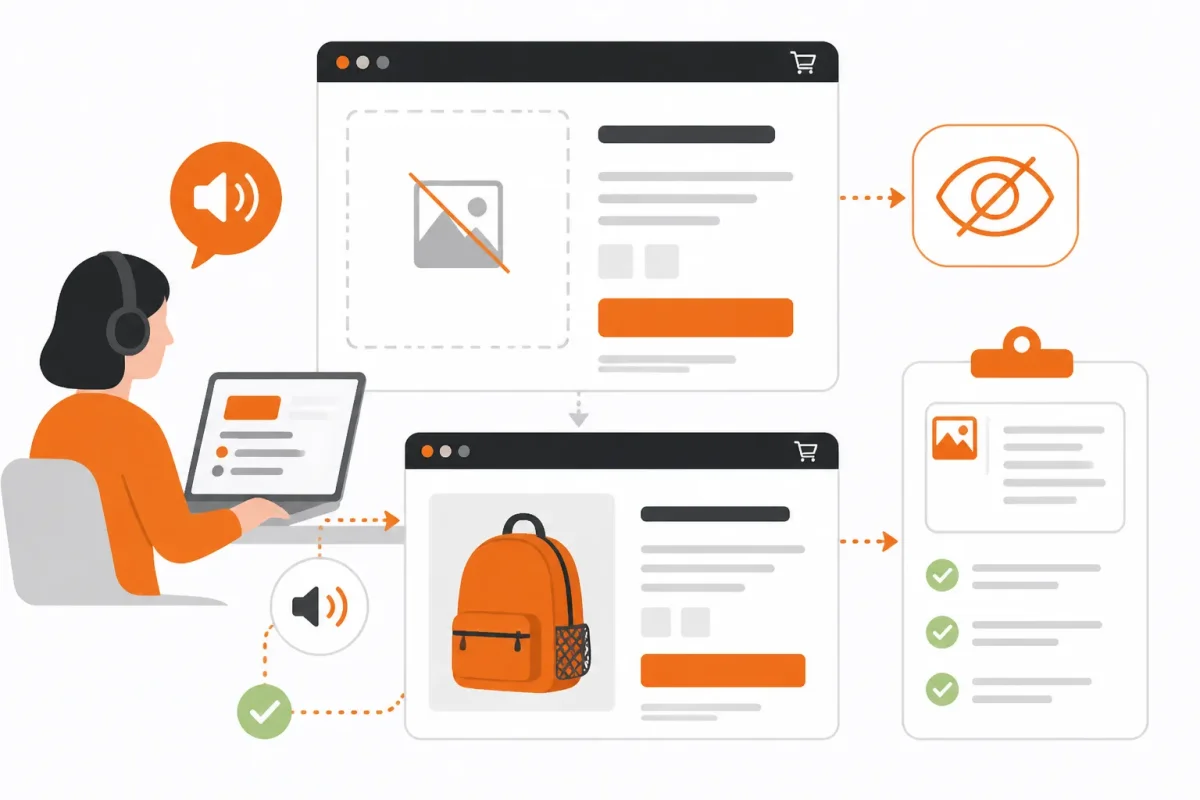
You can lose useful product information when an image fails, loads slowly, or cannot be interpreted by a shopper using a screen reader. A customer may miss that a jacket has sealed seams, that a chair folds flat, or that a watch includes a replacement strap. Your product page then offers less help at the moment of purchase.
Alt text also gives search engines clearer context about an image and the surrounding page. It can support SEO indirectly, but it isn't a ranking shortcut. Good wording serves the shopper first, then helps your Shopify store communicate what the image means.
Why Alt Text Matters for Accessibility and SEO
Siteimprove explains that alt text provides accessible image descriptions for people using assistive technologies and can improve SEO by clarifying image meaning. That makes alt text part of your merchandising content, not a hidden space for repeating target keywords.
For example, a weak version might read: “waterproof hiking jacket waterproof hiking jacket waterproof jacket.” It gives your shopper no useful detail and signals keyword stuffing. A stronger version tells the customer what the image adds to the product page.
Strong version: Summit Shell jacket with sealed seams and hood for rain protection.
Siteimprove's guidance recommends keeping text alternatives under 100 characters as a rule of thumb. Context still comes first. A short description that omits the feature your customer needs is less useful than slightly longer wording with a clear purpose.
Practical rule: If removing the image would make your product page less informative, describe the missing customer-relevant detail in concise alt text.
That rule helps you decide what belongs in the description. A decorative lifestyle image may add little product information, while a close-up showing waterproof seams may answer a buying concern. Your SEO benefit comes from accurate context, not from forcing “waterproof hiking jacket” into every image field.
If you're also reviewing image dimensions and loading performance, the Shopify product image size guide fits the same workflow. wRanks can help you review image alt text across Shopify products, although your judgment remains necessary for details only a buyer would understand.
The Four Image Situations That Change the Right Description for Shopify Stores
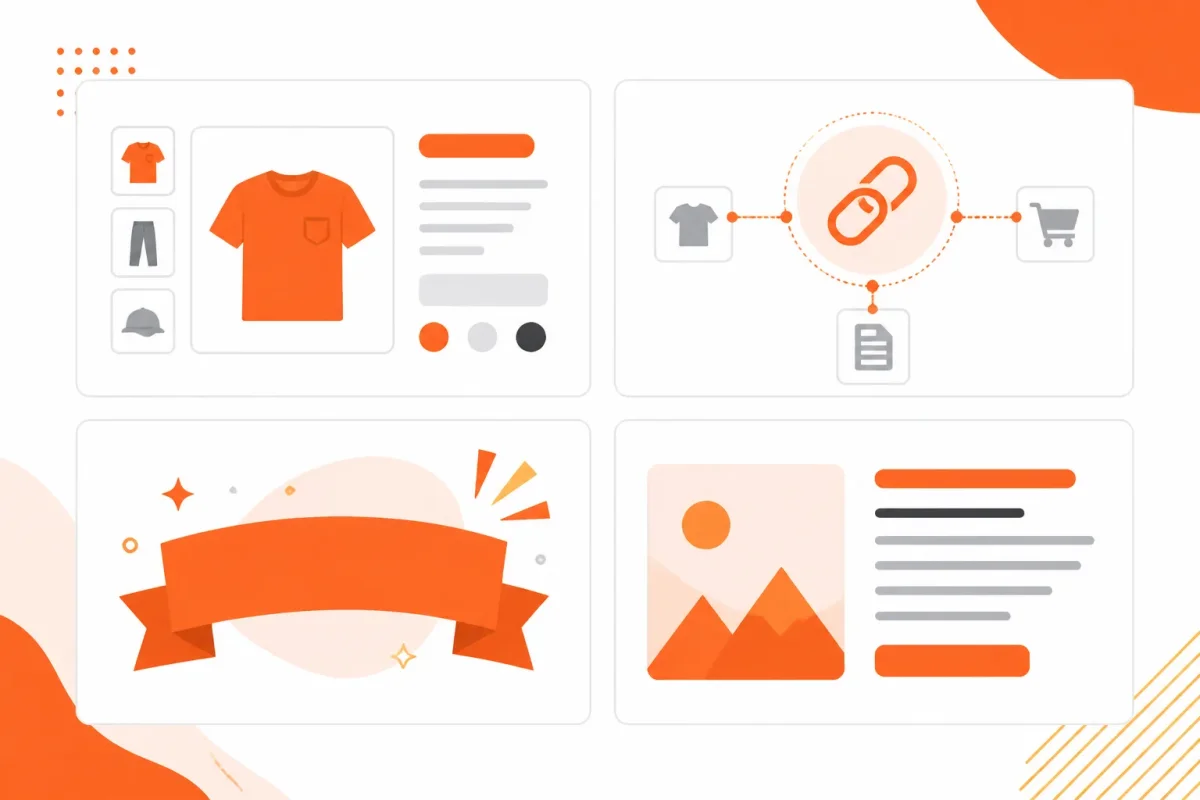
The same image type can serve different purposes across your Shopify store. A product photo, search icon, collection banner, and promotional graphic each need different treatment because you use them differently.
Before writing, ask what your customer loses when the image disappears. Your decision should follow the image's meaning or function, not how attractive it looks.
1. Informative product imagery
Use descriptive alt text when your product, collection, or blog image adds information. For a Shopify gallery, name the item and the visible detail that helps your customer assess it.
Weak: “hiking jacket image.”
Strong: Waterproof navy hiking jacket showing sealed sleeve seams.
If removing the image would reduce the page's content, the image is informative and needs alt text, according to Siteimprove's accessibility guidance published May 19, 2026. Read Siteimprove's guidance on informative image alt text.
2. Functional images and linked icons
When you use an image as a control, describe what your customer can do or where the link leads. The pixels matter less than the action.
Weak: “magnifying glass.”
Strong: Search products.
For an icon that links to another page, describe the destination or result. Harvard University recommends action-based descriptions such as “Search” or “Download Syllabus PDF,” and says linked icons should explain what happens after selection. See Harvard University's examples for action icons and linked images.
3. Decorative imagery
Use an empty alt attribute when an image adds no information and your customer loses nothing when it disappears. A decorative collection banner behind visible heading text may qualify. Don't write “decorative banner,” because that still adds noise for screen-reader users.
Weak: “pink abstract background.”
Strong: Use an empty alt attribute when the background contributes no meaning.
4. Images containing meaningful text
If your promotional graphic says “20% off winter boots,” preserve that offer in accessible page text or an appropriate alternative. Your image field shouldn't become the only place customers can find an important message. For related guidance, read our guide to image alt text for Shopify stores.
Weak: “winter sale graphic.”
Strong: 20% off winter boots through January 31.
| Image situation | Better move |
|---|---|
| Product photo | Describe the product and useful visible detail. |
| Search or linked icon | Describe the action or destination. |
| Decorative banner | Use an empty alt attribute. |
| Promotional graphic | Repeat meaningful text in accessible page content or alt text. |
Would your page lose meaning, function, or important information if the image disappeared? That answer tells you which alt-text rule your Shopify image needs.
How to Check and Enable Alt Text in a Shopify Image Workflow
Inspect the image field before rewriting anything. A filename such as blue-wool-coat.jpg, a visible caption, or a product title doesn't prove that your Shopify page contains an alt attribute.
Check the Shopify admin first, then verify what your live page renders. This two-step audit shows whether you have an empty field, missing markup, or a description that needs sharper product detail.
Check each Shopify image location separately
- Product image: Open Products, select the product, and inspect each media item for its image alt-text field. Record the product's distinguishing feature, color, material, or use before editing.
- Collection image: Open Products, then Collections, and inspect the collection image field. Describe the collection's visible subject only when it helps customers understand the destination.
- Blog image: Open Content, then Blog posts, and inspect the image settings in the post editor. Decide whether the image explains the post or only supplies visual decoration.
Use a specific description rather than copying the filename. Weak: “IMG_4821.jpg.”
Strong: “Navy merino wool crewneck sweater folded on a white table.”
For a purely decorative image, an explicitly empty value is different from missing markup. Siteimprove explains that decorative images should use **alt=""**, allowing assistive technology to skip them. The same guidance says a screen reader skips a null-alt image without announcing it, according to Siteimprove.
Confirm what the storefront actually renders
View the live product, collection, or blog page after saving. Inspect the image element in your browser's developer tools, or review the accessibility tree, and check whether the page contains a meaningful alt value, an explicit empty value, or no alt attribute at all. Your theme may expose these controls differently, so storefront verification matters.
| Symptom | Likely cause | First fix |
|---|---|---|
| The admin field is empty | Alt text was never saved | Add a useful description and save the image |
| The field contains text, but the HTML has no alt attribute | Your theme or app is not outputting the value | Test another image, then review the theme or app configuration |
| The image adds no information | Decorative artwork is being announced | Use an explicit empty value, alt="" |
Save, view, and sample the gallery
- Save: Save every edited image field before leaving the admin.
- View: Open the live URL and test the rendered image.
- Sample: Check multiple product-gallery images, not only the first image.
- Record: Note failures by template so you can address repeated theme behavior efficiently.
wRanks can help you audit image alt text alongside meta tags and structured data, but you still need to confirm the storefront output when your Shopify theme or apps modify image markup.
How Alt Text Works: A Shopify Product Image Before and After
One product image makes the distinction clear. Imagine your Shopify product page for a navy waterproof hiking jacket. The photo shows the jacket's navy color, hood, and sealed front zipper, so the alt text should preserve the detail that helps you judge the product.
Your product title and description already provide broader information. Alt text has a narrower job: describe what this particular image adds, without repeating the page or turning the field into a keyword list.
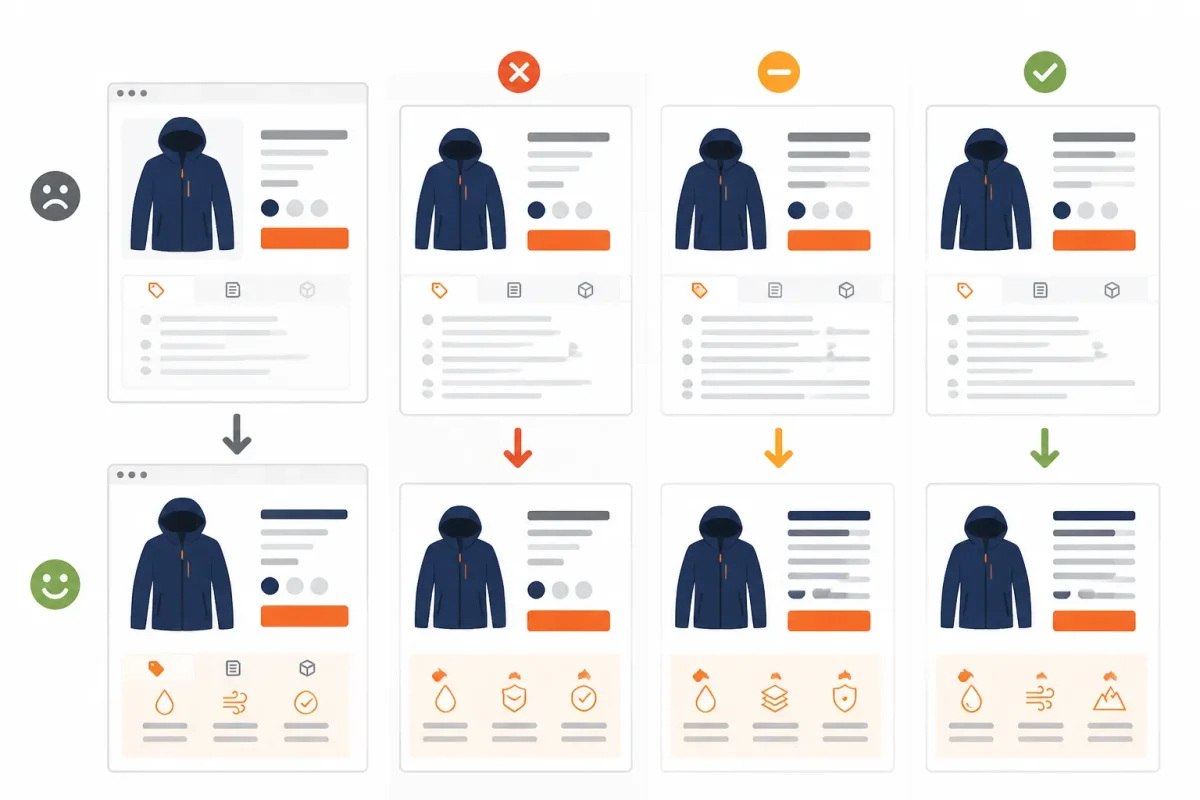
Three Shopify alt-text versions for one jacket photo
Weak version: “IMG_4821.” You give a screen-reader user no useful product information, while search systems receive no meaningful image context.
Stuffed version: “Navy waterproof hiking jacket, waterproof jacket for hiking, men's outdoor rain jacket, best hiking coat, buy waterproof jacket.” You repeat buyer-intent phrases instead of describing the visible image. That makes the text harder to listen to and doesn't guarantee better rankings.
Navy waterproof hiking jacket with sealed zipper and hood. This concise version identifies the product and names the visible waterproof detail that may influence a shopper's decision. It serves accessibility first, while giving search systems useful context around the image.
Why the concise version works
A screen reader encounters the final description as part of the image experience. You hear the jacket's identity and its visible features, not a filename or an artificial string of search terms. Siteimprove advises leaving out “image of” and “picture of” because assistive technology already announces that an image is present. Siteimprove's accessibility guidance supports that approach.
Keep the description focused rather than turning it into a second product description. Harvard University recommends that alt text usually remain within 1-2 sentences, according to its accessibility guidance. Harvard University's image-description guidance explains the short-writing principle.
Apply the same test to every gallery view. A close-up showing the sealed zipper can use “Close-up of sealed zipper on navy waterproof hiking jacket,” while a back view might use “Back view of navy waterproof hiking jacket with adjustable hood.” Each description tells you what that image contributes, so your gallery remains useful without repeating the same phrase on every image.
Where Shopify Alt-Text Rules Break at Store Scale
A useful product description can still fail when your catalog contains hundreds of images. You may have several views of one jacket, variant swatches, campaign graphics, and blog charts that all need different treatment.
At scale, the best description isn't always the most visually complete one. Describe what helps the shopper understand or use the page, rather than turning every image into a keyword container.
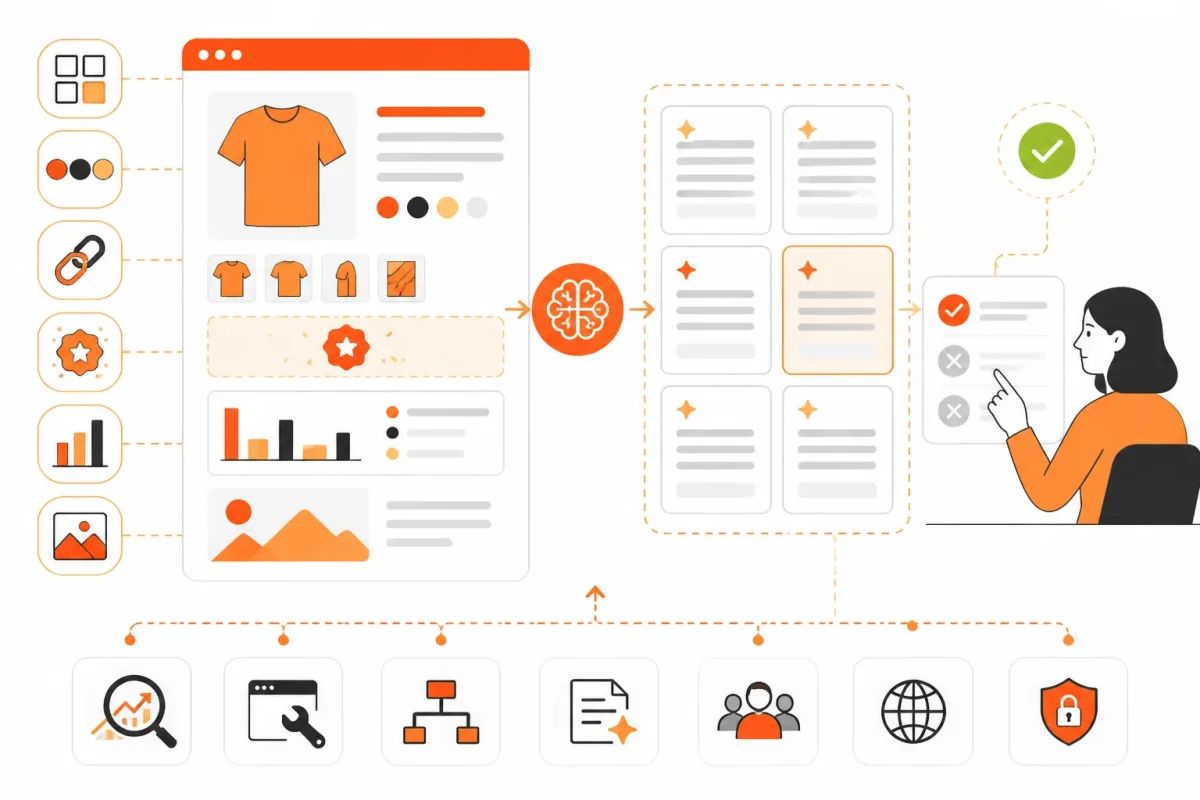
When Product Images Have Different Jobs
Multiple views of one product shouldn't repeat identical wording. Describe the detail each image adds, such as a sole pattern, interior pocket, or rear fit. Repetition hides useful differences from screen-reader users.
Weak example: “Navy waterproof hiking jacket.”
Close-up of interior mesh pocket in navy waterproof hiking jacket. Use this wording when the pocket is the image's reason for existing.
Variant swatches are different. Identify the color or pattern that the control selects, such as “Forest green color swatch,” rather than describe the tiny visual texture. A logo used as a link should reflect its destination, such as “Summit Trail home,” while a decorative promotional graphic can use empty alt text when it adds no information beyond nearby copy.
When Images Carry Information Beyond the Product
A chart in your Shopify blog needs more than a label. Provide an accessible summary in surrounding HTML or the article text, then use concise alt text to identify the chart. Text embedded in product imagery also belongs in visible page copy, because alt text alone may not serve every shopper or search context.
Weak example: “Waterproof rating chart for Alpine Shell.”
The chart compares Alpine Shell waterproof ratings across light rain, steady rain, and heavy rain; the jacket performs best in heavy rain. Place that summary near the image and keep the alt text focused on its purpose.
AI-generated descriptions can speed catalog work, but you still need to review accuracy, variant specificity, unsupported claims, and duplication. A free alt text generator may produce generic output, while an alt text generator for Instagram may follow social-platform conventions that don't fit your Shopify product page.
wRanks can assist with image alt text while you optimize products, collections, pages, and blogs at scale. You still need human review for unusual images, misleading visual details, and content whose meaning depends on the surrounding page.
Shopify Alt-Text Mistakes That Make Images Less Useful
Your Shopify audit may show alt text in every product gallery, yet the descriptions can still confuse shoppers using screen readers. Small wording choices affect whether a shopper hears useful product information or repetitive, irrelevant detail.
The fix is usually simple: compare each description with the product title, nearby copy, and image purpose. A useful description adds context without turning one image attribute into a keyword list.
Common Shopify Alt-Text Failures and Practical Fixes
Use the comparison below when you review product images, collection tiles, and promotional artwork. Each better move gives your shopper a clearer result.
| Situation | Better move | Why |
|---|---|---|
| Starting with “image of”: A product gallery uses “Image of navy waterproof hiking jacket.” | Write: “Navy waterproof hiking jacket with hood, front view.” | Your screen reader user receives the product detail immediately, without hearing an unnecessary announcement about the image itself. |
| Repeating nearby copy: The image says “Women's Merino Wool Cardigan,” matching the product title and heading exactly. | Add useful detail: “Heather gray merino cardigan with ribbed cuffs, shown open.” | Your description contributes visual information instead of making the same product name play twice. |
| Stuffing search terms: “Navy jacket waterproof hiking coat outdoor jacket men's jacket sale.” | Use one natural description: “Navy waterproof hiking jacket shown from the side.” | Your accessible name stays understandable, while the page's visible copy and structured data handle broader product context. |
| Describing decoration: A collection banner reading “Summer Sale” receives detailed text about its colors, shapes, and leaves. | Leave it empty: Use an empty alt value when the artwork adds no information beyond the nearby heading or link. | Your screen reader user avoids an irrelevant interruption before reaching the collection content. |
| Listing every visible detail: “Black boot on white background beside a green plant, wooden table, window, and folded scarf.” | Prioritize the product: “Black leather ankle boot with stacked heel, side view.” | Your shopper hears the detail that supports a purchase instead of waiting through a visual inventory. |
Review the text beside the image's heading, product title, and visible copy. If your description repeats them, hides the product detail, or assigns meaning to decoration, edit it before your next catalog update. wRanks can help you audit image alt text alongside other Shopify SEO fields, but your final check should confirm that each description matches what your shopper actually needs to know.
Four Questions to Resolve Before You Edit Another Image
You may understand the basic purpose of alt text and still face awkward edge cases in your Shopify store. These answers help you decide which images need meaningful descriptions, where to verify the actual attribute, and when an AI draft needs human judgment.
Should every image have alt text
Every image needs an appropriate alternative, but not every image needs descriptive words. Your informative and functional images need meaningful alt text, while purely decorative images generally need an empty alt value so assistive technology skips them. For example, your product photo needs a description, but a decorative flourish beside “Free shipping” can use empty alt text.
How can I view the alt text of an image
You can view alt text in Shopify's image editor, then verify what your live page actually delivers. Open the page, inspect the image in your browser's developer tools, and find the alt attribute in the HTML. For example, your source may show alt="Red linen button-down shirt", even when the filename says IMG_4821.jpg.
How to find the hidden text in an image
Text embedded in image pixels isn't reliably available as accessible page content, so you should also represent meaningful wording in HTML or nearby visible copy. Check banners, promotional graphics, and product diagrams for words your shopper needs. For example, instead of relying on “20% off” inside a graphic, place that offer in nearby HTML and describe the image's purpose accurately.
How can I generate alt text for an image
You can use an AI tool or a free alt text generator to create a draft, but you must verify the product identity, variant, context, and claims before publishing. A Shopify draft might say “black shoes,” while your review identifies “black leather ankle boots with a stacked heel.” An alt text generator for Instagram follows different platform conventions and surrounding context, so its output shouldn't automatically enter your Shopify store. wRanks can help draft and manage image alt text with other Shopify SEO fields, though human review remains necessary for accuracy.
Start With One Shopify Product Page and Build the Right Habit
You don't need to rewrite every image in your Shopify catalog today. Start with one product page where several images show different views, variants, or product details, then improve what a shopper using a screen reader actually receives.
That small test keeps your changes controlled. Alt text is a contextual access layer first and an SEO signal second, so the surrounding product title, variant, and visible copy must guide every edit.
1. Choose one product page with several images
- Pick one page: Open a Shopify product page with several images and record the product title, selected variant, and visible descriptions before editing.
2. Classify each image by its purpose
- Identify the contribution: Mark each image as informative, functional, decorative, or text-bearing. Note what a shopper would lose if that image could not be seen.
- Informative: Describes a product feature, view, material, or condition.
- Functional: Helps a shopper complete an action, such as selecting a color.
- Decorative: Adds visual atmosphere without useful product information.
- Text-bearing: Contains wording that shoppers need to understand.
3. Write and review the useful description
- Inspect and edit: Check the current alt field and rendered markup, then write the shortest accurate description. Remove repeated keywords, sales language, and details already clear from nearby text.
Weak: “navy hiking jacket waterproof hiking jacket men's jacket Shopify.”
Strong: Navy waterproof hiking jacket with hood and zip pockets.
- Confirm accuracy: Check the color, product type, visible features, and selected variant against the image.
- Test the context: Review the description beside the product title, variant selector, and visible copy.
- Check access: Use a screen reader or accessibility inspection where possible, and confirm the image adds useful information.
4. Expand the pattern with wRanks
- Scale carefully: Once the single page works, apply the same review to collections, pages, and blogs. wRanks can support broader image alt text, keyword tracking, meta tags, structured data, and Google Search Console-informed SEO work while you keep human review in the process.
If you want a faster way to do this, wRanks helps Shopify stores optimize image alt text, meta tags, structured data, and keywords using Google Search Console insights. The Shopify SEO guides and practical examples provide companion ideas for extending that workflow across your store.

Digital growth consultant specializing in AI-powered commerce strategies. Amira bridges the gap between cutting-edge AI tools and practical Shopify store growth.


