Shopify Product Description Template That Converts
A Shopify product description template that structures your copy to sell, qualify buyers, and improve search visibility for better conversions.
You have the product facts, polished photographs, and Shopify editor open. Yet the description still sounds like a supplier catalogue or leaves shoppers asking whether the item fits their needs. You know the product, but your page doesn't guide a stranger towards a confident purchase.
Most Shopify stores don't have a writing problem. They have a product-page structure problem. A Shopify product description template gives you the missing order: a clear promise, useful benefits, proof, specifications, use guidance, objection handling, and a purchase cue. The framework below shows what belongs in each block, how to adapt it for apparel, beauty, food, home goods, and digital products, and how to use product-specific detail instead of vague claims such as "premium quality made for everyday use." Shopify describes product descriptions as marketing copy that explains what an item is and why it deserves a place in your customer's basket.
Why a Shopify Product Description Must Sell, Qualify, and Get Found
When your Shopify product page leaves fit, use, quality, price, or specifications unclear, shoppers have to do the selling themselves. Some will hesitate, compare another product, or abandon the cart before your offer gets a fair chance.
Your description also gives Google and AI platforms fewer reliable signals about what you sell and who should see it. Strong copy qualifies the right buyer, proves the product's value, and makes the page easier to understand in search.
The Four Buyer Decisions the Description Must Support
Before you ask for the sale, your product description should answer four questions: what the item is, who it suits, why it matters, and what evidence supports the claim. Shopify says effective descriptions can turn browsers into buyers, improve conversion rates, raise perceived value, and make shoppers more willing to pay more.
Shopify also identifies three jobs for product descriptions: qualifying suitable customers, persuading them of value, and helping the page surface when shoppers search for similar products. A specific example makes the difference clear.
Weak example: "Premium cotton hoodie made for everyday comfort."
Built to answer buyer questions: "The Harbor Fleece Hoodie is a midweight, 80% cotton layer for cool commutes and weekend wear. Its brushed interior adds warmth without the bulk of a winter coat, while the ribbed cuffs help block drafts. Choose your usual size for a relaxed fit."
The 20% Abandonment Warning and What It Does Not Prove
"One study attributed 20% of cart abandonments to incomplete or unclear product descriptions," according to Nielsen Norman Group.
That figure is a warning, not a universal Shopify benchmark. It doesn't mean unclear copy causes exactly one in five abandoned carts for your store. It does show why missing product information can put checkout at risk, especially when shoppers can't verify fit, function, or value.
A Practical Rule for Every Shopify Product Page
Use one editorial test before publishing. If your description makes a claim, the reader should find a concrete reason to believe it, such as a material, measurement, use case, test result, or care detail.
Practical rule: Make every Shopify product description answer what it is, who it is for, why it matters, and what evidence supports the claim.
Give each answer a clear place, from the opening benefit to specifications, objections, and the purchase cue. wRanks can help you optimize related metadata, structured data, and search signals, but your product-specific evidence still has to come from you.
The Modular Shopify Product Description Template System
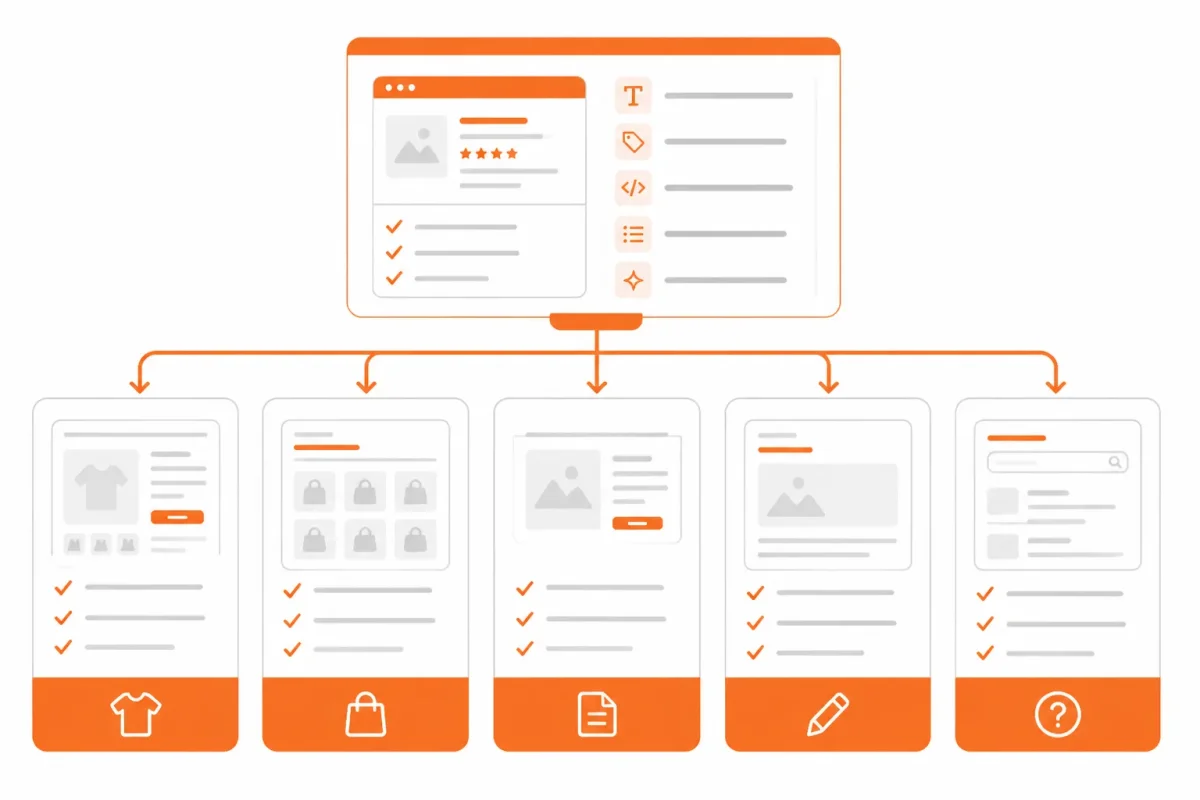
One reusable paragraph cannot sell a fitted jacket, a face serum, a coffee blend, a lamp, and a downloadable workbook equally well. You need the same persuasive spine, but each product description must give more space to the facts that determine suitability.
Shopify says product descriptions can combine specifications, suggested uses, evidenced benefits, and engaging product stories. Keep the structure familiar, then change the information emphasis and voice for each product type.
The Six Blocks Shared by Most Product Descriptions
- Opening promise: Show what your product helps the shopper do, feel, or achieve.
- Benefit-led explanation: Connect features to a clear customer outcome.
- Proof or specifications: Add materials, measurements, ingredients, compatibility, or other evidence.
- Use guidance: Explain when, where, and how your customer should use the product.
- Objections: Address fit, allergies, maintenance, delivery, access, or other purchase concerns.
- Purchase cue: Reinforce who the product suits and what the shopper receives.
A weak opening for a candle might say, "Vanilla scented candle in a glass jar." "Fill your evening with warm vanilla and 40 hours of clean, steady fragrance." gives you a benefit, sensory context, and a reason to continue reading.
How Apparel, Beauty, Food, Home, and Digital Products Differ
| situation | better move | why |
|---|---|---|
| Apparel product | Lead with fit, fabric, measurements, care, and the wearer's use case; place complete measurements in structured fields or an accordion. | Shoppers need confidence about fit and material before buying, while the opening can communicate style and outcome. |
| Beauty product | Explain the routine, intended user, ingredients, usage, and evidence for benefits; keep sensitive claims precise. | Context and substantiation make benefits credible and help shoppers decide whether the product suits their needs. |
| Food product | Show flavor, ingredients, serving guidance, allergens, storage, and origin in visible or clearly labeled detail. | Taste expectations and dietary information directly affect suitability and purchase confidence. |
| Home goods product | Translate dimensions, materials, assembly, care, and room use into a practical ownership picture. | Scale, installation, and maintenance determine whether the item works in the shopper's space. |
| Digital product | State deliverables, file format, compatibility, access method, license, and support before the purchase cue. | The buyer cannot evaluate a physical sample, so clear delivery and compatibility details reduce uncertainty. |
Choosing Visible Copy, Accordion Content, and Structured Fields
Keep the product promise, primary benefit, key suitability detail, and strongest proof visible for your shoppers. Put supporting measurements, care instructions, ingredients, licenses, or delivery notes in clearly labelled accordions or structured fields when they would otherwise bury the buying case. Shopify also recommends consistency with your brand voice, so your SKUs should sound related without sounding copied.
If you use collapsible sections, this guide to adding a collapsible product description in Shopify fits the same workflow. wRanks can help optimize related meta tags and structured data, although it cannot supply missing product facts or verify unsupported claims.
Diagnose the Shopify Product Page Before Choosing a Template
A polished description cannot fix missing product evidence or the wrong search intent. Before you draft, find out whether your Shopify page has an information gap, a positioning problem, or copy that repeats across your catalogue.
Shopify identifies 11 description techniques, including benefits, ideal-customer language, scannability, social proof, and SEO, according to Shopify's product-description guidance. Those principles help after diagnosis. First, find what the page cannot yet prove.
The Product Evidence to Collect First
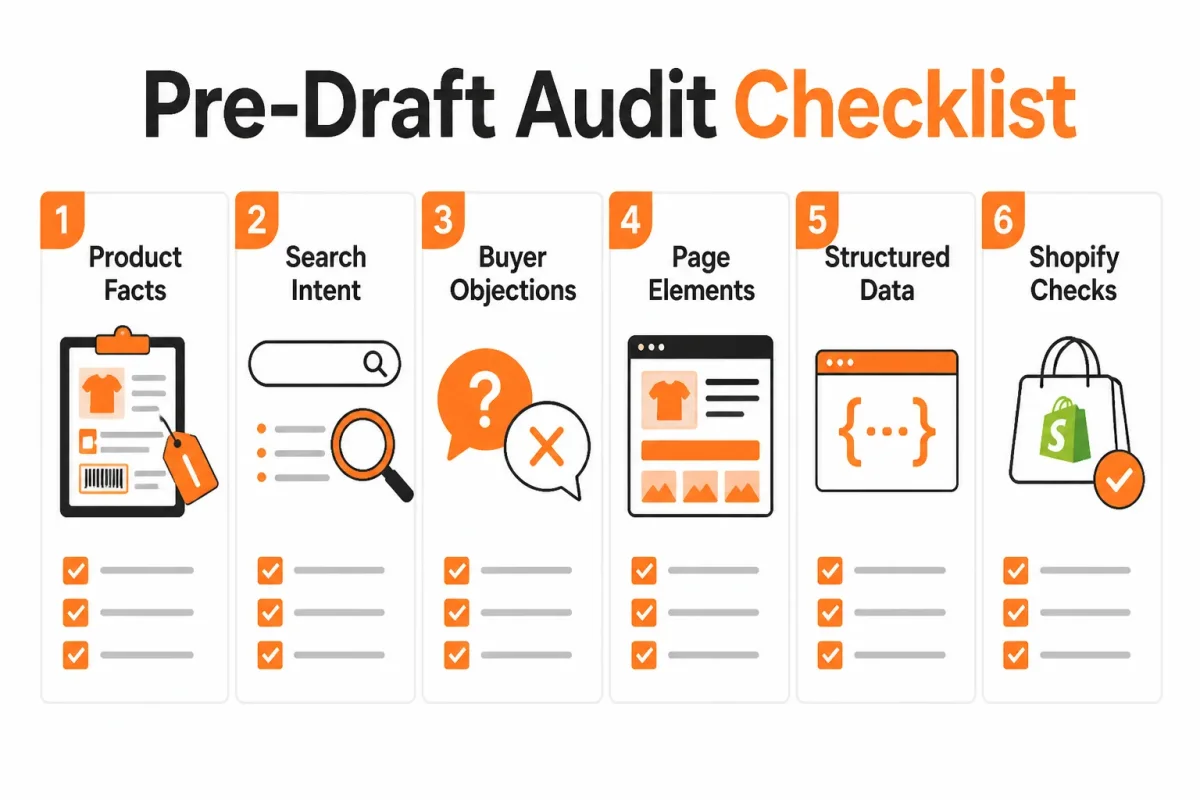
Gather the source material before asking for a Shopify product description template. Product descriptions appear on product pages, category pages, marketplaces, and other sales locations, according to Shopify's description guidance. Your page needs facts that remain accurate wherever shoppers encounter it.
- Search intent: Record the main query, its purpose, and whether the shopper is researching, comparing, or ready to buy.
- Buyer stage: Note what the shopper still needs to decide, such as fit, compatibility, ingredients, delivery, or price.
- Differentiating evidence: Collect materials, test results, customer language, certifications, construction details, and use-case proof.
- Specifications: Confirm dimensions, weight, capacity, ingredients, care, compatibility, and included items.
- Claim safety: Mark health, performance, environmental, and quality claims that require proof or narrower wording.
- Existing content: Check the title, description, images, variant text, collection copy, alt text, and structured fields for gaps or duplication.
Symptom, Likely Cause, and First Fix
| symptom | likely cause | first fix |
|---|---|---|
| The page lists features but shoppers still ask what the product does for them. | Missing benefit translation and weak positioning. | Map each important feature to a buyer outcome, intended user, and supporting evidence. |
| Traffic arrives for broad or mismatched queries but does not convert. | Keyword intent does not match the product or buyer stage. | Review the query's purpose and align the opening promise with the product's actual use case. |
| Several product pages have nearly identical descriptions. | Duplicated copy across variants or a catalogue-wide template with no merchandising inputs. | Keep the shared framework but add unique material, fit, use, proof, or audience details for each SKU. |
| Important facts exist in images or staff knowledge but not on the page. | Missing specifications or structured content. | Add dimensions, material, weight, compatibility, usage, and other decision-critical fields in crawlable page content. |
| The copy makes strong performance, health, or quality claims without support. | Compliance-sensitive wording was drafted before evidence was reviewed. | Verify the claim, narrow its wording, and connect it to credible product evidence. |
The Intent and Keyword Check Before Drafting
Map the keyword to the product and buyer stage, then inspect the opening promise. Weak copy says: "Premium stainless steel bottle with double-wall insulation." Better copy: "Keep your morning coffee hot during a 90-minute commute with the 20-ounce TrailSip bottle." The second version gives you an outcome, audience, and measurable product fact.
Check whether images carry context that text omits, whether variants repeat the same claims, and whether structured fields hold decision-critical facts. If you need to audit copied catalogue content, this guide to duplicating a Shopify product without SEO damage fits the same workflow. Don't ask AI to fill evidence gaps. Ask it to organise verified facts instead.
How to Adapt a Shopify Product Description Template from Product Facts to Search-Ready Sales Copy
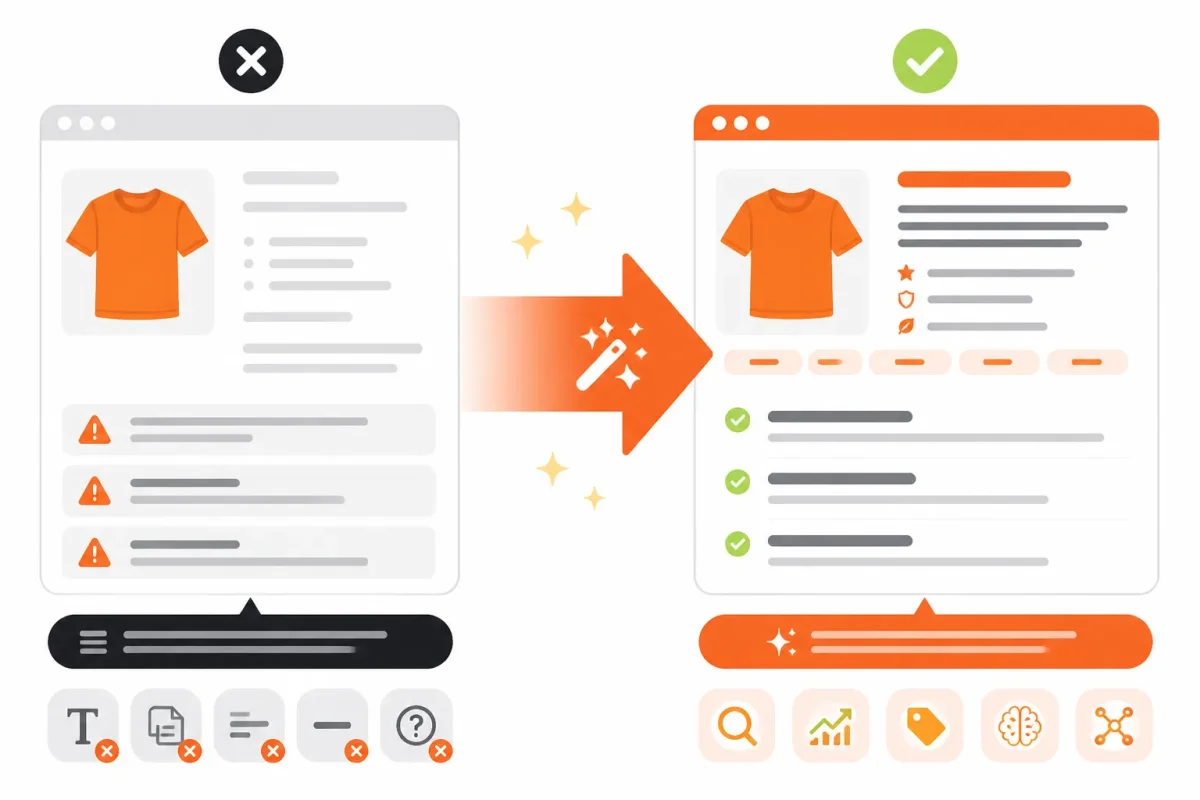
You already have the merchandising brief. Now turn those facts into copy that matches what shoppers search, answers buying questions, and still sounds like your brand.
Use one product as the model: a lightweight insulated commuter jacket. The facts below are an illustrative merchandising brief, not permission for AI to fill missing evidence. Your finished Shopify product description should make every claim traceable to a supplied fact.
Start with the Buyer's Job, Not the Product Feature
Start with the searcher's task. Someone searching for a commuter jacket wants protection, comfort, and fit for a specific journey, not a list of fabric terms. Your opening should name the product, intended buyer, and use case naturally.
Before: "Water-resistant jacket with recycled insulation."
After: "A lightweight commuter jacket for cold, wet weekday rides."
The second version gives your primary search intent a clear home in the opening. It also preserves a distinct voice. Place related questions about rain, layering, and commuting in later sections rather than repeating "insulated commuter jacket" in every sentence.
Turn Evidence into Benefits Without Inventing Claims
Translate each verified feature into a useful outcome, then keep the proof beside it. If your brief confirms 700-fill recycled insulation and sealed seams, you can explain what those details mean for the buyer. You can't claim all-day warmth, full waterproofing, or performance at a specific temperature without evidence.
Before: "700-fill recycled insulation and sealed seams."
After: "Stay warm through light rain with 700-fill recycled insulation and sealed seams."
AI can organise your supplied facts into this structure. It shouldn't invent measurements, testing, warranty terms, or performance claims. A tool such as wRanks can help organise AI-generated content and SEO fields, but your product brief remains the source of truth.
Place Keywords and Specifications Where They Clarify Intent
Specifications belong in visible copy, Shopify fields, and structured data where appropriate. Your shopper shouldn't have to inspect an image or open a supplier document to find shell material, fill, weight, sizes, care instructions, or waterproof rating.
| situation | better move | why |
|---|---|---|
| Raw hook: "Water-resistant jacket with recycled insulation." | Write an intent-aligned promise: "A lightweight commuter jacket for cold, wet weekday rides." | It identifies the product, intended user, and use case while naturally matching a specific search need. |
| Feature: "700-fill recycled insulation and sealed seams." | Translate the features into an outcome, then retain the evidence: "Stay warm through light rain with 700-fill recycled insulation and sealed seams." | The benefit gives the feature meaning, while the measurable detail supports the claim. |
| Specifications are scattered in an image or supplier document. | Place shell material, fill, weight, sizes, care, and waterproof rating in visible copy or structured fields. | Decision-critical facts should be findable, scannable, and usable by shoppers and search systems. |
| Use guidance is implied by the product name. | Add a concrete scenario: commuting, layering over a sweater, and packing into a carry-on. | Specific use guidance helps the reader visualize ownership and qualifies the right buyer. |
| Objection: "Will it feel bulky or fit over layers?" | Answer with verified fit guidance, model measurements, size advice, and a precise limitation if needed. | Anticipating friction reduces uncertainty without inventing reassurance. |
| The image shows a person wearing the jacket outdoors. | Use descriptive alt text such as "navy insulated commuter jacket worn on a rainy city ride," if accurate. | Alt text improves accessibility and adds useful image context without repeating a keyword unnaturally. |
Before: "Weight: 1.4 lb. Sizes S-XL. Machine wash."
After: "At 1.4 lb, the jacket layers over a sweater without adding unnecessary bulk. It comes in sizes S-XL and is machine washable."
Your title and opening can target "lightweight commuter jacket," while structured fields carry the details shoppers compare. For the schema setup this approach assumes, this guide to adding product schema in Shopify fits the same workflow.
Add Structured Content and Merchandising Details
Give the reader a use case, answer the main objection, and finish with a clear next step. Mention the pocket design, fabric weight, fit over layers, warranty, or another verified detail that makes your SKU distinct.
Before: "Great for everyday wear. Buy now."
After: "Use the zippered chest pocket for transit cards and layer the jacket over a sweater on weekday rides. Check the size guide before choosing your fit, then select your colour and size."
Your finished copy should read as one page, not disconnected AI fragments:
A lightweight commuter jacket for cold, wet weekday rides. Stay warm through light rain with 700-fill recycled insulation and sealed seams. The 1.4-pound shell layers over a sweater, while the zippered chest pocket keeps a transit card within reach. Pack it into a carry-on for business trips or weekend travel. It comes in sizes S-XL and is machine washable. Check the size guide for the best fit, then select your colour and size.
You can now map the title, opening phrase, specifications, image alt text, and structured data to the same verified merchandising brief. That consistency helps your Shopify product page serve shoppers and search systems without producing repetitive copy.
Where the Shopify Product Description Template Changes at Scale and on Mobile
When you manage hundreds of Shopify products, a shared template protects your workflow from inconsistency. Yet if every description uses the same opening, benefit order, and closing line, your products start to look interchangeable. You need repeatable structure with variable inputs for audience, use case, proof, materials, fit, compatibility, and merchandising story.
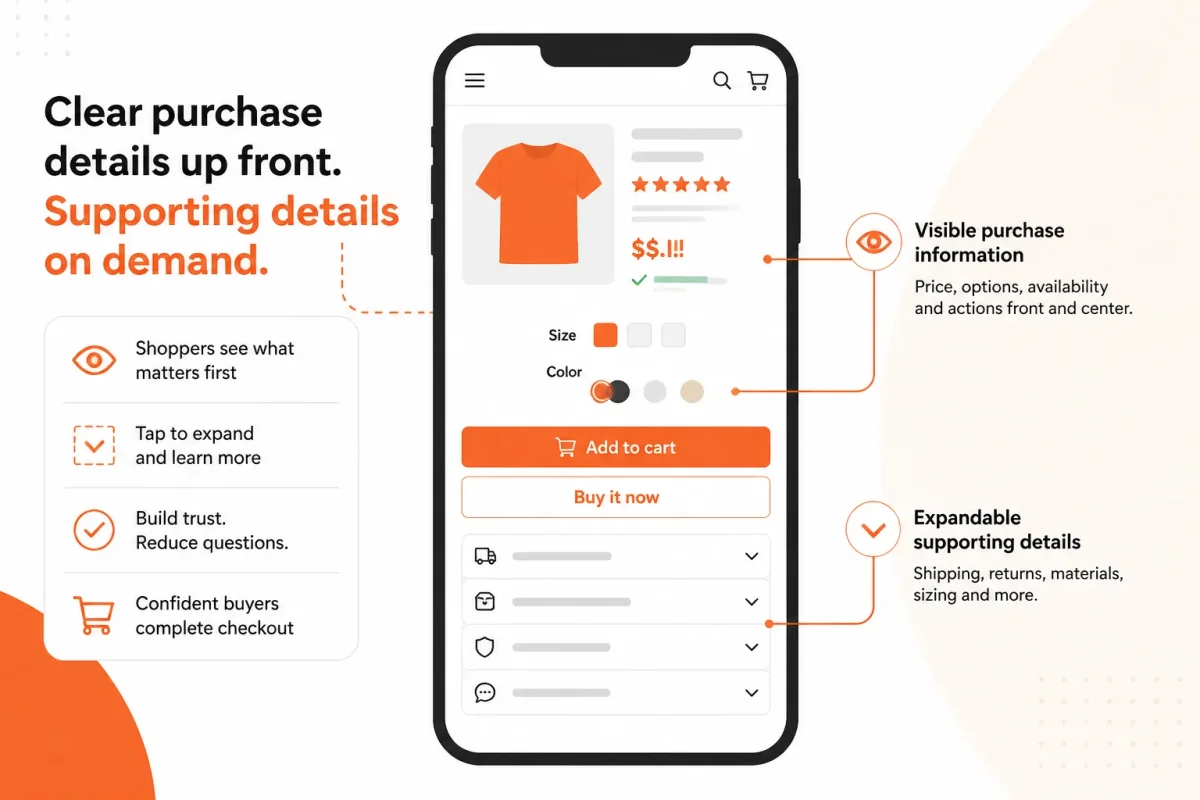
Small screens add another trade-off. Shoppers need to understand the product quickly, while deeper details still deserve a clear place. Shopify advises you to keep your brand voice consistent, but consistency should shape the voice, not erase each product's reason to exist.
At scale, the rule is simple: automate repetition, then review differentiation.
When One Template Creates Duplicate-Looking Product Pages
A fixed template can produce efficient drafts, but your merchandising team must replace generic sections with product-specific evidence. A technical jacket needs weather protection and layering details. A coffee blend needs roast profile, origin, and brewing guidance. Your template should show those differences instead of hiding them.
Weak: "High-quality materials and thoughtful design make this product a great choice for everyday use."
Stronger: "The 700-fill recycled insulation keeps the 1.4-pound Alpine Transit Jacket warm without crowding your carry-on."
What Works
- Reusable structure: You keep the same order for the opening benefit, proof, specifications, use case, and purchase guidance.
- Variable merchandising: You require product-specific inputs for fit, compatibility, materials, limitations, and customer intent.
- Mobile scanning: You place the product identity, strongest benefit, and key variant information near the top.
- Tap-friendly sections: You use clear accordion headings for care instructions, shipping details, and secondary specifications.
What Fails
- Template repetition: You publish identical claims across dozens of products, making pages difficult to distinguish.
- Hidden essentials: You place fit, compatibility, material limitations, or price-relevant specifications only inside collapsed content.
- Variant confusion: You describe several colours or sizes without explaining what changes between them.
- Unreviewed automation: You allow AI-generated copy to publish unsupported claims or an off-brand voice.
What Belongs Above the Fold Versus in an Accordion
For an accordion product description that Shopify shoppers can scan quickly, keep the product type, core benefit, essential specifications, fit or compatibility, and important limitations visible without extra taps. Use accordions for supporting detail, not as the only source of purchase clarity. Your mobile layout should make variant selectors and critical warnings easy to find.
How AI-Generated Copy Needs Merchant Verification
AI-generated content gives you speed, but it isn't an approval layer. A merchant still needs to verify facts, claims, voice, and distinctiveness before publication. wRanks can use your product inputs to support AI-assisted drafting, although you still need human review for supplier changes, regulated claims, and unusual variants.
Keeping Structured Content Consistent Across a Catalogue
Your workflow should keep the visible description, meta tags, image alt text, and structured data aligned with the same product facts. wRanks supports meta tag optimization, image alt text, structured data, and keyword tracking, while Google Search Console monitoring helps you spot changing search queries, impressions, and page performance. Use the system to automate repeated checks, then inspect pages where variants or merchandising stories differ.
Five Shopify Product Description Template Mistakes That Make Pages Interchangeable
Your Shopify product description can contain every correct fact and still feel impossible to remember. When each page uses the same vague promise, shoppers cannot see why one product fits their situation better than another.
These failures are visible in the copy itself. Your template should standardise the order of information, not remove the proof, voice, and merchandising details that make your products distinct.
Feature Lists That Never Explain the Daily Payoff
The TrailMate Mug case: "Double-wall steel, 16-ounce capacity, sliding lid." You give shoppers specifications, but not the reason to care. A stronger version connects the feature to a use: "The 16-ounce double-wall steel body keeps your coffee warm during a two-hour commute." Feature dumping hides value because you make shoppers translate facts themselves.
Claims That Sound Persuasive but Lack Evidence
The BellaGlow Serum case: "The highest-quality, most effective serum for perfect skin." Unsupported superlatives weaken trust. Replace them with evidence: "A fragrance-free serum with 2% salicylic acid for blemish-prone skin." Shopify's guidance favours clear benefits and details that help your ideal customer decide.
AI Copy That Erases the Store's Merchandising Edge
The Northline Linen Shirt case: "Enjoy a timeless look every day." Generic AI phrasing could describe thousands of shirts. Your version might say, "The relaxed linen shirt stays airy at outdoor dinners and packs without demanding careful folding." wRanks can help you generate and optimize product copy, although you still need to preserve your store's actual fit notes, sourcing story, and voice.
Keywords and Specifications Placed for Robots Instead of Buyers
The Roaster's Choice case: Repeating "medium roast coffee beans" in every sentence makes your copy stiff and less useful. Write naturally: "This medium roast suits shoppers who want chocolate notes without sharp acidity." Keyword stuffing harms clarity without automatically creating a ranking penalty.
The Arc Lamp case: Burying "72 inches tall, 8-foot cord, LED bulb included" below several promotional paragraphs forces shoppers to hunt for buying-critical facts. Put those specifications beside the use case and variant details, where you can answer fit questions quickly.
What Works
- Buyer outcome: Connect each feature to a real use or concern.
- Specific proof: Replace superlatives with materials, measurements, ingredients, or construction details.
- Distinctive voice: Keep concrete brand language that generic AI copy would erase.
What Fails
- Feature dumping: A specification pile makes your shopper do the interpreting.
- Empty praise: "Premium" and "best" mean little without evidence.
- Hidden facts: Buried sizes, compatibility details, and materials create avoidable hesitation.
Your reusable Shopify product description template should protect structure while leaving room for product-specific proof. That balance keeps pages scannable without making your catalogue sound manufactured.
Answers to Practical Shopify Product Description Template Searches
You may be choosing between a reusable framework, a downloadable document, and an automated draft. Those options serve different jobs, so your best choice depends on whether you need planning structure, sample copy, or help producing several product pages.
Is There a Free Shopify Product Description Template in Word
Yes, you can copy a free Shopify product description template into Word for planning and editing. You don't need a particular .docx file because the useful asset is the structure: product benefit, ideal buyer, proof, specifications, objections, and next step. Your Word document can hold those fields before you paste the finished copy into Shopify.
What a Short Product Description Example Includes
A short product description should name your product, identify the intended use, state the strongest outcome, provide one differentiating proof point, and guide the next step. You can use this illustrative example for a ceramic travel mug:
Weak: "High-quality travel mug with a modern design."
Built for your morning commute: this 12-ounce ceramic travel mug keeps coffee close without adding bulk, with a leak-resistant lid and dishwasher-safe finish. Add it to your daily coffee setup.
Replace every example detail with verified measurements, materials, and merchandising facts from your own product.
Is There a Free Shopify Product Description Generator
Yes, a free Shopify product description generator can suit your first draft or help you scale copy from a structure you supply. You shouldn't treat generated prose as an authority. Before publishing, verify specifications, measurements, ingredients, compatibility, claims, brand voice, and distinctive merchandising details. Automated drafting also isn't the same as SEO optimization. Generated text alone doesn't ensure accurate meta tags, structured data, image alt text, search intent alignment, or visibility in AI search. An AI-powered SEO platform such as wRanks can support broader optimization, although you still need to review its output against your product facts.
Build the First Shopify Product Description from One Product Page
You have enough information to test the framework without rewriting your entire catalogue. Choose one Shopify product page, make every decision visible, and treat the result as a controlled pattern rather than a paragraph to copy blindly.
Your first page should show you what to keep, what to change, and what shoppers still cannot understand. That gives you a safer starting point for wRanks-assisted optimization across similar products.
1. Select One Representative Product Page
Choose one SKU with meaningful traffic, a clear merchandising difference, or a known conversion question. You want a page that can reveal whether stronger evidence and search alignment improve the shopping experience.
- Product choice: Select one representative Shopify product, not the whole catalogue.
- Evidence audit: Confirm the product name, materials, measurements, ingredients, compatibility, price, variants, delivery details, and claims.
- Search intent: Identify the phrase, buyer stage, and practical question behind the visit.
2. Fill the Template with Verified Evidence
Choose the apparel, beauty, food, home goods, or digital-product variation that matches your SKU. Draft the opening promise, use-case detail, proof, specifications, objections, and next step as separate blocks.
Keep facts ahead of polish. Add review evidence, certifications, care instructions, ingredients, file details, or compatibility notes where they help you decide. Then mark which fields are fixed and which must change between products.
3. Optimize and Review Before Scaling
Check your mobile layout before approving the copy. Keep the strongest benefit, fit detail, and reassurance visible, while placing supporting specifications in an accordion where appropriate. Review image context and alt text too.
- Audit evidence: Start with one page and verify every product fact.
- Identify intent: Match the page to its search query and buyer stage.
- Choose the variation: Apply the template for your product type.
- Draft blocks: Write each modular section from approved inputs.
- Add proof: Include structured details and specific reasons to trust the product.
- Check placement: Review mobile copy, accordions, images, and alt text.
- Measure: Review Google Search Console and keyword tracking before expanding.
wRanks can assist with content, meta tags, structured data, and alt text across similar products, but you still retain human verification. Use the approved page as a pattern with deliberate variable fields, then measure, learn, and expand.
If you want a faster way to do this, wRanks assists Shopify store owners with AI-powered product content, meta tags, structured data, image alt text, Google Search Console, and keyword tracking. Its Shopify SEO resources support controlled improvements while you retain final approval.

Technical SEO engineer focused on structured data, indexing optimization, and Core Web Vitals. David turns complex technical requirements into actionable Shopify solutions.


