How to Choose Shopify Templates for SEO
Learn how to choose Shopify templates for SEO, including catalog fit, mobile performance, navigation, metadata, structured data, and safe testing.
You spend another afternoon cycling through Shopify templates, swapping color palettes, comparing homepage layouts, and opening the same product preview in a new tab. Your store looks different each time, yet you still can’t tell whether shoppers will find your products through Google. A polished homepage won’t fix thin product copy, unclear search intent, or missing meta tags. Shopify explains that a theme controls your store’s organization, features, and style, but you still supply the content and SEO decisions that support discovery, according to Shopify’s guide to ecommerce themes.
Most Shopify stores don't have a template problem. They have a selection and optimization problem. “Shopify templates” may be your shorthand, but the real choice is a store foundation that supports your catalog, content, and search priorities. Choose that foundation, prepare your product and collection content, customize it safely, and check its SEO basics before launch. The result should serve shoppers first and give organic discovery a fair chance.
Choose the Store Foundation Before You Spend on Design
A template that looks right can still create expensive work for your Shopify store. If its catalog structure, navigation, mobile layout, or SEO controls don't fit your business, you may face a redesign after adding products, collections, apps, and marketing content.
That cost reaches beyond the template price. You may rebuild menus, rewrite product layouts, retest mobile pages, and repair metadata that never matched your search plan. Filtering and testing first protects your time, budget, and future work.
The real cost of choosing a visual match
Theme roundups often emphasize previews and feature lists. Ask a harder question: can your store organize products clearly, guide shoppers on a phone, publish useful content, and control its SEO basics without costly workarounds?
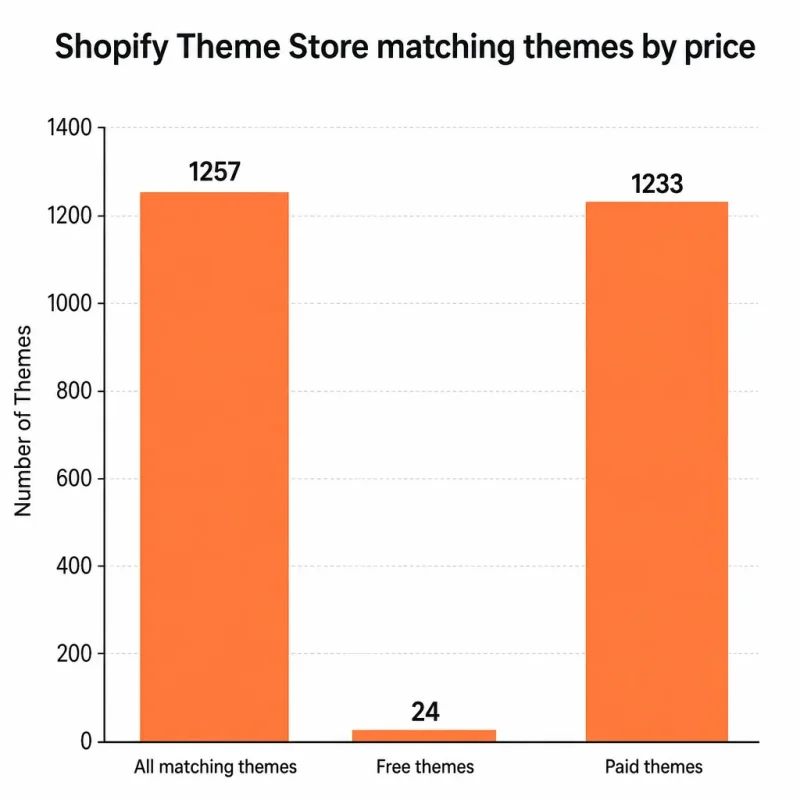
The Shopify Theme Store lists 1,257 matching themes, according to Shopify’s Theme Store.
This selection is large enough to create choice overload, not proof that more themes produce better SEO. Shopify lists 24 free themes, according to Shopify’s Theme Store pricing listings. It also lists 1,233 paid themes, according to Shopify’s Theme Store catalog.
Use catalog size and selling model as filters
Your catalog should narrow the field before color, typography, or homepage animation enters the decision. A store selling 12 handmade products may need a different product-card system from a retailer managing 2,000 SKUs, multiple collections, and frequent promotions.
The accompanying bar chart compares the same figures: 1,257 matching themes overall, 24 free themes, and 1,233 paid themes. It shows the scale of the choice, not theme quality or market share. Test a short list against your catalog, mobile experience, content needs, and SEO controls.
The rule for approving a paid template
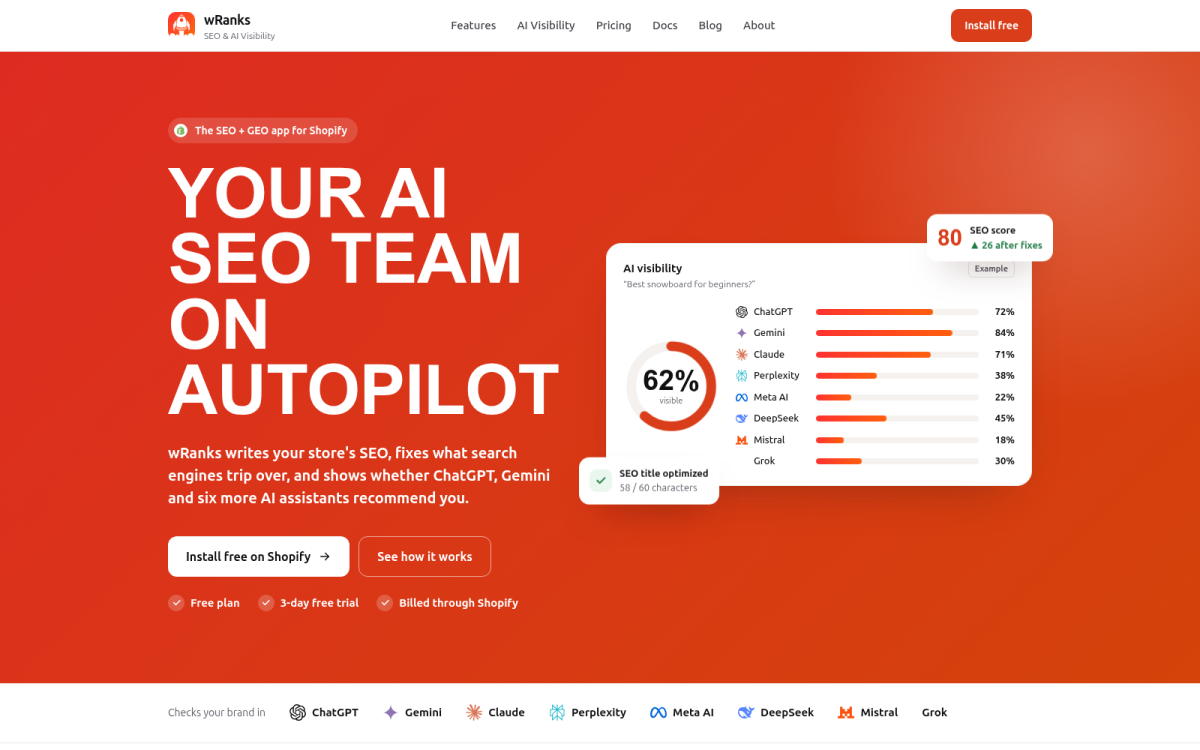
Don't pay for a template because its preview resembles your brand. wRanks can help you review meta tags, structured data, image alt text, and Search Console signals, but it can't correct a theme whose catalog structure or mobile layout is wrong.
Practical rule: Do not pay for a Shopify template until it passes catalog, mobile, content, and SEO checks.
That filter turns a visual purchase into a business decision. A short test now is cheaper than rebuilding your Shopify store after growth exposes the wrong foundation.
Match Shopify Templates to Your Catalog and Growth Plan
Your product count changes what your Shopify store needs from a template. A one-product store can prioritize storytelling, while a large catalog needs dependable collections, filtering, and navigation.
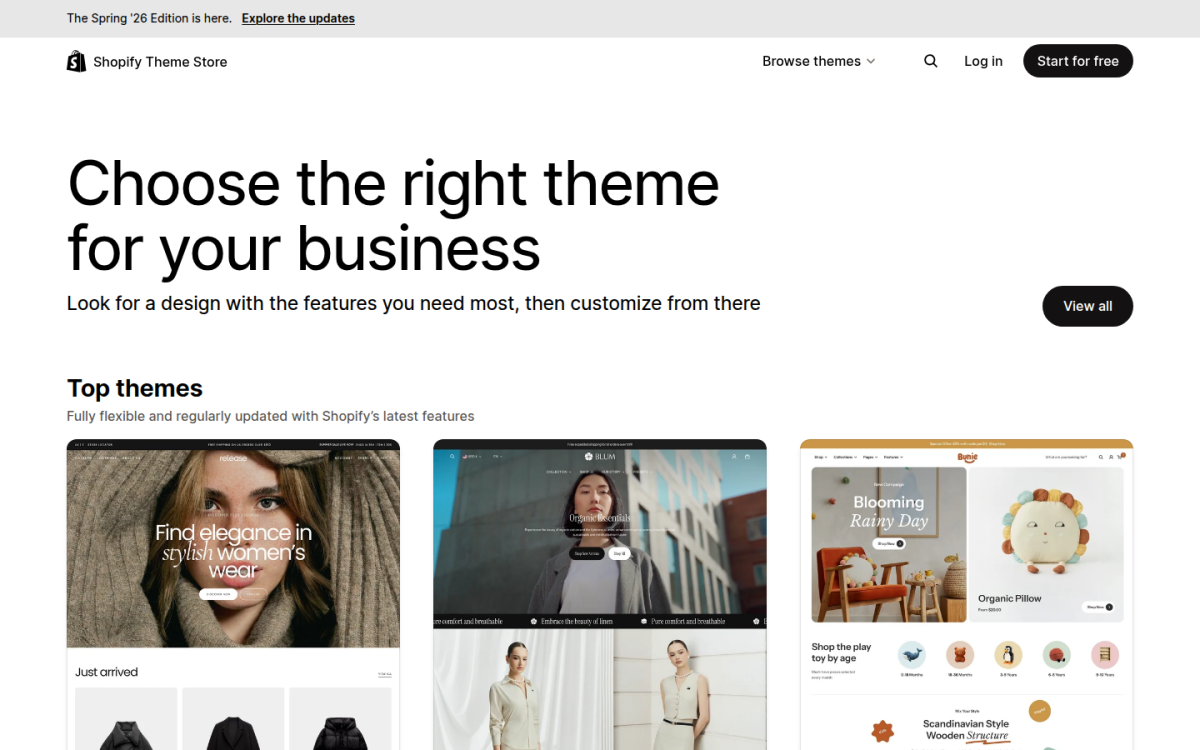
Use Shopify’s catalog-size filters as discovery tools, not guarantees. The Theme Store lists 26 themes for one-product catalogs, 93 for 2–10 products, 833 for 11–100+ products, and 305 for 500 or more products, according to Shopify’s Theme Store catalog. These groups overlap in practical use, so you still need to test each template against your store.
One-product and small-catalog stores
For a one-product or small-catalog store, focused product presentation usually matters more than advanced catalog controls. The Theme Store lists 26 one-product options and 93 options for stores with 2–10 products, according to Shopify’s catalog-size filters.
A free theme may suit your store when the product page, checkout path, and mobile layout already fit your selling model. A paid theme becomes sensible when native product storytelling, bundles, reviews, or merchandising controls save substantial setup time.
What makes a Shopify template the best fit
The best Shopify template is the one that matches your catalog structure, merchandising needs, and technical capacity. A focused free theme may be best for one product, while a paid or custom option may suit a growing catalog that depends on filtering and collection depth.
Growing and large-catalog stores
Growing stores should prioritize collection structure, filtering, search, and reusable product templates. Shopify lists 833 themes for catalogs with 11–100+ products and 305 for catalogs with 500 or more products, according to Shopify’s Theme Store listings.
Those counts show available choice, not guaranteed performance. Test navigation with real products, variant combinations, collection rules, and mobile devices before committing.
| situation | better move |
|---|---|
| One-product store | Start with a focused free theme, then consider a paid theme only when its conversion and merchandising features are needed; the Theme Store lists 26 matching themes. |
| Small catalog of 2–10 products | Compare free and paid themes for product storytelling and simple navigation; the Theme Store lists 93 matching themes. |
| Growing catalog of 11–100+ products | Prioritize collection structure, filtering, and scalable templates; the Theme Store lists 833 matching themes. |
| Large catalog of 500+ products | Favor scalable paid, custom, or technically maintained source-code options after testing navigation and performance; the Theme Store lists 305 matching themes. |
How to find a Shopify template
Find a Shopify template by filtering the Theme Store by catalog size, price type, features, and industry, then test its product and collection layouts with your own content. For technical teams, Shopify themes on GitHub offer source-code access, but you take responsibility for version control, maintenance, and compatibility.
Free, premium, custom, and GitHub-based options
Free themes reduce upfront cost, paid themes can reduce build time, custom work increases control and cost, and GitHub-based options require technical ownership. Compare the missing work, not just the purchase price.
What works
- Free themes: Start here when your store needs a clean product page and simple navigation without unusual selling features.
- Paid themes: Choose these when native merchandising features save your team configuration and development time.
- Custom work: Use it when your catalog or buying journey cannot fit a reliable standard theme.
- Source-code options: Consider Shopify themes on GitHub when your team can maintain code, updates, and integrations.
What fails
- Choosing by industry label: A fashion template may still fail your store if its filters, variants, or collection structure don't fit.
- Assuming free means finished: You may save money upfront but spend more time configuring missing features.
- Buying features you won't use: A premium theme adds little value when your catalog only needs a focused product page.
- Owning code without ownership capacity: A GitHub-based theme becomes risky when nobody can maintain its updates and integrations.
The best choice for SEO-focused merchants
For SEO-focused merchants, the best choice is the simplest template that supports crawlable navigation, editable meta tags, structured data, readable content, and fast mobile use. wRanks can optimize product, collection, page, and blog SEO, but it can't replace a theme with poor catalog structure or require you to manage technical source code you can't maintain.
That decision fits the workflow in this guide to SEO automation for Shopify stores, because your template determines which content and technical signals you can manage consistently.
How much Shopify templates cost
Shopify templates cost different amounts depending on whether you choose a free theme, a paid theme, custom development, or a source-code option. The useful comparison is your total setup and maintenance time, not an invented universal price.
Prepare Your Shopify Template Inputs Before Editing
Your Shopify template can't solve missing product priorities, unclear navigation, or unprepared images. Before editing, create a practical preflight workspace that shows what deserves visibility and which content each page requires.
You can install a free theme and start selling with only a Shopify Plan, according to Shopify’s guide to Shopify themes. Your route still depends on your catalog, selling features, SEO workload, and compliance checks.
Collect products, images, and brand assets
Prepare your highest-priority products, collections, logo files, brand colors, approved fonts, and correctly sized product images. Map primary navigation before changing the header.
- Product priorities: Mark the products and collections that deserve launch visibility.
- Image files: Prepare compressed, consistently framed images with useful filenames.
- Brand assets: Store the approved logo, colors, typography, and image style together.
- Navigation: List the homepage, collection paths, policy pages, contact page, and primary menu labels.
What sells well on Shopify
There is no universal best-selling product for your Shopify store. Identify demand from your sales history, search terms, customer questions, and competitor gaps, then prioritize products customers already describe clearly.
Identify what customers already want to buy
Record target keywords for each priority product, collection, page, and blog post. Your SEO workspace should show the page owner, primary phrase, supporting terms, and required meta tags, structured data, and image alt text.
Weak: “Blue bottle for everyday use.”
Strong: “Insulated 24 oz Stainless Steel Water Bottle for Hiking.”
Check restricted products and business setup
Before designing your Shopify template, verify Shopify’s current prohibited-product rules and confirm that your product descriptions, claims, shipping terms, and payment setup represent what you actually sell. You don't need an LLC to open every Shopify store, but you should check your state, tax, licensing, and business-registration requirements before selling.
What cannot be sold on Shopify
Shopify restricts certain products and activities, so check its current rules for your category before investing in presentation, advertising, or inventory.
Estimate the work before choosing a route
A free template suits a focused launch. Test a paid theme when its required selling features already come included, while custom work belongs where your catalog or workflow genuinely needs it.
Use wRanks to prepare approved meta tags, structured data, alt text, and keyword fields before repeating changes across products, collections, pages, and blogs. This guide to Shopify terms and store setup language fits the workflow when your team needs a shared vocabulary.
Install, Customize, and SEO-Check One Shopify Template
With your catalog priorities, images, and SEO inputs ready, test one Shopify template against the store you actually plan to run, not the polished demo that first caught your attention.
Shopify templates control what you see on each page type, so your test must cover the homepage, collection page, product page, and mobile experience. A duplicate theme gives you room to find problems before customers do.
Shortlist and preview the template
Preview each candidate with your real product images, titles, prices, variants, and collection names. Check whether the demo layout still makes sense when your catalog replaces its sample content. Done means your products fit the cards, filters, menus, and product sections without awkward gaps. Failure starts when a beautiful demo depends on product photography or categories your store doesn't have.
“Each page type in an online store has an associated template type,” according to Shopify's template architecture documentation.
Install it without disrupting the live store
Add the chosen template to your Shopify admin as a duplicate or unpublished theme. Preview it on desktop and mobile before assigning it to the live storefront. Done means the duplicate renders correctly, links work, and your current store remains unchanged. Failure means editing the live design and discovering a broken product layout after publication.
Build the navigation and collection structure
Connect your main menu to the collections customers actually use, then test every path from the homepage to a product. Done means important products are reachable within a few logical choices. Failure means popular products sit outside menus or collection filters. Use specific labels rather than vague ones.
Before: “Shop All” leads to 86 mixed products with no useful grouping.
After: “Shop Women’s Running Shoes” leads to a focused collection with clear filters for size, color, and terrain.
Optimize a representative product page
Choose one product that reflects your typical inventory, then add useful description copy, product images, variants, internal links, and search-focused content. Done means the page answers buyer questions and has complete SEO fields. Failure means visual copy changes without checking search intent, leaving important details buried or absent.
Repeat the SEO pattern across the store
Use wRanks to optimize the product's meta tags, structured data, image alt text, and content before applying the pattern to collections, pages, and blogs. The wRanks AI-powered SEO platform overview fits this workflow when you need one place to inspect those fields. Done means each template is ready for inspection in Google Search Console and on AI platforms. Failure means repeated pages inherit missing fields or generic copy.
- Template check: Your real product and collection templates render correctly on mobile.
- Navigation check: Your priority products are reachable from menus and collections.
- SEO check: Your representative page has complete meta tags, structured data, alt text, and content.
Scale the Shopify Template System Across Products, Collections, and AI Search
Once your Shopify store has many products, repeated layouts, and several collection types, a small template mistake can spread across hundreds of URLs. Generic descriptions can weaken both search relevance and your brand voice.
Shopify offers more than 1,000 customizable, mobile-responsive themes, and its themes support product presentation and built-in Shopify features, according to Shopify's overview of its theme options. You need a controlled system around that flexibility, not another round of visual edits.
Create one approved page pattern
Start with one representative product, collection, page, and blog template. Define the required title structure, meta description style, structured data fields, image alt text, internal links, and content sections before copying the pattern across your catalog.
For example, a weak product meta description might say:
“Buy our blue running shoes online. Great quality and fast shipping.”
Built for daily training, the StrideFlex Blue Running Shoes offer responsive cushioning, breathable mesh, and free shipping on orders over $75.
The stronger version gives you a specific product identity, useful attributes, and a clear commercial detail without making an unsupported performance claim.
Automate repeatable SEO fields with review gates
wRanks can help you work through bulk-oriented meta tag updates, structured data, image alt text, and AI-generated content while your Shopify templates keep page types consistent. Automation gives you speed, but you still need approval gates for product claims, regulated wording, brand tone, and duplicate copy.
- What works: You approve one field pattern, apply it to a defined product group, and review exceptions before publishing.
- Consistency: You keep titles, descriptions, schema fields, and alt text aligned across related pages.
- Exception handling: You separate discontinued products, bundles, medical claims, and seasonal items from standard batches.
What fails
- Blind publishing: You allow generated copy to publish without checking prices, materials, sizes, or availability.
- Template duplication: You reuse the same description across products that need distinct search intent and buying information.
- Missing review records: You can't tell which fields changed, who approved them, or which URLs need another check.
Use keyword and Search Console signals to refine templates
Use wRanks keyword tracking and Google Search Console insights to spot patterns across product and collection groups. If several pages receive impressions for a useful phrase but lack relevant copy, improve the shared template instead of editing every URL blindly.
Compare impressions, clicks, queries, indexing signals, and page relevance. A template change may improve one group while creating repetitive copy elsewhere, so use representative samples before wider deployment.
Use AI for drafts without surrendering accuracy
AI can draft meta tags, alt text, structured content, and collection introductions, then help you prioritize pages for review. It can't independently approve publishing decisions, verify every product fact, or guarantee visibility in AI search results.
For generative search, give each page clear product facts, direct answers, consistent terminology, and useful context. Human approval remains necessary for factual accuracy, sensitive wording, brand voice, and claims that could mislead a buyer. wRanks can support this workflow, although its automation still depends on the quality of your catalog data and review process.
Use a simple checkpoint sequence: draft, validate, approve, publish, and inspect. That balance lets you scale your Shopify templates without turning speed into unchecked repetition.
Fix the Template Errors That Make Stores Hard to Find
Your Shopify template can look polished while hiding weak content, unclear navigation, or missing search signals. Diagnose what shoppers and search crawlers actually receive, not just what appears in the preview.
Start with the symptom, then connect the likely cause to your chosen template, wRanks checks, or Google Search Console evidence. Visual polish isn't proof of crawlable content, useful metadata, valid structured data, or discoverable navigation.
The demo store looks better than the real catalog
If your real product pages feel crowded or incomplete, you may have chosen a template for its photography and layout rather than your catalog. Before more customization, load representative products into a duplicate theme and compare the result.
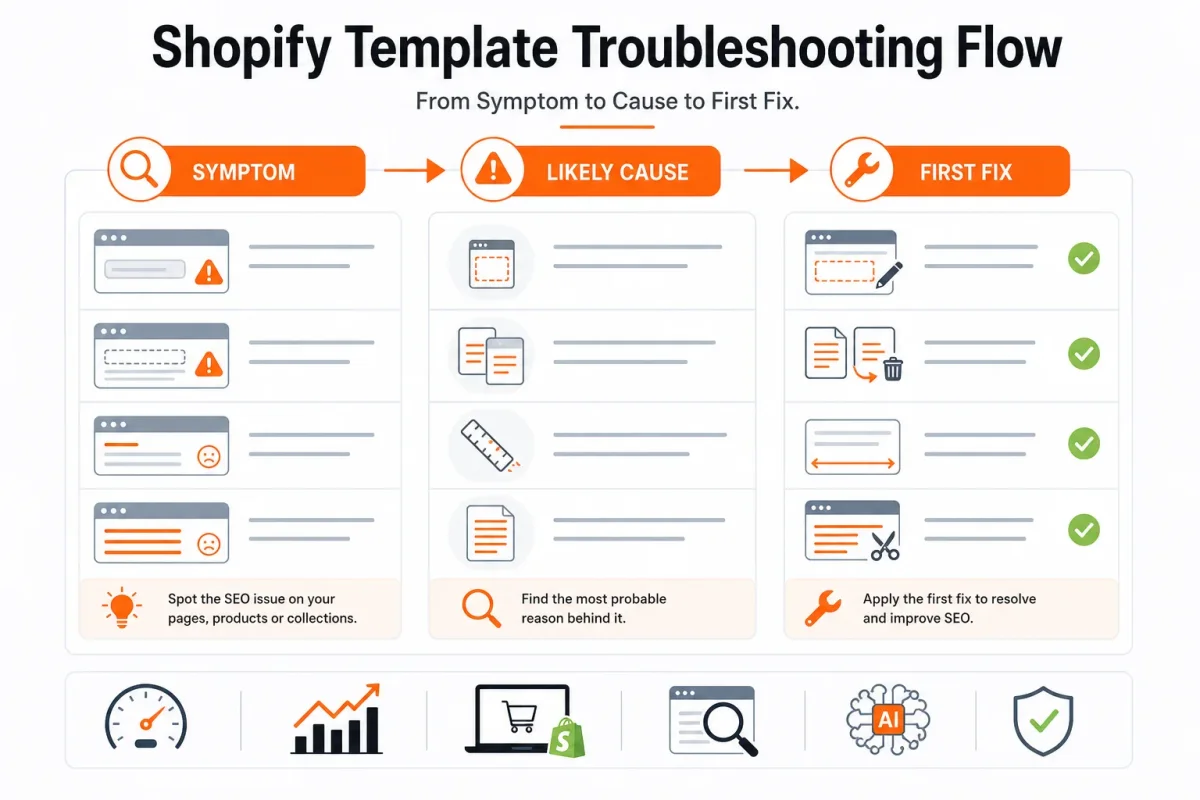
| symptom | likely cause | first fix |
|---|---|---|
| The demo looks strong, but real product pages feel crowded or incomplete | The theme was selected for its preview rather than the actual catalog and content needs | Load representative products into a duplicate theme and compare the layout before further customization |
| Generic promotional language appears on product or collection pages | Demo copy was left in place | Replace it with verified, search-intent-aligned copy and review the fields in wRanks |
| Collections have little unique text or repeat the same paragraph | Collection content was treated as decoration instead of a discovery page | Create useful, distinct collection introductions and check indexing and impressions in Google Search Console |
| Product images provide no useful alternative description | Image alt text was omitted during visual editing | Add descriptive, accurate alt text through the store workflow and review it with wRanks |
| The theme looks polished, but rich-result or page data is uncertain | Appearance was mistaken for valid structured data | Inspect rendered markup and validate the relevant structured-data implementation before scaling |
| A redesign creates unexpected storefront changes | The live theme was edited before a duplicate was tested | Restore a controlled version where possible and make the next changes in an unpublished duplicate |
Search pages repeat the same title and description
Repeated collection text gives you little reason to index several pages for different searches. Write each introduction around the collection’s actual products, buying intent, and useful distinctions, then inspect impressions and indexing in Google Search Console.
- Demo copy: Replace phrases such as “Find your perfect style” with specific, verified product language.
- Thin collections: Add helpful context that explains what belongs in the collection and who it serves.
- Template fields: Check whether titles, descriptions, and headings repeat across page types before applying a bulk edit.
Images and structured data were treated as automatic
Your template may display an image attractively without supplying useful alt text. It may also appear to show product details without outputting valid structured data, so inspect the markup instead of relying on appearance.
Review image descriptions in wRanks, inspect the rendered product template, and validate structured data before applying the correction across your catalog. A strong-looking page is only the starting point.
Changes were published before they were tested
Editing the live theme makes diagnosis harder because one change can affect navigation, metadata, layout, and conversion elements at once. Test one representative product, collection, and blog page in an unpublished duplicate first.
Use the duplicate theme, wRanks checks, and Google Search Console evidence together. Once one page type behaves as intended, apply the correction carefully across the remaining catalog.
Measure Whether the Shopify Template Improved Search Readiness
A Shopify template can render attractive pages while your store still exposes weak titles, thin descriptions, incomplete structured data, or missing image alt text. Use a review loop that separates what the template changed from what your content, queries, seasonality, or indexing delay changed.
Start with one representative product and one collection before applying any pattern across your catalog. Preview features don't tell you whether the published result works.
Audit one product and one collection first
Choose a product with typical content and a collection with ordinary merchandising. Inspect both rendered pages on mobile and desktop, then check the title, meta description, headings, canonical signals, structured data, and image alt text. Confirm what search engines receive, not only what your theme editor displays.
Weak product title: “Classic Tee.”
Organic Cotton Crew Neck T-Shirt in Black | Northline Apparel: This gives you a clearer product subject, material, style, and brand context without relying on the template to supply meaning.
Use wRanks to review meta tags, structured data, and alt text in one workflow, while recognizing that it can't replace manual checks of page layout, merchandising, or customer experience.
Check search and AI-facing page signals
Review whether your product and collection pages expose complete, consistent information to Google and AI platforms. Check visible product details against schema fields, confirm that important images have descriptive alt text, and verify that collection pages explain what shoppers will find instead of showing only product grids.
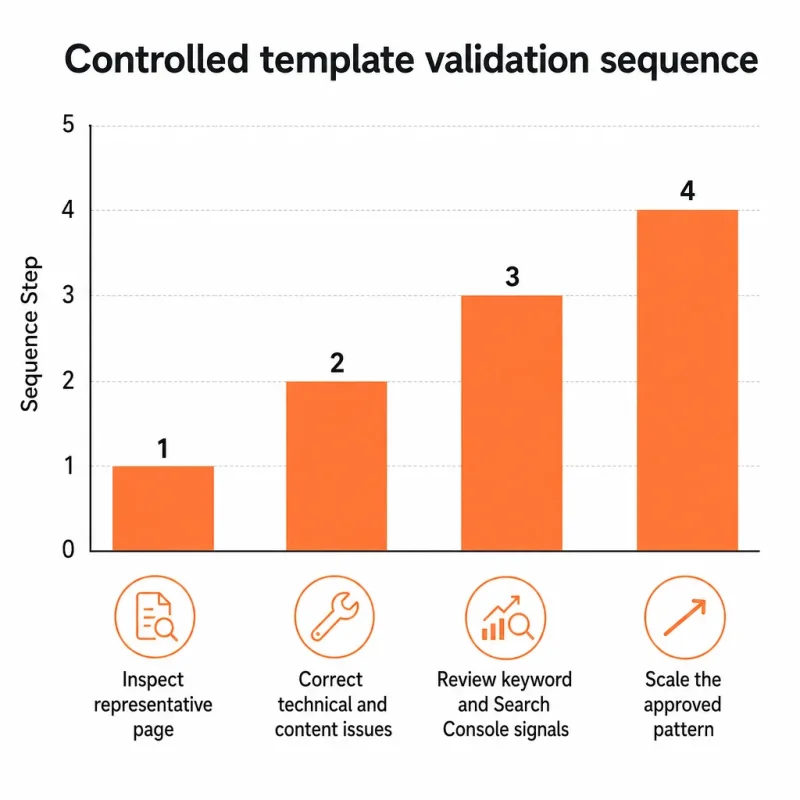
The validation chart follows four ordered stages. Inspecting a representative page has a value of 1, correcting technical and content issues has a value of 2, reviewing keyword and Search Console signals has a value of 3, and scaling the approved pattern has a value of 4. The sequence measures control, not ranking performance.
Read keyword and Search Console movement
Compare tracked keyword visibility with Google Search Console impressions, clicks, and indexing signals before and after the change. Record the page type, publication date, query group, and corrections so you don't attribute every later movement to the template alone.
Review signals after a sensible observation period rather than expecting an immediate ranking lift. Query changes, seasonal demand, crawl timing, and indexing delays can affect your comparison.
Decide whether to revise the template or the content
Use this checklist before rolling the pattern across your catalog:
- Representative product: One typical product page has been rendered and inspected on mobile and desktop.
- Representative collection: One typical collection page has been checked for useful copy, headings, links, and product context.
- Technical signals: Titles, descriptions, canonical information, structured data, and alt text have been reviewed.
- Search evidence: Tracked keywords and Google Search Console impressions, clicks, and indexing signals have been recorded.
- Approved pattern: Technical and content corrections are documented on the test pages before wider changes begin.
- Controlled rollout: The corrected pattern is applied across similar pages only after the first product and collection behave as intended.
If the page renders correctly but search signals remain weak, revise the content before replacing the template. If the content is strong but elements disappear, duplicate, or render incorrectly, revise the template or its settings first.
Answers to the Business Questions Behind Shopify Templates
You may still have practical questions about Shopify costs, AI assistance, product restrictions, business value, and legal setup. These decisions sit outside template design, but they can change your store’s margins and launch plan.
Use the answers below to separate what Shopify handles from what you must configure, verify, or decide for your business.
How much Shopify takes from a $20 sale
The amount Shopify takes from a $20 sale depends on your current Shopify plan, payment provider, and payment setup. You should check Shopify’s official United States pricing and your payment terms before forecasting margins. Your final calculation should also include refunds, shipping, taxes, payment processing, and any third-party transaction charges that apply to your store.
What ChatGPT can do for a Shopify store
ChatGPT can help you plan a store, draft product copy, suggest navigation, and assist with code, but you still must configure Shopify yourself. You need to connect payments, test checkout, confirm shipping and tax settings, validate SEO elements, review structured data, and approve every product claim. AI assistance speeds preparation. It doesn't replace your verification.
Shopify product restrictions
You should check Shopify’s current prohibited-product rules before listing any restricted item. The rules can depend on the product, location, payment method, and applicable law, so an incomplete list may mislead you. You also need to review advertising policies, carrier restrictions, and state or federal requirements before publishing a product for sale.
Whether Shopify is worth it in 2026
Shopify is worth considering in 2026 when its operating costs, workflows, and search potential fit your margins and organic-growth goals. Compare customer acquisition costs, product profitability, fulfillment effort, and the value of owning your store experience. A template supports that model, but it can't rescue weak margins or an unclear offer.
Whether you need an LLC to run a Shopify store
You don't need an LLC simply to set up a Shopify store, but Shopify setup is separate from United States legal and tax decisions. You should check your state’s registration, sales-tax, licensing, insurance, and reporting requirements. For advice about forming an LLC or choosing another structure, speak with a qualified professional familiar with your state.
Launch the Template in Five Controlled Moves
You can lose days customizing a Shopify template before discovering that your product pages still lack clear metadata, useful image descriptions, or complete structured data. A controlled launch gives you evidence before broad design work consumes your budget.
Start with one product page, not the homepage. That page exposes how your layout, product content, images, metadata, and structured data work together, so you can inspect the system before expanding it.
Write the requirements
- Catalog: Record your product types, variants, collections, and expected additions.
- Customer: Describe the buyer's search intent, objections, and purchase decision.
- SEO: List the metadata, structured data, image alt text, and content fields your store must support.
Shortlist and test
- Preview: Compare templates against your requirements using a real product, collection, and mobile view.
- Reject: Remove any option that hides key content, limits navigation, or creates editing work you cannot repeat.
Build one page
- Duplicate: Install the chosen Shopify template as a duplicate, then build one representative product page before touching the homepage.
Optimize and validate
- Apply: Use wRanks to establish the approved pattern for metadata, structured data, image alt text, and product content. wRanks speeds repeated SEO work, but you still need to review claims and brand voice.
Weak: “Blue Hoodie | Store.” Strong: “Organic Cotton Zip Hoodie | Northline Apparel.”
Weak: “blue hoodie front.” Strong: “Organic cotton zip hoodie in navy, front view.”
Scale only after evidence
- Validate: Check Google Search Console and keyword signals for the test page, then apply the pattern to other products, collections, and blogs only when the page is inspectable and consistent.
If you want a faster way to apply and check this plan, wRanks helps Shopify store owners optimize product, collection, page, and blog SEO with AI-powered Shopify SEO guidance and resources, including metadata, structured data, image alt text, keyword tracking, and Google Search Console insights.

Content marketing expert and Shopify ecosystem authority. Priya has helped 200+ stores grow organic traffic through strategic blog content and keyword targeting.


