Best Shopify SEO Tools for Growing Stores
Compare the best Shopify SEO tools for growing stores. Learn which features matter for automation, structured data, image alt text, and Google Search Console insights.
You update one product title before the first coffee, then spot the fallout: collection pages with weak meta tags, product images missing alt text, and structured data that doesn't match across your Shopify store. Choosing among the best Shopify SEO tools can turn that catalog audit into a repeatable process, so the next update doesn't create another round of manual checks.
Shopify store owners often don't have a traffic problem first; they have a repeatability problem. Small catalogs may tolerate manual work, but growing stores need a process that repeats cleanly, while marketing teams need evidence tied to each change. A practical guide to SEO automation for Shopify stores fits that workflow.
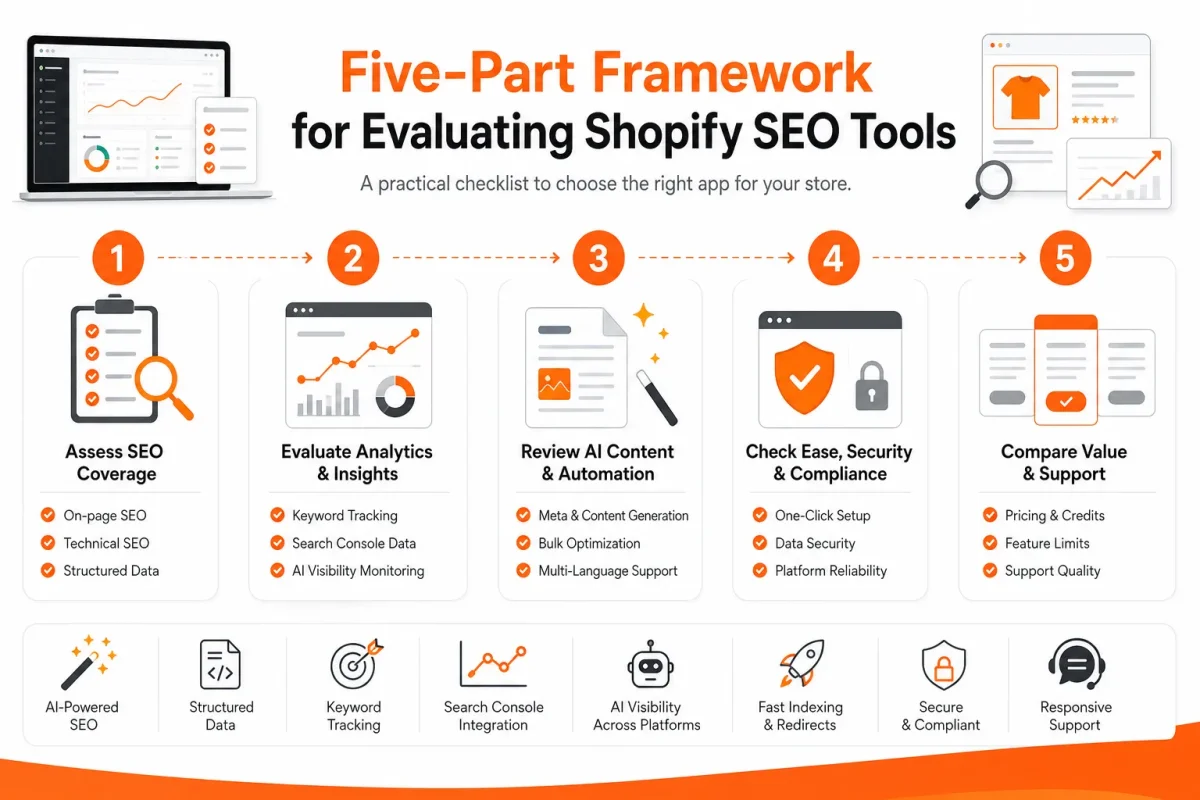
The real choice is scalable automation, measurement, or hands-on control. This comparison shows which option fits your catalog size and goals across Google visibility and the separate challenge of AI-search visibility, using five tests: catalog scale, automation, structured data, image workflows, and Google Search Console insights.
The five tests that matter for a Shopify SEO tool
Before comparing workflows, you'll face a crowded choice. The Shopify App Store lists 1,094 SEO apps, and its category broadly covers alt text, broken links, and meta tags, according to the Shopify App Store SEO category.
Feature counts and pricing badges won't show whether a tool fits your catalog. Test each option for scale, automation, structured data, image work, and Search Console insights.
Catalog scale from one product page to a large Shopify inventory
A strong Shopify SEO tool should handle one product carefully and repeat that work across collections, pages, and blogs. Check whether it supports bulk changes, exclusions, previews, and rollback evidence. A long feature list doesn't prove coverage.
The best SEO strategy for Shopify
The best SEO strategy for Shopify combines technical optimization with keyword research, useful content, internal linking, and authority building. Your app should reduce repetitive work, while your judgment decides which products deserve attention and which topics deserve original coverage.
Shopify describes SEO apps as tools that help improve search traffic through tasks such as image alt text, broken-link fixes, and meta tag creation, according to the Shopify App Store's SEO category guidance.
Automation that reduces repetitive optimization work
Automation earns its place when your rules stay consistent as inventory changes. Check whether you can generate or update meta tags and alt text in batches, review proposed changes, and identify exceptions before publishing.
Weak example: “Blue Shirt | My Store.”
Strong example: “Men's Organic Cotton Blue Oxford Shirt | Northline Apparel.”
Structured data for products, collections, and content
Your tool should help you inspect structured data for product details, availability, prices, collections, and editorial content. Ask for rendered output or validation evidence, not just a promise that schema is included. Inaccurate markup can create a different problem from missing markup.
Software has a firm boundary. EcommerceGold warns that an app alone cannot make your store rank number one on Google, according to EcommerceGold's Shopify SEO app analysis.
Image workflows and Search Console insights
Image workflows should show which files lack descriptive alt text and let you correct them without losing product context. Search Console insights should connect queries, pages, impressions, and clicks to your next action, so you can test improvements instead of guessing.
- Catalog coverage: Confirm products, collections, pages, and blogs are included.
- Change control: Check previews, approval steps, exclusions, and rollback options.
- Structured data: Request validation evidence for each supported page type.
- Image workflow: Verify missing-alt-text detection and useful product descriptions.
- Search evidence: Confirm Google Search Console data leads to page-level decisions.
Practical rule: Choose the tool that proves what changed, where it changed, and what search evidence supports the next change.
Shopify can support SEO, but your app cannot replace editorial judgment or authority work. Keyword research, great content, and backlinks still require more than software, according to EcommerceGold's explanation of Shopify SEO app limits.
“An app alone is not going to make a Shopify store magically rank number one on Google,” according to EcommerceGold's Shopify SEO app analysis.
wRanks for automated optimization across a Shopify catalog
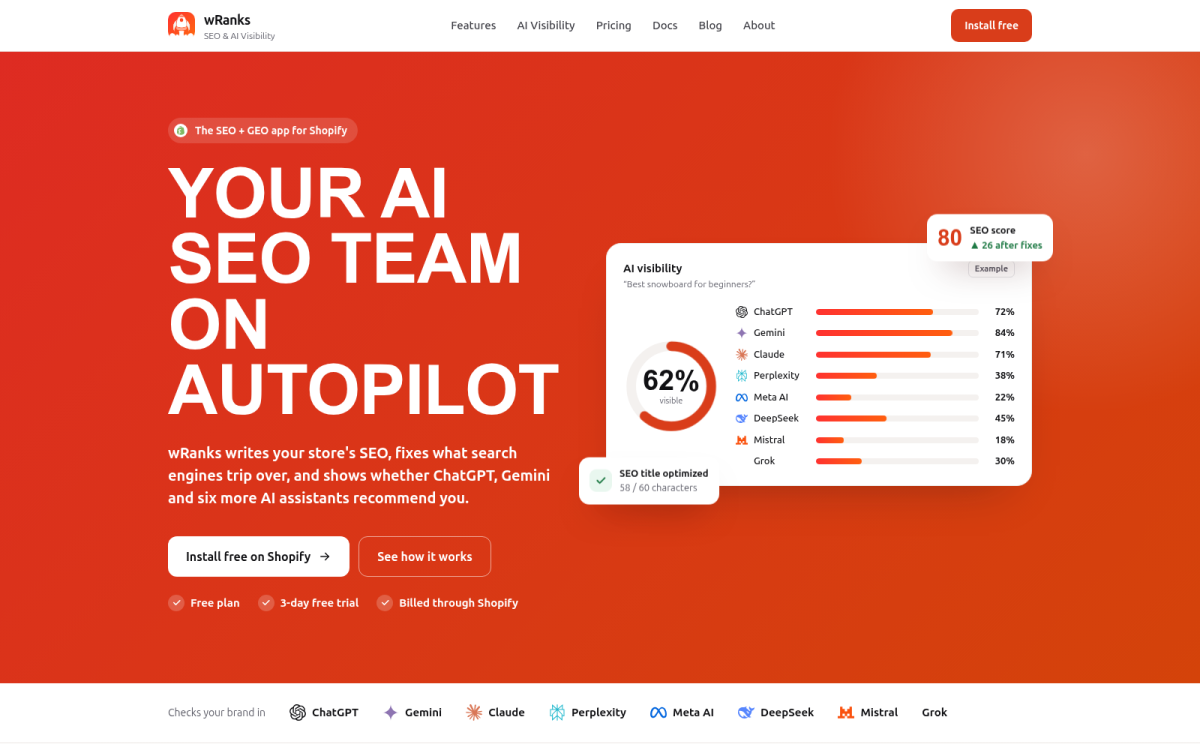
When every product, collection, page, and blog needs attention, wRanks brings those tasks into one connected workflow. You can optimize more than product descriptions and keep related search signals moving in the same direction.
Against the five tests, wRanks works best as a system for optimization and measurement. You still provide judgment, strategy, and authority building. The platform helps you apply decisions consistently and see what happens next.
Catalog scale from one product page to a large Shopify inventory
You can work across Shopify products, collections, pages, and blogs instead of treating each page as an isolated audit. That broader scope matters when a collection targets “women’s waterproof hiking jackets,” while its products and buying guide support the same topic.
A repeatable workflow lets you review a representative group before expanding changes across your catalog. The wRanks platform overview fits this same workflow by explaining how AI-powered SEO supports Shopify content across page types.
Automation that reduces repetitive optimization work
wRanks uses AI-assisted workflows for meta tags, structured data, image alt text, and content generation. You can replace memory-based editing with a review process that applies the same intent across related pages.
Weak version: “Blue Jacket | Store Name.”
Strong version: “Waterproof Women’s Hiking Jacket for Rainy Trails | North Ridge.”
Structured data for products, collections, and content
You can use structured data support to make product details and page meaning clearer to search engines. The value is consistency: your product information, collection context, and supporting content shouldn't contradict one another.
- Product schema: Your title, price, availability, and product details match the page.
- Collection context: Your category pages explain what shoppers will find and why it matters.
- Content support: Your blogs and pages reinforce the topics connected to commercial pages.
Image workflows and Search Console insights
You can use image alt text tools to describe what each image contributes, then connect optimization work with keyword tracking and Google Search Console insights. That connection helps you decide whether a revised collection title or product page deserves another review.
What works
- Connected coverage: You can address products, collections, pages, and blogs in one Shopify workflow.
- Repetitive task relief: You can generate and review meta tags, alt text, structured data, and content faster.
- Performance feedback: You can compare optimization decisions with keyword and Search Console signals.
What fails
- Keyword strategy: You still need to decide which topics deserve priority and why.
- Editorial judgment: You must review AI-generated copy for accuracy, usefulness, and brand fit.
- Authority building: You still need content promotion, digital PR, and backlinks beyond the platform.
wRanks suits stores that need connected Shopify optimization at catalog scale. It organizes the work and measurement, but you remain responsible for the broader SEO strategy.
Google Search Console for performance-led Shopify decisions
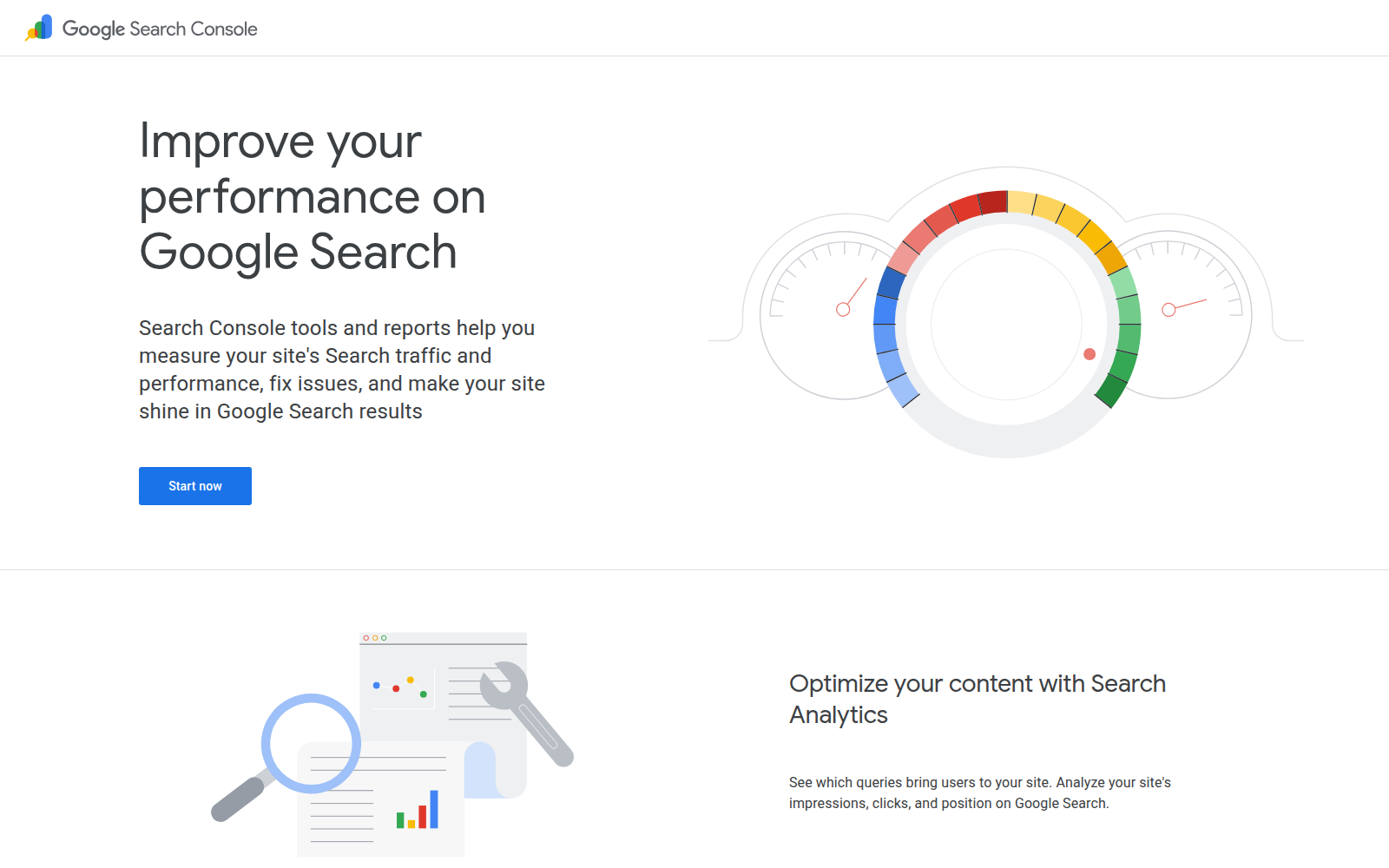
Use Google Search Console after a change to see what your Shopify store actually earned in search. It shows queries, pages, clicks, impressions, indexing signals, and performance patterns, so you can test whether a revised product page is helping or merely consuming time.
That makes it a measurement layer, not a catalog optimization system. You can find the problem, but you'll need another workflow to rewrite meta tags, add structured data, update image alt text, or generate content across many pages.
Catalog scale from one product page to a large Shopify inventory
You can inspect individual URLs and compare groups of pages by query or performance. Google Search Console helps you identify which Shopify products, collections, or blogs deserve attention first, but it doesn't apply those improvements across your inventory.
For example, you might see that “women's waterproof hiking boots” earns impressions but few clicks. That finding guides your next change, rather than making it for you.
Automation that reduces repetitive optimization work
You receive reporting, not broad content automation. EcommerceGold describes Google Search Console as necessary for tracking keyword rankings, indexing errors, and organic search performance, according to EcommerceGold's Shopify SEO app guide.
Before: “Trail boots | Summit Supply” gives you little reason to click or buy.
After: “Waterproof Women's Hiking Boots | Summit Supply” states the search intent clearly, but you must make that edit in Shopify or an optimization platform.
Structured data for products, collections, and content
You can use Search Console to investigate search visibility after structured data changes, but it doesn't provide wRanks-style AI generation, automated meta-tag workflows, or a complete implementation process for product and collection markup. A Shopify Merchants Community result describes SEO Manager as tracking rankings, adding structured data, and providing speed insights, according to the Shopify Merchants Community comparison thread.
Your store therefore needs an execution layer when you want consistent markup across a large catalog. Search Console validates outcomes. It doesn't perform the catalog work.
Image workflows and Search Console insights
You can use performance and indexing data to decide which pages deserve an image review, but you won't get bulk alt-text operations or AI-generated descriptions inside Search Console. wRanks connects those optimization tasks with measurement, although you still need to judge whether generated copy fits your products and brand.
What works
- Diagnosis: You can identify queries, pages, and indexing signals behind organic performance.
- Validation: You can check whether Shopify changes produce better search visibility.
- Prioritization: You can focus your next optimization on pages with clear search demand.
What fails
- Execution: You won't receive bulk meta-tag, alt-text, or content updates.
- Catalog automation: You must handle repetitive changes elsewhere.
- Complete optimization: You won't get wRanks-style AI content generation or full structured-data implementation.
Search Console validation checklist
- Query review: You have recorded the searches bringing impressions to priority pages.
- Page review: You have identified underperforming products, collections, or blogs.
- Indexing check: You have investigated indexing issues before changing page copy.
- Change validation: You have compared performance after each meaningful optimization.
A manual Shopify SEO workflow for hands-on merchants
You can manage Shopify SEO directly through your store, editing titles, descriptions, handles, image alt text, and page content as needed. Separate keyword research and reporting tools help you decide what to change, while Google Search Console shows what happened afterward.
This approach gives you close control over wording and content quality. The trade-off appears when your catalog expands: memory and spreadsheets don't reliably prevent repeated fields, missed updates, or conflicting structured data decisions.

Catalog scale from one product page to a large Shopify inventory
You can apply the same workflow to one product or a large Shopify inventory. For a small, carefully maintained catalog, direct editing may be the clearest option. As products, collections, pages, and blogs multiply, you must repeat the same checks and record each change without built-in coordination.
Weak example: “Blue Running Shoes | Acme Store” gives you little reason to choose the product.
Strong example: “Men’s Blue Running Shoes for Road Training | Acme” gives you clearer subject and buying context.
Automation that reduces repetitive optimization work
You must create, review, and apply each change yourself unless you connect additional tools. That control suits you when editorial judgment matters more than speed, but it also makes omissions easy when several page types require similar updates.
Structured data for products, collections, and content
You can decide which structured data your Shopify theme or custom code should support, then inspect the results separately. This offers precise control, but you must remember each relevant template and confirm that the markup matches the visible page content.
Image workflows and Search Console insights
You can add descriptive alt text during image editing and use separate research tools for keyword decisions. You must then check Search Console independently, compare page performance, and connect those findings to the changes recorded in your spreadsheet.
Review the product title, meta tags, description, images, structured data, and indexing status. Record the change, publish it, and return to Search Console for validation.
What works
- Direct control: You choose the exact wording, page structure, and content standard.
- Flexible coverage: You can work across products, collections, pages, and blogs without changing platforms.
- Quality judgment: You can catch claims, tone, and product details that automation may miss.
What fails
- Repetition: You must repeat similar checks across every relevant template and page.
- Consistency: You can overlook missing alt text, conflicting fields, or stale metadata.
- Separate evidence: You must use Google Search Console separately to verify search performance.
- Catalog review: Every priority product, collection, page, and blog has a recorded SEO check.
- Content alignment: Titles, descriptions, meta tags, and structured data match the visible page.
- Image coverage: Each important image has useful, descriptive alt text.
- Search validation: You have reviewed Search Console after meaningful changes.
- Review cadence: You have scheduled recurring checks instead of relying on memory.
Manual work is a valid operating model when control matters more than automation. You need a documented process and a regular review cadence, especially as your Shopify catalog grows.
What the comparison reveals for Shopify SEO
Ratings and feature counts can still hide the operational gap. Your store needs both execution, such as updating meta tags and image alt text, and measurement, such as checking which pages earn impressions.
EcommerceGold reviews 7 Shopify SEO apps using pricing, features, and ease of use, according to EcommerceGold's Shopify SEO app comparison. That lens helps you shortlist tools, but your decision also depends on who performs each part of the SEO workflow.
The difference is easier to see when the options sit side by side. wRanks combines catalog work with measurement, Google Search Console supplies evidence without editing workflows, and manual control creates more repeated work.
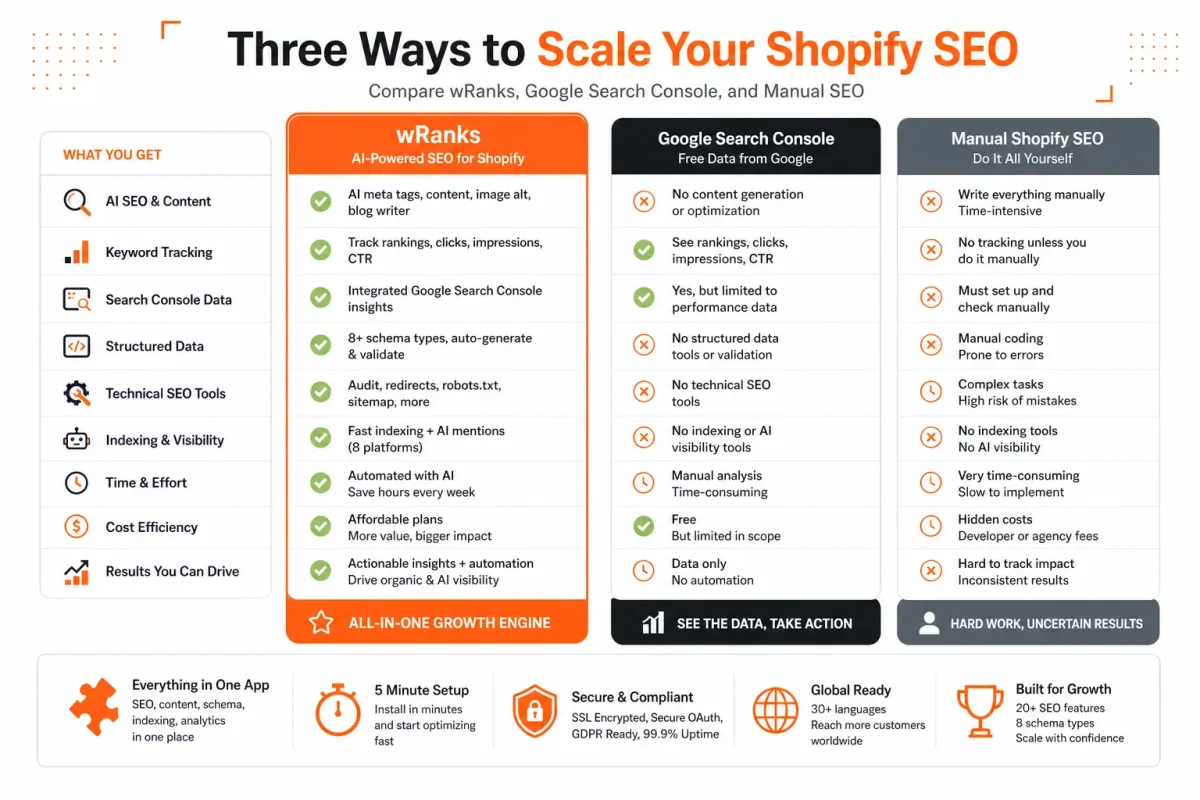
The comparison table
| criterion | contender | edge |
|---|---|---|
| Catalog scale | wRanks covers products, collections, pages, and blogs; Search Console reports across the site; manual work can cover any catalog. | wRanks offers the strongest repeatable catalog workflow. |
| Automation | wRanks provides AI-assisted optimization; Search Console reports; manual work depends on the merchant. | wRanks reduces repeated editing. |
| Structured data and images | wRanks includes structured data and image alt-text workflows; Search Console diagnoses signals; manual work requires implementation and checking. | wRanks connects implementation with workflow. |
| Search Console insights | wRanks integrates Search Console; Search Console is the direct reporting layer; manual work requires separate checking. | Search Console is deepest alone, while wRanks combines it with action. |
Tiny SEO, Speed & Image Optimizer receives a 4.6/5 rating from EcommerceGold, according to EcommerceGold's review of Tiny SEO, Speed & Image Optimizer. That score may help you assess usability, but it can't show whether your store has a repeatable path from finding an issue to fixing and validating it.
How to read the trade-offs
You still supply the judgment behind every option. With wRanks, you choose priorities and review AI-assisted changes. Google Search Console gives you performance evidence, but you must edit products, collections, images, and structured data elsewhere. A manual workflow gives you direct control, yet you must repeat each check as your catalog changes.
The central distinction is execution versus measurement. Search Console tells you where your Shopify store earns visibility; wRanks connects those insights with optimization across products, collections, pages, and blogs. Manual work can cover the same areas in theory, but you carry the scheduling, consistency, and validation burden.
The right Shopify SEO tool for each type of reader
Your best choice depends on what your Shopify store must accomplish next. A growing catalog needs repeatable execution, while a smaller store may value direct editorial control more than automation.
Choose the tool that matches your operating model, not the longest feature list. The right fit reduces missed updates without taking decisions away from you.
| situation | better move |
|---|---|
| You need optimization across products, collections, pages, and blogs. | Use wRanks for AI-assisted metadata, structured data, image alt text, content, keyword tracking, and Search Console integration. |
| You mainly need query, page, indexing, and organic-performance evidence. | Start with Google Search Console and use its findings to prioritize changes. |
| You have a small catalog and want direct control over every edit. | Use a documented manual Shopify workflow, with separate research and Search Console checks. |
| You want the most affordable approach. | Compare software cost with the time and inconsistency risk of repeating the work manually. |
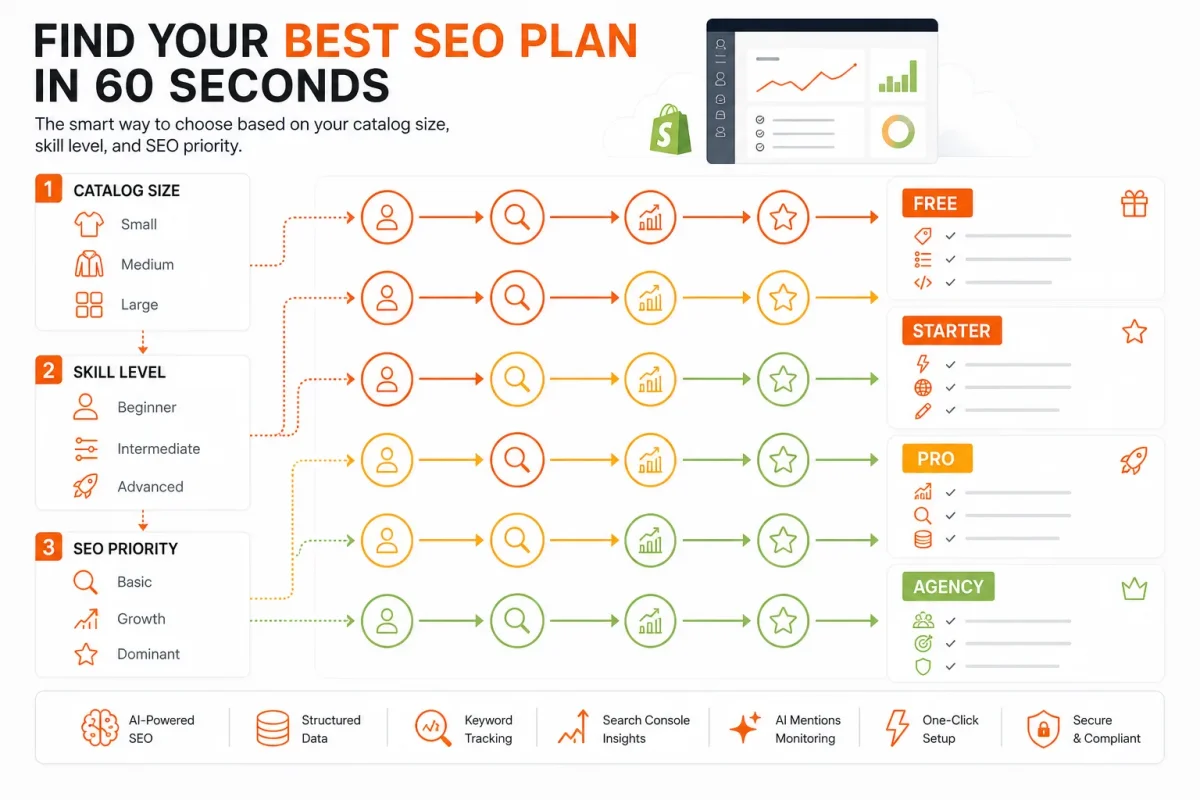
If you manage a growing or large Shopify catalog
Choose wRanks if your catalog needs AI-assisted optimization across products, collections, pages, and blogs. You get meta tags, structured data, image alt text, keyword tracking, and Search Console insights in one workflow, although you still need to review AI-assisted changes.
The strongest Shopify SEO tool for broad execution
wRanks is the strongest fit for Shopify stores that need broad execution, not just reporting. An AI Overview cited by Charle Agency names TinyIMG SEO & Speed Optimizer as the best overall Shopify SEO app for combining image compression, alt text automation, JSON-LD, and indexing features, but that claim doesn't replace checking catalog coverage and workflow fit, according to Charle Agency's Shopify SEO app comparison.
If you need Search Console evidence before changing content
Choose Google Search Console when your immediate priority is measurement, diagnosis, indexing, or query and page evidence. It shows where your store earns visibility, but it doesn't edit your products, images, or structured data.
If you are a beginner who wants guided automation
Choose wRanks if you want guided AI-powered SEO work without building every check yourself. Its store audit documentation fits the workflow when you need to understand what each Shopify SEO check covers.
The better SEO tool for beginners
wRanks is the better beginner choice when you want assistance across several content types. You still approve changes, while the platform helps organize metadata, content, images, structured data, and performance signals.
If you need the most affordable starting point
Choose a manual workflow when your catalog is small and you have time to review every edit. The lowest software cost isn't always the lowest operating cost if repeated work creates omissions.
The most affordable SEO starting point
A manual process may be the most affordable starting point for a small Shopify store. EcommerceGold's AI Overview identifies SEOLab as the best free app, but you should judge any free option by coverage and paywall limits, according to EcommerceGold's Shopify SEO app review.
- Catalog fit: Confirm whether your chosen workflow covers products, collections, pages, and blogs.
- Review control: Make sure you can approve AI-generated content and metadata before publishing.
- Evidence: Check that keyword and Search Console data inform your next changes.
- AI-search coverage: Judge workflow coverage, structured data, and content quality, not an AI-search badge alone.
Answers to wider Shopify SEO tool questions
App ratings, free plans, and AI features only show part of the decision. Your store also needs a clear role for SEO across discovery, content, measurement, and technical maintenance.
The right tool depends on your catalog, skills, and growth stage. You need a process that keeps working after the first optimization, not a short list built around ratings alone.
What are the top 10 SEO tools
There is no universal top ten because your best tools depend on the job you need to complete. You may need Shopify optimization, crawling and diagnostics, keyword research, content production, backlink analysis, analytics, or performance measurement. Tiny SEO Speed Image Optimizer has a 5.0 rating and 2,483 reviews in the Shopify App Store, according to the Shopify App Store SEO category. That visibility doesn't prove it fits your catalog workflow.
What are the most effective SEO tools for 2026
The most effective setup combines optimization, measurement, useful content, technical hygiene, and authority work. Match each tool to a defined task rather than collecting overlapping dashboards. wRanks addresses the Shopify optimization and measurement layer through meta tags, structured data, image alt text, keyword tracking, and Google Search Console insights. Your results still depend on implementation and content quality.
Is SEO still worth it in 2026
SEO remains worthwhile when you need durable discoverability across Google and AI-search experiences. Organic visibility can help shoppers find product pages, collections, and helpful content without relying on one paid channel. No tool guarantees rankings, so your store still needs accurate information, useful pages, technical care, and regular review of how search behavior changes.
Can I do SEO myself
Yes, you can manage SEO yourself if you follow a documented process and understand what each change is meant to improve. You can begin with page targets, search intent, metadata, internal links, structured data, image alt text, and Search Console review. Tools reduce repetitive work, but they don't replace your strategy, product knowledge, or judgment. For terminology, the Shopify glossary of SEO and store terms fits the same learning workflow.
Start with one measurable Shopify SEO workflow
When every product, collection, and blog competes for attention, start with a small test. Record the starting state, apply consistent changes, and use the results to choose the next step.
The best Shopify SEO tool is the one that turns repeatable optimization into a measurable process. You don't need a perfect catalog-wide plan today. You need one controlled workflow you can inspect.
1. Choose one catalog segment
- Define the segment: Choose one related product group and its collection, then write down the search intent your customer brings to each page.
- Choose the operating model: Decide whether you'll edit manually, use automation, or combine both. For a growing catalog, wRanks offers a practical automated option, although you still approve the strategy and product language.
2. Set the optimization baseline
- Record the starting state: Save the current product title, meta tags, collection copy, image alt text, structured data status, and review date before changing anything.
3. Apply and verify the changes
- Optimize representative pages: Start with one product and its collection through the wRanks catalog optimization page, then review the suggested changes for search intent, clarity, and brand accuracy.
- Check technical coverage: Confirm that metadata, structured data, and image alt text match the visible page and describe the right product.
- Connect measurement: Connect Google Search Console so you can compare queries, pages, indexing signals, and performance after the changes.
- Product ready: Your chosen product has reviewed metadata, useful copy, accurate structured data, and descriptive image alt text.
- Collection ready: Your collection targets a distinct intent and supports the products it contains.
- Baseline saved: You have recorded the original state, changes, and date for a consistent comparison.
4. Expand from evidence
- Review before scaling: Check query and page performance, indexing signals, and page-level changes before selecting the next batch. Treat the result as evidence for your workflow, not a guaranteed ranking forecast.
That first product-and-collection test gives you a repeatable standard. If it produces clear improvements in process quality and measurable search signals, apply the same method to the next catalog segment. Start small, then let evidence set the pace.
If you want a faster way to run this pilot, wRanks optimizes Shopify products, collections, pages, and blogs with AI-powered SEO, meta tags, structured data, image alt text, and Search Console insights for growing stores. You can find practical guidance in the wRanks SEO blog.

Technical SEO engineer focused on structured data, indexing optimization, and Core Web Vitals. David turns complex technical requirements into actionable Shopify solutions.


