How to Test Shopify FAQ Schema
Discover how to test Shopify FAQ schema to ensure your FAQ content matches structured data and passes Google's validation for SEO benefits. You publish
You publish clear FAQ content on a Shopify product, collection, blog, or page, then wonder whether Google can read the same information. When you test Shopify FAQ schema, start with the published page. The questions may look right on the storefront while the structured data is missing, duplicated by an app, or stale after a theme change.
Most Shopify merchants don't have a schema-creation problem. They have a verification problem. A reliable check begins with the live URL, not assumptions inside Shopify's editor.
This guide follows that sequence without requiring a paid SEO platform. You'll check visible FAQ content, test the live URL, validate the markup, and identify the first mismatch. The guide to what FAQ schema markup means provides background. This workflow focuses on verification.
You'll also separate technical validity from Google's decision to show an FAQ rich result. wRanks can monitor structured data across your products, collections, pages, and blogs, but Google's own testing tools still matter. The aim is a controlled process that shows what each result means and where your Shopify implementation needs attention.
Test FAQ Schema Before Treating It as an SEO Improvement
You can publish a useful FAQ on a Shopify product, collection, blog, or page and still have structured data that is missing, incomplete, or tied to the wrong content. Your storefront may show one thing while Google's crawler reads another.
Testing separates three outcomes: visible FAQ content, technically valid markup, and a possible search enhancement. Those outcomes overlap, but none guarantees the next one.
Can FAQ schema still work
Yes, FAQ schema can still describe eligible content, but valid markup doesn't guarantee an FAQ rich result or higher rankings for your Shopify store. Neil Patel reported that Google significantly reduced FAQ rich result displays in standard search results.
“Google significantly reduced FAQ rich result displays in standard search results,” according to Neil Patel.
That change makes testing a quality check, not a promise of extra search visibility. Confirm that your published FAQ matches its structured data, then treat any Google feature as discretionary. If you're building the visible questions first, this ecommerce product FAQ template for Shopify fits the same content workflow.
How do you decide whether testing was worthwhile
Testing is useful when it catches a broken connection before Google recrawls your page. Run the check after theme edits, app installations, FAQ updates, or template changes. Fix the earliest error before adding more markup.
Practical rule: Test the published Shopify page after every theme, app, content, or template change, and repair the first failure before adding more code.
Follow four steps: confirm what visitors see, test the live URL, validate the markup, and trace the first mismatch. wRanks can monitor structured data across your Shopify content, but its AI-powered SEO reports can't replace checking the published page in Google's own tools.
Test the Published Shopify Page in Four Controlled Steps
Start with the page shoppers actually read, not code copied from a theme file. Confirm that each question and answer is visible, current, and attached to the correct product, collection, blog, or page template. For a wider check of your store's markup, review this guide to testing Shopify FAQ schema.
Run the checks in order. That sequence shows whether the problem is the content, the live URL, the JSON-LD structure, or a mismatch between the page and its markup.
-
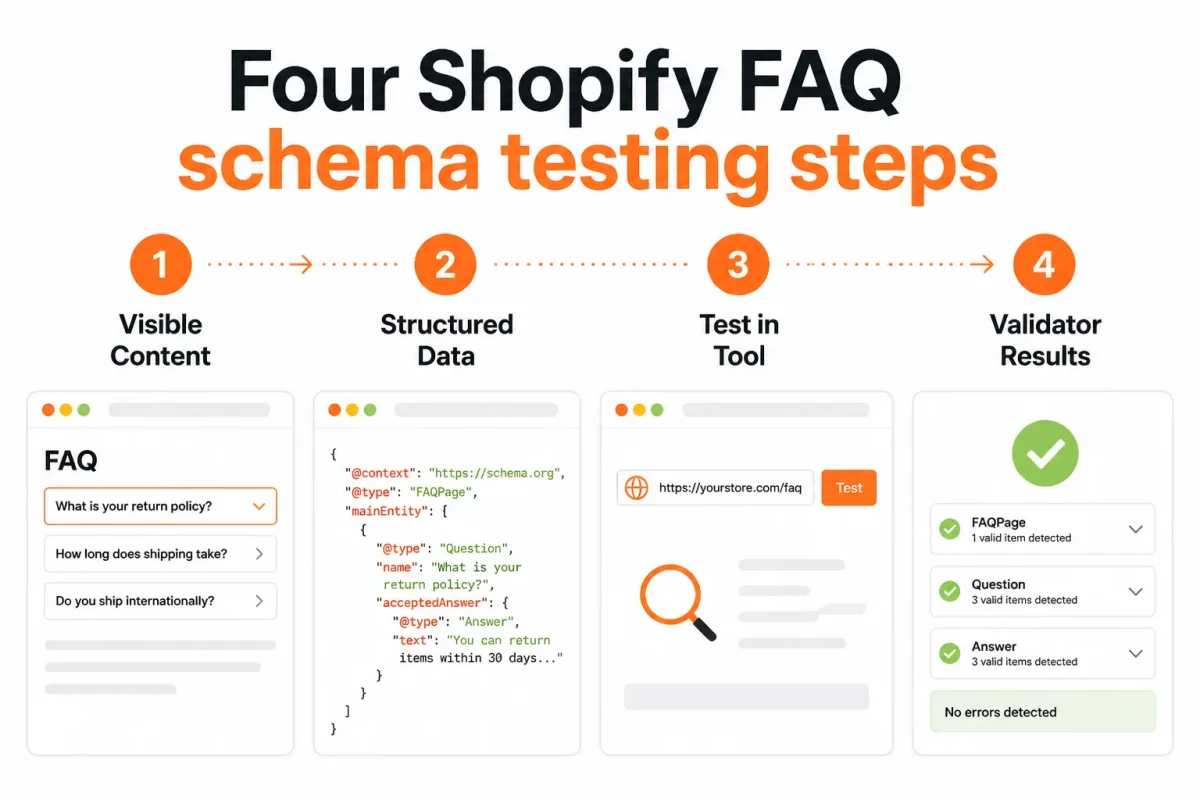
Four steps to test Shopify FAQ schema Checking for FAQ schema
Check the published page first, then test its live URL in Google Rich Results Test. Confirm that every FAQ question has a readable answer on the page, then copy the canonical URL rather than a Shopify theme preview address. Google's Rich Results Test accepts a published URL or raw JSON-LD.
- Visible questions: Every marked-up question appears on the storefront.
- Visible answers: Each answer is expanded, readable, and current.
- Correct template: The FAQ belongs to the product, collection, blog, or page you're testing.
-
Adding FAQ content to Shopify
Paste the live Shopify URL into Rich Results Test and run the scan. A successful result detects FAQ structured data without critical errors. If nothing appears, inspect the rendered source and search for FAQPage, Question, or acceptedAnswer. The markup may come from your theme, a custom Liquid section, or an SEO app.
Don't assume the app created valid markup simply because its FAQ block appears. Check which source inserted it, especially after installing apps or changing templates.
-
Writing useful FAQ questions
Write questions from real customer concerns, then give each one a direct answer that matches the visible page. Use Schema Markup Validator after Rich Results Test to inspect broader JSON-LD syntax, duplicate entities, and properties that may not qualify for a Google feature.
Weak: “Is the Alpine Trail Jacket good?” Answer: “Yes, it is a great jacket.”
Strong: “Does the Alpine Trail Jacket fit true to size?” Answer: “Yes. The Alpine Trail Jacket fits true to size, and the size chart lists chest measurements from 36 to 48 inches.”
-
Choosing the number of FAQs
Include only as many FAQs as genuinely help someone decide or use the product. There is no useful fixed target, so remove padded questions that repeat the product description or add no customer value.
Compare every structured-data question and answer with the live page, delete mismatches, and retest both tools. If your store has many templates, wRanks can monitor structured data while you review individual URLs manually. Its reports won't replace Google's live-page testing.
Fix the Failure Where the Markup Stops Matching the Page
Your Shopify test can show valid markup while shoppers see outdated, hidden, or incomplete answers. Compare the page, theme output, and app output before treating a green result as finished work.
The first fix belongs where the page and structured data diverge. A validator can confirm syntax, but only you can confirm that the FAQ is useful, visible, and accurate for your current offer.
What a good FAQ includes
A good FAQ gives shoppers visible answers to genuine questions about your product, shipping terms, returns, limitations, or buying process. Keep each answer concise and current.
Weak example: “Is it good?”
Strong example: “Does the Alpine Merino Sweater shrink after washing?” Answer: “Wash it in cold water and lay it flat to dry. The merino blend is designed to retain its shape when cared for as directed.”
Keep the same question and answer in the visible FAQ and FAQPage markup. If your answer changes, update the authoritative source first, then test the published URL again.
Designing an FAQ page
Design your FAQ page with a clear heading, scannable question-and-answer blocks, and a mobile-friendly layout. Maintain one authoritative source instead of writing separate answers in a theme section, an app, and JSON-LD.
Before installing another schema tool, inspect your Shopify theme code, relevant snippets, and app settings for existing FAQPage output. wRanks can help you monitor structured data across Shopify stores, but its reports don't replace checking the live page or resolving conflicting sources.
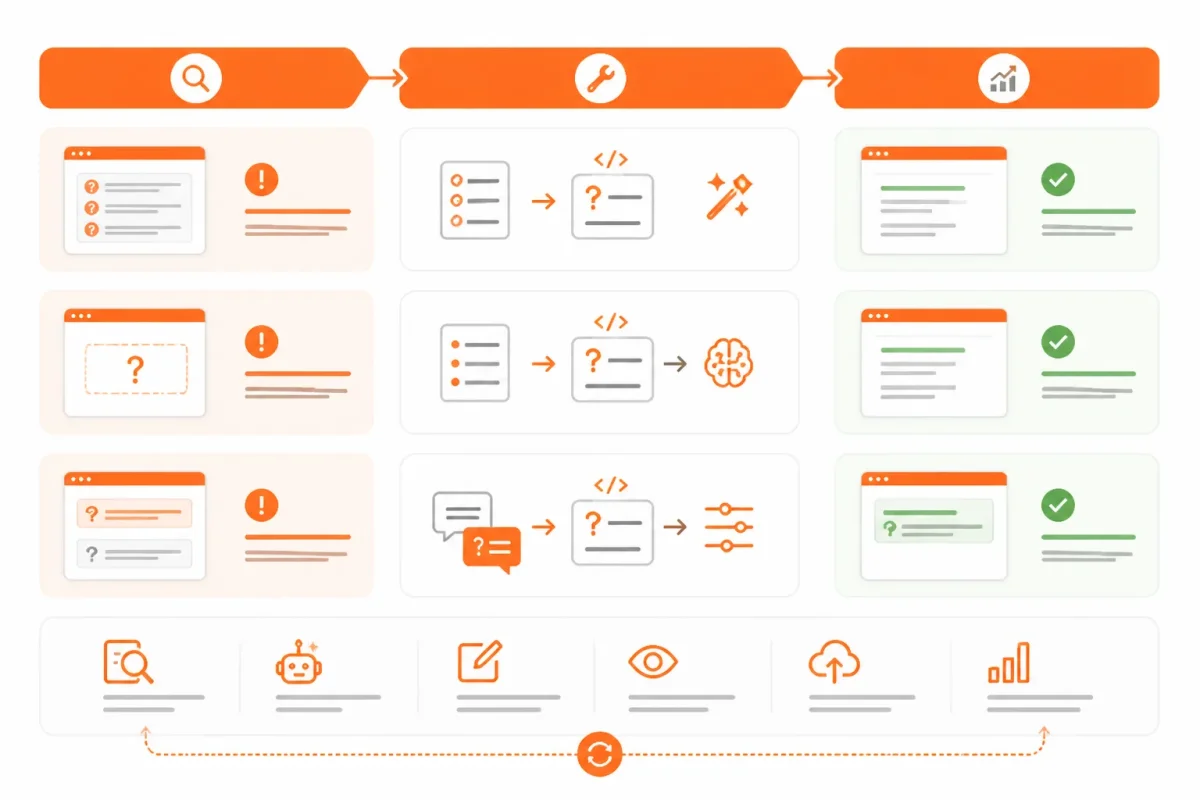
Match the symptom to the first fix
| symptom | likely cause | first fix |
|---|---|---|
| Two FAQPage entities or repeated questions appear in the test | A theme section and a schema app both inject FAQ markup | Identify the source of each JSON-LD block and keep one authoritative implementation |
| The validator shows an old answer that shoppers no longer see | A theme template, snippet, or cached app output contains stale content | Update or remove the stale source, then retest the published URL |
| Structured data contains questions hidden from shoppers | Markup was added independently of the visible FAQ section | Make the same questions and answers visible on the page or remove them from the markup |
| The test finds no FAQ markup | The test used a theme preview, unpublished page, or template that does not render the FAQ | Publish the content and test the exact live URL |
Run the test again after each fix, using the published URL. This helps you find whether the failure sits in your content, theme, app, or testing address.
Questions Shopify Merchants Ask After Running the Test
A passing test tells you that a tool can read your markup, not that Google will show a rich result for your Shopify store. Compare the published page, rendered HTML, structured data, and search performance before deciding whether your FAQ setup is working.
The SEO value of FAQs
FAQs can support SEO by improving usability and helping search systems interpret your page content, but FAQ schema isn't a ranking promise. Your questions and answers must remain useful, visible, and accurate. Google may also choose not to display an FAQ rich result, even when your Shopify page passes validation.
Checking whether schema works
Check your live URL in Google's Rich Results Test, compare the visible FAQ with the rendered HTML, and inspect the JSON-LD in Schema Markup Validator. You can also monitor changes after deployment in Google Search Console. wRanks can help you monitor structured data alongside other SEO issues, but no platform can guarantee a rich result.
Testing Shopify FAQ schema markup
Paste the JSON-LD into the code-testing input to check whether the markup is syntactically valid and complete. Then test the published Shopify URL separately. A valid snippet may differ from the live page, fail to load through the theme, or be replaced by an app after deployment.
Shopify FAQ schema discussions on Reddit
Reddit discussions can reveal recurring problems with a Shopify theme, FAQ app, or duplicate markup, but personal results aren't Google policy. Use those reports as troubleshooting clues, then verify the issue with Google's current testing tools, your rendered page, and official documentation. Your store's result may differ from another merchant's setup.
Start With One Live URL and Follow the Same Test Order
A repeatable test keeps you from auditing your entire Shopify store after one theme or app change. Start with a single published page, verify what shoppers see, and trace each result back to the markup Google reads.
Use the same order each time. You'll know whether the issue sits in the visible FAQ, the generated structured data, or the published page itself. Valid structured data still doesn't guarantee a Google search appearance.
The five-step testing sequence
- Open one live URL: Choose one published Shopify product, collection, blog, or page that contains an FAQ. Use the exact URL shoppers visit, not a theme preview or copied code sample.
- Confirm the visible FAQ: Check that you can see every question and its current answer on the page. Remove any answer that no longer matches your customer-facing content.
- Run the URL through Rich Results Test: Enter the published URL in Google's Rich Results Test and review whether Google can read the FAQ markup.
- Inspect the markup: Check the same page in Schema Markup Validator to identify incomplete properties, duplicate output, or markup that differs from the visible FAQ.
- Fix and retest: Correct the first mismatch or error, then run the exact live URL through both tools again after any theme or app change.
Start with one published FAQ page
Pick the page most likely to change, such as a product with a recently edited shipping answer. wRanks can monitor structured data while you optimize related products, collections, pages, and blogs, but you can complete this basic test without any platform.
- Live page: You have opened one published Shopify URL rather than a preview.
- Visible content: You have confirmed that each FAQ question and answer appears on the page.
- Google test: You have run the exact URL through Google Rich Results Test.
- Markup review: You have inspected the rendered structured data in Schema Markup Validator.
- Retest: You have fixed the first mismatch or error and tested again after saving the change.
If you want a faster way to do this, wRanks monitors structured data and helps optimize products, collections, pages, and blogs for Shopify stores. Its AI-powered SEO resources for Shopify stores support practical workflows for merchants who want an optional platform alongside manual testing.

Technical SEO engineer focused on structured data, indexing optimization, and Core Web Vitals. David turns complex technical requirements into actionable Shopify solutions.


