How to Find Shopify Keyword Opportunities
Discover how to find Shopify keyword opportunities by leveraging Google Search Console data and optimizing existing pages for higher traffic and sales.
You publish a new product, build a collection, and queue another blog post before lunch. Weeks later, you check Shopify analytics and still don't know whether those pages match what people search for. If you're learning how to find Shopify keyword opportunities, start with the queries already bringing impressions to your store. Some pages get visibility but few clicks. Others attract traffic without reaching shoppers ready to buy.
Most Shopify merchants don't have a keyword-idea problem. They have an opportunity-detection problem. Useful clues already sit in Google Search Console: queries, impressions, product gaps, collection gaps, and page-level intent. Search engines help shoppers discover brands, so your next target should come from evidence rather than another generic brainstorming session.
A repeatable process maps promising queries to existing or new pages, then tracks what changes. You'll finish with a short queue of Shopify pages worth improving, while wRanks helps monitor terms and optimize relevant content for search engines and AI platforms. It won't replace your judgment about customer intent, but it can bring the signals into one working view.
Why Existing Shopify Demand Is More Valuable Than a Giant Keyword List
A long keyword list can make your Shopify marketing feel productive while hiding the pages already close to earning more clicks. Your impressions show where Google has started testing your products, collections, and blog content. Those queries offer a more practical starting point than untested volume estimates. For a practical page-level process, see our Shopify SEO guide.
Organic search drives 33% of website traffic across seven key industries, including retail, according to Conductor. For your store, ignoring existing demand can mean spending weeks chasing broad terms while qualified shoppers already see your pages.
Shopify's value in 2026
Yes, Shopify is still worth using in 2026 when you treat it as a measurable SEO workflow, not a ranking shortcut. You can improve existing pages, track query movement, and act on Search Console evidence without changing platforms.
Shopify recommends choosing terms that describe your specific products and business while receiving regular searches, according to Shopify documentation. A broad tool may show volume and difficulty, but your page-level queue shows which terms already connect your store with searchers.
SEO on Shopify
Yes, you can do SEO on Shopify by identifying the language customers use and applying it naturally to relevant store content, according to Shopify documentation. Shopify supports the work, but the platform or a repeated keyword cannot guarantee rankings.
Before: "Premium bottles for active lifestyles."
After: "Insulated stainless steel water bottles for hiking and travel."
Impressions and buying intent
Start with queries that have impressions and a clear product or collection match. A query such as "women's waterproof hiking boots" may deserve attention before "hiking boots" if your page already appears and the shopper is closer to buying.
Practical rule: Improve the page already earning relevant impressions before creating a new page for a broader keyword.
Export your Google Search Console queries, then sort promising terms into product, collection, or new-page decisions. wRanks brings keyword tracking and Search Console insights into one view, while its AI-powered SEO tools help optimize relevant content for search engines and AI platforms.
Turn Search Console Queries Into a Prioritized Shopify Opportunity Queue
Search evidence inside Google Search Console is only useful when it leads to a page decision. For a US store selling insulated water bottles, a query for "32 oz insulated water bottle" and one for "insulated water bottles" may need different destinations.
Use volume and difficulty as context, but let impressions, position, relevance, and commercial fit set the priority. wRanks brings those Search Console insights and chosen keyword tracking into one place while helping you optimize products, collections, pages, and blogs.
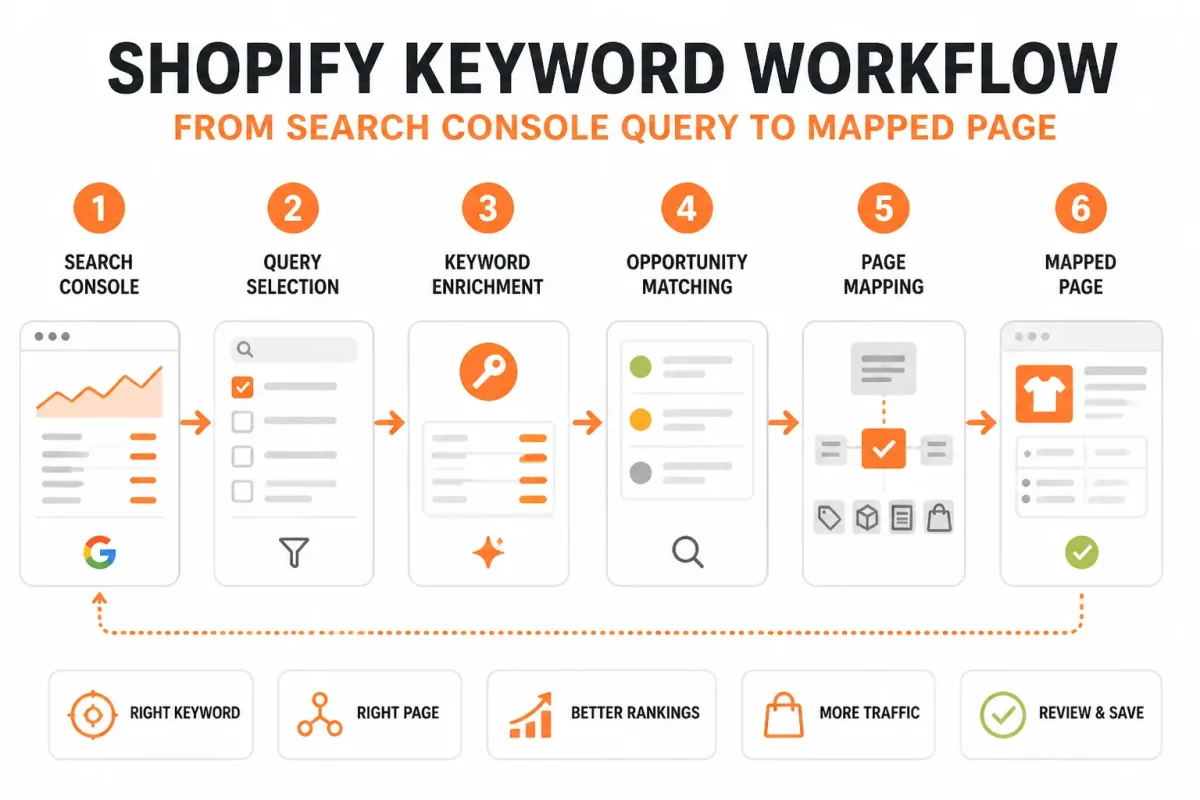
Pull queries and pages from Google Search Console
Export the selected performance window with queries, landing pages, impressions, clicks, and average position. Then group each query by the page receiving visibility. Monthly search volume means the number of searches for a term during the past month, according to Shopify's keyword research guidance. Use that context without ignoring the demand your store already earns.
Separate product, collection, blog, and missing-page opportunities
Mark specific product searches, category searches, informational searches, and queries with no suitable destination. Product queries such as "32 oz stainless steel water bottle" usually need a product page. "Insulated water bottles" usually fits a collection, while "how to clean an insulated water bottle" may fit a blog.
Weak mapping: "32 oz insulated water bottle" assigned to the broad "Drinkware" collection.
Strong mapping: "32 oz insulated water bottle" assigned to the "TrailPeak 32 oz Stainless Insulated Bottle" product page.
Validate intent before choosing the target page
Check the live results and ask what you would expect to find: informational answers, navigational destinations, commercial comparisons, or transactional products. Shopify identifies four keyword intent categories, according to its keyword guidance: informational, navigational, commercial, and transactional. Your page should match the dominant result type, not merely contain the phrase.
Adding keywords to Shopify
Add each chosen keyword to the Shopify page that best satisfies its intent, using natural product copy, collection text, headings, and relevant meta tags. A setting such as target keyword "32 oz insulated water bottle" should support the product page, not create a duplicate collection.
Meta keywords in Shopify
You don't need a meta keywords field for this workflow. Assign the term to the page's visible content and relevant meta tags, then track whether impressions and position improve in wRanks.
Score, map, and track the next pages to improve
Score relevance, impressions, position, and commercial fit from low to high, then fix the highest-value page first. Shopify explains that keyword difficulty reflects competing content and site strength, while keyword tools can show demand and difficulty, according to its keyword research guidance. Use those measures as supporting evidence, not your sole decision.
| priority | what to check | why |
|---|---|---|
| High | Relevant query with strong impressions, position 8-25, and a matching product or collection page | A focused page improvement may move an already visible page toward page one |
| High | Repeated product-intent queries landing on a broad collection or unrelated page | The store may need a dedicated product page or a clearer page-to-query match |
| Medium | Collection-intent query with impressions but no suitable collection page | A focused collection can capture category-level commercial demand |
| Low | Informational query with impressions but no useful product or educational destination | It may require a blog or guide rather than a transactional page |
Track the selected terms in wRanks after each focused change, and compare the page's impressions, clicks, and position over time. If a collection needs field changes, this guide to editing Shopify collection SEO fields fits the same workflow.
Fix the Shopify Keyword Workflow Where Merchants Usually Lose the Opportunity
Opportunity loss usually comes from poor page assignment or weak data interpretation, not a lack of keyword volume. When you treat every impression as a new-page signal, you can split demand across thin or competing Shopify pages.
Shopify notes that higher-traffic terms often bring stronger competition, while readable keyword phrases help customers and search engines understand your content, according to Shopify's keyword guidance. The answer is better decision-making, not more keyword repetition.
| symptom | likely cause | first fix |
|---|---|---|
| Every query with impressions is treated as a reason to create a new page | Impressions are being mistaken for proof that a separate page is needed | Compare the query with the current landing page and improve or retarget the existing page when intent matches |
| A product-specific query is assigned to a broad collection | The page type does not match transactional intent | Map the query to the relevant product page or create a product page only when the assortment supports it |
| A sales page targets a query whose SERP is dominated by guides and explanations | Informational intent was not validated in the live results | Use a helpful blog or guide and link naturally to relevant products |
| The merchant adds meta keywords or repeats phrases unnaturally | Keyword placement is being treated as a ranking shortcut | Rewrite visible copy in clear, natural language and track the page's actual query and position changes |
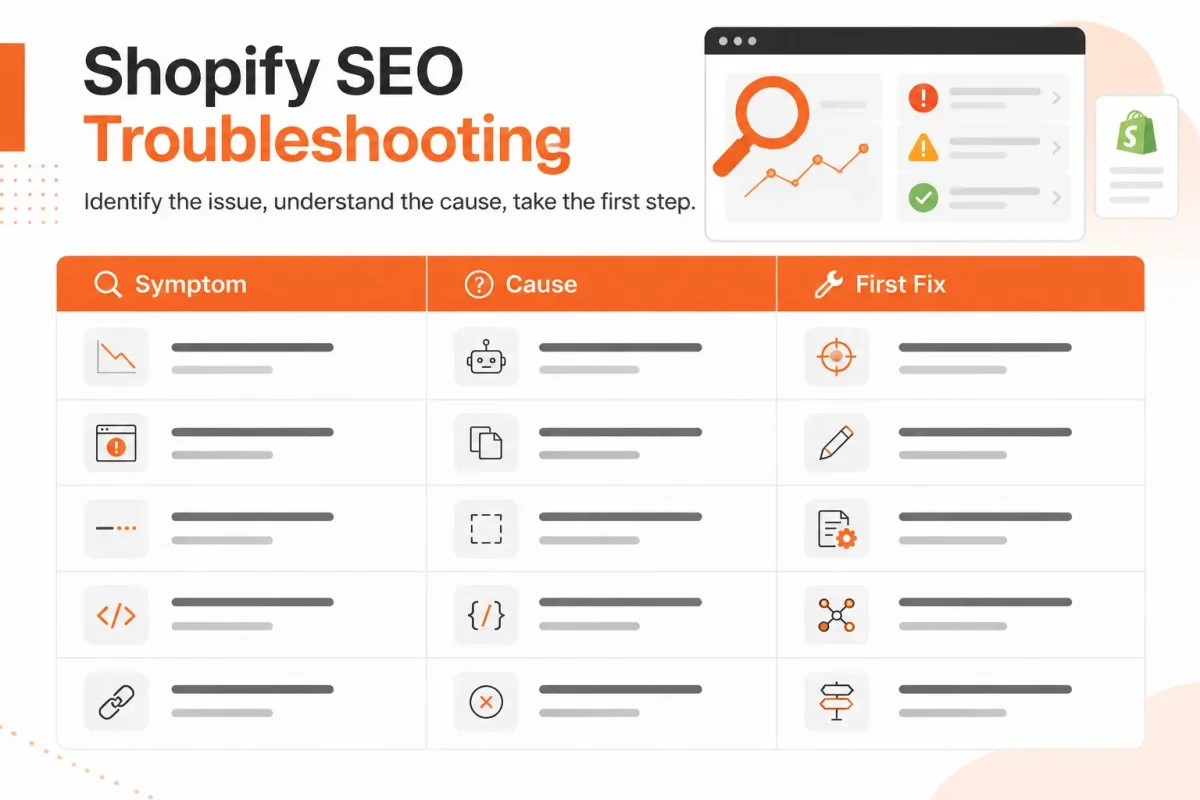
When impressions rise but clicks stay flat
Compare the query with the page Google already shows before creating anything new. A product such as "Northstar 32 oz Insulated Bottle" may earn impressions for "stainless steel water bottle," yet the first fix could be clearer page language and stronger intent alignment. wRanks helps you track that page's queries, impressions, clicks, and position after optimization.
When a product page ranks for a collection query
A product page ranking for "women's waterproof hiking boots" signals a page-type mismatch when the search results favor category pages. Move the broader term to a focused collection, while keeping "Northstar Women's Waterproof Hiking Boot" on the product page.
When several Shopify pages compete for the same term
Assign one primary page to the query before editing several URLs. Shopify's templates, app interactions, and page types can slow coordinated changes, but that constraint isn't a reason to abandon SEO. Use wRanks to identify the strongest existing URL, optimize it, and redirect supporting content toward that page with natural internal links.
When the store owner adds hidden meta keywords
Hidden meta keywords don't replace useful, visible copy. Focus on readable page language, helpful content, and the query changes you can measure in Google Search Console.
Weak: "blue running shoes, running shoes blue, best blue running shoes, blue sneakers."
Strong: "Shop lightweight blue running shoes with cushioned support for daily training and weekend races."
Shopify recommends natural phrases instead of random keyword lists and suggests keeping page titles at 60 characters or fewer and meta descriptions near 160 characters, according to Shopify's SEO field guidance. wRanks can help optimize those fields without turning your copy into keyword stuffing.
Questions to Resolve Before Expanding Your Shopify Keyword Plan
Products that sell well on Shopify
Products that solve a clear problem, encourage replenishment, make practical gifts, or offer a distinct benefit often give you stronger starting points, but no category guarantees sales. Separate product-market demand from keyword opportunity research. Commercial keywords help you compare products before buying, while transactional terms signal stronger purchase intent, according to Shopify's keyword guidance.
Choosing an SEO tool for Shopify
The best tool depends on the workflow you need to run. If you want Shopify page optimization, keyword tracking, Google Search Console insights, and visibility across search and AI platforms, wRanks combines those tasks in one AI-powered SEO platform. You can also compare tools by their integration depth, automation, reporting, and control. Shopify notes that Google Keyword Planner is free with a Google Ads account, while its forecasting tools show search volume and average ad costs, according to Shopify's keyword research guide and Google Keyword Planner documentation.
What ChatGPT can do for a Shopify store
ChatGPT can help you plan collections, draft product copy, structure workflows, and generate ideas, but it cannot independently operate your business or guarantee a successful Shopify store. You still need to configure Shopify, select products, manage suppliers, review claims, handle payments, and serve customers. Use AI to speed up decisions, then validate each page against your customers and search data.
Shopify's biggest competitors
Shopify competes with platforms such as WooCommerce, BigCommerce, Wix, Squarespace, and Adobe Commerce. Compare transaction costs, hosting control, app availability, international selling, and catalog complexity before switching platforms. For most Shopify merchants, changing platforms won't fix weak keyword targeting or poor page relevance. Your store platform and your SEO workflow solve different problems.
Reaching $10,000 a month on Shopify
You can reach $10,000 in monthly revenue on Shopify, but revenue isn't the same as profit and no platform can promise that result. Your calculation depends on traffic, conversion rate, average order value, product margin, advertising costs, refunds, and operating expenses. Start with a target model, then use keyword tracking and Search Console data to test whether organic demand can support it.
Adding a Facebook meta tag to Shopify
Facebook sharing uses social meta tags, not keyword research. Check the page's Open Graph title, description, image, and URL, then test how the shared link appears. Weak: "Shop summer dresses." Strong: "Linen Summer Dresses for Weddings and Weekend Trips | Willow & Thread." wRanks can help optimize SEO fields, but social previews remain a separate sharing concern.
Start With One High-Impression Shopify Page Today
Your next SEO improvement doesn't need another spreadsheet or a new content brief. You need one relevant query, one Shopify page, and a change small enough to measure.
Difficulty can help you judge how crowded results are. Shopify explains that a low difficulty score may indicate less content focused on a term, while a high score suggests stronger competition, according to Shopify's keyword research guidance. Relevance and page fit still come first.
1. Export the opportunity list
Pull your most recent useful Google Search Console performance window. Filter for queries with meaningful impressions and average positions from 8 through 25, then keep only terms that match your products, collections, or customer questions.
- Query: Record the exact search phrase.
- Page: Keep the Shopify URL already receiving impressions.
- Signal: Note impressions, clicks, and average position.
2. Choose one page-two query
Choose the highest-impression query that fits an existing product or collection page. Classify its intent as product, collection, or informational. Don't choose a broad term simply because it has more impressions.
3. Map and optimize the page
Assign the query to one page only. Make the smallest relevant improvement: clarify visible wording, strengthen the destination, or align the page with the searcher's intent. Keep titles and descriptions readable. A meta description of about 160 characters is a practical constraint, not a reason to repeat the keyword.
4. Track the change in wRanks
Add the selected term to wRanks tracking, then record the page and the date of your edit. wRanks also brings Search Console insights and SEO optimization into the same workflow, so you can compare movement without changing several variables at once.
- Pull: Export the latest useful Search Console query data.
- Filter: Keep relevant queries with positions from 8 to 25.
- Classify: Mark each surviving query as product, collection, or informational intent.
- Assign: Map one query to one existing or new page.
- Optimize: Make one narrow, relevant page improvement.
- Measure: Add the term to wRanks tracking and watch the page over time.
If you want a faster way to track Shopify keyword opportunities, wRanks provides Search Console insights, keyword tracking, and AI-powered SEO optimization for your products, collections, pages, and blogs. Explore the Shopify SEO guides and practical workflows for the next measurable step.

Content marketing expert and Shopify ecosystem authority. Priya has helped 200+ stores grow organic traffic through strategic blog content and keyword targeting.


