How Much Is Shopify Per Month?
Discover how much Shopify costs per month beyond the subscription, including payment fees, apps, themes, and SEO expenses for a realistic budget.
You open Shopify’s pricing page expecting one clear monthly number. Then you add payment processing, apps, a domain, a theme, and perhaps a POS service, while your first marketing bill is already waiting. You wanted a clear answer to “how much is Shopify per month.” Instead, you’re estimating an operating budget.
Most Shopify sellers don’t have a pricing problem. They have a total-cost problem. The subscription is the predictable base charge, while sales volume and store complexity add variable costs around it. SEO also costs something, whether you provide the staff time, hire an agency, or use automation to optimize products, collections, and blogs.
The useful answer includes the plan, payment charges, third-party transaction fees, apps, themes, domains, advertising, and content production. This guide covers those costs in US dollars with a plan comparison, a $100 order example, a realistic monthly budget, and a five-number launch checklist.
The monthly plan is only the starting point of your store budget
A $39 line on your spreadsheet can look reassuring until your store processes orders, adds apps, and needs better product merchandising. If you budget only for the subscription, you may understate what your Shopify store requires to sell and attract organic traffic.
The commonly cited US reference point is $39 per month for Shopify Basic when billed monthly. Shopify’s current pricing view also shows Basic at €27 per month and Grow at €79 per month under annual billing, according to Shopify’s pricing page. Those euro figures are not US prices. Verify the live Shopify US pricing page before committing because plans, promotions, regional pricing, and billing terms can change.

Shopify’s monthly subscription cost
Shopify costs about $39 per month at the commonly cited Basic monthly reference point, but that figure covers the subscription only. Your actual monthly budget may also include payment processing, a domain, a paid theme, apps, advertising, and time or software for SEO.
Shopify lists the Basic plan at €27 per month under its “Pay yearly” pricing view, according to Shopify’s pricing page.
That distinction answers the question without treating a plan price as a complete operating cost. Your payment method and sales volume can change variable fees, while your merchandising needs can add apps or design work.
Why Shopify costs about $40 a month
Shopify is often described as roughly $40 a month because Basic’s monthly subscription reference point rounds to that amount. It isn't the full cost of selling, and it doesn't include the transaction, payment, app, domain, or marketing costs you may incur.
Weak version: Harbor & Pine Goods budgets $39 for Shopify and assumes its product pages will be ready for search.
Strong version: Harbor & Pine Goods budgets $39 for Basic, $20 for essential apps, $15 for a domain reserve, and staff time for product descriptions, image alt text, and structured data.
The practical rule for setting a first-year Shopify budget
Practical rule: Budget for the operating stack, not just the advertised plan.
Your operating stack may include wRanks, an AI-powered SEO platform for Shopify stores, although its subscription is separate from Shopify and it doesn't replace sound product decisions. If you want to improve image accessibility alongside search visibility, this guide to Shopify product image alt text fits the same workflow.
| situation | better move |
|---|---|
| Launching a solo online store | Start with the Basic monthly reference price and add payment, domain, theme, and essential app estimates. |
| A small team needs staff access | Compare Grow before committing to Basic, then model the lower processing rate against the higher subscription. |
| A promotion or trial is shown at checkout | Treat it as temporary and budget for the standard recurring price after the promotion ends. |
| Searching for Shopify monthly cost on Reddit | Use community posts for experience only and verify the current US price on Shopify's official page. |
With the base budget in place, test variable payment fees and app costs against your expected sales.
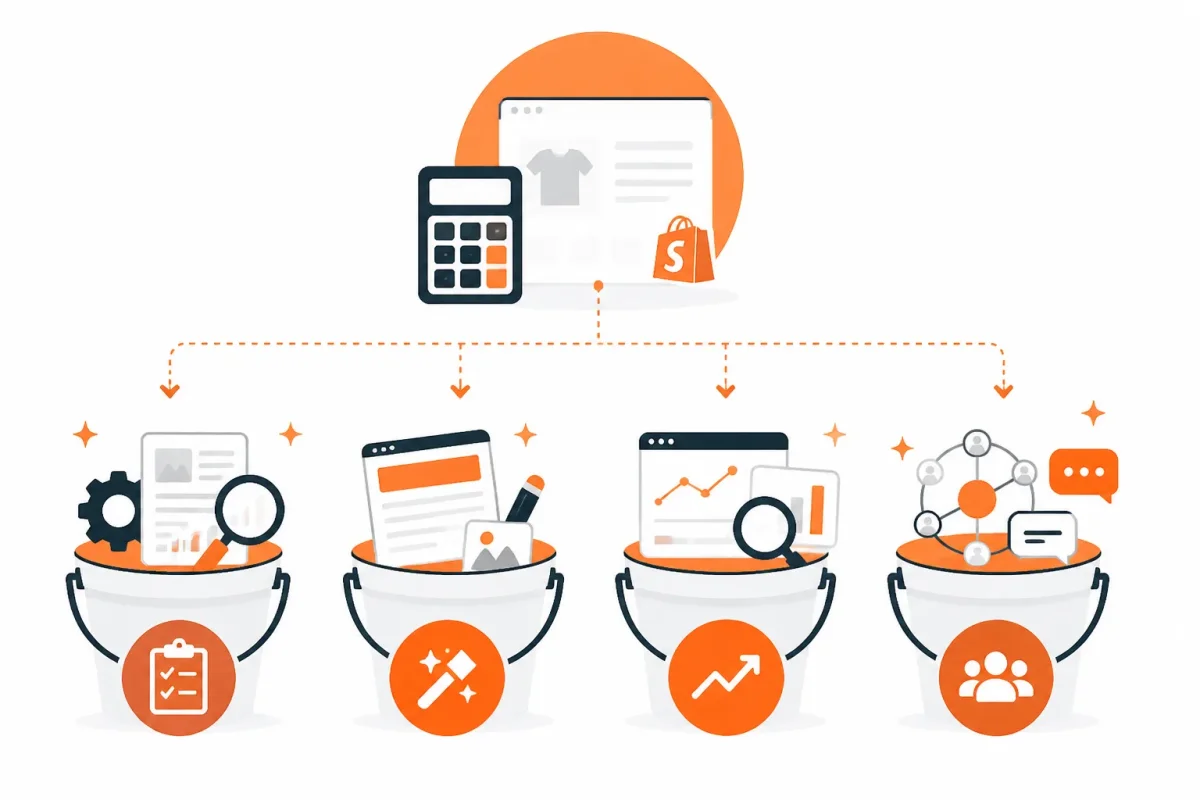
Shopify costs fall into four different buckets
Your Shopify budget becomes easier to read when you separate fixed platform charges from costs that rise with sales. The four buckets are the subscription, selling and payment fees, store infrastructure, and growth tools.
This model shows what your monthly plan does and does not cover. You can then match your store's needs to the right capability instead of choosing a tier from the headline price alone.
Shopify’s annual cost
Shopify costs the recurring monthly plan amount multiplied by 12, before variable fees and optional tools. Research reference points put Starter at $5 monthly, Basic at $39, Grow at $105, Advanced at $399, and Shopify Plus from $2,300 monthly. Confirm live US pricing before purchase.
Annual billing can reduce the listed monthly equivalent for eligible plans. Shopify's official pricing page displays Advanced at €289 per month in its “Pay yearly” regional view, while Shopify Plus starts from €2,100 per month in that displayed currency and region. Your location, currency, contract, and billing choice affect the final figure, so check Shopify's current pricing page before committing.
Subscription costs from Starter to Shopify Plus
Platform subscription: Starter suits lightweight social selling, while Basic usually fits a complete online store. Grow and Advanced add capacity for larger teams and more complex operations. Plus is an enterprise arrangement, and Shopify lists POS Pro separately at €79 per month in the same regional pricing view.
| situation | better move | why |
|---|---|---|
| You only need shareable checkout links for social selling | Evaluate Starter at the researched $5 monthly reference point. | It is designed for lightweight selling rather than a full merchandising website. |
| You are launching a conventional online store | Use Basic at the researched $39 monthly reference point. | It is the usual entry point for a complete Shopify storefront. |
| A small team needs more staff access | Compare Grow at $105 monthly or its researched $79 annual-billing equivalent. | The plan is positioned for growing teams and can change the fee economics. |
| You need international selling or advanced reporting | Model Advanced at $399 monthly or its researched $299 annual-billing equivalent. | The higher tier is intended for scaling requirements and more advanced capabilities. |
| You need enterprise checkout, B2B, or extensive customization | Request a Plus quote rather than treating it like a standard self-serve plan. | Plus is an enterprise offering with pricing and requirements that differ from regular tiers. |
Selling costs that rise with order volume
Selling and payment fees: Payment processing, Shopify transaction charges, refunds, and currency conversion can increase as your order count grows. Your $39 subscription stays fixed, but a store processing $20,000 monthly faces a different fee burden from one processing $2,000.
Store infrastructure and design costs
Store infrastructure: A domain, paid theme, email service, shipping tools, POS hardware, and specialized apps sit outside the basic subscription. These costs affect conversion and operations, even when they do not directly improve search visibility.
Growth and SEO costs
Growth tools: Advertising, email marketing, analytics, keyword tracking, and SEO software form the fourth bucket. wRanks is one AI-powered SEO platform for Shopify stores, with tools for meta tags, structured data, image alt text, and Google Search Console insights. It can support your workflow, but your results still depend on content quality, technical setup, and market demand.
For SEO-focused budgeting, separate tools that help you optimize products, collections, pages, and blogs from broader marketing spend. This guide to what is product structured data fits the same workflow when you are deciding which growth capabilities your store needs.
Check your store type before choosing a plan or add-on
Before comparing Shopify plans, identify how you will sell. You may need a full online storefront, social checkout links, physical retail support, or a multi-region setup. That choice determines which capabilities deserve a monthly cost.
You can also test the workflow before committing. Shopify currently advertises 3 days free, followed by €1 per month for 3 months, although offers can vary by region and time, according to Shopify's pricing page. Shopify also says you can begin a trial without entering payment details until you're ready to launch, according to Shopify's pricing plan documentation.
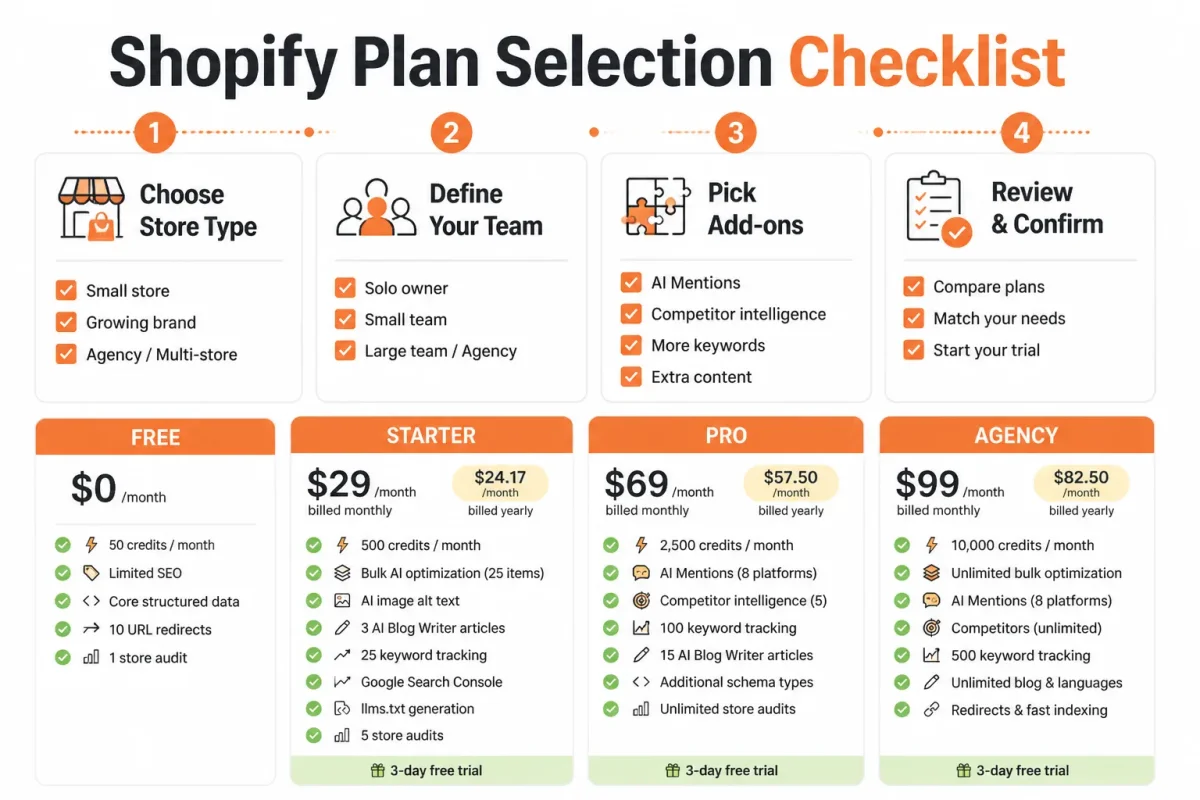
Store type and selling channel check
- Full storefront: You have product pages, collections, navigation, checkout, and content ready for a complete Shopify website.
- Social selling: You only need checkout links from Instagram, Facebook, or another social channel, without a full merchandising experience.
- Physical retail: You need POS, in-person payments, inventory locations, and stock updates between your store and online orders.
- International selling: You have target countries, currencies, taxes, translations, and regional content identified before selecting features.
| priority | what to check | why |
|---|---|---|
| High | Full storefront versus social checkout links | Choosing a larger plan for a store that only needs link-based selling creates avoidable recurring cost. |
| High | Staff accounts and permissions | Team access can make a higher plan more appropriate than Basic. |
| Medium | International markets, currencies, and regional content | Global selling needs can affect plan choice, tax setup, translation, and localization work. |
| Medium | Theme, banner dimensions, and merchandising design | A paid theme or design work can be a meaningful one-time or recurring cost outside the subscription. |
| Medium | POS, pre-orders, and inventory workflows | Add-ons and apps should be purchased only when the operating process requires them. |
Team, inventory, and international requirements
Count the people who will edit products, handle orders, manage SEO, and review reports. Check whether you need advanced reports, B2B functions, multiple inventory locations, or regional storefront content before paying for capabilities you won't use.
Theme, banner, and app requirements
A Shopify website theme may be free or paid, while banner dimensions depend on your chosen theme and its mobile layout. Banner sizing is a design implementation detail, not a separate Shopify subscription charge.
Weak setup: You upload a 2400 by 600 pixel banner without checking how your theme crops it on phones.
Strong setup: You test a 1600 by 900 pixel product image in your selected theme on desktop and mobile before finalizing the homepage design.
A Shopify pre-order app is optional. You only need one when Shopify's native workflow or your current order process cannot handle deposits, release dates, or inventory messaging.
The documents and figures to have ready
Prepare your product count, staff list, sales channels, target regions, inventory locations, POS needs, and expected pre-order process. That information gives you a clearer basis for choosing a plan and rejecting unnecessary add-ons.
Shopify subscription cost depends on billing choice and required capability
You may see a low Shopify price and still face a higher practical bill once your store needs staff access, better reporting, or international selling tools. The plan price is fixed, but the wrong plan can create extra work and add-on costs.
The useful question is which plan supports your next operating stage without paying for unused capacity or forcing expensive workarounds.
What Basic, Grow, and Advanced change in your budget
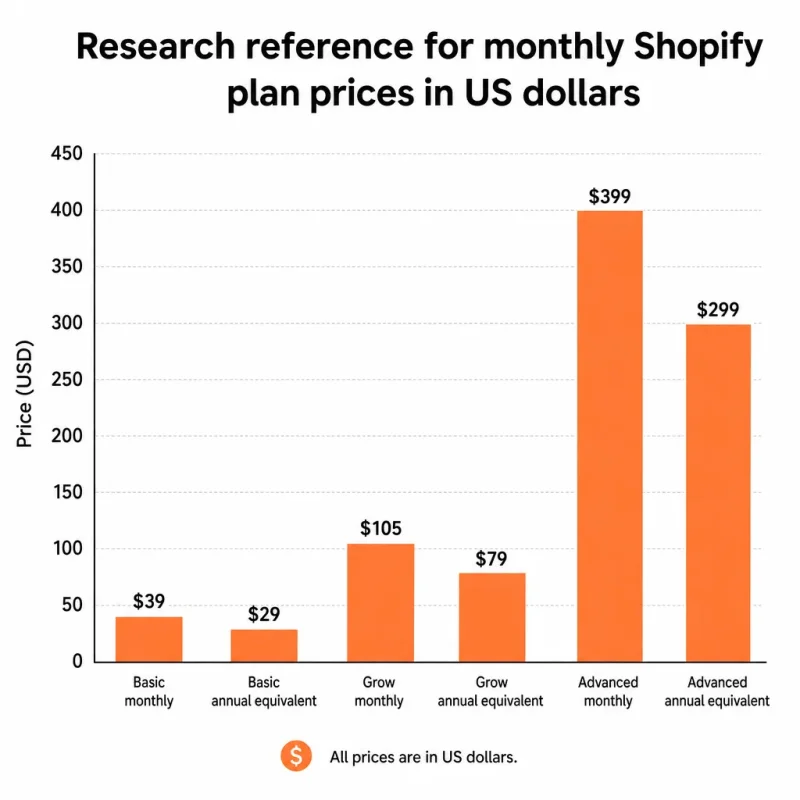
The US monthly reference points are $39 for Basic, $105 for Grow, and $399 for Advanced. Basic may fit a solo retailer, but you may outgrow it when your store needs broader team access, deeper reporting, or international capabilities.
Grow costs more upfront, yet the difference can make sense when your staff needs clearer performance data or your order volume makes payment processing costs more meaningful. Advanced belongs in a larger operating model where reporting, markets, and transaction economics justify the higher subscription.
Weak setup: Harbor & Pine chooses Basic at $39, then adds manual reporting work and separate tools because the team needs more visibility.
Strong setup: Harbor & Pine compares Basic with Grow at $105, counts the staff and reporting needs, and selects the cheaper total operating setup rather than the cheaper headline plan.
Monthly billing versus annual billing
Annual billing shows lower monthly equivalents in the supplied US reference: $29 for Basic, $79 for Grow, and $299 for Advanced. Twelve monthly payments therefore total $468, $1,260, and $4,788 respectively, while twelve annual-billing-equivalent payments total $348, $948, and $3,588.
That difference can reduce the listed monthly equivalent, but annual commitment gives you less flexibility if demand remains untested. Check Shopify's US pricing page before choosing because rates, promotions, and eligibility can change.
| situation | better move |
|---|---|
| Demand is untested and flexibility matters | Use monthly billing while validating sales and operating requirements. |
| The store has stable demand and can commit for a year | Compare annual billing and calculate the total commitment before switching. |
| Basic lacks required staff, reporting, or market capabilities | Compare Grow or Advanced rather than adding workarounds that obscure the total cost. |
| The store is scaling rapidly | Model subscription savings, processing rates, app costs, and operational needs together. |
A worked 12-month subscription example
For the chart, the monthly reference bars are Basic monthly at $39, Basic annual equivalent at $29, Grow monthly at $105, Grow annual equivalent at $79, Advanced monthly at $399, and Advanced annual equivalent at $299. This makes the billing trade-off visible without treating any figure as permanent.
If your store also adds an AI-powered SEO platform such as wRanks, include that app cost separately. It can support product, collection, and blog optimization, but it does not replace the Shopify subscription or payment fees.
When Shopify Plus belongs in the calculation
Shopify Plus requires a separate enterprise-level pricing discussion, so you should not treat it as a simple extension of the Basic, Grow, or Advanced figures. Consider it only when your sales volume, operational complexity, markets, or support requirements justify a tailored agreement.
Choose the lowest plan that supports your next operating stage, not merely the lowest headline number. Then verify the current Shopify US price before you commit.
A $100 order reveals the difference between subscription and transaction fees
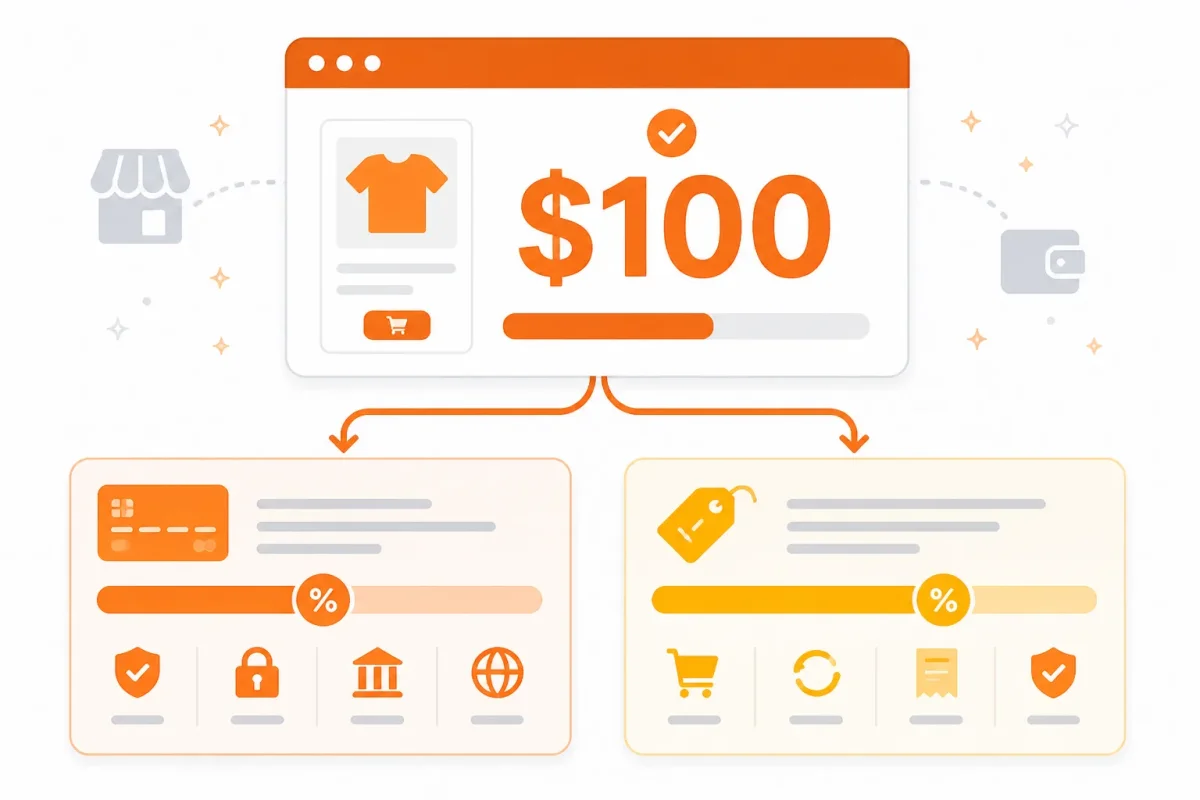
Your Shopify subscription is a fixed platform cost. A $100 order creates separate payment costs, and those costs change with your plan and payment provider.
You need both figures in your store model. A low monthly subscription can still produce higher per-order costs when your sales volume grows.
Shopify’s share of a $100 sale
On the supplied research examples, card processing would cost $3.20 on Basic, $3.00 on Grow, or $2.80 on Advanced for a $100 online order.
“The illustrative processing charge is $3.20 on Basic, $3.00 on Grow, or $2.80 on Advanced for a $100 online card order.”
The supplied research uses online card rates of 2.9% plus $0.30 on Basic, 2.7% plus $0.30 on Grow, and 2.5% plus $0.30 on Advanced. You should verify the current US rate, eligible payment method, exclusions, and tax treatment with Shopify before relying on this calculation.
Shopify transaction fees
A Shopify transaction fee may add $2.00, $1.00, or $0.60 to that same $100 order when you use a third-party payment provider and the researched fee applies.
Those examples represent possible third-party fees of 2% on Basic, 1% on Grow, and 0.6% on Advanced. You should check whether the fee applies to your provider, plan, payment method, and order type. Shopify Payments may avoid that separate third-party charge, but payment processing still applies.
| situation | better move |
|---|---|
| Basic reference rate on a $100 online card order | Model $3.20 in card processing before any applicable third-party transaction fee. |
| Grow reference rate on a $100 online card order | Model $3.00 in card processing and compare it with the higher subscription. |
| Advanced reference rate on a $100 online card order | Model $2.80 in card processing against the plan's larger fixed monthly cost. |
| A third-party payment provider is used | Check whether an additional 2%, 1%, or 0.6% transaction fee applies under the researched plan examples. |
Shopify Payments versus a third-party provider
Weak model: You record only the Shopify subscription and assume every $100 order contributes the same margin.
Strong model: You record the subscription, card processing, and any third-party transaction fee as separate lines for each payment route.
That distinction matters because Shopify Payments and a third-party provider can produce different deductions. Compare the provider's current terms with the plan's processing rate, not subscription prices alone.
A monthly sales example with fixed and variable costs
Suppose you process 100 orders at $100 each in one month. Your sales total is $10,000. Using the illustrative Basic processing example, card fees total $320 before any third-party fee. If a 2% third-party fee also applies, another $200 comes out before your fixed Shopify subscription, apps, shipping, taxes, and other costs.
For your budget: treat the subscription as the monthly bill and payment deductions as sales-linked costs. High-volume stores should compare both together, then verify current US pricing directly with Shopify because rates and plan terms can change.
The real cost changes when your store needs growth infrastructure
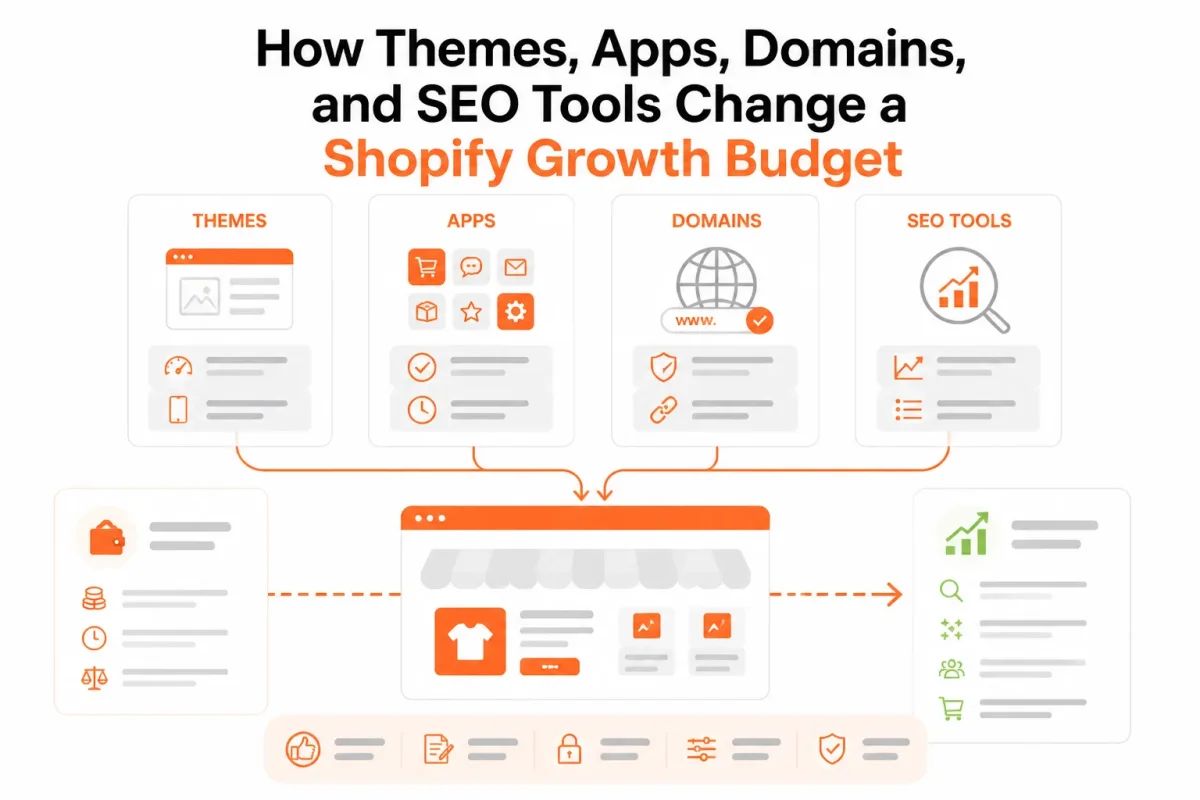
Your Shopify bill grows beyond the plan when your store needs a domain renewal, paid theme, apps, POS services, shipping tools, content production, or customer support. You also pay with time when you keep repetitive SEO work manual.
That trade-off matters for organic growth. A lean stack preserves cash, while the right automation gives you more time to improve products, collections, pages, and blogs as your catalog expands.
The downside of Shopify’s add-on model
The downside is that each add-on solves one need while making your total store budget harder to see. You may add a paid theme for cleaner templates, an app for reviews, a shipping tool for fulfillment, and POS services for in-person sales. Shopify lists Agentic at €0/mo for selling through AI channels, according to Shopify’s pricing page, and says merchants using Agentic pay only when they make a sale. Shopify’s pricing page remains the right place for current terms.
- What works: You can add tools only when a proven store requirement justifies them.
- Clear ownership: You can assign each app a job, such as reviews, shipping, support, or SEO.
- Flexible growth: You can expand your stack as order volume and catalog demands become clearer.
What fails
- Hidden duplication: You may pay several apps to edit the same product fields or meta tags.
- Manual overflow: You may save subscription fees but spend hours correcting descriptions, images, and links.
- Optional complexity: You may install POS, reporting, or marketing tools before your store needs them.
Which expenses affect SEO directly
Your theme, content production, photography, and SEO tools can affect how clearly search systems understand your store. Clean templates, crawlable page structures, structured data, accurate image alt text, descriptive meta tags, internal links, keyword tracking, and Google Search Console analysis all support better decisions.
Weak example: “Blue shoes | Store Name.”
Strong example: “Women’s Blue Leather Walking Shoes | Harbor Step.”
wRanks is an AI-powered SEO platform for Shopify stores that helps optimize products, collections, pages, and blogs for search engines and AI platforms. It includes meta tag optimization, structured data, image alt text, keyword tracking, Google Search Console integration, and AI-generated content, although your team still needs to review accuracy and brand fit. This guide to image alt text with Shopify examples fits the same workflow.
When a paid theme or app earns its place
A paid theme or app earns its place when it improves a specific store constraint you can measure. You might justify a faster product template, better collection navigation, automated image descriptions, or reporting that reveals which pages need attention. You should not pay for overlapping features simply because an app marketplace makes them easy to install.
A lean stack versus a growth stack
A lean stack reduces cash costs but increases manual labor. A growth stack pays for automation when your product, collection, or blog volume makes repeated updates costly. Use this priority check before adding another subscription.
| priority | what to check | why |
|---|---|---|
| High | Domain, theme, checkout, and core store apps | These determine whether the store can launch reliably and present products clearly. |
| High | Meta tags, structured data, image alt text, and indexable templates | Technical and on-page foundations affect how products and content can be understood by search systems. |
| Medium | Keyword tracking and Search Console insights | Measurement helps merchants identify pages and queries that need improvement. |
| Medium | AI content and catalog optimization workflow | Automation can reduce repetitive work as product, collection, and blog volume expands. |
| Optional | POS Pro, extra apps, and content production | These costs should match a proven retail or growth requirement rather than be installed by default. |
Avoid these five budgeting mistakes before you launch
You can choose the right Shopify plan and still receive a surprising first-month invoice. The usual cause is not one hidden charge. It is a budget that ignores the operating stack around your store.
Most problems appear before launch when each cost has an owner, a purpose, and a decision rule.
Budgeting from the plan price alone
The symptom is a larger first-month invoice than your spreadsheet predicted. You counted the Shopify subscription, but missed your domain, theme, apps, shipping tools, content work, and payment costs.
Weak: “Shopify plan plus a few apps.”
Strong: “Shopify plan, domain renewal, theme, email app, shipping tool, payment processing, SEO workflow, and launch content.”
Your fix is a complete operating-stack budget. List every service you need to take an order, serve a customer, and make your products discoverable.
Counting payment fees twice
You may treat payment processing and Shopify’s possible transaction fee as one charge, then accidentally add the same cost twice. You may also omit a transaction fee when your payment setup makes it relevant.
Model each line separately: payment processing, Shopify transaction fees where applicable, and the fixed subscription. Test the model against a typical order before launch, not after your first payout.
Prepaying for a plan before validating sales
Annual billing may reduce the effective monthly rate, but you take on a longer commitment before your demand is proven. If your product, traffic, or conversion rate is still uncertain, monthly flexibility may be worth more than a lower equivalent rate.
Compare the commitment risk with your expected sales. Start with the option that lets you test demand without locking money into a store model you may change.
Installing overlapping apps and SEO tools
Installing separate apps for popups, reviews, speed, feeds, meta tags, structured data, and alt text can create duplicate settings and competing scripts. Your fix is an app inventory with one owner for every task.
What works
- One task owner: You assign each SEO or merchandising task to one app or workflow.
- Consolidated review: You assess whether wRanks can cover meta tags, structured data, image alt text, keyword tracking, and Search Console insights in one workflow, while accepting that it may not replace every store app.
- Measured automation: You compare saved manual work with the quality of the resulting product, collection, and blog updates.
What fails
- Duplicate controls: You let multiple apps edit the same metadata or inject similar structured data.
- Unowned settings: You cannot tell which tool controls a title, feed, popup, or speed feature.
- Delayed SEO: You postpone metadata, alt text, structured data, content, keyword tracking, and Search Console review until traffic is already weak.
Pre-launch signoff checklist
- Full budget: You have recorded the subscription, transaction costs, processing fees, apps, domain, theme, and operating services.
- App inventory: You have removed overlapping tools and named one owner for every recurring task.
- SEO allocation: You have assigned a clear budget and workflow for metadata, structured data, alt text, content, keyword tracking, and Search Console review.
- Billing decision: You have chosen monthly or annual billing based on validated demand and commitment risk.
- Final signoff: You can explain every recurring charge before your store accepts its first order.
Shopify versus Etsy depends on control, fees, and growth goals
You face a different cost model on each platform. Shopify gives you a standalone store, while Etsy gives you access to an established marketplace. Your better choice depends on whether you value control over your brand and SEO or faster access to marketplace shoppers.
Comparing Etsy and Shopify costs
Etsy may cost less to start because you don't need to build a standalone storefront immediately. Shopify gives you more control but charges a recurring platform subscription, with additional costs for payments, apps, domains, and marketing. Compare your expected sales, required tools, and customer acquisition work, not just the first monthly charge.
Etsy fees on a $100 sale
You can't determine the exact amount from the sale price alone. Etsy deductions may include transaction, payment processing, listing, advertising, shipping, taxes, currency conversion, and other seller-specific charges. Your net amount depends on the order and your circumstances, so check Etsy's current US fee schedule before comparing a $100 sale with Shopify.
Etsy’s main alternatives
The answer depends on what you compare. You might view Amazon Handmade or eBay as marketplace alternatives, while Shopify is a leading alternative for building an independent store. Marketplaces offer discovery within their systems. Shopify gives you greater control over your brand, customer journey, content, and SEO implementation, but you must attract more visitors yourself.
Why some sellers leave Etsy
You may see sellers leave because of marketplace fees, policy changes, intense competition, weaker discoverability, advertising pressure, or limited customer ownership. Some also want more control over their brand and repeat-purchase experience. That doesn't make Etsy unsuitable for you. If marketplace discovery drives sales, Etsy may still fit, while Shopify suits a stronger independence goal.
LLC requirements for Etsy sellers
You don't automatically need an LLC merely because you sell on Etsy. Your registration, tax, permit, and liability obligations depend on your business activity, location, products, and sales structure. You should check federal, state, and local requirements, then consider professional advice. Choose Shopify for control or Etsy for discovery based on your operating priorities.
Build your Shopify budget in five numbers and start with the plan page
You can turn the monthly Shopify price into a usable decision by separating the subscription from every cost that follows. Start with the capability your store requires, then price the sales activity, tools, and SEO work that support it.
The first number is only a base. Your budget becomes realistic when you document five numbers and revisit them after your first 30 to 90 days of sales data.
-
Choose the capability you actually need
Open Shopify's US pricing page first. Identify the plan or selling capability that matches your store, sales channels, staff access, reporting, and checkout requirements, then record the displayed subscription as your starting figure.
Weak note: “Shopify plan selected.” Strong note: “Shopify plan selected for online checkout, required staff access, and current sales channels.”
-
Verify the current billing option
Check whether monthly or annual billing suits your cash flow, and verify the current promotion, payment terms, and regional conditions before committing. Promotions and plan pricing can change, so save the page details with your budget.
-
Calculate fees on expected sales
Estimate payment processing and any transaction fees against your expected order volume, average order value, and payment method. Keep this separate from the subscription, because sales-related costs rise when your store sells more.
-
Add infrastructure and growth tools
List your domain allocation, theme costs, app renewals, content production, shipping tools, and support labor. Your checklist is complete when each item has an owner, billing frequency, and conservative monthly estimate.
- Infrastructure: Record your domain, theme, hosting-related services, and operational tools.
- Apps: Check every paid app, renewal date, and overlapping function.
- Growth work: Reserve room for content, merchandising, customer support, and testing.
-
Set the first SEO measurement task
Reserve a measurable SEO and growth budget for technical setup, meta tags, structured data, image alt text, keyword tracking, Search Console analysis, and content updates. You can use wRanks to organize AI-powered SEO work across Shopify products, collections, pages, and blogs, while checking that its scope fits your needs.
Record the five numbers: required capability, billing choice, payment and transaction fees, infrastructure and app costs, and SEO and growth budget. Review the estimate after 30 to 90 days of real sales data.
If you want a faster way to organize this work, wRanks helps Shopify store owners optimize products, collections, pages, and blogs with AI-powered SEO tools for meta tags, structured data, image alt text, keyword tracking, and Google Search Console insights. Explore the Shopify SEO guidance on the wRanks blog.

AI & GEO specialist helping brands maximize visibility across AI platforms like ChatGPT, Gemini, and Claude. James pioneers generative engine optimization techniques for e-commerce.


