Best Shopify Site Audit Tools for Store Owners
Shopify site audit tools help store owners prioritize SEO fixes by revealing metadata, indexation, structured data.
You open a Shopify site audit tools report between customer emails and find warnings everywhere: slow pages, missing titles, broken links, weak mobile usability, and images without alt text. The report tells you what looks wrong, but not whether a missing meta tag matters more than a product page Google can't index.
Most Shopify merchants don't have a checklist problem. They have a prioritization problem. You need to connect each finding to its effect on indexation, product discovery, structured data, image search, or a fix you can apply across a large catalog.
The phrase “Shopify site audit tools” can describe a Shopify-aware optimization platform, an external crawler, an app-level audit, or Google's own visibility evidence. This comparison separates those approaches by the problems they reveal and the next action each finding supports, so you can choose the right audit path without sorting through another generic checklist.
How these Shopify site audit tools were evaluated
The same warning can appear in several reports, but each report may rely on different evidence. This comparison covers Shopify-aware SEO platforms such as wRanks, external crawlers, Shopify App Store tools, and Google Search Console instead of treating every audit tool as interchangeable.
You aren't choosing the longest checklist. You're choosing evidence that explains a specific problem and supports your next fix.
What counts as an audit tool for a Shopify store
An audit tool collects, diagnoses, or helps improve your store's search visibility data. That includes tools that inspect pages, analyze Google evidence, or apply Shopify SEO improvements.
What an SEO tool does
An SEO tool gives you data or actions for improving organic visibility. A crawler may inspect links and page elements, while a Shopify platform may optimize product metadata, structured data, and image alt text.
How to audit a website
Define the problem, choose its evidence source, inspect representative URLs, document the findings, and prioritize the fixes. Scope matters. Screaming Frog SEO Spider is free for up to 500 URLs, according to Zapier's review of SEO audit tools.
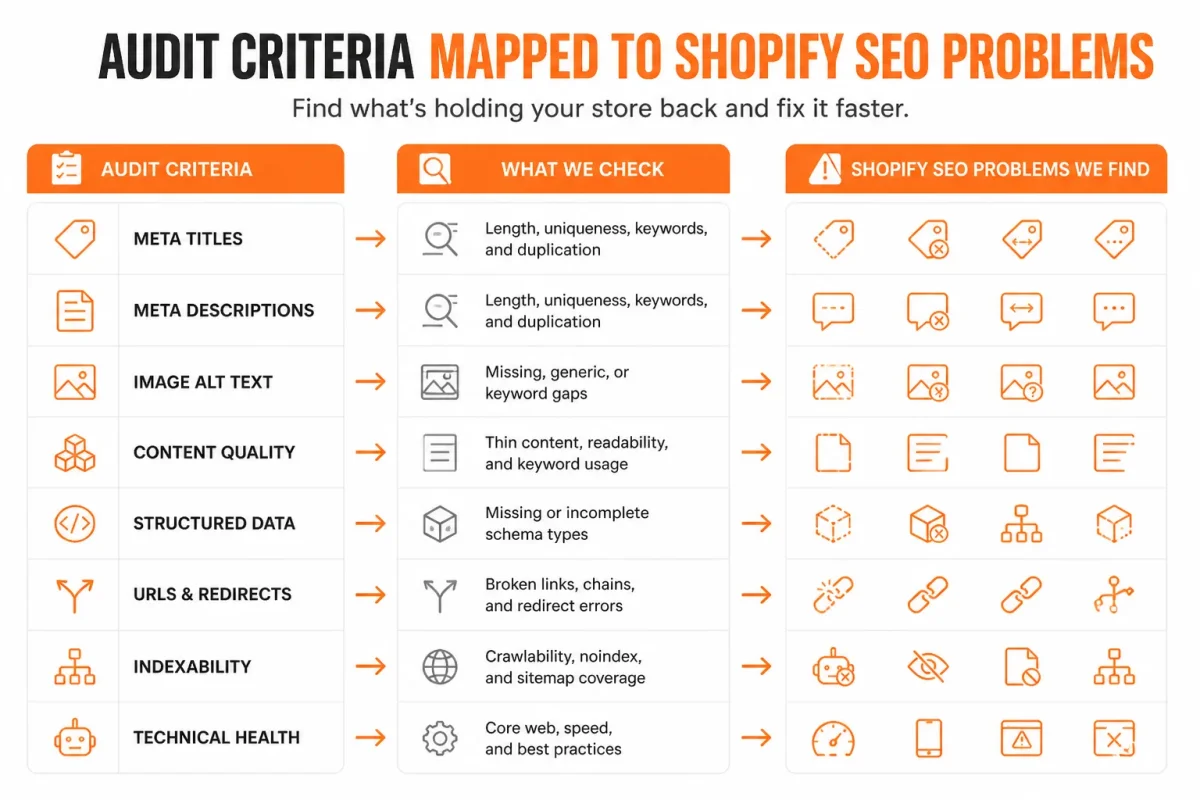
The problems every audit tool should reveal
Your tool should show metadata gaps, indexation visibility, structured-data errors, image optimization gaps, Shopify workflow fit, automation, evidence quality, and price. Broad checklists mention speed, meta tags, mobile experience, links, and alt text, but they may not show whether you can fix product metadata in bulk or confirm Google indexing across your catalog.
- Metadata: Identify missing, duplicated, or weak titles and descriptions.
- Indexation: Connect crawl findings with Google Search Console visibility evidence.
- Structured data: Inspect schema on products, collections, and content pages.
- Images: Find missing alt text and other catalog-wide image gaps.
- Workflow: Apply fixes inside Shopify or through a connected platform.
- Automation: Reduce repetitive checks and updates across many URLs.
How SEO tools differ in this comparison
Your best option depends on the problem you need to expose. The evaluation favors evidence that leads to a practical fix, whether you need a crawl, Google confirmation, or AI-powered SEO updates across Shopify products, collections, pages, and blogs. A broader e-commerce SEO checklist for Shopify stores fits the same workflow when you need to document each finding.
Practical rule: Match each warning to the evidence source that can confirm it and the tool that can fix it.
wRanks: best for turning Shopify SEO findings into fixes
A warning list isn't enough when your Shopify store has missing metadata, weak product signals, or unclear search intent. You need findings connected to the page, collection, product, or blog change that can address them.
wRanks fits that Shopify-native workflow. You can inspect SEO signals, apply AI-assisted improvements, and use Google Search Console evidence without switching between a generic crawler and separate content tools.
What wRanks reveals in a Shopify audit
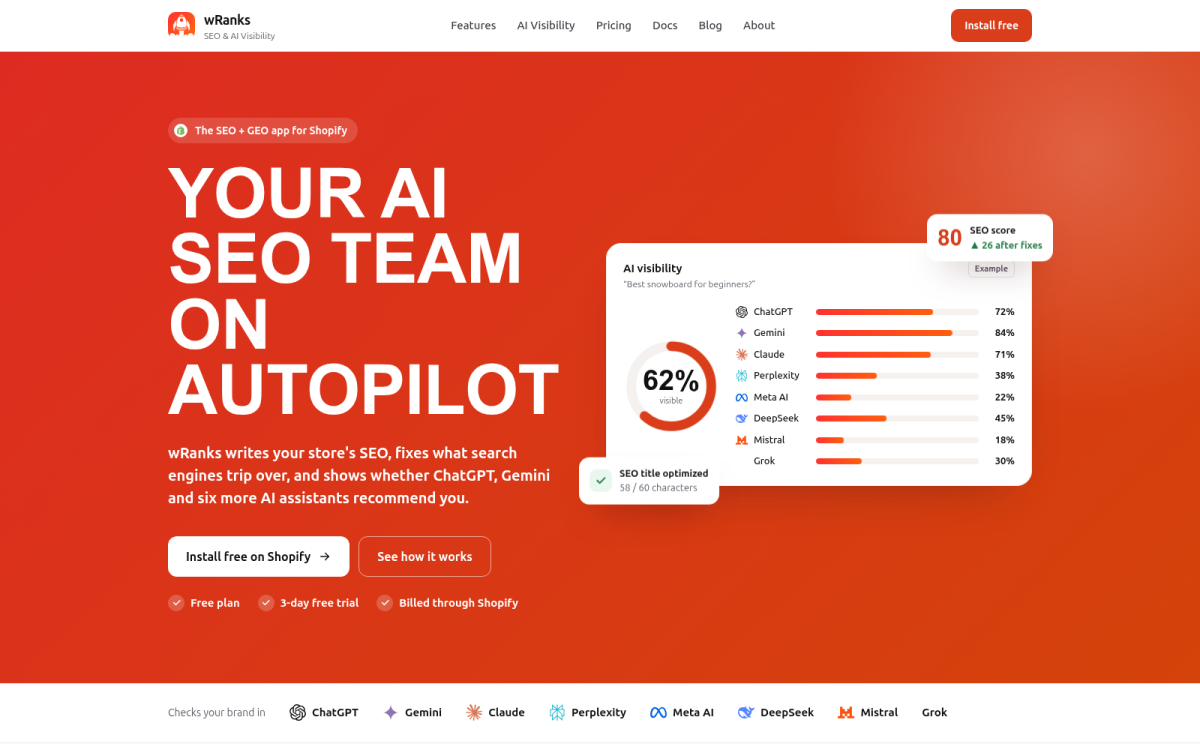
wRanks reveals metadata gaps, incomplete structured data, missing image alt text, unclear keyword targeting, and visibility signals from Google Search Console. You can also assess whether your content gives AI platforms enough relevant, structured information to interpret it.
Screenshot: Shopify content areas are connected to optimization tasks rather than presented as a detached list of crawl warnings.
wRanks as a Shopify AI tool
wRanks is a practical Shopify AI tool for optimizing products, collections, pages, and blogs. Its AI-assisted metadata and content features help you turn audit evidence into edits, while keyword tracking and Search Console insights keep those edits grounded.
Best use cases
- Product optimization: Improve titles, descriptions, structured data, and image alt text together.
- Store-wide consistency: Review collections, pages, and blogs through one Shopify-focused workflow.
- AI-search visibility: Strengthen relevance and machine-readable signals beyond a conventional rank report.
A companion guide to finding Shopify keyword opportunities fits the same workflow when you need stronger targets before editing content.
Why wRanks suits Shopify SEO
wRanks is the strongest fit when Shopify optimization and AI-search visibility belong in the same process. Manual checks and generic automated audits may identify problems, but they often leave you to decide what to change next.
Trade-offs to consider
Don't treat wRanks as a complete storefront implementation validator. Theme code, app conflicts, and technical indexation behavior may still require manual checks and Google confirmation.
Practical rule: You get the clearest next step when each Shopify warning connects to evidence, an editable asset, and a measurable search signal.
Use wRanks if you want an AI-powered SEO platform for Shopify stores that connects audit findings with practical fixes across your content catalog.
Ahrefs Site Audit: best for broad crawl and link diagnosis
When you need to see how your entire Shopify store connects, Ahrefs Site Audit works as an external crawler. It can reveal broken links, duplicate content, missing tags, crawl errors, and related site-wide patterns.
It suits stores with substantial content, several marketing channels, or backlink requirements. Ahrefs lists plans starting at $129 per month, making its breadth useful for larger teams but potentially excessive when you mainly need automated metadata and Shopify content changes.
What Ahrefs Site Audit reveals in a Shopify store
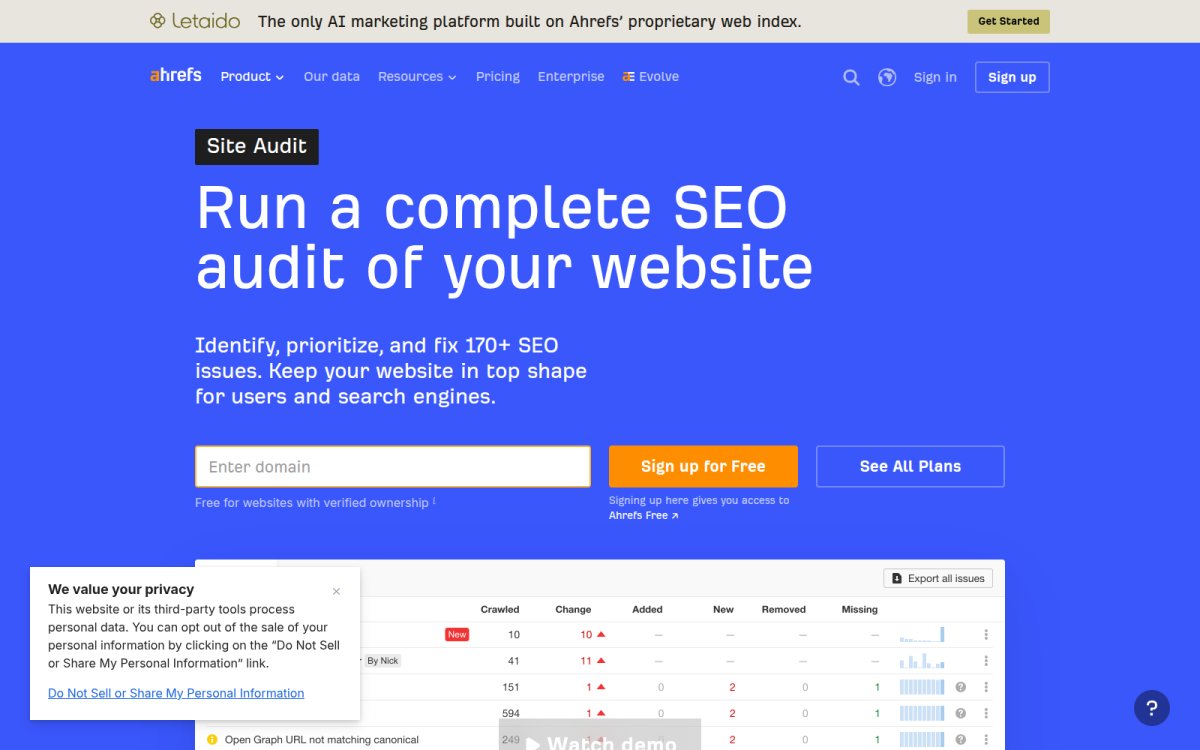
You can see relationships an app-level score may summarize differently, including internal and external link paths, duplicate URLs, and crawlable page groups. You'll still need to edit products, collections, redirects, theme code, or apps separately.
Screenshot focus: The report groups crawl findings by issue type, affected URLs, and suggested technical checks.
Best use cases
- Large catalogs: Trace technical issues across many Shopify URLs.
- Agencies: Compare crawl findings across client stores and campaigns.
- Backlink teams: Pair site diagnosis with broader link analysis.
Trade-offs to consider
- Broad coverage: Get more technical context than a content-only audit.
- External perspective: Identify crawl relationships outside Shopify fields.
- Separate fixes: Make Shopify, theme, or app changes after diagnosis.
- Higher cost: You may find $129 per month hard to justify for automated metadata alone.
Use it if you need a wide crawl and backlink diagnosis and have a team ready to turn findings into Shopify changes.
Digital Turn AI SEO: best for low-cost automated Shopify checks
You may want a quick Shopify score before paying for a broad crawl or a full AI-powered SEO platform. Digital Turn AI SEO offers that lower-cost starting point, with plans from $5 per month and a free trial, according to the Shopify App Store.
The documented screenshots show an SEO health overview, search performance and keyword data, Google index status, connected systems, and scores for products, collections, and pages. The Shopify App Store also reports a 5.0 rating and says the app helps merchants audit those store areas. Its value is speed, not automatic proof of complete audit depth.
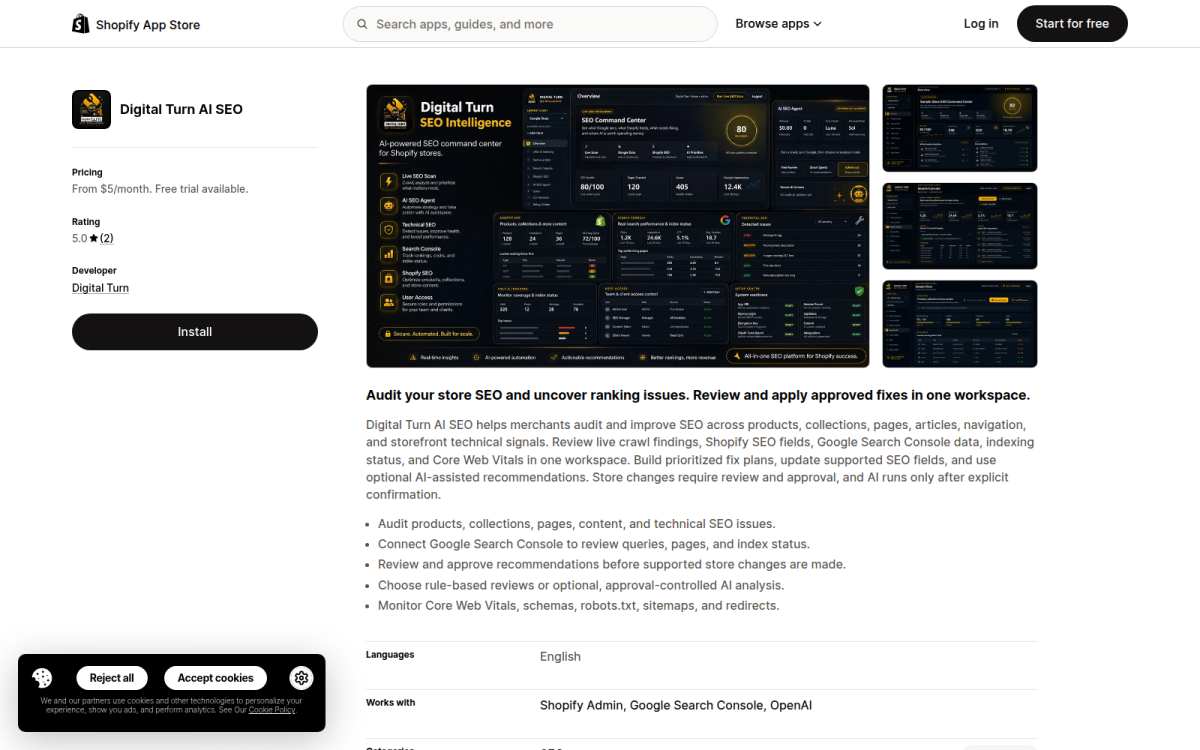
What Digital Turn AI SEO reveals
Use its in-app score to spot obvious content tasks inside Shopify. Validate how deeply each issue is diagnosed before applying changes across a large catalog.
Best use cases
- Small stores: Get an affordable first pass.
- Content checks: Review products, collections, and pages.
- Google signals: Inspect index status and keyword data.
Trade-offs to consider
Don't treat an app-level score as a complete external crawl or a broad AI-search optimization workflow. wRanks covers wider optimization needs, though Digital Turn AI SEO may suit a tighter budget.
What works
- Low entry cost: Test the workflow before committing.
- Shopify focus: Review issues where your store content lives.
What fails
- Audit depth: You may need more diagnosis than the score provides.
- Broader coverage: You don't automatically get a complete external crawl.
Use it if you need affordable automated checks for a smaller Shopify store.
Google Search Console: best for confirming Google visibility problems
When a product page performs poorly, Google Search Console helps separate a technical failure from a page that simply isn't appearing in search.
It isn't a Shopify crawler or an AI-powered SEO platform. Use it as an evidence layer alongside wRanks or another audit workflow, checking what Google actually sees before you prioritize a fix.
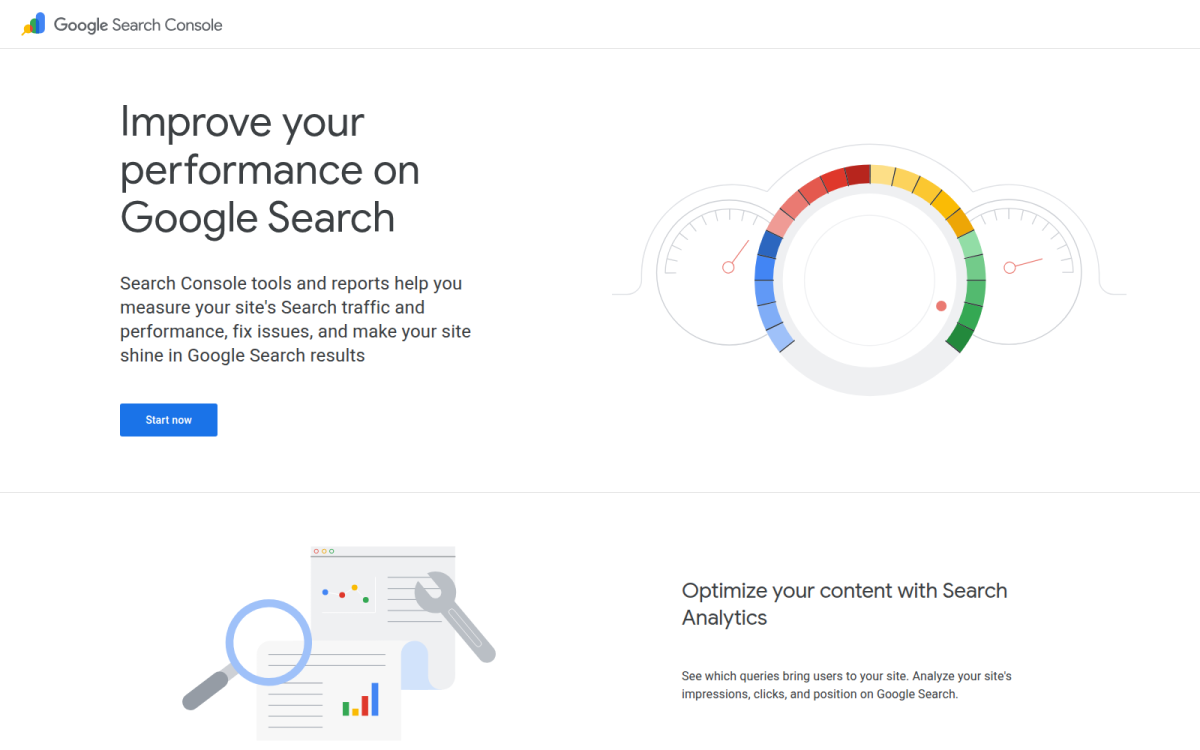
What Google Search Console reveals
You can review search queries, impressions, clicks, average position, indexing status, and issues affecting submitted or discovered URLs. For example, compare a product page's observed queries with its intended keyword, then check whether Google has indexed that URL.
Weak example: “Men’s Running Shoes” targets a broad term but attracts no relevant query data.
Strong example: “Men’s Trail Running Shoes for Rocky Terrain” targets clear product intent that you can compare with Google's observed queries.
Best use case
Use Search Console when you need to confirm whether a suspected metadata, indexation, or content issue appears in Google, not merely whether a tool can detect it.
Trade-offs to consider
Search Console won't review every product image, structured-data implementation, internal link, theme element, or storefront experience across your Shopify store. It reports Google evidence, not a complete health score or a ready-made optimization plan.
What works
- Observed visibility: See queries, impressions, clicks, and average position.
- Index confirmation: Check whether Google has indexed a specific URL.
- Prioritization: Connect technical findings with real search outcomes.
What fails
- Catalog coverage: You don't get a complete review of every Shopify product.
- Storefront diagnosis: You won't inspect every theme or customer experience issue.
- Content fixes: You don't receive AI writing or automatic optimization.
Use it if you need Google's evidence before deciding which Shopify audit finding deserves action.
What the comparison reveals about Shopify audit coverage
You can find speed, metadata, mobile, broken-link, and alt-text warnings in almost any Shopify report. The harder question is which problem you must prove first and whether the tool helps you fix it inside your store.
Ahrefs lists Site Audit from $129 per month, while Digital Turn lists plans from $5 per month with a free trial. Google Search Console is free, and wRanks pricing depends on the selected plan.
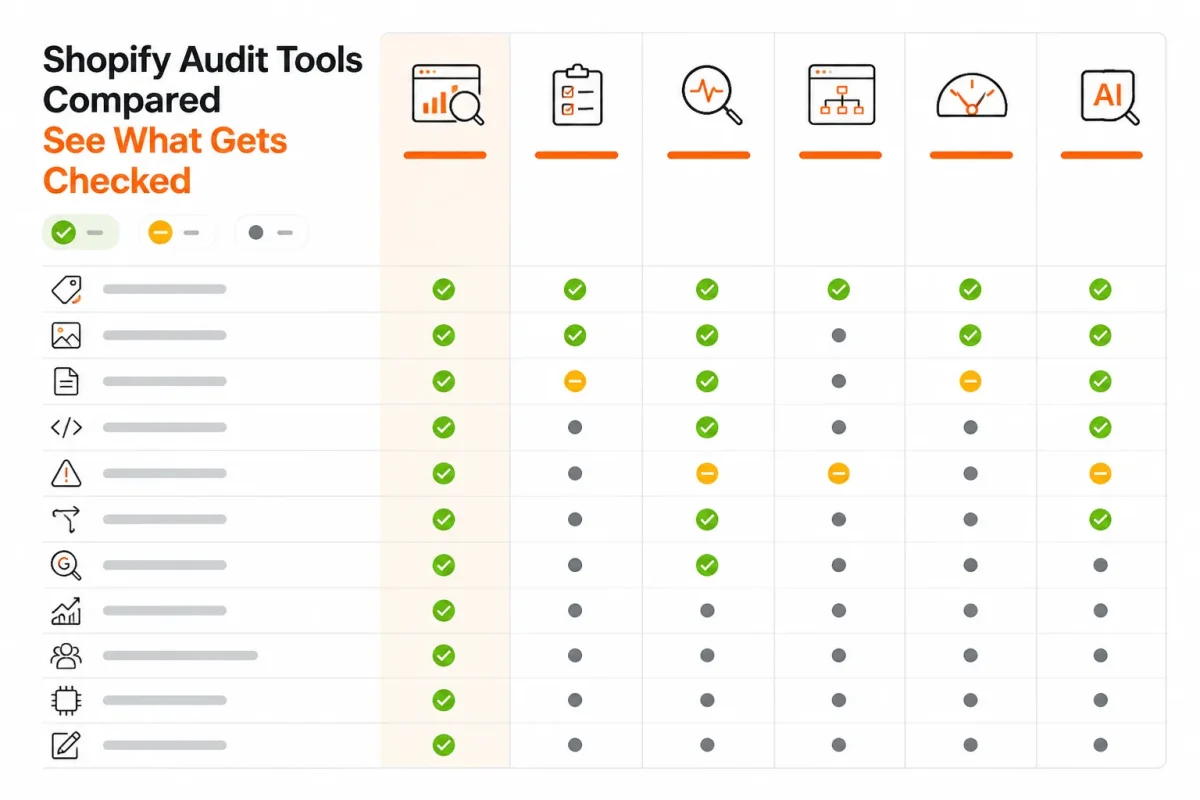
Shopify site audit tools compared
You need a like-for-like view before choosing an audit route. The table separates broad crawling, Shopify automation, Google evidence, and AI-assisted remediation.
| tool | best for | strength | limitation | price band |
|---|---|---|---|---|
| wRanks | AI-assisted Shopify optimization across products, collections, pages, and blogs | Metadata, structured data, alt text, keyword tracking, Search Console insights, and AI-search visibility in one workflow | Best suited to Shopify SEO workflows rather than a general-purpose backlink crawler | Plan-dependent; check current wRanks pricing |
| Ahrefs Site Audit | Broad technical crawling and link diagnosis | Wide crawl coverage for broken links, duplicate content, missing tags, and backlink-related analysis | Findings may require separate Shopify, theme, or app changes | From $129 per month |
| Digital Turn AI SEO | Low-cost Shopify App Store auditing | Health overview, search performance, index status, and product, collection, and page scoring | An app-level score is not necessarily a complete external crawl or AI-search workflow | From $5 per month; free trial available |
| Google Search Console | Confirming Google queries, indexing, and performance | First-party evidence about how Google discovers, indexes, and surfaces pages | Does not audit every image, structured-data implementation, theme issue, or storefront element | Free |
What the table shows
Choose by diagnostic job, not by checklist length. Ahrefs fits crawl breadth and link diagnosis, Search Console confirms Google visibility, Digital Turn offers a low-cost in-app view, and wRanks connects Shopify findings with AI-assisted fixes.
If you're comparing broader options, this guide to the best Shopify SEO tools for growing stores fits the same selection workflow.
Choose the audit route that matches your store situation
Your best choice depends on the problem you need to prove and fix. You may need content optimization, crawl diagnosis, indexing evidence, or a Shopify feature that no SEO audit can assess.
Use the narrowest tool that answers your question first. Decisions are clearer when you separate SEO coverage from app detection, filters, and store-locator choices.
| situation | better move |
|---|---|
| A Shopify team needs automated improvements across product, collection, page, and blog content | Use wRanks for a Shopify-focused audit and optimization workflow |
| A large site needs broad crawl, broken-link, duplicate-content, or backlink diagnosis | Use Ahrefs Site Audit |
| A smaller store wants an inexpensive App Store-based SEO workflow | Try Digital Turn AI SEO and validate the findings before scaling changes |
| The question is whether Google indexed a URL or surfaced it for queries | Check Google Search Console |
| The issue concerns filters, a store locator, or app detection rather than SEO coverage | Evaluate the relevant Shopify feature or app separately from the SEO audit |
- Choose wRanks: Get automated optimization for products, collections, pages, and blogs, plus keyword tracking, Search Console insight, and AI-search support. Its limitation is narrower crawl and backlink diagnosis than Ahrefs.
- Choose Ahrefs: Get broader technical relationships and backlink evidence when a large store needs crawl depth.
- Choose Digital Turn: Get a lower-cost App Store workflow for an initial review, but validate findings before changing many pages.
- Choose Search Console: Get first-party evidence when you need to confirm indexing or query visibility.
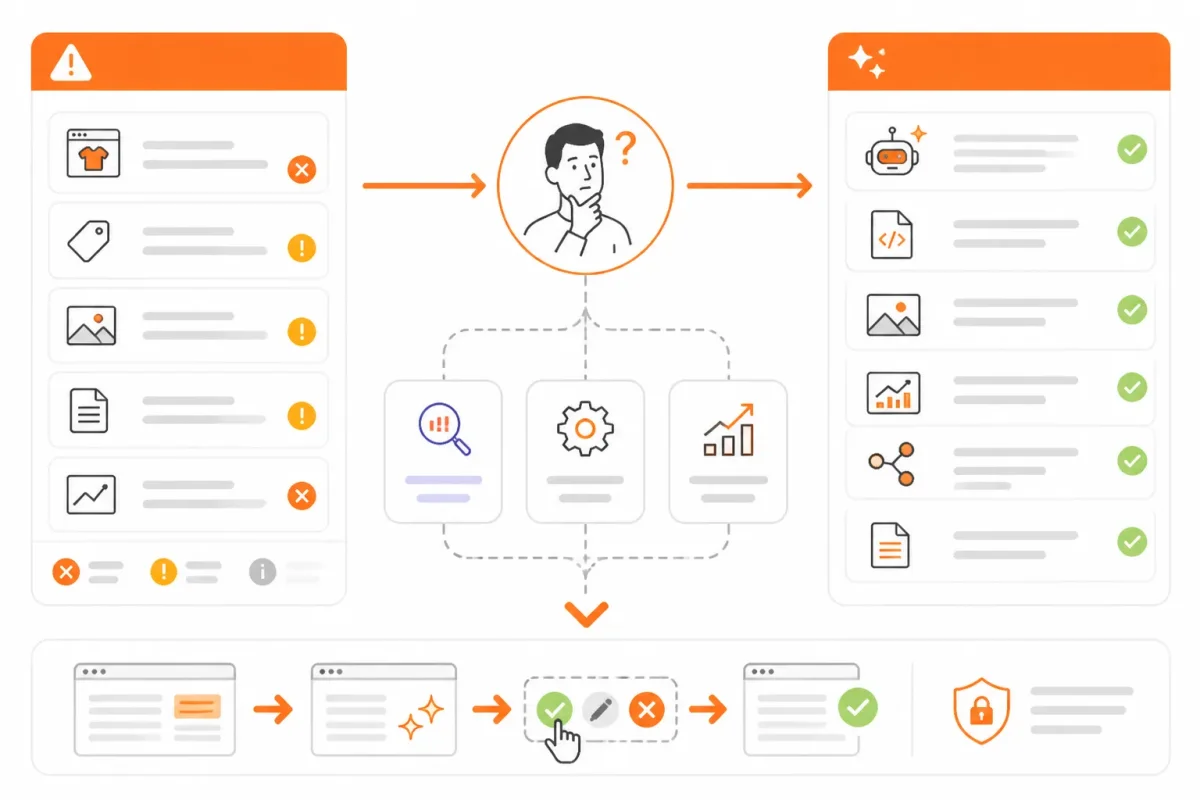
When to use a Shopify-native optimizer
Use a Shopify-native optimizer when you want your store content improved, not merely listed in a report. wRanks can handle metadata, structured data, alt text, and AI-search visibility in one workflow.
How to identify the apps a Shopify store uses
Inspect storefront code, visible app features, and Shopify administration to identify installed apps. An SEO audit may reveal signals, but it can't reliably inventory every private or embedded app.
Who earns the most on Shopify
No audit tool can verify the highest Shopify earner because you can't compare every merchant's private revenue. Treat public sales claims as unverified unless the merchant discloses comparable records.
Search and filter apps for Shopify
Choose Shopify search and filtering apps separately from your SEO audit. Review their handling of facets, collection URLs, speed, and indexation before installation.
Choosing a store locator app for Shopify
The best store locator app depends on your locations, map needs, permissions, and theme. Test mobile loading, address accuracy, local landing pages, and structured data before choosing.
How to create a filter in Shopify
Create filters through Shopify's Search and Discovery settings when your products use consistent attributes. Standardize variants and metafields first, then check that filtered URLs remain useful to shoppers and search engines.
FAQ
What Shopify's AI tool does
Shopify offers AI features through Shopify Magic and Sidekick. Shopify Magic can help create product descriptions, email copy, and other store content, while Sidekick acts as an assistant for questions and store tasks. Availability depends on the Shopify plan, region, and feature. Review each suggested change before publishing it to your store.
What an SEO tool does
An SEO tool checks how a page may perform in search and highlights issues you can fix. Depending on the product, it may review meta tags, headings, links, indexation, structured data, page speed, or keywords. For a Shopify store, choose a tool that can inspect product and collection templates instead of offering only general website checks.
How to audit a website
Start with one representative page and define the problem you want to investigate. Check its title, description, headings, indexation, structured data, images, links, and search query evidence. Use Google Search Console for visibility data, then record each issue, make the highest-impact fix, and recheck the page before applying the same process across similar Shopify templates.
How to find what apps a Shopify store is using
Some Shopify apps leave visible clues in a store's source code, scripts, widgets, checkout elements, or page features. You can inspect the page source and browser requests, or use a technology-detection service, but these methods won't reveal every app. Private, server-side, or uninstalled functionality may leave no reliable public trace.
Who is the highest earner on Shopify
There isn't a verified public ranking of Shopify store owners by earnings. Revenue figures are usually private, and sales estimates can confuse gross revenue with profit. Publicly reported brands such as Gymshark and Fashion Nova have built large businesses on Shopify, but that doesn't prove either is the highest earner. Treat celebrity claims and anonymous store screenshots cautiously.
Start your Shopify audit with one evidence-backed page
Once you've chosen the problem behind a weak Shopify page, gather evidence that points to a fix. One representative page will give you clearer decisions than an unfiltered catalog report.
Start small, record what you find, and expand only after confirming the first fix. That keeps the audit tied to measurable page quality.
The five-step audit sequence
- Choose the problem: Start with missing product metadata, uncertain indexation, incomplete structured data, or absent image alt text.
- Connect the evidence: Use wRanks for Shopify content and AI-assisted fixes, Search Console for Google visibility, or Ahrefs for broad crawl evidence.
- Select one page: Choose one representative product or collection page instead of scanning your full catalog.
- Record the findings: Check metadata, indexation, structured data, images, alt text, and relevant keyword evidence.
- Fix and recheck: Resolve the highest-impact issue, verify the result, then apply the process to similar templates.
Start with one representative product page
Open one product page in wRanks and use its Shopify-focused audit to connect findings with optimization tasks. Before expanding, check each item:
- Metadata: The title and description match the product and its search intent.
- Indexation: You've confirmed whether Google can discover and index the page.
- Structured data: Product details are present and logically supported.
- Images: Important images have useful, specific alt text.
If you want a faster way to do this, wRanks audits and optimizes Shopify product, collection, page, and blog content for store owners using AI-powered SEO, meta tags, structured data, image alt text, and keyword insights. Explore the Shopify SEO guidance and optimization resources to choose your first page.

Technical SEO engineer focused on structured data, indexing optimization, and Core Web Vitals. David turns complex technical requirements into actionable Shopify solutions.


