Best Shopify AI Toolkit Tools for SEO
Shopify AI Toolkit tools streamline SEO workflows by connecting product edits, validation, and visibility monitoring for better search performance.
You open Shopify Admin to fix a product title, switch tabs to inspect structured data, then lose the thread while checking whether Google or an AI platform can see the change. A Shopify AI Toolkit may connect some of those tasks, but your store still needs a clear record of what changed and why.
Most Shopify merchants don't have an AI problem. They have a disconnected SEO workflow. You need execution tools that change store data, optimization tools that improve search assets, validation tools that catch technical errors, and visibility tools that show what happened next.
“Shopify AI Toolkit” sounds like something you buy once, but you usually need a workflow that connects those jobs. When each tool works alone, you repeat work and struggle to link a title update with rankings, clicks, or AI-search visibility.
This guide compares tools for product, collection, page, and blog workflows for US Shopify merchants. It shows where each option helps with optimization, validation, execution, or visibility monitoring.
How These Shopify SEO Tools Were Selected
You need more than an AI writer to improve a Shopify store. The shortlist treats SEO as an operating workflow, from editing a product to checking whether search signals change afterward.
Each option is judged by what you can control before publishing, validate during implementation, and measure after release. That separates useful Shopify SEO systems from attractive feature lists.
The Shopify access and SEO coverage test
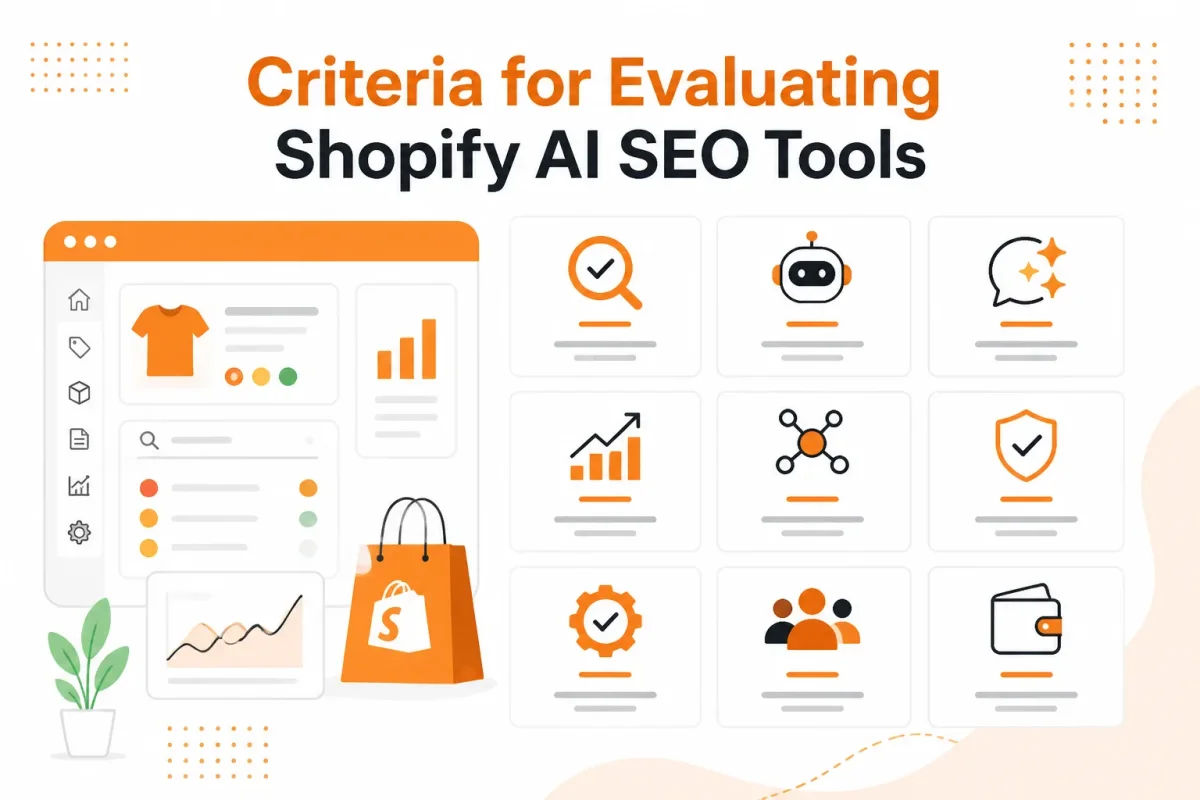
You should be able to work across products, collections, pages, and blogs, with repeatable prompts or optimization rules. The review also checks access to titles, descriptions, structured data, and image alt text.
- Shopify workflow: You can connect the store and work with real Shopify content.
- Content coverage: You can optimize products, collections, pages, and blogs.
- Search controls: You can review metadata, structured data, and image alt text.
The validation and monitoring test
You need checks that catch invalid structured data, weak metadata, and missing alt text before publication. You also need keyword tracking and Google Search Console signals to connect an edit with impressions, clicks, and ranking movement. The Shopify site audit tools guide fits this workflow when you need broader technical checks.
The safety and workflow test
You should treat live changes carefully. Any tool that can change products, metafields, themes, or collections needs scoped permissions, review steps, and a rollback plan. This review separates the official open-source Shopify AI Toolkit from SEO platforms such as wRanks and coding agents such as Claude Code. Generic AI writers without a Shopify workflow, validation, or measurement are excluded.
Practical rule: You should not publish an AI change until you can identify what changed, verify it, and restore the previous version.
Shopify AI Toolkit
Can your AI assistant inspect and change Shopify data without becoming an unsupervised store operator? The Shopify AI Toolkit connects agents to Shopify, but it isn't a complete SEO dashboard. For a broader workflow, see our Shopify SEO guide before you give an AI platform write access.
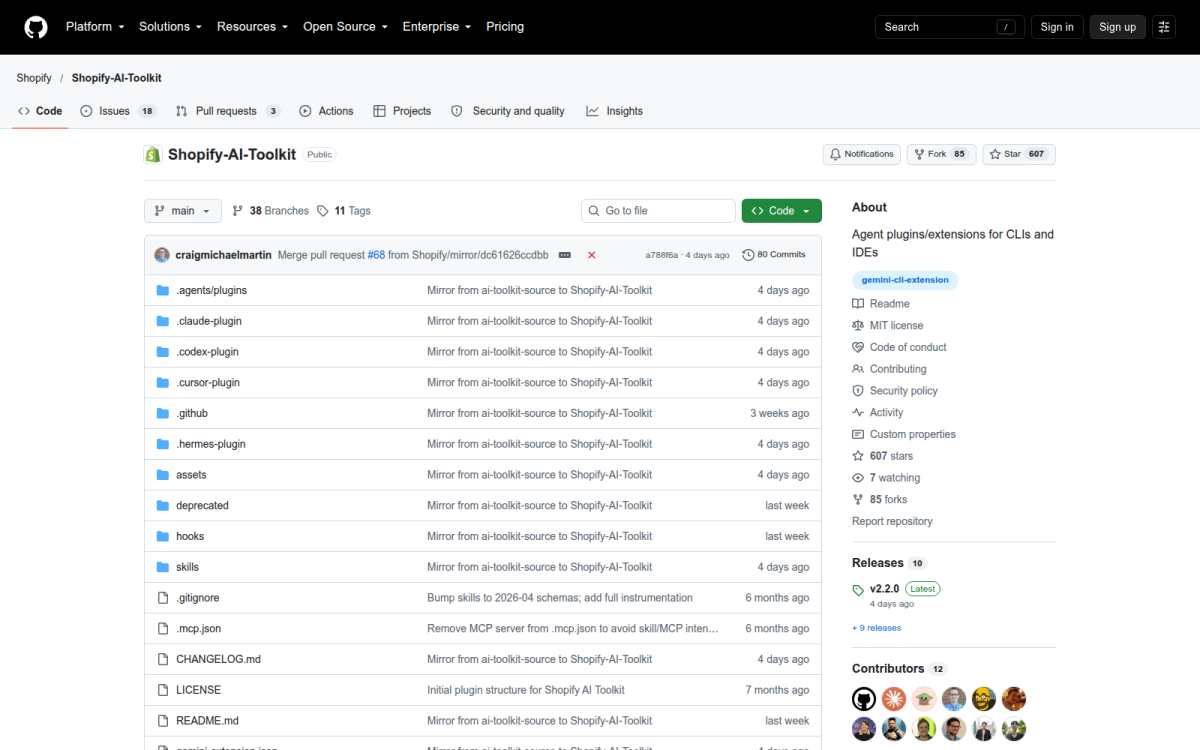
Shopify released the open-source toolkit under the MIT license on April 9, 2026, according to Shopify's release documentation. It packages the official MCP server stack, agent skills, and a Claude Code plugin into one namespace, according to Shopify's toolkit documentation.
What it connects to in a Shopify store
You can use its Shopify Plugin, Dev MCP server, and Storefront MCP, the 3 separately deployable surfaces described in the toolkit documentation. Your agent can query products, inspect metafields, read Shopify documentation, and check implementation details for themes, Functions, or structured data. It won't measure Google rankings or AI-platform visibility without separate monitoring. A storefront such as Vignette Go illustrates the kind of branded product catalog where that separation between store data and visibility measurement matters.
Best use case
Use it for a controlled technical investigation before editing many products.
Weak scope: “Update every product title and publish the changes.”
Strong scope: “Inspect 10 products in the TrailPro collection, suggest title changes, and make no mutations until approval.”
Best for
- Developer-led audits: You need direct API and documentation access.
- Custom SEO operations: You want scripts for metafields, templates, or structured data.
- Small test changes: You can inspect results before bulk operations.
Trade-offs and when to use it
What works
- Direct access: Your agent works with Shopify's platform surfaces.
- Extensibility: You can adapt workflows to your store.
- Control: You decide permissions, reviews, and deployment.
What fails
- Setup burden: You need technical configuration.
- Mutation risk: Broad permissions can create costly edits.
- Missing measurement: You still need separate visibility monitoring.
Use it if you can review scopes and restore changes. Otherwise, you may prefer an SEO platform such as wRanks for ongoing metadata, structured data, and visibility workflows, while accepting less developer-level control.
wRanks
Can you optimize your Shopify store without turning every SEO change into a coding task? wRanks manages the publishing surfaces where search problems appear.
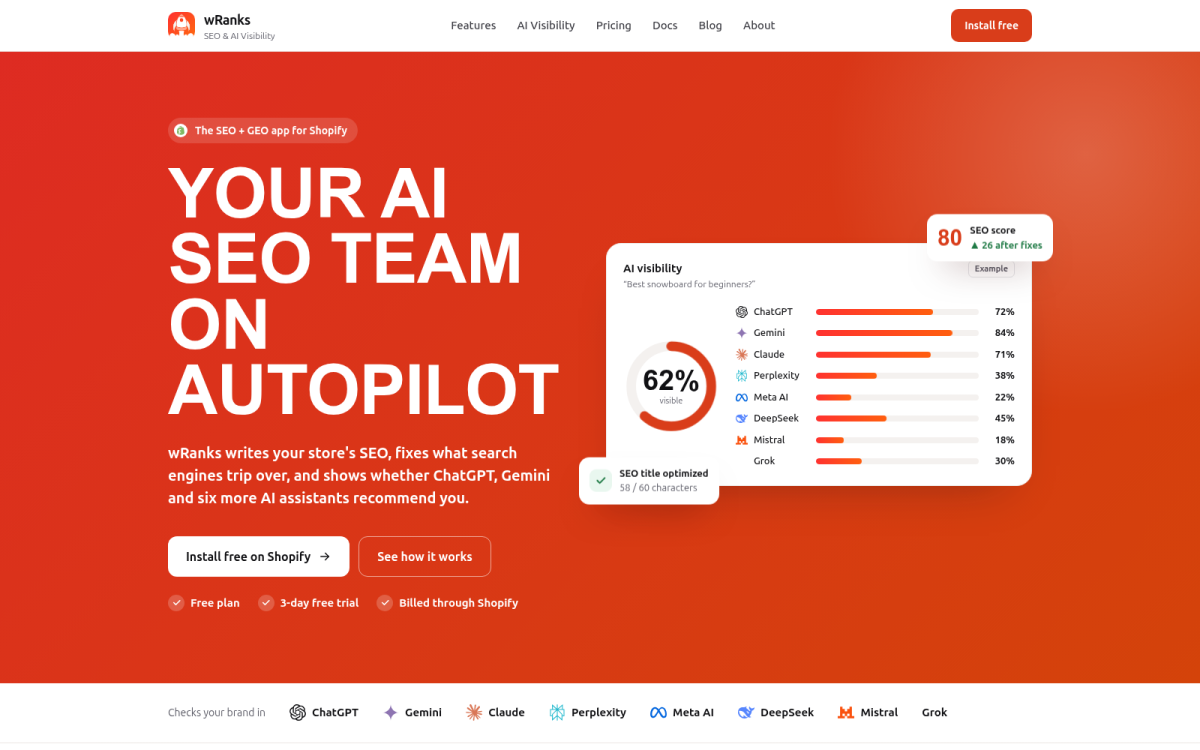
Its value is operational: identify an issue, improve the asset, validate it, publish with review, and measure visibility. wRanks adds that full-store layer across products, collections, pages, and blogs.
What it automates across Shopify content
You can optimize meta tags, structured data, image alt text, and AI-generated content in one workflow. You can also track keywords and connect Google Search Console data to impressions, clicks, and ranking movement. Clear, entity-rich, answerable content supports AI platforms without promising placement in generative results. For a vintage catalog, My Vintage is the kind of product-focused storefront where descriptive titles and image context can support both shoppers and search systems.
Weak: “Blue shoes for every occasion.”
Strong: “Women’s Navy Leather Loafers for Work and Travel.” You can then check intent, canonical signals, indexability, schema completeness, and useful image descriptions before publishing.
Best use case
You get the most value when your store needs repeatable SEO checks across many content types, not one isolated fix.
Best for
- Full-store coverage: You can manage products, collections, pages, and blogs together.
- Visibility measurement: You can connect edits with keyword and Search Console movement.
- AI-search preparation: You can improve content clarity and entity detail for AI platforms.
Trade-offs and when to use it
You give up some developer-level control compared with a coding toolkit. Custom theme logic still needs technical implementation, but wRanks can complement that work. Before publishing, you can check:
- Metadata: Your title matches intent and your description earns the click.
- Indexability: Your canonical and indexing signals point where intended.
- Schema: Your structured data is complete and valid.
- Images: Your alt text describes each image’s purpose.
Use it if you want measured Shopify SEO improvements without making every task a code deployment.
Claude Code with Shopify Connections
Does your technical team want to run Shopify SEO work through prompts instead of separate scripts? Claude Code can connect with Shopify APIs, documentation, products, tags, metafields, collections, reports, and theme files. You get an agent workspace, not a complete SEO monitoring product.
The official Shopify AI Toolkit connects coding agents with Shopify’s platform, live APIs, and documentation, according to Google AI Overview's Shopify AI Toolkit summary dated April 9, 2026. Shopify’s Dev MCP server supports local documentation lookup and validation, according to Shopify’s 2026 Dev MCP documentation. You still need permissions, precise prompts, review, and a separate way to measure organic visibility. The same need for clear, structured technical information appears in resources such as industrial wastewater resource recovery, where precise terminology helps systems and readers interpret specialized subject matter.
What technical teams can automate
Claude Code can query analytics, manage products and inventory, run bulk updates, and validate Liquid or GraphQL work against live data, according to Google AI Overview's Shopify AI Toolkit capability summary. The Shopify plugin updates automatically, so you aren't working from a stale schema, according to Shopify’s 2026 plugin documentation.
Weak prompt: “Improve SEO for these products.”
Read-only audit prompt: “Using Shopify data, inspect 20 products in the Clearance collection. Report missing titles, descriptions, image alt text, canonical concerns, tags, and metafields. Do not modify data. Propose changes only after showing the returned fields.”
Screenshot: A Claude Code workspace showing a read-only product audit, returned fields, and proposed changes before approval.
Best use case
Use it when you can write structured prompts, inspect returned data, stage mutations, and validate theme changes. Your team can pair organic measurement with this guide to search impression share for Shopify, which fits the same workflow.
Best for
- Custom engineering: Theme, Liquid, GraphQL, and API tasks.
- Controlled bulk work: Product, collection, tag, and metafield operations.
- Technical audits: Live data checks before proposed changes.
What works
- Live context: Your prompts can work against current Shopify data.
- Validation: You can check returned schemas and documentation.
What fails
- Unclear prompts: Vague instructions increase unsafe or irrelevant changes.
- Missing monitoring: Claude Code doesn't replace ongoing SEO visibility tracking.
Trade-offs and when to use it
You must constrain permissions and review every mutation. Use Claude Code for custom engineering, but use wRanks for repeatable SEO optimization, meta tags, structured data, and tracking. Choose it if your technical team needs controlled Shopify automation, not a standalone SEO operations layer.
Match the Tool to the Shopify SEO Situation
You don't need the same Shopify AI tool for every SEO task. Your best choice depends on whether you need repeatable optimization, direct store control, or developer-led automation.
Use the decision guide below to match your workload to the right operating model. You may need one tool or a controlled combination that separates store changes from search measurement.
| tool | best for | strength | limitation | price band |
|---|---|---|---|---|
| wRanks | Shopify merchants and marketing teams managing SEO across products, collections, pages, and blogs | Integrated SEO optimization, metadata, structured data, alt text, keyword tracking, and Search Console workflows | Custom theme or platform engineering may still require developer tools | SaaS pricing; check current plans |
| Shopify AI Toolkit | Teams needing agent access to Shopify APIs, documentation, and store operations | Official open-source toolkit with MCP surfaces, agent skills, and Shopify workflow access | Requires permission design, mutation review, and separate SEO visibility monitoring | Open-source; implementation and agent costs vary |
| Claude Code with Shopify connections | Developers automating custom Shopify operations through prompts | Technical control over API operations, validation, bulk work, and theme-related changes | Not a complete SEO platform or organic visibility dashboard | Agent subscription or usage costs vary |
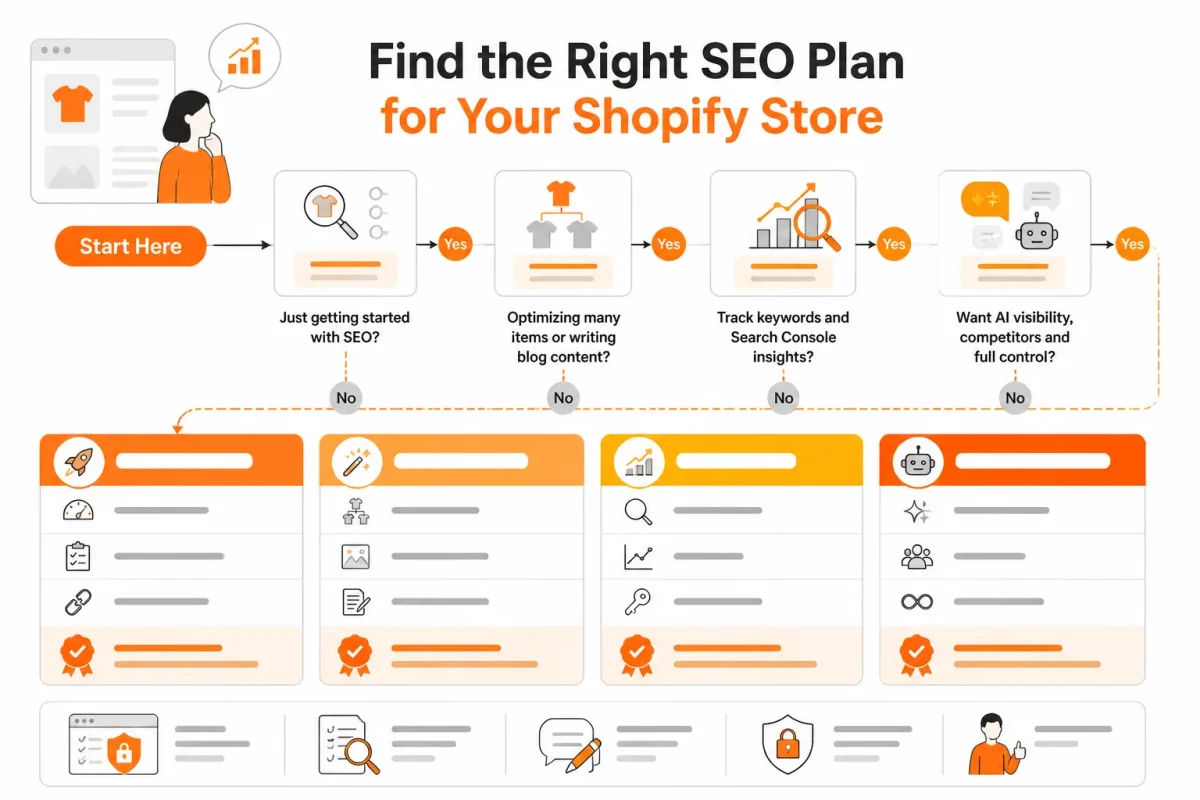
If you need repeatable product and collection SEO
- Start here: Choose wRanks when you have a backlog across product pages, collections, blogs, or images.
- Best fit: You can optimize meta tags, structured data, alt text, keywords, and Search Console workflows in one SEO process.
If you need live API and theme operations
- Start here: Choose the Shopify AI Toolkit for broad agent access, or Claude Code when you need custom development.
- Best fit: You can manage permissions, test changes, and review every mutation before it reaches your store.
If you need prompts plus search visibility checks
- Start here: Combine controlled execution through the Shopify AI Toolkit or Claude Code with wRanks for SEO measurement.
- Best fit: You keep technical automation separate from keyword tracking, Search Console insights, and repeatable optimization.
Shopify AI Toolkit Questions Merchants Still Ask
Setup advice may be scattered across repositories, tutorials, and forum threads. Verify each instruction against Shopify’s current materials, then test one small SEO task before changing your store at scale.
Where to find the Shopify AI Toolkit on GitHub
You can find it in Shopify’s official Shopify AI Toolkit repository on GitHub, rather than a community fork. Use that repository to confirm installation steps, supported connections, and current examples before you give an AI tool access to your store. Shopify’s 2026 documentation identifies the Storefront MCP endpoint as https://{shop}.myshopify.com/api/mcp.
How to use the Shopify AI Toolkit for SEO workflows
Learn the workflow in stages: begin with a read-only task, connect only the required surface, inspect products or metafields, propose changes, validate meta tags and structured data, then publish a small reviewed batch. Shopify’s 2026 documentation says the Dev MCP server requires no authentication and supports documentation lookup, while the Storefront MCP serves a different purpose.
What Shopify AI Toolkit Reddit users say about it
Reddit discussions may cover installation friction, useful prompt patterns, and concerns about unintended mutations. Treat those comments as anecdotal, not official product documentation, because reports can become outdated or reflect unusual store setups. Shopify’s 2026 documentation says the Storefront MCP needs no installation step on stores running the Winter 2026 release, so verify your version before following forum advice.
Start with One Controlled Shopify SEO Workflow
You don't need broad agent access to improve your Shopify store. You need one narrow task, one review process, and a clear record of what changed.
Keep the first cycle small enough to inspect by hand. That gives you evidence before you trust automation with more of your store.
Choose one page type and one SEO outcome
Set the boundary: Choose one collection and audit product titles and meta descriptions for its products. Define success as clearer search intent, unique copy, and approved recommendations, not immediate ranking movement.
Run a small prompt-based test
Constrain the request: Ask for findings and proposed edits before any mutations. Weak prompt: “Optimize these products.” Strong prompt: “Audit these product titles and meta descriptions for search intent, duplication, and clarity. Return findings and proposed edits only. Do not publish changes.”
Validate before publishing
Review every field: Check intent, uniqueness, length, internal links, structured-data fields, and image alt text. Use this checklist:
- Metadata: Titles and descriptions match the product.
- Structured data: Key fields describe the visible page.
- Accessibility: Alt text explains each useful product image.
Monitor the result and expand
Measure the batch: Publish only approved edits, record the change date, then monitor Google Search Console impressions, clicks, average position, indexed-page signals, and keyword tracking. Don't grant broad write access until this workflow is proven. Start with one wRanks product-page audit, establish your baseline, and expand only after the first cycle.
If you want a faster way to run this workflow, wRanks helps Shopify stores optimize products, collections, pages, and blogs with AI-powered SEO, including meta tags, structured data, alt text, and visibility monitoring. The wRanks blog covers practical Shopify SEO workflows for your next controlled improvement.

Content marketing expert and Shopify ecosystem authority. Priya has helped 200+ stores grow organic traffic through strategic blog content and keyword targeting.


